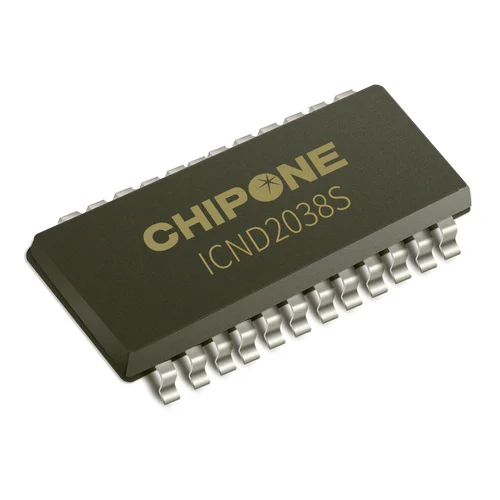
The ICND2038S is a Chipone 16-channel constant current LED sink driver with a dual-latch architecture, used in LED display modules. If you need an ICND2038S datasheet, a package pinout, or help checking a replacement, start with the exact chip marking and the module configuration. Similar part names do not establish electrical or firmware compatibility.
This guide brings together the manufacturer references and practical engineering checks for module selection, current setting, receiving-card configuration and repair. Published specifications are identified separately from calculated examples and general troubleshooting advice. The ICND2038S datasheet PDF is available in Section 2; the SSOP24 pinout and R-EXT calculations follow in Sections 5 and 6. EagerLED manufactures LED displays; Chipone manufactures this semiconductor.
Quick access: Datasheet PDF · Specifications · Pinout · R-EXT calculation · FAQ
1. What Is the ICND2038S?
A constant current driver regulates the current flowing through its LED outputs while those outputs are enabled. In a display module, that helps control brightness despite differences in LED forward voltage. The final result also depends on LED binning, current settings, calibration, power distribution and temperature. A driver specification alone does not establish the uniformity of a finished video wall.
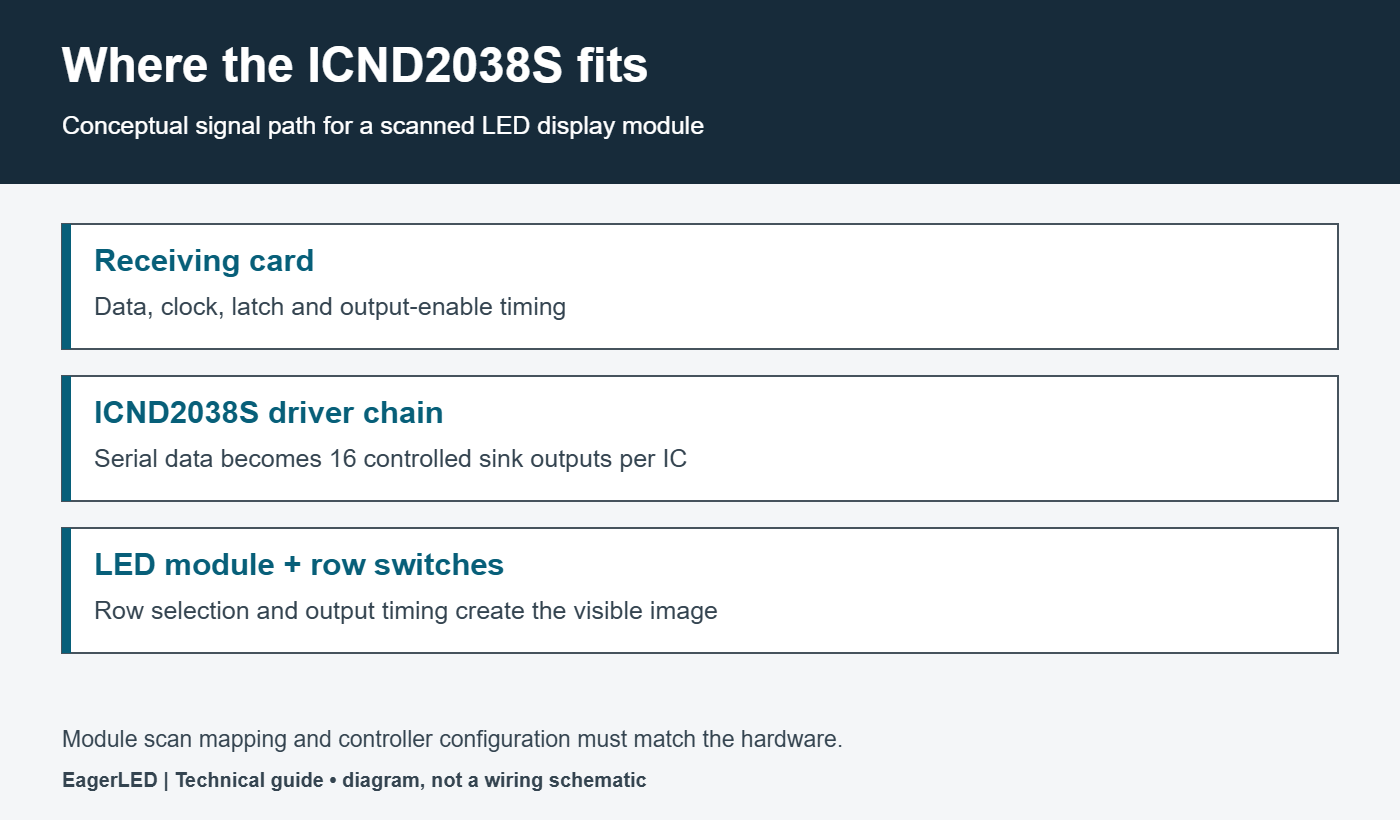
The ICND2038S sits on the module PCB between the control signals and the LED current paths. It is not the sending controller, receiving card, row decoder or power supply. These components have different jobs, and understanding their boundaries makes fault diagnosis much faster. A repeated row fault, for example, can originate in row selection even when every sink driver is working.
01. What do 16 channels mean?
Sixteen channels describe sixteen controlled current outputs. They do not automatically mean sixteen complete RGB pixels. Each RGB pixel has separate red, green and blue current paths, and a scanned module shares driver resources across selected rows. The number of ICs needed therefore depends on the module wiring and scan arrangement, not only its pixel count.
02. Where does the driver fit in an LED display?
The receiving card supplies data and timing according to a module configuration. Driver chains receive the serial data, and row-switch circuitry selects the appropriate LED rows. Correct image reproduction requires those operations to agree. When comparing LED display modules, ask for the driver marking, scan ratio, PCB revision and matching receiving-card configuration together.
2. ICND2038S Datasheet Download and Source Notes
Download the Chipone ICND2038S datasheet PDF — English, V1.6, April 2020. This document is hosted by EagerLED and identifies ICND2038S on its cover. It should not be presented as the datasheet for every similarly named ICN2038 or ICN2038S device.
Use the official Chipone ICND2038S product page to cross-check the product family and summary specifications. The linked PDF is a dated reference, not a claim that no newer revision exists. For production procurement, obtain the documentation applicable to the supplied part and lot.
For efficient reading, use PDF pages 3–5 for package pin assignments, page 7 for commands, page 9 for dual-latch timing, pages 10–13 for electrical conditions, page 18 for the current formula, and pages 19–21 for package outlines and ordering information. Keep a copy of the approved revision with the module BOM and controller configuration so later repairs use the same evidence.
3. ICND2038S Key Specifications
The following compact reference combines Chipone’s product summary with its V1.6 datasheet. Supply-dependent limits are kept together so a 5 V figure is not accidentally used for a 3.3 V design.
| Parameter | Published value |
|---|---|
| Outputs | 16 current sinks |
| Current range | 0.5–45 mA at 5 V; 0.5–25 mA at 3.3 V |
| Current accuracy | ±2% product summary |
| Current gain | 4-bit; 25–100% |
| Data clock maximum | 30 MHz at 5 V; 25 MHz at 3.3 V |
| Minimum OE pulse width | 40 ns at 5 V; 45 ns at 3.3 V |
| Scan / refresh summary | 1–32S / 1920 Hz |
| Package options | SSOP24 / QFN24 |
01. ICND2038S operating voltage and current limits
The ICND2038S feature list describes a 3.3–5 V supply, while the DC table includes a 6 V maximum and the absolute-maximum table lists 7 V. Treat these as different categories of information. Do not select a supply merely because it remains below a stress limit. Resolve the intended operating range with the manufacturer for the exact application.
Similarly, the stated current accuracy concerns the driver under specified conditions. It is not a guarantee that adjacent modules will have identical measured luminance. If a replacement looks brighter, compare its current-setting resistor, gain, LEDs and calibration before concluding that the driver is defective.
02. Refresh rate is a system result
The ICND2038S product summary’s 1920 Hz figure is useful for initial selection, but the installed display must be measured or verified in its actual configuration. Scan ratio, data-chain length, grayscale scheduling and blanking all consume time. For a camera-facing display, test the intended shutter settings and brightness rather than using a chip name as a promise of flicker-free footage.
4. ICND2038S Features in Practical Use
The manufacturer describes dual latches, adjustable pre-charge, low-gray enhancement and current gain. Their practical value is the ability to coordinate data loading, LED drive and transitions between display states. They still require suitable timing and module design. A feature list cannot show whether a particular cabinet has been configured well.
During evaluation, inspect dark gradients, thin moving lines, small text and transitions from bright objects to a black background. These patterns expose different problems from a full-white image. Record brightness, configuration file, camera settings and ambient lighting, because a before-and-after comparison becomes unreliable when several conditions change at once.
For an ICND2038S module sample, agree on acceptance criteria before volume purchase. Include the test patterns, viewing distance, allowed nonuniformity, required refresh behavior and warm-up period. The driver choice belongs in that specification, alongside the LED package, power supply and service arrangement. This gives the supplier a measurable target and the buyer a repeatable inspection method.
5. ICND2038S Pinout: SSOP24 and QFN24
The ICND2038S pinout must match the exact package. Read the top marking and orientation mark before probing or placing a replacement. The table below is specifically for SSOP24; use the package drawings in the linked datasheet when reviewing a footprint.
| Pin | Signal | Role |
|---|---|---|
| 1 | GND | Ground |
| 2 | SIN | Serial input |
| 3 | CLK | Shift clock |
| 4 | LE | Latch / command selection |
| 5–20 | OUT0–OUT15 | Current sinks |
| 21 | OE | Active-low enable |
| 22 | SOUT | Serial output |
| 23 | R-EXT | Current-setting resistor |
| 24 | VDD | Supply |
01. ICND2038S QFN24 pinout: check the suffix
ICND2038SGN-01 and ICND2038SGN-02 are QFN24 variants with different pin assignments. For GN-01, OE is pin 18 and R-EXT is pin 20; for GN-02, OE is pin 20 and R-EXT is pin 21. Their shared package size does not make their PCB connections interchangeable. Compare every supply, ground, output and control connection with the corresponding drawing. For repair stock, keep the suffix in purchasing and inventory records rather than shortening all entries to ICND2038S.
02. Check control signals at the component
OE is an output-enable signal on the SSOP24 ICND2038S, not a grayscale-clock pin. Probe the actual driver pins when checking timing; a clean waveform at a receiving-card connector does not prove that the far end of the module chain sees the same waveform. Use a short probe ground and compare a known-good section under the same display pattern.
Before replacing a device, check for bridged leads, damaged pads and interrupted traces. If the symptom begins at one point in a serial chain and continues downstream, inspect both that device’s serial output and the next device’s serial input. A continuity or soldering fault can resemble a driver failure.
6. Setting ICND2038S Output Current with R-EXT
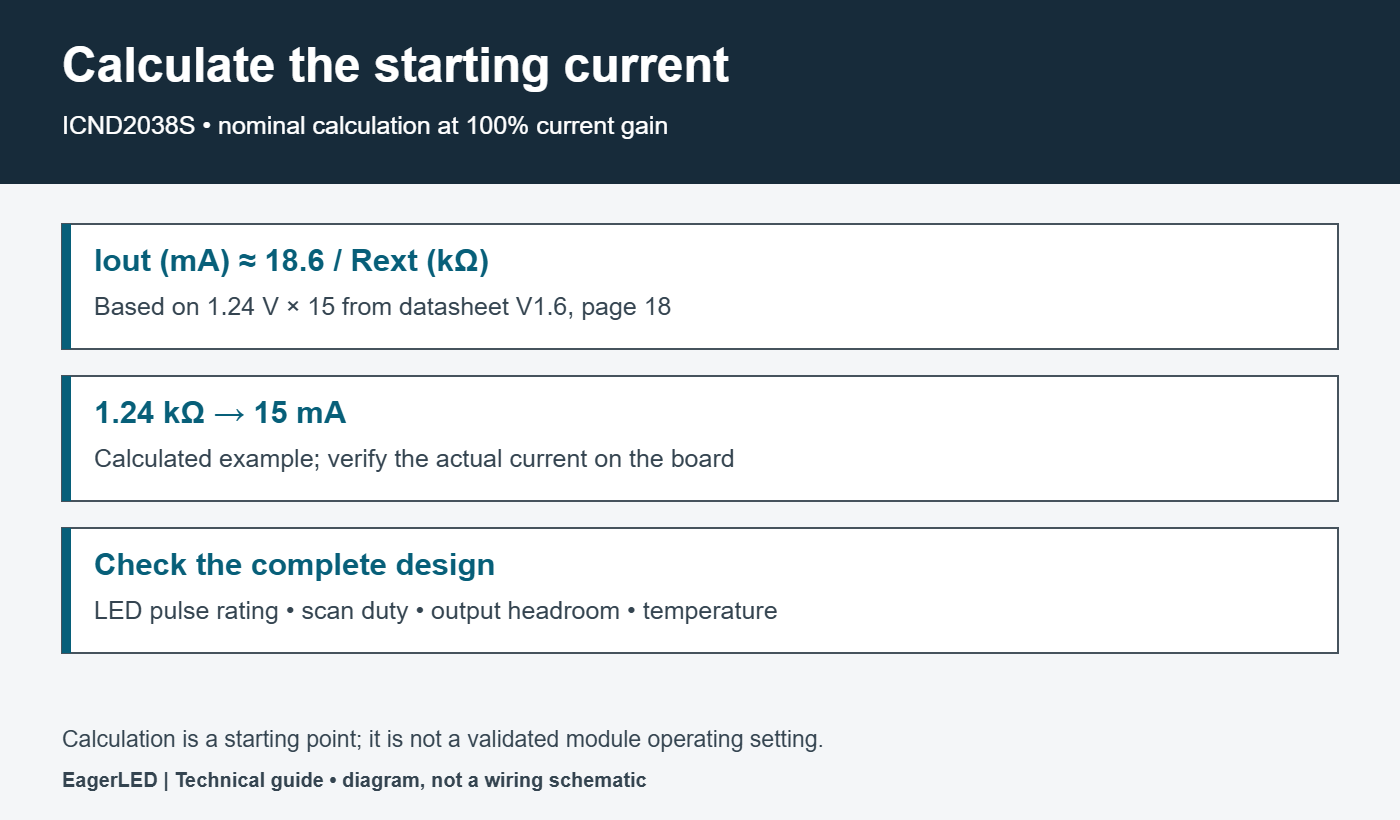
At 100% gain, the datasheet formula is Iout = (1.24 V / Rext) × 15. In convenient units, Iout in mA ≈ 18.6 / Rext in kΩ. These are nominal calculations, not measured module currents.
| Target current | Calculated resistance | Check before use |
|---|---|---|
| 5 mA | 3.72 kΩ | Low-brightness behavior |
| 10 mA | 1.86 kΩ | LED rating and actual output |
| 15 mA | 1.24 kΩ | Resistor tolerance and gain |
| 20 mA | 0.93 kΩ | Headroom and temperature |
01. Turn a calculation into a validated setting
Choose a suitable standard resistor value, calculate the resulting nominal current again, and measure the board. Record resistor tolerance and the active gain setting. A change to either can alter brightness, so replacing a resistor without checking the configuration can create a misleading repair result.
For a scanned LED display, distinguish enabled-channel current from time-averaged LED current. As a simplified example, a 20 mA pulse with a 1/16 row duty would average 1.25 mA before additional PWM and blanking reductions. This arithmetic is an illustration, not permission to multiply an LED’s continuous-current rating by the scan ratio. The LED’s pulse limits and thermal conditions still govern selection.
02. Check headroom and heat
A constant current sink requires sufficient voltage across its output stage to regulate. Excess voltage also produces heat. Evaluate the complete current path: supply, row switch, LED forward voltage, wiring drop and sink output. A module that performs well near its power connector may behave differently at the end of a cabinet with inadequate distribution.
For a rough thermal illustration, sixteen enabled channels at 15 mA with 1 V across each sink dissipate about 0.24 W in those output stages. This excludes logic consumption and requires adjustment for actual duty. Measure temperature in the intended enclosure rather than treating this simple estimate as a package thermal qualification.
7. Dual Latch, Refresh Rate and Ghosting Control
The ICND2038S dual-latch arrangement allows data transfer to overlap a display interval. That reduces otherwise idle time, but does not remove the need to coordinate the receiving card, latch commands and row switches. The controller configuration must implement the appropriate sequence for the module.
01. Validate timing as a complete sequence
For ICND2038S commissioning, begin with the module supplier’s known-good configuration. Save the original file before making changes. Confirm scan mode, pixel mapping, data polarity and driver selection, then inspect static patterns before moving content. Change one setting at a time and retain enough notes to reproduce the result.
Do not infer built-in grayscale depth from the phrase “16-bit register.” A register width and a display’s effective grayscale performance describe different things. Likewise, a high data-clock limit does not establish the refresh frequency of a complete screen. Use the manufacturer’s timing diagrams and the receiving-card documentation together.
02. ICND2038S latch commands and configuration
The ICND2038S command parser counts clock rising edges while LE is high. The V1.6 command table assigns 11 edges to WR_REG1 and 12 to WR_REG2. Data-latch selection depends on configuration bit reg2_bit[6], so copying an LE pulse from an unrelated module can produce the wrong result. Read the command table together with its setup and hold requirements; these counts alone are not a complete initialization sequence.
When investigating a module that receives data but displays the wrong pattern, capture SIN, CLK, LE and OE together. Note whether the problem appears immediately after power-up or only after a brightness change. That distinction helps separate initialization issues from row timing, signal integrity and current-setting faults.
03. Reduce ghosting with controlled tests
Ghosting is unintended light during or after a transition. Pre-charge settings can help, but row-switch behavior, parasitic capacitance, blanking and signal integrity also matter. The ICND2038S should therefore be described as offering ghosting-reduction features, not as guaranteeing that every module will be ghost-free.
Test a bright horizontal line on black, then dark gradients and single-color patterns. If one adjustment removes a trail but worsens a first-row artifact, record both outcomes. A successful setting must work across the required brightness range, not just on one image at maximum output.
8. ICND2038S vs ICN2038S and Related Chipone Drivers
ICND2038S, ICN2038S and ICN2038 appear in searches and component listings. These names should be treated as distinct identifiers until the relevant manufacturer documents establish equivalence. This page does not assert that one is a drop-in replacement for another or that a letter change proves a particular feature upgrade.
If you searched for an ICN2038S datasheet, first inspect the component itself. This page links the ICND2038S document, whose extra letter is part of the model identifier. Ask for a photograph sharp enough to read the entire marking and obtain the matching document before ordering. A search engine’s corrected query or a distributor’s combined listing is not proof that two devices are identical.
For an ICND2038S replacement, compare the full marking, package pinout, supply requirements, current setting, initialization commands and output timing. Then validate a sample on the actual module. A matching footprint is only one part of compatibility; software settings and electrical behavior can still differ.
EagerLED also provides reference pages for ICN2037 / ICN2037BP and ICND2153 / ICN2153. Use them to identify other parts, not as a replacement shortlist. For configuration context, consult the LED control system resources and the documentation for your exact receiving card.
9. Where ICND2038S Modules Fit and How to Diagnose Problems
The ICND2038S is relevant to scanned LED module designs and maintenance of existing displays using this device. Selecting a finished screen still requires a wider assessment of pixel pitch, viewing distance, brightness, environment and service access. The LED screen buying guide covers those system-level decisions.
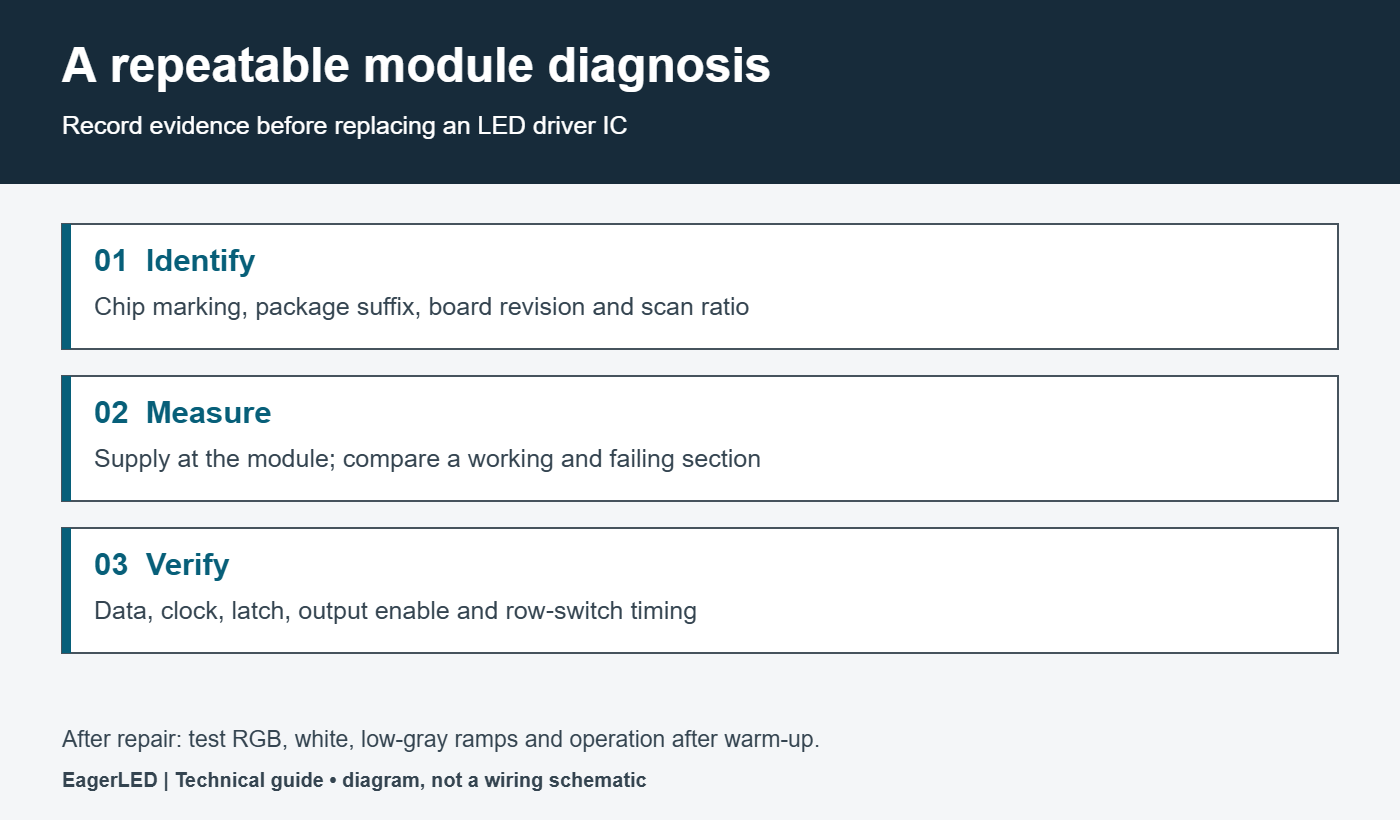
For maintenance, first establish whether a problem follows the module, a cable, a receiving-card output or a power branch. Use known-good matching parts and preserve the configuration. The following table provides diagnostic starting points; none of these symptoms uniquely proves that the driver IC has failed.
| Observed symptom | Checks to prioritize | Useful evidence |
|---|---|---|
| Repeated dark or bright column | LED path, output pin, soldering | Same pattern on a working module |
| Several downstream sections fail | Serial chain and interconnect | SIN / SOUT comparison at the boundary |
| One row behaves differently | Row switching and blanking | Row-select and OE timing |
| Fault appears after warm-up | Supply drop, temperature, joints | Cold versus warm measurements |
| Replacement has different brightness | R-EXT, gain, LEDs, calibration | Matched settings and test image |
After an ICND2038S repair, inspect red, green, blue, white and near-black patterns, then run the module long enough to reach a stable operating temperature. Record what changed and keep the failed part’s marking. This creates a useful service history and helps distinguish an isolated assembly fault from a repeatable configuration issue.
10. ICND2038S Ordering and Module Matching
When requesting an ICND2038S quotation or a compatible module, provide a clear component photo, the complete suffix, PCB revision, module dimensions and resolution, scan ratio, supply voltage and current-setting resistor. Include the receiving-card model and configuration file when configuration support is needed. These details reduce the chance of receiving a mechanically similar but incompatible part.
For repeat orders, agree on whether component substitutions are permitted and how changes will be communicated. Keep approved sample identifiers and acceptance-test results with the purchasing record. Confirm availability, quantity, packaging and lead time directly rather than assuming a reference article reflects live stock.
Contact EagerLED with your module details for help identifying the display requirement. For semiconductor design limits or an unresolved datasheet discrepancy, request clarification from Chipone or the authorized supply channel.
11. ICND2038S FAQ
01. Where can I download the ICND2038S datasheet?
The English V1.6 PDF is linked in Section 2. Check its model and revision against your component before using it for design or repair. Keep the approved file with your module documentation so later service work refers to the same specification.
02. Is ICND2038S the same as ICN2038S?
Do not assume equivalence from similar names or search results. Confirm the full marking and compare manufacturer documents, package connections and required control timing. A replacement must also be validated with the module’s receiving-card configuration.
03. Can I increase brightness by reducing R-EXT?
A smaller resistor raises the nominal full-gain current, but the acceptable setting depends on the LED pulse rating, driver operating conditions and module heat dissipation. Check the existing gain and measure the current before changing hardware. More current is not a remedy for incorrect scan timing.
04. Does ICND2038S guarantee a 1920 Hz screen?
Chipone lists 1920 Hz in its product summary. The finished display’s behavior depends on the controller, scan arrangement and grayscale scheduling. Verify the required performance on the configured screen, especially when cameras will record it.
05. Will ICND2038S remove all ghosting?
No. The device includes features intended to reduce ghosting, but the module’s switching, timing and electrical layout remain important. Use controlled test patterns across the required brightness range and compare results before accepting a configuration change.
06. Which receiving-card firmware should I use?
Use the version and configuration approved for the exact receiving card, driver and row-decoder combination. The ICND2038S name alone is insufficient to select firmware. Back up the working configuration and obtain the module supplier’s compatibility confirmation before changing it.
07. How many pins and channels does ICND2038S have?
ICND2038S offers 16 current-sink output channels in 24-pin SSOP or QFN packages. Output channels and package pins are different counts: power, ground, serial data, clock and control connections occupy the other pins. Use the exact package drawing in Section 5 before selecting a footprint or a replacement.
08. What is the ICND2038S R-EXT formula?
At full gain, nominal channel current in milliamps is approximately 18.6 divided by resistance in kilohms. For example, 1.24 kΩ gives approximately 15 mA. The actual result also depends on gain, component tolerance and operating conditions; the calculated value is the enabled-channel current, not the average current of a scanned LED.
12. Conclusion and Technical References
The ICND2038S is best evaluated as one component of a coordinated LED display system. Start with the correct datasheet and package, validate the current setting, then check timing and image quality on the actual module. For repairs, gather evidence before replacing parts; for procurement, preserve the full component identity and an approved sample configuration.
The technical references used here are Chipone’s ICND2038S product summary and the ICND2038S English datasheet, V1.6, April 2020. Calculated examples and troubleshooting recommendations are explanatory guidance, not additional manufacturer guarantees. Technical references and links reviewed on 21 September 2026.