Choosing a Floor LED Display starts with safety, not pixel pitch. Eliminate any product that cannot document the required load capacity, anti-slip surface, installation structure, and environmental protection. Then compare pixel pitch, brightness, refresh rate, interactivity, maintenance, and control capacity against the real venue. For most buyers, the right order is: application -> structure -> environment -> image quality -> system design -> total cost.
Key takeaways: Ask for both distributed-load and point-load data; calculate the display’s native pixel count before selecting a controller; treat an IP rating as an enclosure test, not proof of slip resistance; specify at least 3,840 Hz when the screen will be filmed; and approve a full-size sample under real lighting before ordering the complete system.
Definition: A Floor LED Display is a modular, full-color LED video system engineered for horizontal installation and foot traffic. Unlike a conventional LED wall laid flat, it combines a reinforced walking surface, load-bearing cabinet, anti-slip treatment, sealed electronics, and a support structure designed to keep every panel level.
Table of Contents
-
- 1. Define the Application First
- 2. Choose the Correct Pixel Pitch and Resolution
- 3. Verify Floor LED Display Load Capacity and Walking Safety
- 4. Match Brightness and Image Performance
- 5. Check Environmental Protection and Cooling
- 6. Choose Standard or Interactive Operation
- 7. Plan Installation, Service, Power, and Control
- 8. Compare Quotations by Total Cost of Ownership
- 9. Use This Floor LED Display Buying Checklist
- 10. Frequently Asked Questions
- 11. Final Recommendation
1. Define the Application First
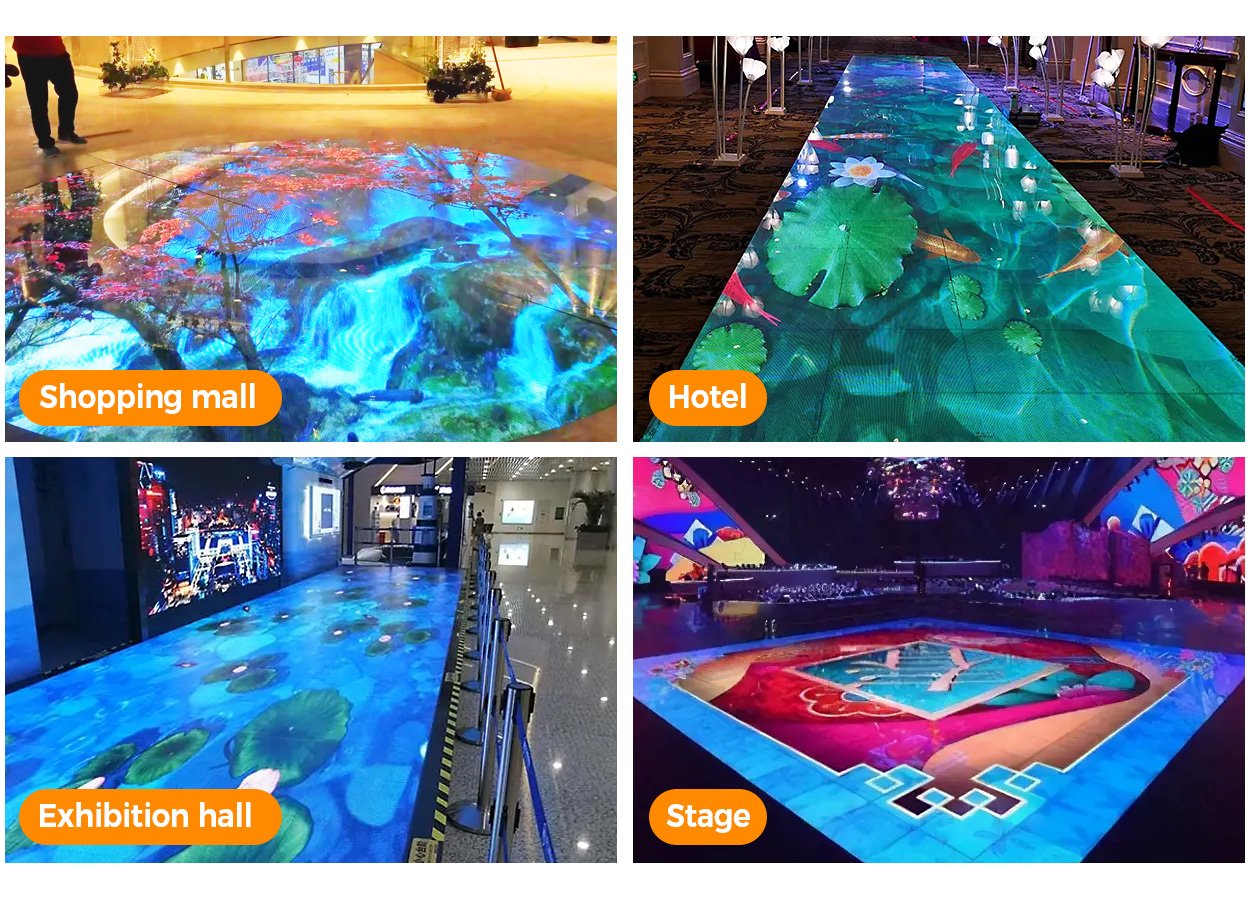
A Floor LED Display designed for a touring stage does not solve the same problem as one installed permanently in a shopping mall. Before requesting a price, document the venue, audience, operating hours, expected traffic, content type, viewing distance, camera use, exposure to water, and whether vehicles or equipment will cross the screen.
1.1 Indoor commercial installations
A Floor LED Display for retail stores, museums, hotel lobbies, exhibition halls, and entertainment venues should prioritize surface appearance, quiet operation, front maintenance, and comfortable indoor brightness. A flush embedded installation creates a clean transition to the surrounding floor, but it requires accurate recess depth, drainage planning, ventilation, and an accessible service route.
For reference, the EagerLED EA-iFloor uses 500 x 1,000 mm cabinets, IP66 protection, front service, and a stated load capacity above 2,000 kg/m².
1.2 Stages, rental events, and broadcast
A rental Floor LED Display buyer should value fast locks, positioning pins, replaceable masks, cable protection, flight cases, and repeatable leveling. The Floor LED Display must survive more assembly cycles than a permanent installation. For broadcast and XR, the processor, scan mode, grayscale at low brightness, refresh rate, and camera compatibility may matter more than maximum brightness.
1.3 Outdoor and semi-outdoor projects
An outdoor Floor LED Display project needs more than a high IP number. Ask how water leaves the platform, how cables and connectors are protected, how heat is released, and how the installation handles thermal expansion. The EagerLED EA-OFloor specifies front-and-rear IP67 protection, a load capacity above 1,500 kg/m², optional interaction, and 3,840 Hz refresh.
Do not place an indoor product outdoors simply because the event lasts one day. Rain, condensation, direct sun, and wet footwear can expose weaknesses that do not appear during a dry factory test.
1.4 Compare the five main system types
The term Floor LED Display covers several systems with different control, content, and installation requirements. Use this table to select a category before comparing pixel pitch or price.
| System type | What it does | Best fit | Main buying concern |
|---|---|---|---|
| Standard video floor | Plays scheduled or live full-motion content | Stages, branded environments, architectural floors | Reliable playback and simple operation |
| Interactive floor | Detects footsteps or movement and triggers mapped effects | Museums, malls, exhibitions, games | Sensor density, end-to-end latency, calibration, and multi-user tracking |
| LED dance floor | Combines video playback with high-energy, repeated foot traffic | Clubs, weddings, KTV, entertainment venues | Anti-vibration construction, surface wear, and lighting-system integration |
| XR or broadcast floor | Forms part of a camera-visible virtual environment | Film studios, broadcast, immersive production | Fine pitch, scan behavior, color calibration, reflections, and processor synchronization |
| Outdoor scenic floor | Operates in exposed public or event environments | Plazas, tourism projects, outdoor stages | Drainage, front/rear protection, UV exposure, corrosion, and structural engineering |
Portable or rollable products are an emerging subcategory, but they should not be treated as equivalent to rigid load-bearing cabinets. Require product-specific point-load, bending-cycle, waterproofing, and serviceability evidence before using a flexible system in a walk-on application.
2. Choose the Correct Pixel Pitch and Resolution
Pixel pitch is the center-to-center distance between adjacent LEDs. A smaller pitch produces more pixels per square meter, but it also increases the LED count, processing load, power density, and purchase cost. The best Floor LED Display uses the coarsest pitch that still looks smooth at the actual viewing and camera distances.
2.1 Match pitch to the way people see the floor
Floor LED Display viewing geometry differs from a vertical video wall. People see the image at an angle while standing nearby or from a raised viewing position. This geometry can make a moderate pitch acceptable for a large stage, while a museum exhibit filmed from close range may need a finer pitch.
Use these ranges only as a shortlist, then test a physical sample:
| Application | Practical pitch range to evaluate | Main reason |
|---|---|---|
| Close-view retail or museum exhibit | P2.5-P3.0 | Fine detail and short camera distance |
| Exhibition, hotel, or interactive installation | P3.0-P3.9 | Balance of detail, durability, and cost |
| Stage, dance floor, or large event | P3.9-P4.8 | Longer viewing distance and larger area |
| Outdoor public installation | P4.8 or larger where appropriate | Brightness, robustness, and budget |
These are planning ranges, not universal limits. Surface mask design, LED package, contrast, content, viewing angle, and camera position can make two products with the same pitch look very different.
2.2 Calculate the real native resolution
Never choose a Floor LED Display controller from the video source format alone. Calculate the physical canvas:
horizontal pixels = screen width in millimeters / pixel pitch in millimeters
vertical pixels = screen height in millimeters / pixel pitch in millimeters
total pixels = horizontal pixels x vertical pixels
For example, a 5 x 3 m P3.91 screen is approximately 1,279 x 767 pixels, or about 0.98 million pixels. The same area at P2.6 is approximately 1,923 x 1,154 pixels, or about 2.22 million pixels. The final Floor LED Display native resolution affects sending capacity, receiving-card quantity, data cabling, content production, and system price.
3. Verify Floor LED Display Load Capacity and Walking Safety
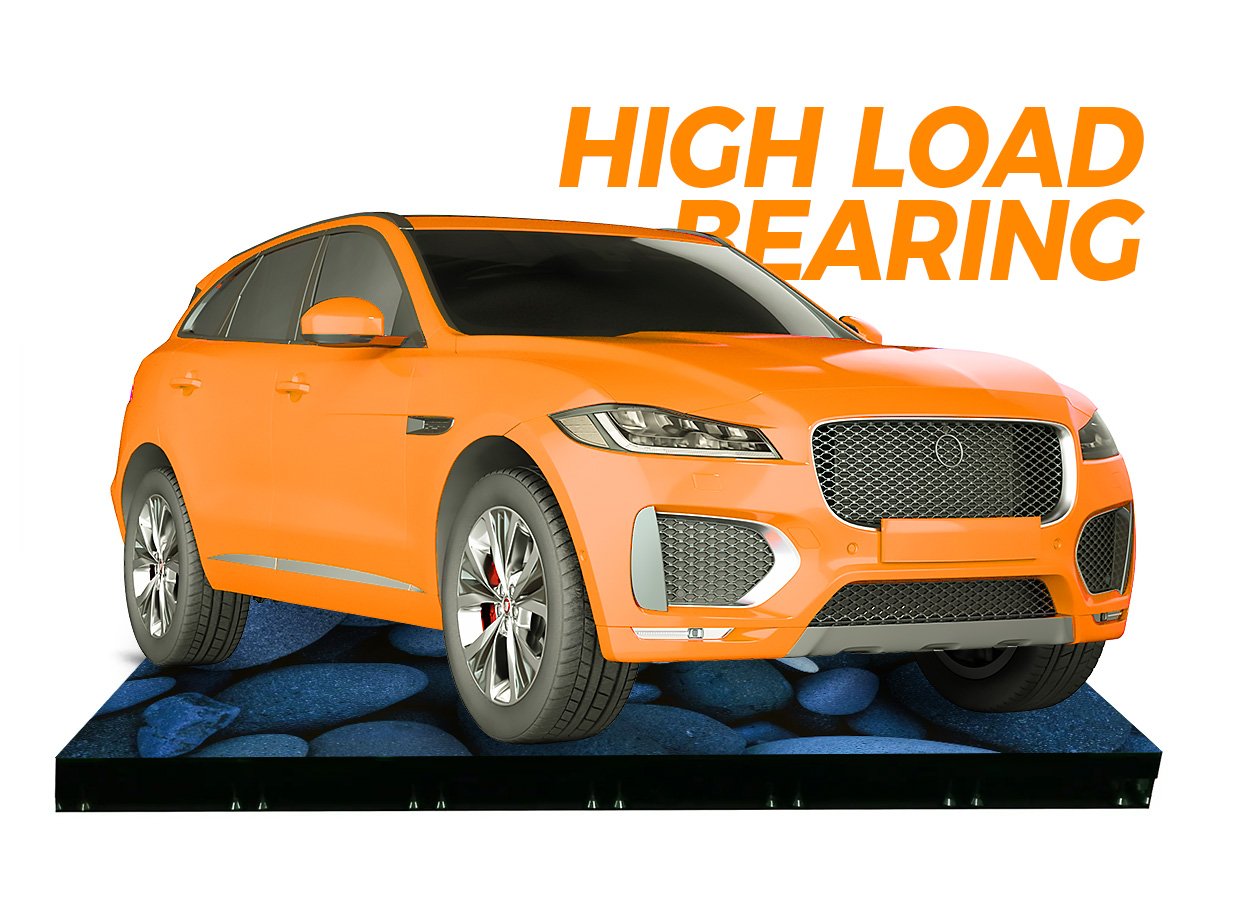
The structural specification is the first pass-or-fail test. A Floor LED Display supports people, scenery, equipment, and sometimes vehicles, so the cabinet rating must be matched to the complete support system and the way the load is applied.
3.1 Distributed load is not point load
A Floor LED Display rating such as 2,000 kg/m² normally describes a test condition specified by the manufacturer. It does not automatically prove that a small caster, high heel, stage leg, or vehicle wheel is safe. Those loads concentrate force into a much smaller contact area.
Ask the supplier for:
- The distributed-load test method and safety factor.
- Permitted point load and minimum contact area.
- Rules for vehicles, rolling loads, and dynamic movement.
- Required subframe spacing and leveling tolerance.
- Test reports for the cabinet, mask, locks, and support structure.
Do not convert a kg/m² figure into a vehicle claim without written engineering confirmation. For public installations, have a qualified local structural professional approve the platform and surrounding floor transitions.
3.2 Inspect the walking surface
The Floor LED Display surface must resist wear, impact, and slipping without excessively diffusing the image. Compare the mask material, texture, coefficient-of-friction test documentation, edge treatment, and replaceability. Wet-use projects need testing under wet conditions, not only a dry demonstration.
Also inspect flatness across cabinet seams. A small height difference can become a trip point or catch a rolling case. Request a full-size assembled sample, walk across it, roll the expected equipment over it, and inspect the image from the normal audience position.
4. Match Brightness and Image Performance
More brightness is not automatically better. Excessive indoor brightness can reduce comfort, emphasize reflections, increase power use, and make low-level grayscale harder to control. The correct Floor LED Display should maintain contrast under the venue’s real ambient light while operating below its maximum output for normal use.
4.1 Approve brightness under real lighting
Floor LED Display brightness must be evaluated in context: indoor products commonly prioritize contrast and surface finish, while outdoor products need enough output to compete with daylight. Do not accept a brightness number without asking whether it is calibrated, typical, or maximum. The surrounding lighting, reflected ceiling fixtures, surface finish, and viewing angle can matter as much as the nominal nit value.
ROE Visual, for example, lists 800 nits for a matte 2.82 mm Black Marble configuration, while EagerLED positions its 3,840 Hz EA-OFloor for outdoor use. These are different design goals, not evidence that one number is universally superior.
4.2 Specify refresh rate, grayscale, and camera tests
Floor LED Display refresh rate is especially important for broadcast, XR, livestreaming, or phone recording. Start by evaluating 3,840 Hz or higher and run a camera test at the intended shutter speed and frame rate. A high refresh figure alone does not guarantee freedom from scan lines or moire, while ordinary naked-eye viewing still depends on stable processing and uniform color.
Ask for test footage showing:
- Slow camera pans across the floor.
- Low-brightness gradients and dark scenes.
- The intended frame rates and shutter angles.
- Close shots at the smallest expected camera distance.
- Color matching between replacement modules and cabinets.
5. Check Environmental Protection and Cooling
The IP code is often misunderstood. The International Electrotechnical Commission explains that IEC 60529 grades enclosure resistance to dust and liquids. In the code, “the first numeral refers to the protection against solid objects,” while the second numeral covers liquids.
5.1 Read the complete IP claim
A Floor LED Display IP claim must state whether the quoted rating applies to the front, rear, or both sides. IP65, IP66, and IP67 are not interchangeable, and an IP rating does not certify slip resistance, impact resistance, UV stability, corrosion resistance, or the finished platform after cabling.
Require the IP test report for the exact cabinet and connector configuration being purchased. If the project uses recessed installation, check whether water can collect below the screen even when the cabinet itself is protected.
5.2 Design drainage, ventilation, and access together
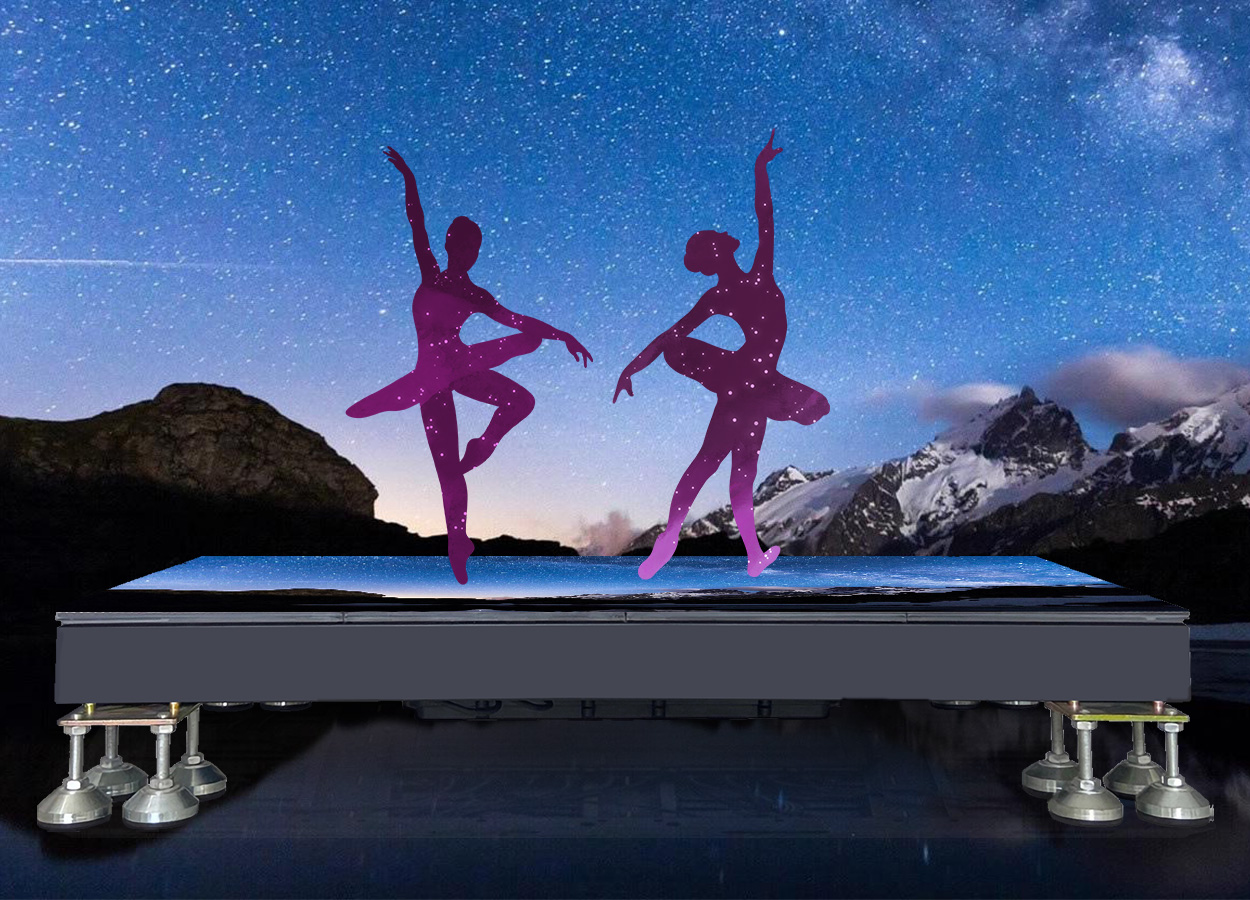
A Floor LED Display platform needs drainage paths that remain clear under the support frame. Indoor recessed systems still need heat dissipation and access to power supplies, receiving cards, cables, and sensors. A design that is waterproof but impossible to service will create expensive downtime.
Ask the supplier to mark air paths, drainage points, cable routes, service clearances, and module-removal direction on one coordinated drawing.
6. Choose Standard or Interactive Operation
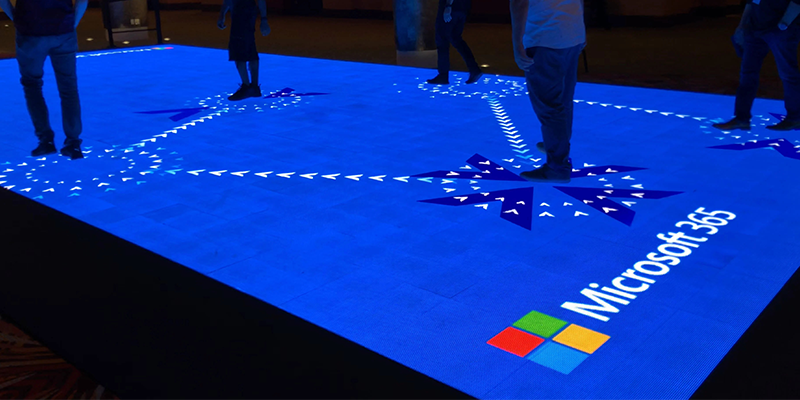
A standard screen plays scheduled or live content. An interactive Floor LED Display adds sensors and software that detect steps or movement and trigger content at mapped coordinates. Interaction can improve an exhibit, game, dance floor, or wayfinding experience, but it adds calibration, content-production, processing, and maintenance requirements.
6.1 Choose standard playback when reliability comes first
Use a standard Floor LED Display for stage backgrounds, decorative flooring, brand videos, and installations where every visitor should see the same sequence. The system is simpler to commission and easier for venue staff to operate.
6.2 Choose interaction only with a defined behavior
Do not buy “interactive” as a vague feature. Define the number of simultaneous users, response area, latency target, sensor technology, tracking resolution, content engine, and recovery behavior if a sensor fails.
Ask for a live demonstration that includes multiple users, fast movement, edge crossings, dark content, and continuous operation. The acceptance test should measure the experience, not just confirm that one footstep triggers one animation.
6.3 Compare a Floor LED Display with floor projection
Floor projection can be suitable for a temporary, low-budget experience in a dark, controlled room. It is not a direct replacement for a walkable LED system in every venue.
| Decision factor | Floor LED Display | Floor projector |
|---|---|---|
| Ambient light | Self-emissive image remains visible under normal venue lighting | Image loses contrast as ambient light increases |
| People and shadows | Image originates beneath the user | People can block the projection path and cast shadows |
| Structural role | Purpose-built cabinet and surface can be rated for foot traffic | Projector does not provide a load-bearing floor; a separate surface is required |
| Space requirement | Requires floor depth, subframe, power, and data access | Requires throw distance, mounting position, and an unobstructed optical path |
| Interaction | Sensors can be integrated at panel or system level | Usually relies on external camera or infrared tracking |
| Maintenance | Modules, masks, power supplies, and receiving cards need service access | Lens cleaning, alignment, tracking calibration, and possible light-source service are required |
| Initial investment | Usually higher | Usually lower for small, temporary installations |
Choose projection when controlled lighting, overhead space, and short-term use matter more than brightness and physical durability. Choose a Floor LED Display when the project needs a self-contained luminous surface, repeatable image geometry, heavy foot traffic, outdoor capability, or close integration with an LED wall.
7. Plan Installation, Service, Power, and Control
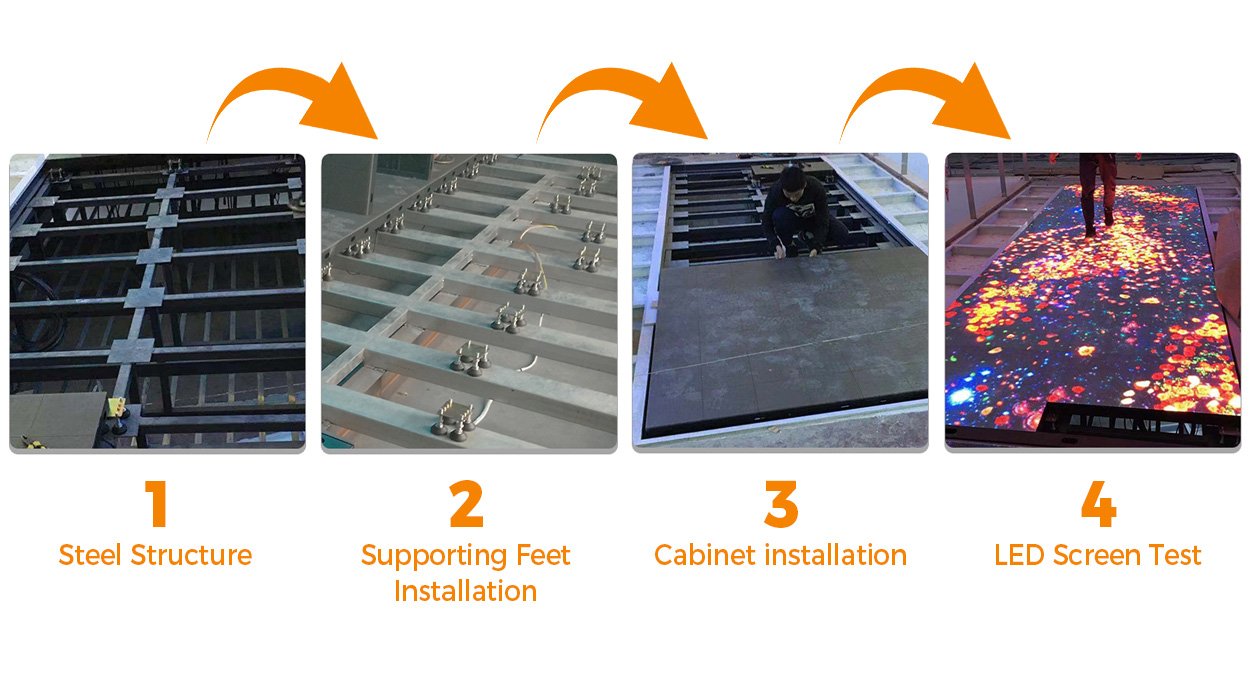
The visible panels are only one part of a Floor LED Display. A complete system includes the subframe, ramps or finished edges, power distribution, data redundancy, processors, spare parts, installation tools, content workflow, and commissioning.
7.1 Select an installation method
Choose the Floor LED Display installation method before finalizing cabinet quantity and accessories.
| Method | Best fit | Main trade-off |
|---|---|---|
| Embedded/flush | Permanent retail, museum, or lobby | Clean finish; requires precise recess, drainage, and access |
| Above-ground platform | Events and temporary installations | Fast deployment; needs ramps, edge protection, and height management |
| Steel-frame installation | Large or uneven sites | Strong leveling control; adds engineering and labor |
| Rail or modular support | Touring and repeat builds | Repeatable assembly; requires compatible hardware and cases |
7.2 Prefer practical service access
A Floor LED Display with front-service magnetic modules can allow technicians to replace a module from the walking surface, but power supplies and receiving cards may still require rear or underside access. Confirm every field-replaceable component, the removal tool, the time required, and whether adjacent cabinets must be lifted.
Buy spare modules, masks, power supplies, receiving cards, cables, and sensors from the same production batch where color matching matters. Record calibration files and cabinet mapping before the system leaves the factory.
7.3 Engineer power and data capacity
Floor LED Display power design begins with maximum and typical figures per square meter. Size circuits for the local electrical code and the manufacturer’s inrush behavior, then specify grounding, residual-current protection where required, emergency isolation, cable protection, and distribution-board location.
For control, compare the native pixel total with the processor’s real output capacity, port loading, maximum width/height, bit depth, and redundancy options. A spare processor is not redundancy unless the signal and data paths can switch quickly and the configuration files are available onsite.
8. Compare Quotations by Total Cost of Ownership
The lowest panel price rarely represents the lowest project cost. Compare every Floor LED Display quotation using the same scope and at least a three-to-five-year operating period.
8.1 Require a complete bill of materials
A Floor LED Display quotation should separately identify:
- LED cabinets, modules, masks, sensors, and spare parts.
- Support structure, ramps, trims, locks, and leveling hardware.
- Video processor, sending devices, receiving cards, and software licenses.
- Power distribution, signal cables, backup paths, and accessories.
- Flight cases for rental systems.
- Installation, commissioning, training, and onsite support.
- Warranty length, exclusions, response times, and return freight.
This format prevents a low hardware price from hiding missing structure, control equipment, or spares.
Use one budget formula for every supplier:
total installed cost = LED panels + support structure + control system + power distribution + interaction hardware/software + content production + installation + logistics + spare parts + planned maintenance
Avoid publishing or relying on a generic price per square meter without defining pitch, IP rating, surface type, interaction, order quantity, structure, shipping destination, and service scope. Two screens with the same area can have very different installed costs.
8.2 Audit the supplier, not only the sample
A Floor LED Display supplier audit should cover recent projects using the same model, factory test records, aging procedures, calibration process, certifications, spare-part availability, and a written acceptance plan. Check whether the quoted IP, load, brightness, and refresh figures belong to the exact configuration in the offer.
For high-traffic or vehicle-access projects, request independent structural review and product-specific test evidence. A polished demonstration video is not a substitute for documentation.
8.3 Compare EagerLED indoor and outdoor floor products
EagerLED offers two relevant starting points for a Floor LED Display project. Choose between them from the installation environment rather than from cabinet appearance alone.
| Product | Recommended use | Published protection and load data | Service and display features |
|---|---|---|---|
| EA-iFloor Indoor Floor LED Display | Shopping malls, hotels, theaters, exhibitions, concert halls, bars, and other indoor venues | IP66 cabinet design; stated load capacity above 2,000 kg/m² | 500 x 1,000 mm cabinet, anti-scratch mask, magnetic front service, and ground, embedded, steel-frame, or rail installation options |
| EA-OFloor Outdoor Floor LED Screen | Outdoor events, public installations, exposed stages, and projects requiring weather protection | Front-and-rear IP67 protection; stated load capacity above 1,500 kg/m² | 500 x 1,000 mm cabinet, 3,840 Hz refresh rate, front service, anti-scratch mask, and optional interactive sensing |
Choose EA-iFloor when the project is indoors and prioritizes higher published load capacity, flexible installation, and convenient front maintenance. Choose EA-OFloor when rain, dust, outdoor temperature changes, or interactive content require its IP67 outdoor design and sensing option.
These published values are useful for shortlisting, but the final EagerLED quotation should identify the exact pixel pitch, brightness, power consumption, controller, spare parts, support structure, certificates, and test reports. Send EagerLED the finished dimensions, expected point and rolling loads, site photos, viewing distance, camera requirements, and installation schedule to receive a project-specific configuration.
9. Use This Floor LED Display Buying Checklist
9.1 Avoid these common buying mistakes
| Mistake | Why it fails | Better requirement |
|---|---|---|
| Using a wall-mounted LED panel on the floor | The mask, cabinet, locks, and support were not designed for walking loads | Buy a purpose-built floor cabinet with documented structural tests |
| Comparing only kg/m² ratings | Distributed load can hide dangerous point or rolling loads | Require distributed, point, rolling, and dynamic load limits |
| Selecting pitch from a generic distance rule | Floor viewing angles, content, and cameras change perceived detail | Approve a physical sample at the real viewing and camera positions |
| Treating IP65, IP66, or IP67 as complete weatherproofing | IP tests do not cover drainage, slipping, UV exposure, or the finished installation | Review the product test report and the complete site design |
| Ordering no onsite spares | One damaged mask, module, sensor, or power supply can interrupt the experience | Include batch-matched modules and critical electronic spares in the contract |
| Hiding cables after the hardware arrives | Improvised routing creates trip, water, and maintenance risks | Approve coordinated structure, drainage, power, and data drawings before production |
9.2 Complete the nine-point acceptance checklist
Before issuing a purchase order for a Floor LED Display, confirm all nine decisions:
- Application: indoor, outdoor, fixed, rental, broadcast, XR, or interactive.
- Geometry: finished width, height, elevation, access, ramps, and surrounding floor transition.
- Pixels: pitch, native resolution, aspect ratio, viewing distance, and camera distance.
- Structure: distributed load, point load, rolling load, subframe, safety factor, and local approval.
- Surface: slip test, wear resistance, glare, flatness, and replaceable protective parts.
- Environment: front/rear IP rating, drainage, condensation, temperature, humidity, and cooling.
- Image system: calibrated brightness, refresh rate, grayscale, processor capacity, and camera test.
- Operation: content workflow, interaction, diagnostics, front/rear service, spares, and training.
- Commercial terms: complete bill of materials, warranty, support time, acceptance test, and total ownership cost.
10. Frequently Asked Questions
10.1 What pixel pitch is best for a Floor LED Display?
P2.5-P3.0 is worth evaluating for close-view exhibits and camera work, P3.0-P3.9 for many commercial installations, and P3.9-P4.8 for larger stages or dance floors. These are starting ranges. Approve the final pitch with a physical sample at the real viewing and camera distances.
10.2 How much load should an LED floor screen support?
The required rating depends on the people, equipment, scenery, and vehicles using it. Professional products commonly publish ratings around 1,500-2,000 kg/m², but buyers must also obtain point-load and rolling-load limits. A distributed-load rating alone is not enough for wheels, stage legs, or high heels.
10.3 Is IP65 enough for outdoor use?
Not automatically. IP65 describes enclosure protection under defined dust and water tests; it does not address drainage, prolonged immersion, corrosion, slip resistance, cable sealing, or the completed platform. Match the exact IP test report and installation design to the site’s exposure.
10.4 Does a Floor LED Display need 3,840 Hz refresh?
For installations that will be filmed, 3,840 Hz is a sensible specification to evaluate, but the final decision requires a camera test. Scan mode, brightness, grayscale, shutter settings, and processor configuration also affect visible lines and flicker.
10.5 Is an interactive LED floor worth the extra cost?
Choose interaction when the content has a defined response to footsteps or movement and the project can support sensor calibration, real-time software, and testing. For decorative loops or stage backgrounds, a standard system is usually simpler and more reliable.
10.6 How long does a Floor LED Display last?
Do not select a system from a theoretical LED lifetime alone. Practical service life depends on surface wear, water exposure, heat, power quality, operating hours, maintenance, and spare-part availability. Compare warranties, replaceable components, and five-year support commitments instead of relying on one lifetime number.
10.7 How much does a Floor LED Display cost?
There is no reliable universal price per square meter. Pixel pitch, cabinet and surface design, indoor or outdoor protection, interaction, processor capacity, support structure, order quantity, freight, installation, and spare parts all change the total. Request an itemized quotation using the same scope from every supplier, then compare total installed cost and warranty support rather than panel price alone.
11. Final Recommendation
Choose a Floor LED Display by eliminating unsafe or undocumented options first. Confirm structural loading, surface safety, support design, and environmental protection in writing. Then optimize pitch, brightness, refresh, interaction, and processing for the content and venue.
For a reliable quotation, send the supplier a dimensioned floor plan, expected loads, indoor/outdoor conditions, nearest viewing and camera distances, operating hours, content sources, and required interaction. EagerLED buyers can compare the indoor EA-iFloor and outdoor EA-OFloor as starting points, then request a configuration-specific drawing, test documents, pixel calculation, and bill of materials.