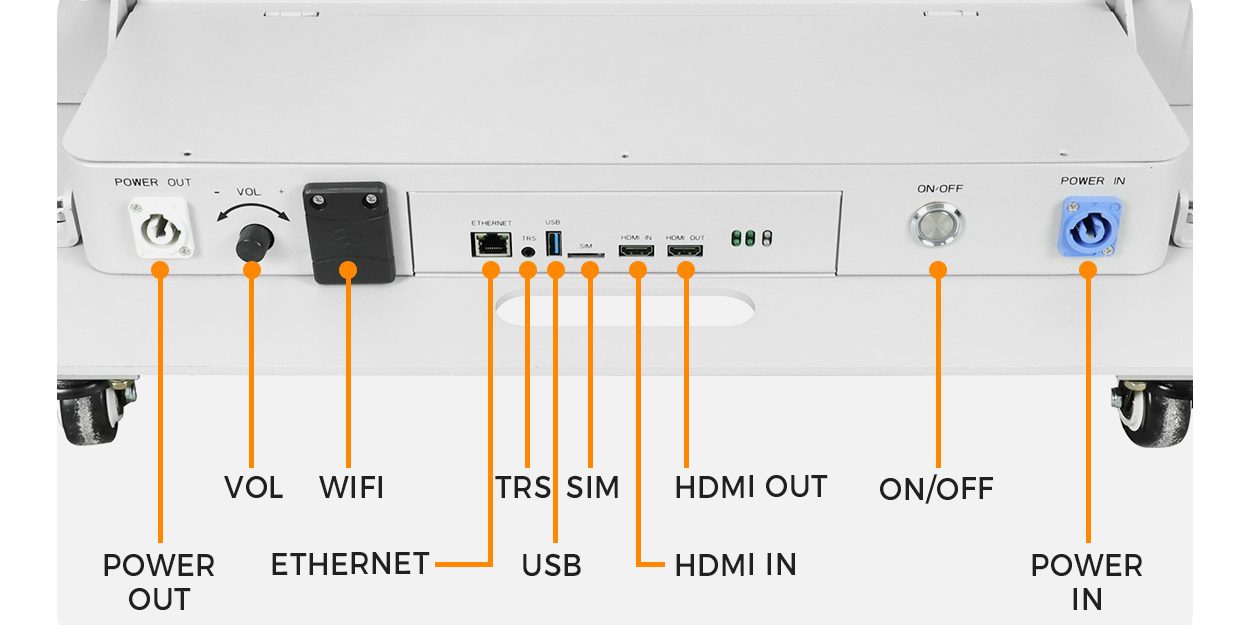
Specify conference registration LED posters around readable directions, the complete floor footprint and a tested information-update workflow. Choose pixel pitch from your actual welcome and queue slides, then verify them at the arrival sightlines. A high-resolution advertising loop is not enough if attendees cannot find the correct desk.
For European conference venues and event contractors, the procurement brief should connect screen selection with the registration plan. This guide provides a three-position deployment example and an acceptance sheet for the buyer, AV supplier and registration lead. It does not assume a particular venue approval, legal clearance or integration with attendee software.
- A marked entrance and queue plan, including the whole base and cable route.
- The nearest and farthest intended reading points.
- Final-size slides containing the longest real room and session names.
- The exact player, update method and offline fallback.
- A named person who approves and expires operational messages.
On this page
Start with the arrival decision
Define what an attendee must decide at each screen. At the entrance, it might be which hall contains registration. Before a queue splits, it might be whether to join the pre-registered or on-site line. At the service desk, it might be where to resolve a badge problem. Those are different messages, even when all three screens share event branding.
Consider a planning example with three independently positioned posters: one at the arrival approach, one before the queue split and one at the help point. That is a three-screen information system, not a three-panel video wall. Make every direction readable on one unit. The example is a layout exercise, not a claim about a completed EagerLED project.
| Position | Primary message | Approval question |
|---|---|---|
| Arrival approach | Event name and registration direction | Can a first-time visitor identify the correct route before turning? |
| Before queue split | Who belongs in each actual line | Is the instruction visible before people commit to a queue? |
| Help point | Badge issues, accessibility assistance or staffed support | Does the sign point to the service that is open now? |
Specify text on a real pixel canvas
Start with the smallest essential text, rather than a generic pitch-to-distance formula. Ask the supplier to display your actual room names, directional arrows and opening times. Include a long name that could wrap, numerals that could be confused and the characters used by your event. Check the slide from an approaching visitor’s angle as well as straight on.
The EA1920iP5 indoor foldable poster is a concrete format reference: its published active display is 640 × 1920 mm, with SMD pitch options including P2 and P2.5. For that nominal face, P2 gives a calculated 320 × 960 canvas; P2.5 gives 256 × 768. Confirm the exact quoted module map and active pixels before supplying artwork.
| Nominal option | Calculated canvas | Pixels in a 100 mm letter height |
|---|---|---|
| 640 × 1920 mm at P2 | 320 × 960 pixels | 50 pixels |
| 640 × 1920 mm at P2.5 | 256 × 768 pixels | 40 pixels |
The letter-height example describes the available pixel grid, not a guaranteed reading distance or accessibility standard. Typeface, stroke width, language, contrast, eyesight, ambient light and obstructions still matter. Test the smallest real instruction at full scale. If the content cannot remain legible, simplify it, enlarge the lettering, move the screen or compare a finer pitch.
Ask for operating brightness and dimming behaviour in the actual lobby. The same product page lists 600–800 cd/m² brightness and at least 3840 Hz refresh; those are model references, not universal registration requirements. Use a camera test at the intended shutter settings if the arrival screens will appear in recordings. Avoid using maximum brightness as the normal indoor setting.
Keep the complete footprint outside the queue
The active face width does not equal the occupied floor width. Put the base, wheels, connectors, cable protection, staff access and any restraint arrangement on the plan. Check door movement, accessible routes and the venue’s own circulation rules with its responsible team. Do not invent a clearance figure and treat it as approval for every European venue.
Inspect the actual screen in its deployed position. Can waiting people hide the lower instruction? Does an open door block the sign? Can staff service a module without entering a live queue? Keep operational text high enough to remain visible from the approved sightline, and provide a staffed or printed alternative where the screen cannot be seen.
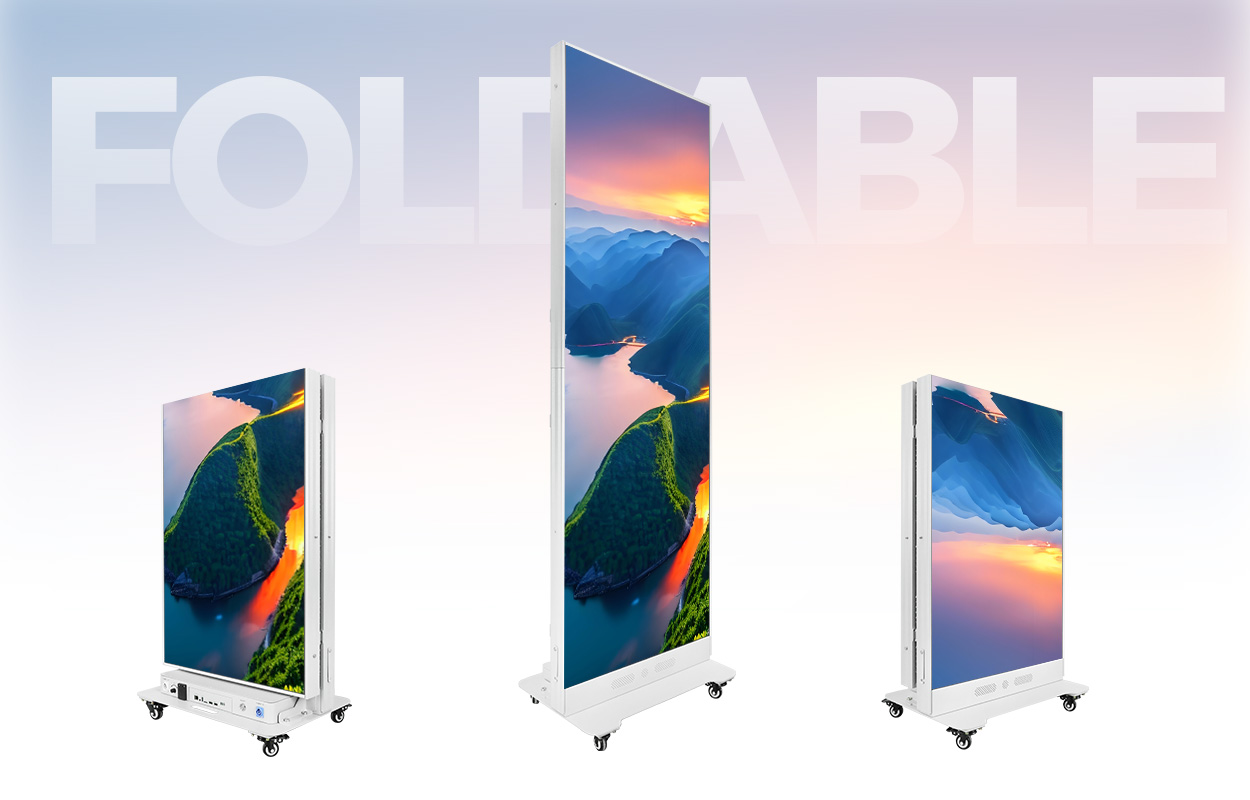
Confirm the exact assembled weight, base stability, wheel locking and manufacturer handling instructions for the offered configuration. Indoor equipment beside an entrance remains indoor equipment; assess weather exposure, condensation and direct sun before using it near an external doorway.
Test updates and offline behaviour
A port list does not prove an operational workflow. Specify who can change a room name, how approval works and whether each position can receive a different message. For a temporary event network, ask which functions require internet access, which work locally and what software or licence is included in the quotation.
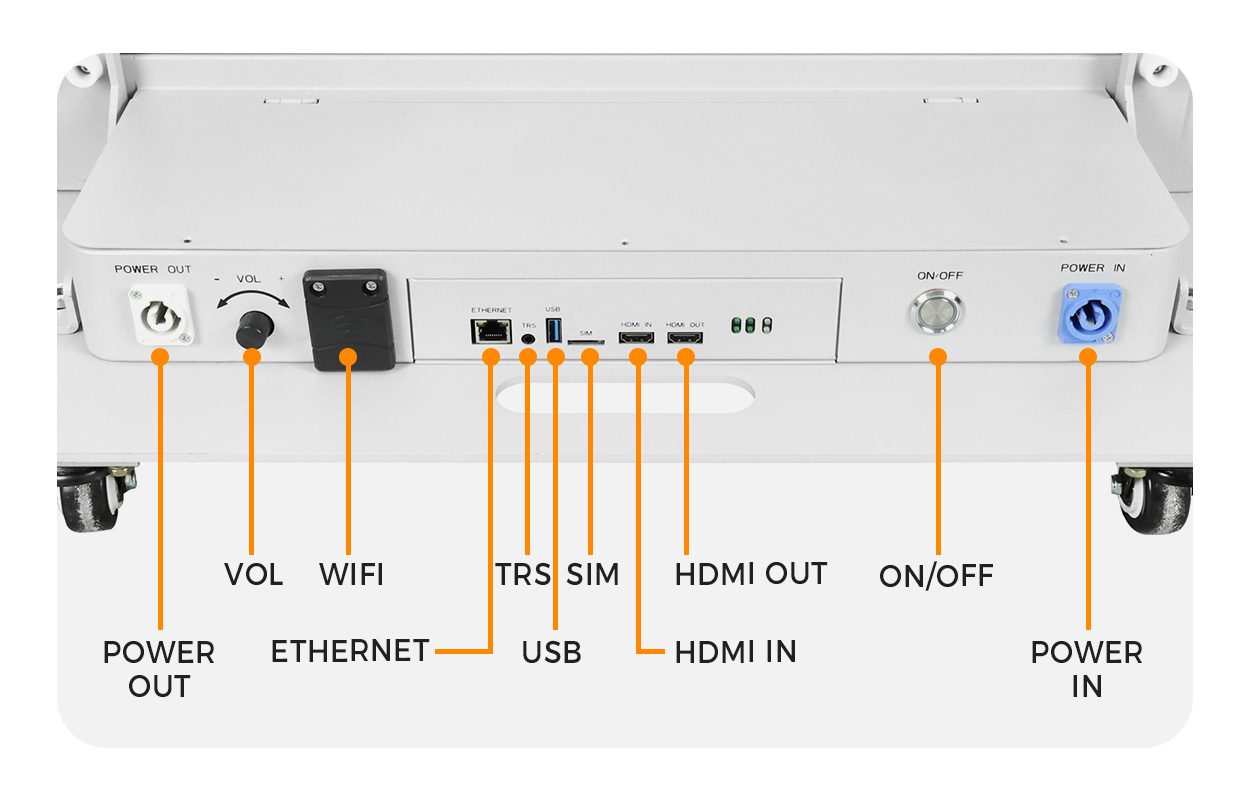
Use a harmless acceptance sequence: publish an approved welcome slide, change one room label, verify the intended screen group, disconnect the network and confirm the agreed fallback. Then restore the connection and check the displayed version. Test the event’s local time zone and any daylight-saving transition relevant to its dates. Do not test with real attendee records.
Keep a dated offline slide that still gives a useful staffed next step. Name an operator responsible for removing yesterday’s schedule, correcting a changed entrance and replacing a failed screen with temporary signage. For this use, a correct static direction is more useful than a polished but obsolete animation.
Use a registration-specific acceptance sheet
Record the delivered unit ID and content version beside each test. Have the registration lead inspect the directions while the AV team checks hardware and playback. Use the actual queue barriers and desk positions wherever practical.
| Test | Evidence to retain | Pass condition to agree |
|---|---|---|
| Approach and queue visibility | Photo from each marked reading point | Correct desk and direction readable before the decision point |
| Smallest essential text | Native-resolution test slide and viewing positions | Required words and times distinguishable without guesswork |
| Day and evening brightness | Operating settings and lobby lighting condition | Readable image with acceptable glare and comfort |
| Message change | Version label, target screen and update time | Only the intended units show the approved change |
| Network interruption | Observed fallback and recovery sequence | Useful approved information remains available |
| Floor and service layout | Marked deployed footprint and venue sign-off | Accepted circulation and practical service access |
For a wider technology comparison, use the poster LED display buying guide. If the same fleet travels between conferences, the roadshow cost worksheet addresses transport reuse and route scope separately from the registration specification here.
Conference registration LED poster FAQ
What should a registration-zone LED poster show?
Show the event name, the correct registration route and the next action. Separate pre-registered attendees, on-site registration and support only when those routes actually exist. Keep room changes and opening times current; reserve detailed instructions for staff or a close-view companion.
Which pixel pitch is right for a conference registration poster?
Test the smallest required lettering on the quoted native pixel canvas from the nearest and farthest intended reading positions. A smaller pitch adds pixels at the same display size, but it cannot correct obstructed sightlines, long text or an unsuitable portrait layout.
Can one wide image be split across two registration posters?
It can be appropriate for branding if the selected hardware supports synchronization. For operational directions, give each independently positioned screen a complete message so a missing or blocked unit does not remove half the instruction.
Does a network connection guarantee live registration updates?
No. Confirm the player, update workflow, account permissions and offline behaviour. Test a harmless room-name change on the delivered system and check what remains visible after the network is disconnected. A stored playlist does not automatically provide a live registration-system integration.
Request a registration-zone specification
Send the venue city and country, event dates, entrance and queue drawing, required screen positions, reading distances, ambient-light photos and sample welcome slides. Include your update workflow, network restrictions and service access.
Prepared by EagerLED for conference project buyers. Product references reviewed on 15 October 2026. Pixel and layout examples are conditional planning calculations; confirm the exact supplied configuration and venue requirements. No price, reading-distance guarantee or completed conference case is implied.