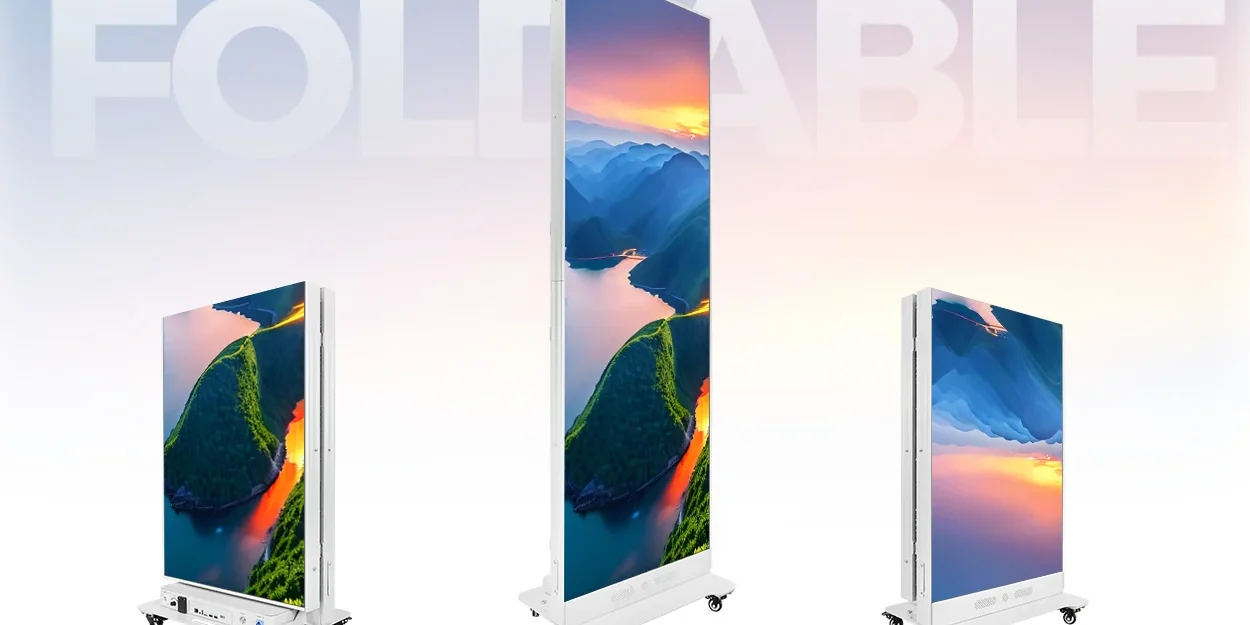
Foldable LED poster deployment should follow a repeatable release checklist: identify each unit, inspect it after transport, prove local playback, and release it to its assigned position only after the checks pass. Folding and wheels help with movement, but they do not establish a safe lifting method, an approved floor location or a guaranteed setup time.
For event marketers running indoor activations in the United States and Canada, the useful procurement question is whether a different venue crew can reproduce the accepted result. This article provides an example unit record and a fault-isolation sequence for independently positioned posters. It does not describe a completed customer event or replace the supplied equipment instructions.
In this guide
Give foldable LED poster deployment a release point
Separate receiving, preparation and public operation. At receiving, reconcile cases and accessories against the packing list. In a protected preparation area, inspect and test the units. At the final position, check the approved footprint, power connection and intended message again. The person responsible for the event should know which units are ready and which remain out of service.
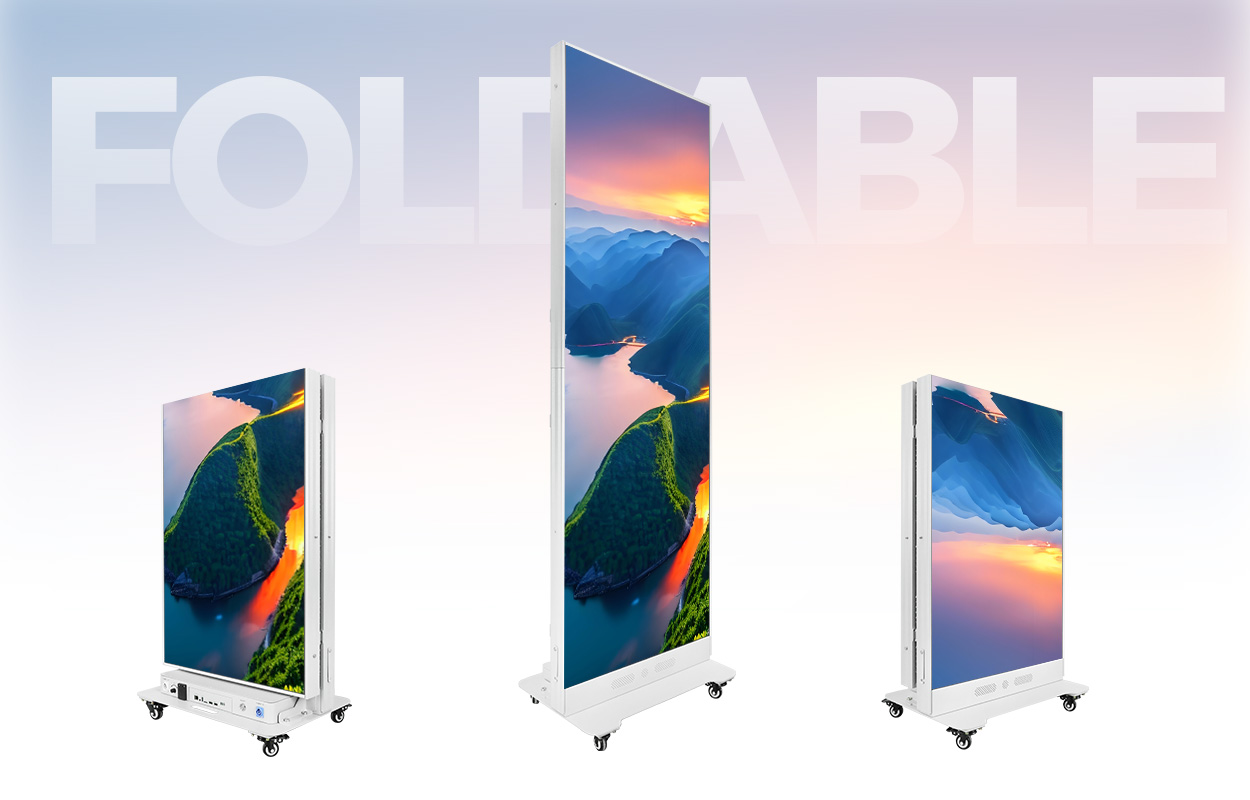
The EA1920iP5 product page, reviewed on October 22, 2026, identifies a 640 × 1920 mm indoor display, four casters, folding construction and front module access. Its published module format is 320 × 160 mm. Those facts help define inspection points; they do not determine staffing, lifting equipment, case clearances or replacement-part compatibility.
Use one identity from case to display position
Assign a durable unit identifier and keep it attached to the corresponding case record. Record the display model, selected pitch, module construction, controller identity and configuration backup reference. A model name alone is not a complete spare-parts specification. The same series offers different module technologies and pitches.
Here is a planning example for three independent activation positions. It links equipment, content and release responsibility without assuming that the posters form a synchronized wall. Replace the sample identifiers with your actual asset numbers.
| Unit / case | Assigned position | Accepted file | Evidence to record |
|---|---|---|---|
| P01 / C01 | Welcome point | WELCOME-v3 | Local playback, restart and final-position photo |
| P02 / C02 | Product demonstration | PRODUCT-v5 | Correct orientation and agreed audio setting |
| P03 / C03 | Staffed information point | INFO-v2 | Current hours, responsible operator and fallback |
A useful foldable LED poster deployment record also contains the date, venue, operator and result. If P02 fails inspection, its content assignment does not automatically transfer to P03: the position and audience purpose differ. Approve any replacement and verify its file before releasing it.
Inspect movement parts before applying power
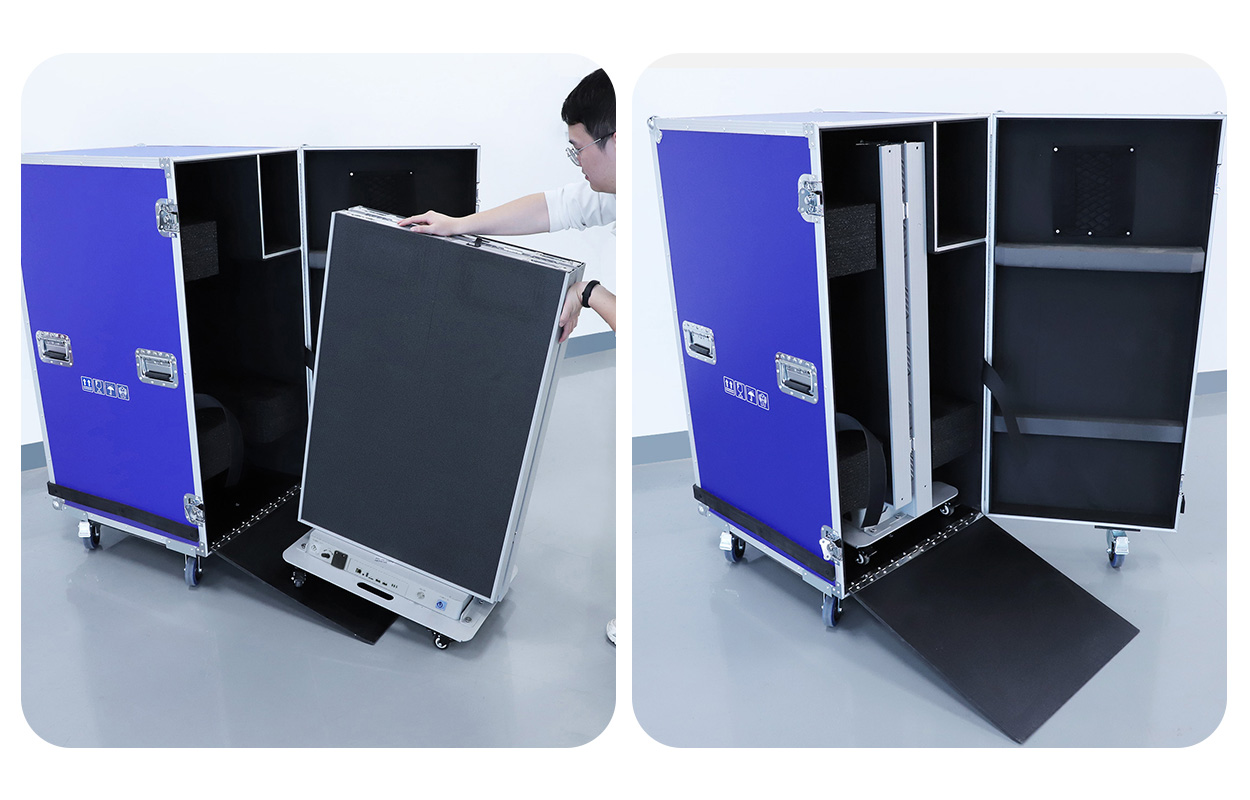
Inspect the case, display edges, hinge area, locking parts, casters and accessible cable connections after transport. Look for displacement, cracked surfaces, trapped cables or parts that no longer move as documented. Photograph damage and keep affected equipment out of operation until a qualified person determines the appropriate action.
Use the manufacturer’s unfolding and packing sequence. Do not pull on an LED face, force a hinge or improvise a lifting point. The page lists a 55 kg display, but this is not the gross packed weight and does not establish a one-person handling method for a loading dock, stairs or an uneven floor. Agree equipment and crew requirements with the venue before arrival.
Map the whole deployed base, open service space and protected cable route. Have the venue approve circulation and location. An indoor display must not become an outdoor sign simply because the event moves beside an entrance. Moisture, direct sunlight and other exposure require a separate suitability assessment.
Prove playback before connecting event services
Start with an approved, clearly labeled local test file using the supported player method. Check orientation, the complete image, text, brightness and audio. Then load the event’s accepted file and record the version. Keep a harmless fallback that remains useful when the event network is unavailable.
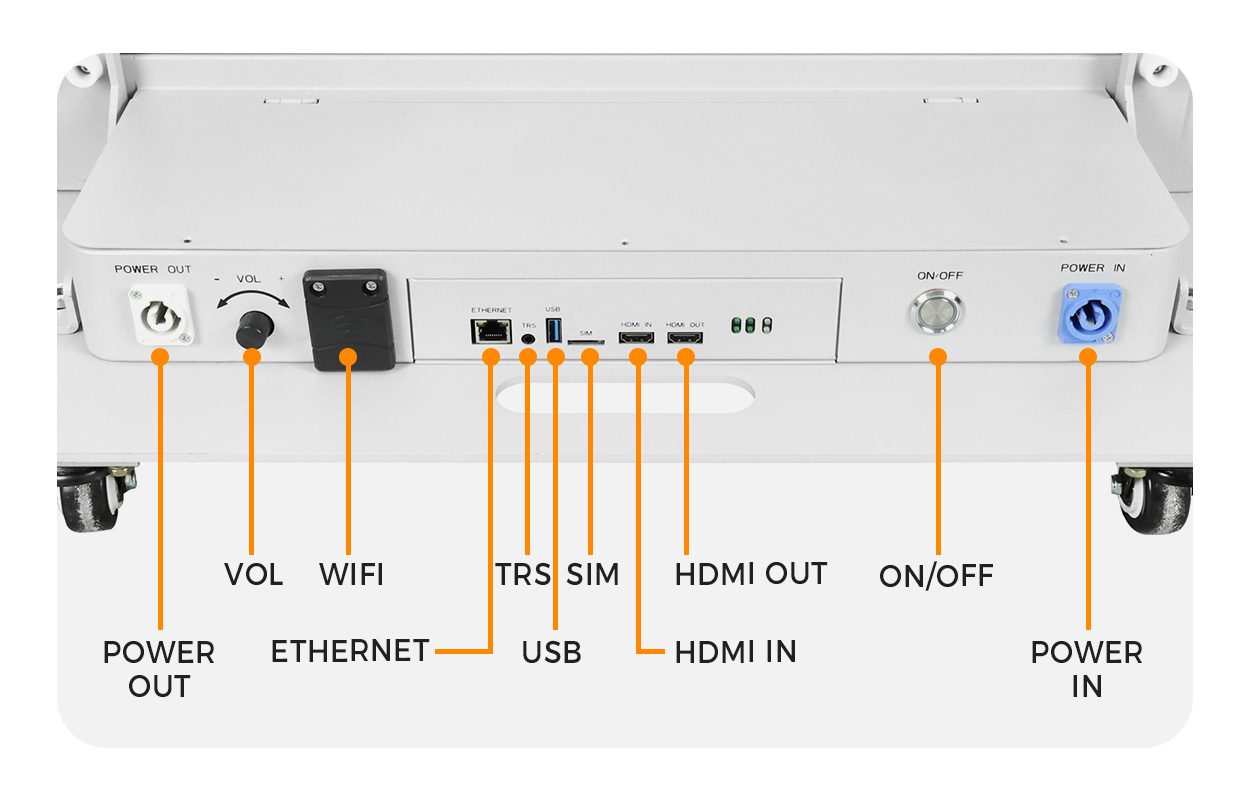
The product image identifies HDMI, USB and Ethernet interfaces. Their presence does not prove which controller is fitted, how a particular port behaves or whether cloud publishing is licensed and configured. Obtain the supplied controller instructions. Foldable LED poster deployment should not depend on an account or network credential first becoming available at doors-open time.
Before approving foldable LED poster deployment, ask a second operator to repeat the release sequence using the handover documents. Test an orderly restart using the documented procedure and confirm the correct accepted content returns. If remote publishing is required, test it separately, then observe the agreed offline behavior. Do not use real attendee records or production customer data in an acceptance test.
Isolate a fault without losing the working baseline
For foldable LED poster deployment, retain the last accepted file and configuration before changing anything. First establish whether the failure affects the whole unit, its displayed content or a limited image region. Record the symptoms and unit ID. Do not change the content, controller settings and several cables simultaneously.
| Observation | Check first | Do not assume |
|---|---|---|
| Wrong message, otherwise normal image | Unit assignment and accepted file version | A hardware replacement will correct content |
| Local test works, remote update fails | Documented publishing path and permissions | The LED modules have failed |
| Persistent local image defect | Record its location and seek model-specific service guidance | Any same-size module is compatible |
| Physical damage or abnormal operation | Remove the unit from service and follow the documented isolation procedure | Continued operation is acceptable until the event ends |
Front access can make a module reachable, but it does not authorize replacement while energized. Obtain the correct service tool, isolation instructions, spare identity and configuration procedure. Agree when a spare complete unit or printed alternative should replace troubleshooting in a public area.
Watch the official @EagerLEDdisplay folding and packing demonstration to understand the physical sequence. Observe the hinge, base and case relationship. Use the supplied manual for your own configuration rather than treating a promotional clip as a complete service procedure.
For route expenditure, see the multi-city roadshow cost worksheet. It addresses transport and reuse budgets; this foldable LED poster deployment checklist addresses the release decision at each stop.
Frequently asked questions
Should every poster use the same brightness setting?
Not necessarily. Positions can have different ambient light and sightlines. Record an accepted setting for each position and verify representative content there rather than copying an untested maximum setting across the fleet.
What should happen to a suspected defective spare?
Identify it clearly, keep it separate from approved replacement stock and record the fault and compatibility details. A part returned to a case without a status label can create the same failure at the next stop.
Does front service mean the display needs no working space?
No. The technician still needs safe access, removal clearance, tools and a place to protect the removed module. Include that space in the actual venue plan.
Can a stored remote playlist be assumed current?
No. Confirm the visible version on the assigned unit after the update. Keep the accepted file identifier in the release record, especially when event dates, operating hours or product messages change between venues.
What should be recorded before repacking?
Record the unit’s final condition, any unresolved defect, accessories returned and the case assignment. Follow the documented shutdown and packing sequence, and prevent unapproved stock from being released at the next event.
Prepare a repeatable event handover
Send your indoor venue conditions, deployment quantity, transport route, loading arrangements, playback method and support responsibilities. Ask for foldable LED poster deployment documentation covering handling, compatible spares, configuration recovery and the acceptance sequence. Discuss the poster configuration and deployment requirements