


LED display types fall into several overlapping categories: indoor or outdoor, fixed or rental, conventional or fine-pitch, and specialized formats such as transparent, flexible, and floor displays. SMD, COB, and GOB describe a different layer of the specification: how the light-emitting components are assembled or protected. A useful buying decision combines these categories around the project’s environment, content, viewing distance, and maintenance requirements.
For a professional buyer comparing proposals, the difficulty is rarely finding enough options. It is understanding whether those options solve the same problem. An outdoor rental cabinet and an indoor COB video wall may both display full-color video, yet their installation methods, service procedures, and operating conditions can be very different.
This guide organizes LED display types around decisions you need to make before requesting quotations. It also explains how to check resolution, evaluate demonstrations, and define the equipment scope so that an attractive panel price does not hide an incomplete system.
1. How LED Display Types Are Classified
Commercial LED display types are easiest to understand as a set of specification choices, rather than a single list of competing products. First establish what the screen must do; then identify the construction and operating features needed to do it.
This guide focuses on direct-view LED: the LEDs form the visible image. An LED-backlit LCD uses LEDs to illuminate a separate liquid-crystal panel. The two technologies therefore require different comparisons, even though both may be advertised using the word “LED.”
| Classification | Examples | Question it answers | What it does not establish |
|---|---|---|---|
| Environment | Indoor, outdoor, window-facing | Where will the system operate? | Exact resolution or service access |
| Deployment | Fixed installation, rental | Will it stay in place or move repeatedly? | Weather protection |
| Pixel construction | SMD, DIP, COB | How are the emitters assembled? | Complete-system image quality |
| Surface treatment | GOB protective coating | How is the module face protected? | Outdoor suitability of the enclosure |
| Pixel density | Fine-pitch and wider-pitch options | How closely are pixels spaced? | Total screen resolution without dimensions |
| Physical format | Opaque, transparent, curved, floor | How does the display fit the space? | One universal installation method |
For example, a proposed screen could be an indoor, fixed, front-service, fine-pitch COB wall. Those descriptions complement one another. Comparing “indoor versus COB” would overlook that they answer different questions.
Use this classification when reviewing LED display types with a supplier. Ask the supplier to complete every relevant field rather than treating one product label as a full specification.
2. Indoor, Outdoor, and Window-Facing Displays
01. Indoor displays: prioritize the viewing task
Indoor LED display types serve meeting rooms, retail interiors, reception areas, auditoriums, and similar spaces. The useful starting point is the smallest information viewers must recognize: a product image, presentation caption, spreadsheet cell, or dashboard label.
Brightness must suit the room. A display that looks impressive at maximum output may be uncomfortable in a dim presentation space. Request a demonstration at the intended operating brightness and inspect shadow detail, neutral grays, reflections, and visible differences between modules.
For a recessed wall, discuss ventilation and component removal before approving the architectural opening. EagerLED’s indoor LED screen range provides examples of modular indoor formats and front-service options; the exact configuration still needs a project review.

02. Outdoor displays: assess the complete installation
Outdoor LED display types must address daylight visibility and environmental exposure. The front face, rear enclosure, connections, ventilation, and mounting arrangement all matter. A weather-resistant module alone does not establish the suitability of the finished installation.
Ask which parts the stated ingress-protection rating covers. Also request operating limits and provisions for heat, water drainage, and maintenance after installation. The support structure requires a site-specific assessment of loads, including wind, by qualified project personnel.
Compare outdoor LED display types at the planned site orientation and operating schedule. A sign facing strong afternoon sun presents a different visual task from a shaded entrance display. Evening operation should also be considered when specifying brightness control. EagerLED’s outdoor video wall guide explains the distinction between cabinet specifications and installation requirements.
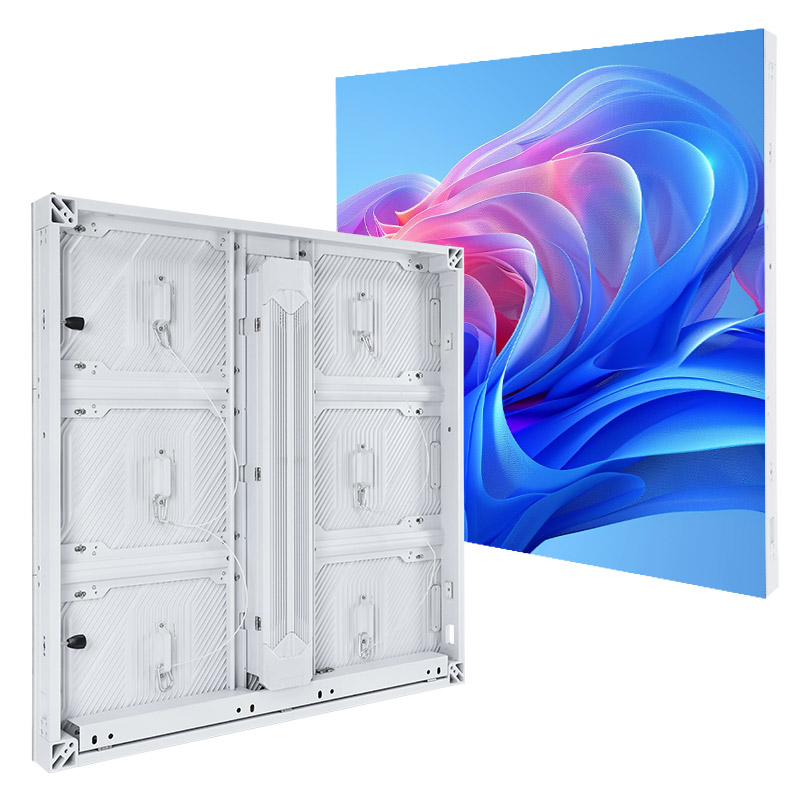
03. Window-facing displays: document exposure precisely
A screen behind glass may remain dry while facing strong sunlight and elevated temperatures. “Semi-outdoor” is too vague to resolve those conditions. Record whether the display receives direct sun, how the space is ventilated, and whether condensation or cleaning spray is possible.
When narrowing LED display types for storefronts, decide whether preserving the view through the glass matters. That requirement can lead to a transparent format, while an opaque display may better support dense visual content.
3. Fixed Installation and Rental Screens
01. Fixed systems: design around service access
Fixed LED display types are intended to remain in an agreed location. Cabinet dimensions, frame alignment, cable routes, and service space become part of the building or fit-out design.
“Front service” needs a component-level explanation. Ask whether technicians can remove modules, power supplies, and receiving cards from the front, and whether the installation leaves enough room for tools and safe handling. Access to one component does not prove access to every component.
Before approving fixed LED display types, request an installation section drawing. It should show the visible screen, mounting depth, ventilation path, cable entry, and maintenance route. A photograph of a finished wall cannot answer those questions.
02. Rental systems: evaluate repeated handling
Rental LED display types are designed around recurring assembly, dismantling, transport, and reconfiguration. “Rental” describes the equipment category; a production company can buy these cabinets for its own inventory.
Inspect locks, locating mechanisms, connector access, edge protection, and case packing. Have the demonstration include assembly and a module replacement. The crew’s ability to maintain alignment after repeated handling is as relevant as the picture displayed on a stationary sample.
When comparing rental LED display types, separate equipment capabilities from event services. Buying panels does not automatically include rigging design, installation labor, an operator, or local production support. EagerLED’s rental display equipment range covers cabinet options for businesses purchasing their own systems.

For either deployment model, keep the approved mechanical layout with the equipment record. That gives installers and service technicians a common reference when the system moves, expands, or needs repair.
4. SMD, DIP, COB, GOB, and Newer Technologies
Technology-based LED display types describe construction choices. Their names help explain what to inspect, but they cannot replace a demonstration of the finished product.
01. SMD and DIP
SMD, or surface-mount device, uses packaged LED components mounted on the circuit board. Full-color display products commonly combine red, green, and blue emitters within a package. SMD appears in indoor, outdoor, and rental equipment, with performance determined by the selected components and system design.
DIP, or dual in-line package, uses through-hole components. Traditional full-color DIP pixels combine separate colored emitters. These products are relevant to some larger-pitch signs and existing installations, but their construction should be evaluated against the detail and viewing angles required.
02. COB and GOB
COB, or chip-on-board, places LED chips directly on the board with protective encapsulation. GOB, or glue-on-board, adds a protective layer over an assembled module, often an SMD module. GOB is therefore a surface process, while COB describes a chip assembly approach.
EagerLED’s LED packaging explanation distinguishes these terms. For procurement, turn the construction differences into specific questions about handling, cleaning, surface appearance, and repair.
| Option | Inspect on the sample | Request from the supplier | Avoid assuming |
|---|---|---|---|
| SMD | Exposed component edges and image consistency | Handling instructions and repair procedure | All packages tolerate the same contact |
| DIP | Pixel visibility and off-axis appearance | Exact pixel layout and replacement availability | Brightness alone establishes suitability |
| COB | Surface finish, dark grays, module boundaries | Module replacement and specialist repair options | Encapsulation guarantees uniformity |
| GOB-coated module | Reflections, coating consistency, edge condition | Approved cleaning and coating repair process | Coating makes the complete screen waterproof |
When shortlisting LED display types for a close-viewed presentation wall, compare the same content at the same useful brightness. A technology comparison becomes misleading when one sample uses a finer pitch or different image settings.
One concrete COB example is EagerLED’s EA600COB3 indoor series, which combines COB modules with a front-service cabinet design. Its product configuration illustrates why packaging, environment, and maintenance should be specified together.
03. Mini LED, MicroLED, MIP, and fine pitch
Mini LED and MicroLED terminology concerns emitter scale and implementation. Mini LED may describe an LCD backlight rather than a direct-view display. Ask what actually forms the image before comparing it with a modular LED wall.
MIP refers to packaging very small LEDs before subsequent module assembly; IMD groups multiple pixels within a package. Request the actual construction rather than interpreting these labels as a universal quality ranking.
Fine-pitch LED display types are classified by pixel spacing. “Fine pitch” does not identify one packaging technology or guarantee a particular resolution. Record the exact pitch and pixel matrix, then evaluate the product against the viewing task.
5. Transparent, Flexible, and Specialized Formats
01. Transparent and film displays
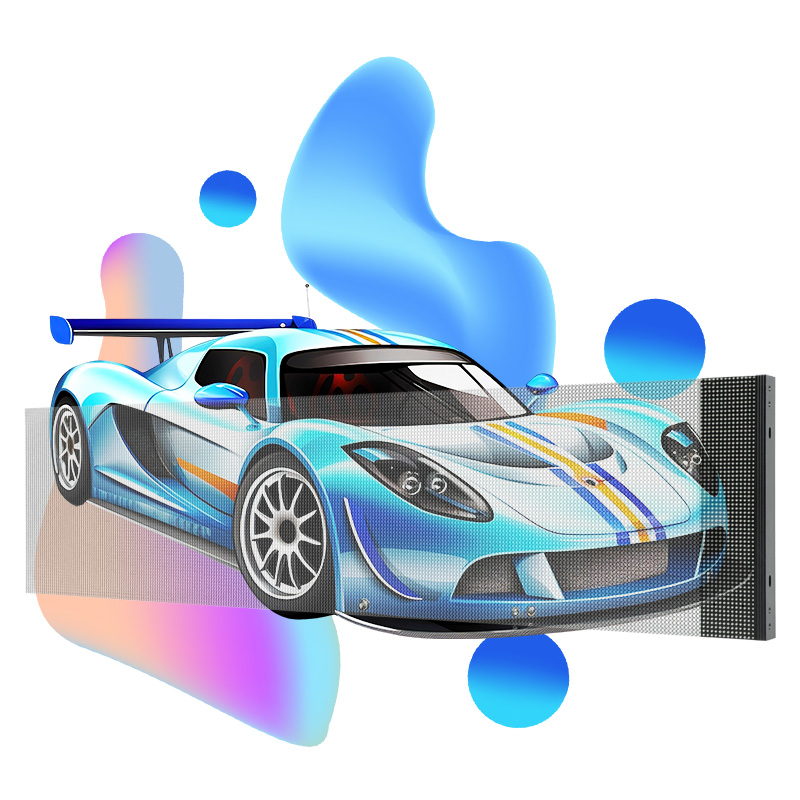
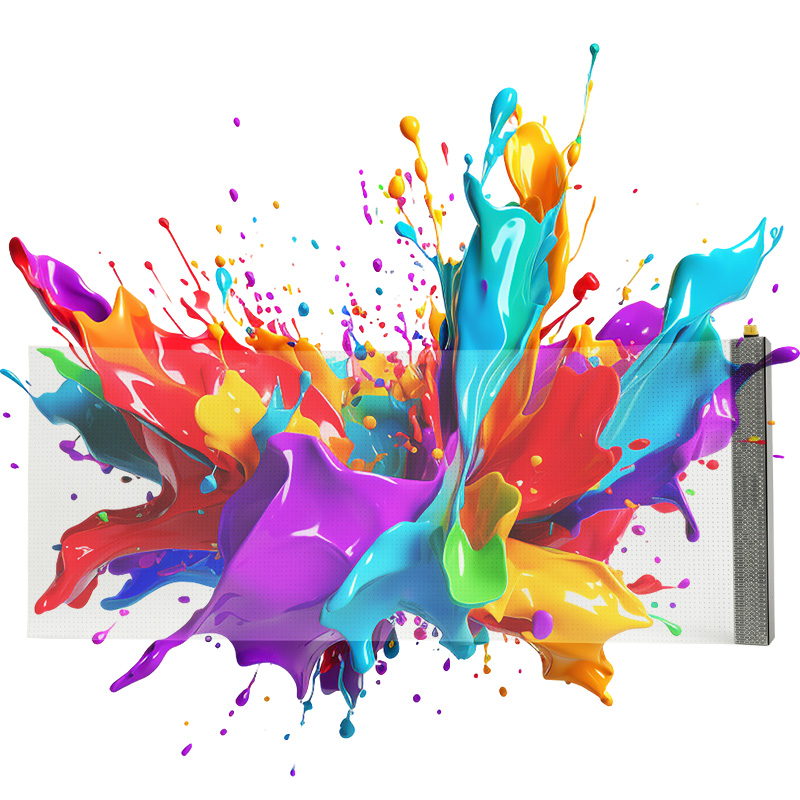
Transparent LED display types preserve some visibility through the display using open structures or transparent substrates. They are relevant when glazing, interior sightlines, or an architectural view must remain visible.
The background becomes part of the viewing conditions. Dark content cannot create the same opaque black surface as a conventional wall when the scene behind remains visible. Test graphics against the actual background in daytime and evening conditions.
Ask how transparency is measured, whether horizontal and vertical pixel spacing differ, and where power and control components will sit. Compare EagerLED’s transparent screen formats by their mounting method as well as their appearance.
02. Flexible modules and curved cabinets
Flexible LED display types use bendable assemblies within specified limits. Curved walls can also use rigid cabinets joined at supported angles. Those approaches require different drawings and do not offer unrestricted freedom to bend the screen.
Specify the curve direction, radius, display dimensions, supporting surface, and module removal path. For a wraparound installation, also define where content starts and ends so logos and text are not unintentionally split across a join.
Some film products combine flexibility and transparency. Treat each property separately: a material that follows a permitted curve still needs a suitable mounting surface, electrical connections, and a service plan. EagerLED’s flexible screen guidance explains why model-specific bending limits matter.
03. Poster, floor, and perimeter displays
Specialized LED display types add requirements beyond image reproduction. A poster unit needs an appropriate base or mounting arrangement and a practical playback workflow. A floor display needs documented load conditions, surface suitability, support spacing, and service access. Interactivity requires a defined sensor and software system.
Stadium perimeter equipment must be assessed for its intended position, protection features, viewing angles, and camera use. Do not substitute a standard wall cabinet solely because its dimensions fit.
For floor projects, review the distinctions in EagerLED’s LED floor display guide. A visual effect that appears interactive or three-dimensional does not, by itself, establish the supplied hardware or software capabilities.

6. Pixel Pitch, Resolution, and Image Quality
01. Calculate the pixel canvas
Across LED display types, pixel pitch is the center-to-center spacing between adjacent pixels, stated in millimeters. Smaller spacing increases pixel density, but the complete screen dimensions determine the final image resolution.
For an initial calculation, divide active width and height in millimeters by the corresponding pitch. Then verify the result using the actual cabinet matrix: published pitch names can be rounded, and real screens must follow available module dimensions.
| Assumed exact pitch | Width calculation | Height calculation | Resulting pixel canvas |
|---|---|---|---|
| 1.25 mm | 4,800 ÷ 1.25 | 2,700 ÷ 1.25 | 3,840 × 2,160 |
| 2.5 mm | 4,800 ÷ 2.5 | 2,700 ÷ 2.5 | 1,920 × 1,080 |
| 5 mm | 4,800 ÷ 5 | 2,700 ÷ 5 | 960 × 540 |
These are mathematical examples, not quotations or promised product layouts. They show why different LED display types can occupy the same wall area while providing very different amounts of detail.
Accepting a 4K input does not make a screen native 4K. Ask for the physical pixel count, input support, scaling behavior, and content mapping as separate items.
02. Evaluate real content from real positions
A viewing-distance rule can help create a shortlist, but it cannot settle readability. Font size, contrast, source quality, eyesight, and the task itself affect what viewers can recognize.
When testing LED display types, bring the smallest intended text and the busiest intended layout. View them from the nearest normal position and the most difficult seat. Record whether the content needs redesign or the display needs more pixels before discussing a premium technology upgrade.
03. Check dimming, motion, and cameras
Compare LED display types at their expected operating settings. Inspect dark gradients for lost detail, white fields for color differences, and moving content for artifacts. Keep the source and settings consistent between demonstrations.
A high refresh-rate figure does not guarantee clean camera footage. Shutter timing, scanning behavior, synchronization, and processing can affect recorded bands. Moiré also involves the interaction between the camera’s sampling and the display’s pixel structure. Test the intended camera positions and settings; EagerLED’s rental display guide identifies camera testing as a separate selection step.
7. Comparing Quotations and Acceptance Tests
Once suitable LED display types have been shortlisted, compare complete project scopes. A price per cabinet or square meter cannot reveal whether processing, mounting hardware, cables, spares, or commissioning are included.
Give suppliers the same requirement sheet and ask them to identify departures explicitly. This lets you decide whether a lower total reflects a useful design choice or a missing item.
| Decision area | Information you provide | Evidence or scope to request |
|---|---|---|
| Display layout | Active dimensions and viewing positions | Cabinet matrix, pixel count, installation drawing |
| Image requirements | Sample content and camera workflow | Demonstration conditions and agreed acceptance criteria |
| Environment | Sun, moisture, dust, temperature, operating hours | Exact variant, rated limits, cooling provisions |
| Electrical system | Available supply and cable routes | Maximum demand, distribution scope, connector details |
| Processing | Sources, resolutions, switching and control needs | Controller model, capacity, licenses, configuration files |
| Maintenance | Access restrictions and local service resources | Replacement demonstration, spares, written support terms |
| Delivery | Destination and required commissioning date | Packing, freight responsibilities, exclusions, schedule |
Ownership costs vary across LED display types because the installation and service work differ. Estimate electricity using a justified operating-power assumption, operating hours, and the local tariff. Keep that estimate separate from maximum electrical demand, which qualified personnel need for system design.
Agree acceptance criteria before production. Specify which content and patterns will be shown, the intended brightness, viewing conditions, allowable defects, and the handling of any failed checks. Include a practical service demonstration where maintenance access is central to the design.
For buyers comparing LED display types across several suppliers, retain the approved specification, sample configuration, and test record together. This creates a clear basis for resolving substitutions or differences between the demonstration and delivered equipment.
01. Apply the comparison to a meeting-room project
Consider a hypothetical integrator specifying a permanent screen for presentations and remote meetings. The client initially requests “a COB wall,” but has not supplied the smallest text size or the nearest seating position. The next useful step is to obtain a representative slide deck and room drawing.
Use those materials to compare candidate pixel canvases and demonstrate readable content. Then inspect the proposed surface at meeting-room brightness and establish how failed components will be removed from the finished recess. The resulting specification may include COB, but it now has a documented purpose. If another construction meets the same acceptance criteria, its quotation can be compared fairly.
02. Apply the comparison to a storefront project
In a second hypothetical project, a retailer wants moving graphics across a window while preserving the interior view. Begin by agreeing how much of that view must remain visible and whether advertising will run during daylight, after dark, or both.
Prepare sample content with the intended lettering and background treatment. Evaluate it against the real shop interior rather than a black demonstration backdrop. Ask the installer to identify where cables and control equipment can be concealed and how a damaged display section can be replaced. Those checks reveal whether a transparent format satisfies the brief or whether the visual design needs revision.
03. Record decisions that affect later orders
For distributors, an approved demonstration should lead to a controlled order specification. Record component variants, cabinet revisions, permitted substitutions, and the process for notifying your team about changes. A familiar product name is insufficient if later shipments differ in ways that affect spares or customer installations.
For project contractors, identify who supplies the frame, who connects power, who configures the processor, and who signs off the finished image. Put exclusions beside the related line items. If one proposal excludes commissioning and another includes it, resolve the scope before comparing totals.
These examples are planning exercises, not customer case studies. Their purpose is to show how a broad display category becomes a purchase specification that different parties can implement and verify.
8. FAQ
01. Can I add more cabinets to an LED wall later?
Possibly, but plan expansion before ordering. Matching dimensions and pitch are insufficient: mechanical interfaces, electronics, calibration, and available replacement batches must also be compatible. For expandable LED display types, request a written compatibility plan and discuss how later cabinets will be matched to the original wall.
02. Can different pixel pitches share one video processor?
Some systems can manage separate areas with different pixel layouts, subject to controller capabilities and configuration. That does not make the panels visually or mechanically interchangeable. Ask for a proposed mapping, port allocation, and scaling demonstration using the actual combination.
03. Can I upgrade resolution by replacing only the LED modules?
Only if the platform supports the proposed modules. A finer pitch can change pixel load, driver requirements, wiring, power, and receiving-card configuration. Obtain an approved upgrade bill of materials rather than assuming that modules with the same outer dimensions will work.
04. How many spare modules should I purchase?
There is no useful universal percentage for every project. Base the quantity on the number of module variants, acceptable downtime, repair turnaround, access difficulty, and future availability. Ask the supplier to identify compatible spares and explain the proposed quantities.
05. Will my existing controller work with a new LED display?
Check the exact controller, receiving cards, firmware, screen load, input format, and required functions. Compatibility cannot be established from connector shape alone. Request a documented configuration and a signal test before removing the controller from the purchase scope.
06. Which LED display types can operate continuously?
No category name establishes continuous-operation suitability. Request the selected model’s documented duty conditions, thermal requirements, maintenance provisions, and warranty terms. If an interruption is unacceptable, define the required behavior during power, signal, or component failure and verify the proposed redundancy.
07. Do LED display types require different content file formats?
The player and control system usually determine accepted files and inputs. The screen layout determines the useful pixel canvas and aspect ratio. Obtain a content specification covering resolution, frame rate, encoding, and any special mapping before commissioning creative work.
08. Does a GOB coating make an LED screen touch-sensitive?
No. A protective coating does not detect touch. Interactive operation requires a sensing system, compatible software, and integration with the content. Ask for a working demonstration that includes response accuracy, latency, and the intended number of simultaneous users.
09. Are glasses-free 3D billboards a separate hardware technology?
Many use perspective-designed content on a suitably arranged LED surface. The apparent depth depends on content geometry and viewing position. Specify the intended observation area and creative workflow; the “3D” label alone does not prove a distinct pixel technology.
10. Which documents should be included at handover?
Request the final equipment list, installation drawings, operating instructions, approved configuration and calibration files, spare-parts identifiers, and written support terms. Include applicable model-specific compliance documentation and the agreed acceptance record. These materials make future servicing and fault diagnosis more practical.
9. Conclusion
Choosing among LED display types becomes more manageable when every proposal answers the same project questions. Establish the exposure and deployment method, calculate the required pixel canvas, and evaluate construction and service options using your own content and installation constraints.
Before requesting a final proposal, prepare your screen dimensions, nearest viewing distance, sample content, site photographs, maintenance access, delivery location, and camera requirements. Contact EagerLED to discuss a project-specific configuration and request an itemized scope. That gives your team a concrete basis for selecting equipment, agreeing acceptance criteria, and planning installation.





