


An LED scoreboard should be selected around the information officials must control during a game: score, time, period, penalties and other sport-specific fields. A fixed-digit board suits a stable scoring task. A video board suits changing layouts and additional graphics, provided the scoring console, data interface and operating software are verified together. Buying a screen alone does not establish that compatibility.
This guide is for a community sports hall procurement manager replacing an existing scoring system. The decision begins with your competitions and volunteer operators, then moves to the display, interfaces and acceptance tests. It does not assume that every video wall can operate as an approved match clock.
Ask suppliers to demonstrate the complete LED scoreboard workflow using your actual console and a representative match. A successful demonstration should include corrections and a simulated interruption, as well as a normal start. That evidence is more useful than a promotional animation or a list of supported sports without version details.
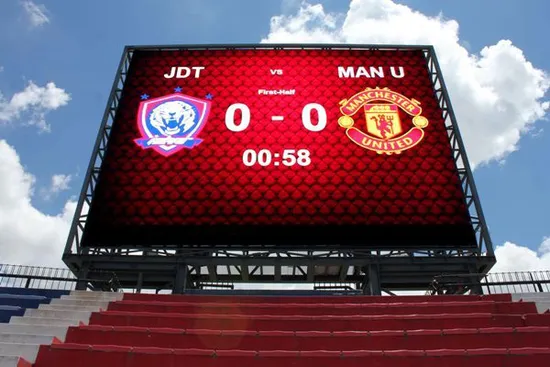
1. Choose the LED scoreboard format around the game
List the sports your hall actually hosts, including school use and occasional tournaments. For each one, record the required score fields, clock behavior, period or set indicators, penalty information and separate timing devices. Get the requirements from the competition organizer. A general promise of multisport operation does not confirm the particular rules used by your league.
A fixed-digit LED scoreboard has dedicated positions for its principal numbers and indicators. This can make the operating view predictable for occasional volunteers. However, confirm every field before ordering: a board designed around one scoring format may not display another sport’s penalties or set information clearly. Printed captions and changeable labels also need to match the selected operating mode.
A video LED scoreboard uses a pixel canvas to render numbers, text and graphics. It can offer different layouts for different sports, but those layouts need to be created, tested and protected. Include the scoring application, data interface and approved templates in the purchase scope. The display processor that drives the pixels does not, by itself, know which team has scored.
A combined arrangement can retain a dedicated score display while using a separate video surface for other material. This introduces more equipment but can preserve a simple match workflow. Compare the operating burden as carefully as the capital cost. A facility with rotating volunteers may prefer fewer live decisions even when its budget could support a larger video system.
| If the main constraint is… | Put this option on the shortlist | Ask the supplier to demonstrate |
|---|---|---|
| Few sports and frequent operator changes | Fixed digits with clear sport modes | A new volunteer correcting an accidental score entry |
| Different scoring layouts across several sports | Video scoring with locked templates | Switching sports without retaining the previous game’s fields |
| Essential scores must stay visible during other content | Dedicated scoring or a protected scoring region | An attempted media cue that cannot cover the clock |
| Existing reliable scoring equipment should remain | A documented interface upgrade | Your exact console controlling the proposed display chain |
Treat this as a shortlist, not a claim that one format always costs less. An LED scoreboard quotation should identify what is included for the proposed operating arrangement. Otherwise, a low screen price may conceal separately supplied interfaces, software licenses or commissioning.
2. Verify the console-to-display interface
01. Identify the equipment before asking about compatibility
Photograph the console label, available outputs and any existing interface box. Record model, hardware revision and software or firmware version where available. Include separate shot clocks, horns and timing switches in the inventory. Do not disconnect equipment during a scheduled event simply to collect these details; arrange the inspection with the venue’s technical contact.
The LED scoreboard supplier should describe the complete path from the operator’s action to the visible result. A typical video arrangement needs scoring data to enter a compatible application or interface, which renders graphics and supplies video to the LED processing system. Some products combine these functions. Request a project-specific diagram showing the actual equipment, rather than assuming that every installation needs identical boxes.
Connector shape is not proof of compatibility. Matching plugs can carry different signals, and equipment using the same physical network may expect different data formats. Ask for the supported protocol, direction of communication, required adapter, version restrictions and responsible integrator. For wireless equipment, compatibility also depends on the specified transmitter and receiver, not simply the presence of a radio.
02. Make the demonstration use the real chain
Check the boundary between the LED scoreboard and separate timing accessories. A shot clock, possession indicator or audible signal may have its own connection and operating requirements. List each accessory individually and ask whether its behavior is included in the demonstration. Do not accept a broad compatibility statement as confirmation for an unnamed peripheral.
Test the LED scoreboard with the intended console, interface, software and display output together. Enter scores for both sides, correct an entry, start and stop the clock, change the period and exercise the fields required by each sport. Compare the operator display with the audience display. A video loop showing plausible numbers is not a test of live scoring data.
Include the hall’s practical connection conditions in the test plan. Identify cable routes, approved network arrangements and the location of the scorer’s table. Ask who supplies and terminates each connection and who verifies it on site. If the proposed system depends on the venue network, involve its administrator before purchase so addressing, access and support responsibilities are agreed.
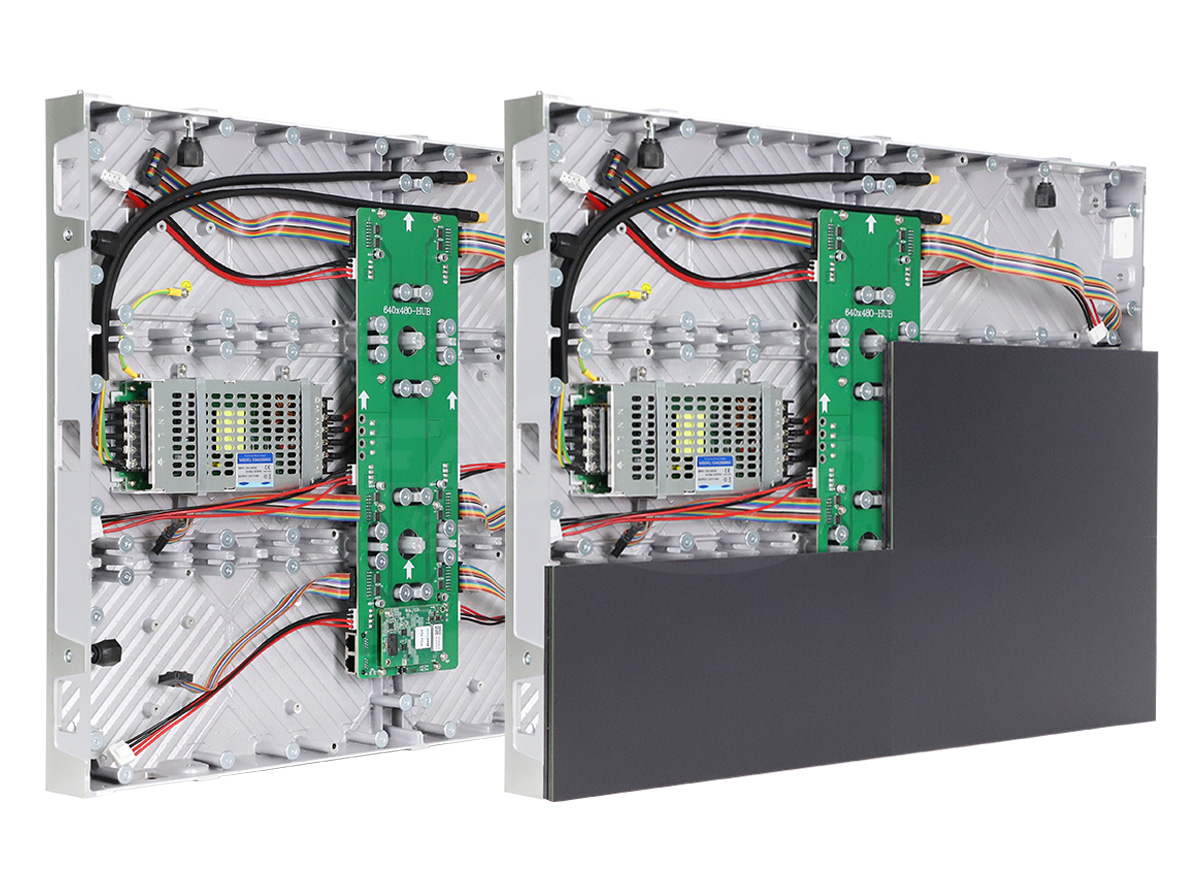
The LED scoreboard contract should name one party responsible for proving end-to-end operation. Dividing equipment supply between several companies is workable, but the integration test must still have an owner. Require exceptions to be identified before shipment, including any old console functions that the new display cannot reproduce.
3. Protect the information spectators need
Evaluate an LED scoreboard using the actual scoring layout, not a full-screen photograph. The clock, scores and team identifiers should remain readable from the difficult seating positions as well as the center of the hall. Include standing spectators, officials and locations where a basketball hoop, divider curtain or other equipment can obstruct the view.
For a video LED scoreboard, physical size and native resolution work together. More pixels can make a small graphic smoother without making it large enough to read. Ask for a layout at the proposed pixel dimensions with realistic team names and the longest values the competition may require. Avoid choosing pixel pitch before you know how much of the screen is reserved for scoring.
Test the layout under the hall’s normal lighting and any daylight conditions that affect the screen. Check off-axis color, glare and the difference between bright and dim operating settings. Specify a usable brightness range and a method for selecting it; maximum brightness is not the same as a comfortable indoor setting. Use the site survey checklist to document the relevant positions and room conditions.
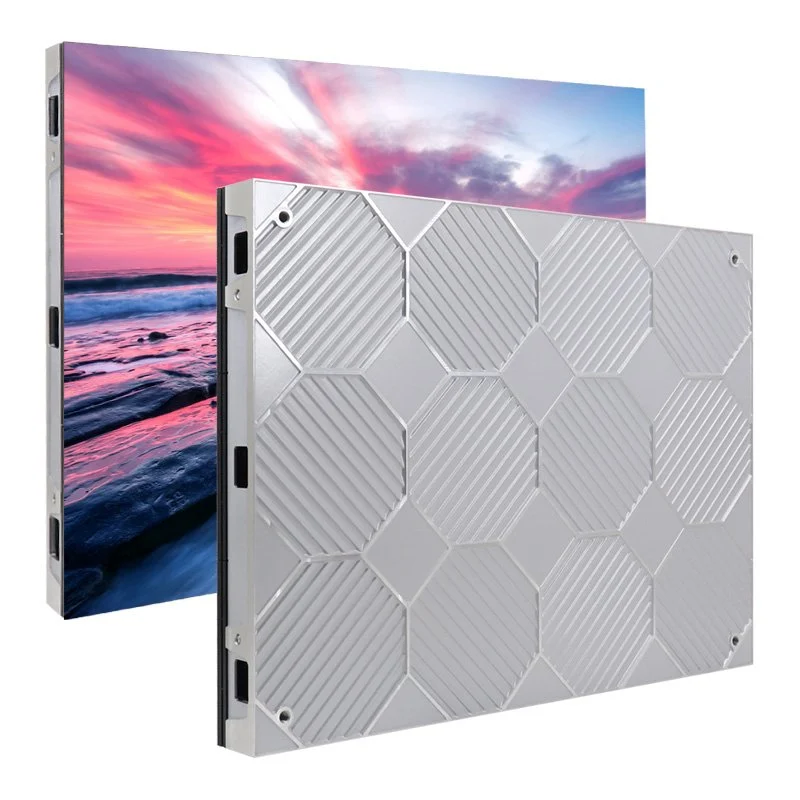
Keep essential LED scoreboard information in a protected area of each approved template. Sponsor artwork should have a defined region and a defined time to appear. Test the smallest permitted scoring layout, because that is where a visually attractive design may fail. Include both a normal team name and an unusually long one so automatic text resizing cannot quietly make the display unreadable.
Separate scoring from the wider venue media plan. The EagerLED sports display overview explains other screen roles, including ribbon and concourse displays. Those roles can be useful, but adding them should not complicate the primary match display or make a scoring operator responsible for several unrelated live tasks.
4. Make the system manageable for volunteers
Prepare the LED scoreboard for changeovers between bookings. The outgoing operator should end the session, and the next operator should confirm the sport, teams and starting state before spectators arrive. Rehearse that handoff with two people. This reveals assumptions that a single experienced technician may overlook while demonstrating familiar equipment.
An LED scoreboard is only as usable as its game-day routine. Ask a representative volunteer to start a test match from the normal powered-down condition using the supplied instructions. Observe where they hesitate, whether the selected sport is obvious and whether they can see which display they are controlling. Use the results to improve training before the first public event.
Define separate responsibilities for scoring, media playback and system administration. The scorer needs the controls used during a match; layout editing, network changes and software updates can remain with trained staff. Where the application supports permissions, test the actual roles. Where it does not, document the physical and procedural controls that prevent accidental changes.
For a multisport LED scoreboard, prepare a verified starting configuration for each sport. Record the template name, required connected devices and initialization steps. The operator should be able to recognize the correct configuration without opening a technical setup menu. Keep a brief guide at the scorer’s position and store the full manuals with the maintenance records.
Training should include a wrong entry and its correction. Volunteers must know how to request confirmation from officials, change the displayed value and resume the approved state. Do not treat speed alone as the measure of success. A clear correction procedure reduces the risk of one operator adjusting the clock while another independently changes the score.
Ask whether the LED scoreboard can be rehearsed without affecting another active court. In a divided hall, demonstrate independent control of each playing area, including the selection of destinations. Label consoles, interfaces and display zones consistently. A screen that responds perfectly to the wrong scorer’s table is still an integration failure.
5. Rehearse interruptions before accepting the system
Agree the LED scoreboard acceptance sequence before delivery. It should cover the ordinary match workflow, a controlled loss of data and a controlled recovery. Run interruption tests only during commissioning or a planned outage, with the supplier and venue staff present. The purpose is to observe the system’s behavior without exposing a live competition to unnecessary disruption.
First establish where the authoritative game state resides. If the video application closes, does the scoring console retain the current time and score? If a data connection is interrupted, does the display freeze, go blank or show a recognizable fault? There is no universal answer across products. The supplier should demonstrate the proposed behavior and the officials should approve the operational response.
A frozen LED scoreboard can look believable while showing stale information. Define how the operator recognizes a communication problem and who tells the officials. The recovery procedure must reconcile the displayed state with the approved match record before play continues. Do not assume that reconnecting a cable automatically restores every field correctly.
| Commissioning scenario | Evidence to retain | Decision required |
|---|---|---|
| Longest team names and maximum field values | Photographs from the difficult spectator positions | Approve the minimum readable scoring layout |
| Wrong score entered and corrected | Operator sequence and resulting display state | Confirm who authorizes corrections |
| Scoring data connection interrupted | Console state, screen state and visible warning behavior | Approve the pause and communication procedure |
| Application or controller restarted | Time to restore the agreed state and required manual steps | Accept or revise the recovery procedure |
| Two courts operated simultaneously | Destination labels and independent score changes | Confirm that one court cannot unintentionally control another |
Use project-specific acceptance limits for delays and recovery time. A generic promise of seamless operation cannot replace a measured demonstration under the agreed configuration. Record the versions, connections and templates used in the successful test, so a later software change does not silently invalidate the result.
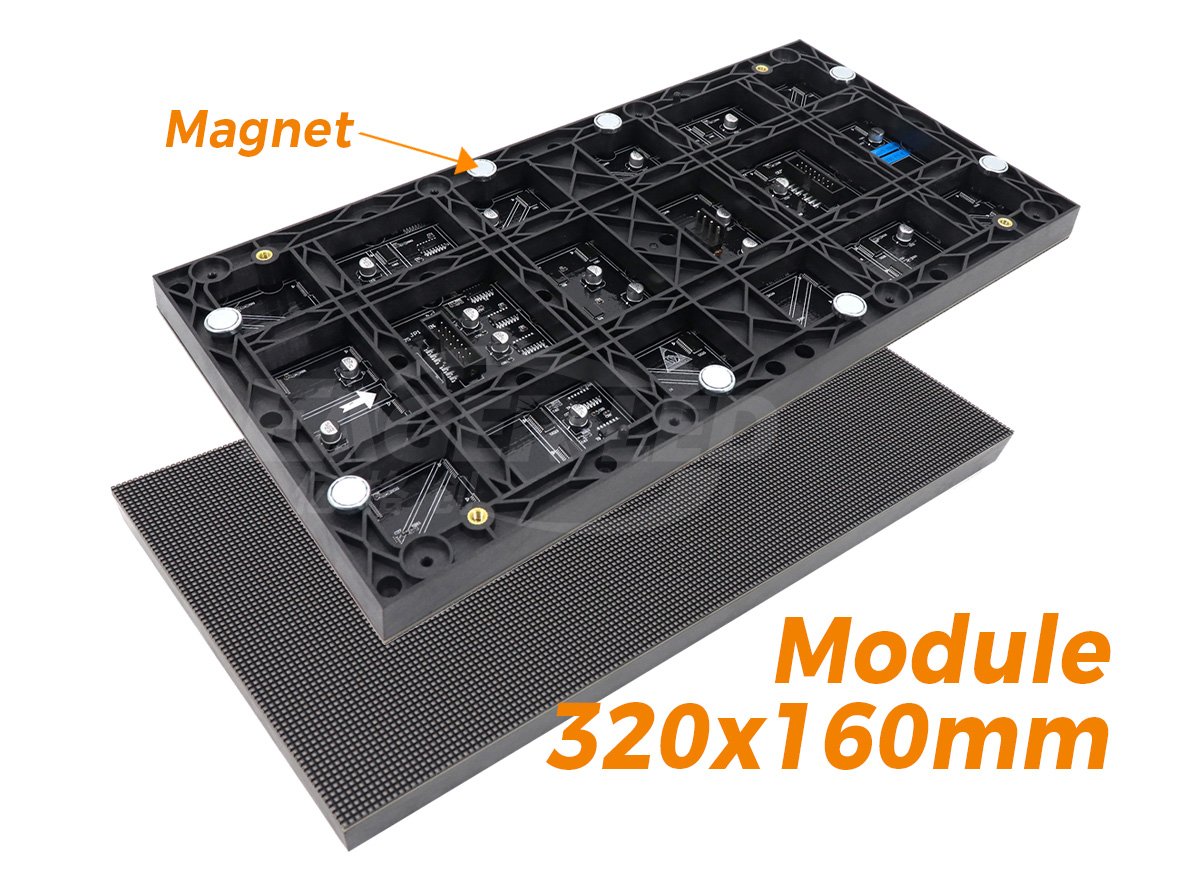
After the LED scoreboard passes the tests, preserve the approved configuration and a copy of the operating guide. Follow the supplier’s supported backup procedure for each component. The display handover guide can help organize the hardware and configuration records, while your sport-specific operating instructions remain a separate document.
6. Define the complete ownership and service scope
Keep an inventory of the equipment supplied with the LED scoreboard, including removable adapters, control cables and licensed software. Small missing items can prevent an otherwise healthy display from operating. Store these parts in a labeled location, and make their return part of the venue’s event closeout procedure.
Compare LED scoreboard proposals using the same boundary. Include display hardware, scoring controls, interfaces, application licenses, templates, mounting, installation, commissioning and training. Ask separately about recurring fees, remote support, replacement parts and future software compatibility. Do not infer that a software subscription or a replacement console is included because the proposal uses the word system.
Discuss service access before fixing the display location. A technician may need working space, an access platform and a safe route to replace a module or power component. Front-service hardware can help where rear access is limited, but the building arrangement still needs review. Mechanical support, electrical work and protection from ball impact require assessment for the actual hall and equipment.
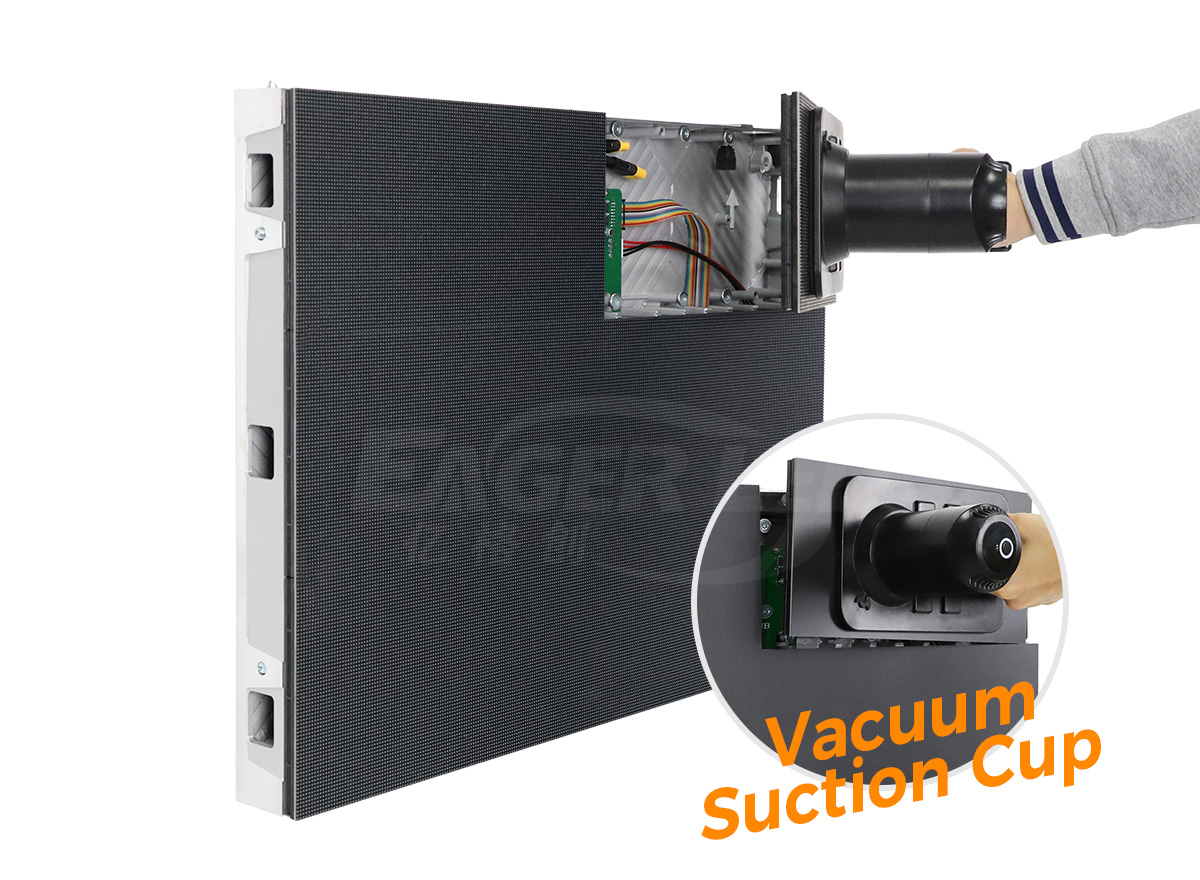
Assign support responsibilities for an LED scoreboard fault that crosses suppliers. The venue should know who receives the first report, what information to collect and who coordinates the display and scoring specialists. Request the exact warranty scope and exclusions in writing. Cabinet coverage does not necessarily cover third-party software, existing timing equipment or travel to the venue.
Frequently asked questions
Can a tablet replace a dedicated scoring console?
Only if the selected scoring system supports that operating method and the venue accepts its practical requirements. Test battery management, connection loss, accidental screen locking and access to the essential controls. Keep the supported interface and recovery method in the equipment schedule; a tablet alone is not a compatibility specification.
Does the scoreboard require an internet connection?
That depends on the application and licensing arrangement. Ask which functions work locally, which need network access and what happens when external connectivity is unavailable. Demonstrate the agreed offline operating mode before acceptance rather than assuming that local scoring and online media services have the same dependency.
Can an existing display become a scoring screen?
Potentially, if its resolution, readability, input compatibility and operating reliability suit the required scoring layout. First test a supported scoring application and interface with that display. Reuse also depends on service condition and access to configuration files; keeping the screen does not remove the integration work.
Should the LED scoreboard display emergency messages?
Discuss that role with the venue’s responsible safety team. A commercial display should not be assumed to replace required emergency communication systems. If venue messages are included, define their priority, authorized operator and the method for returning to the verified match state.
What should happen when the hall changes its competition rules?
Check whether the scoring application, console and templates support the revised requirements. Schedule any update and its rehearsal before the affected fixtures. Keep the previous approved configuration available through the supplier’s supported recovery process, and record the new version after validation.
Prepare your sports hall project brief
Send the sports list, existing console details, seating plan, proposed screen location and expected operator experience with your inquiry. Add the fields that must remain visible during play and the interruptions you want demonstrated. These inputs give suppliers a clear basis for an LED scoreboard proposal and an acceptance plan that your hall can actually use.
Discuss your sports hall display requirements with EagerLED, including the boundary between display supply and specialist scoring integration. Request a written equipment list and a demonstration plan before committing to a configuration.





