An LED Screen Panel is not one universally sized product. Depending on who is speaking, “panel” may mean a replaceable LED module, a load-bearing cabinet, or the complete assembled display. Confuse those three levels and a screen that looked correct in a quotation can arrive with the wrong aspect ratio, pixel count, mounting footprint, or service clearance.
Quick answer: first choose a suitable pixel pitch, then select a compatible module and cabinet, and finally round the proposed screen dimensions to whole cabinet increments. Never approve an LED Screen Panel project from diagonal size alone.
Table of Contents
- 1. What Is LED Screen Panel Size?
- 2. LED Module Size vs LED Cabinet Size vs Complete Display Size
- 3. Common LED Screen Panel Sizes
- 4. Why Panel Sizes Matter: Standard vs Custom
- 5. How Pixel Pitch and Viewing Distance Affect Resolution
- 6. How to Choose the Right LED Panel Size
- 7. Common Mistakes When Choosing Panel Size
- 8. FAQs
- 9. Conclusion
1. What Is LED Screen Panel Size?
LED Screen Panel size is the physical width and height of a modular display component, normally stated in millimeters. The term must be qualified because the measured component could be a module, a cabinet, or a finished display. Unlike an LCD television, a modular LED wall does not have a fixed consumer-style diagonal. Its final dimensions are determined by a grid of building blocks.
Three specifications should always appear together in an LED Screen Panel data sheet:
- Physical dimensions, such as 320 x 160 mm or 500 x 500 mm.
- Pixel pitch, such as P1.25, P2.5, or P3.91, which states the center-to-center distance between adjacent pixels in millimeters.
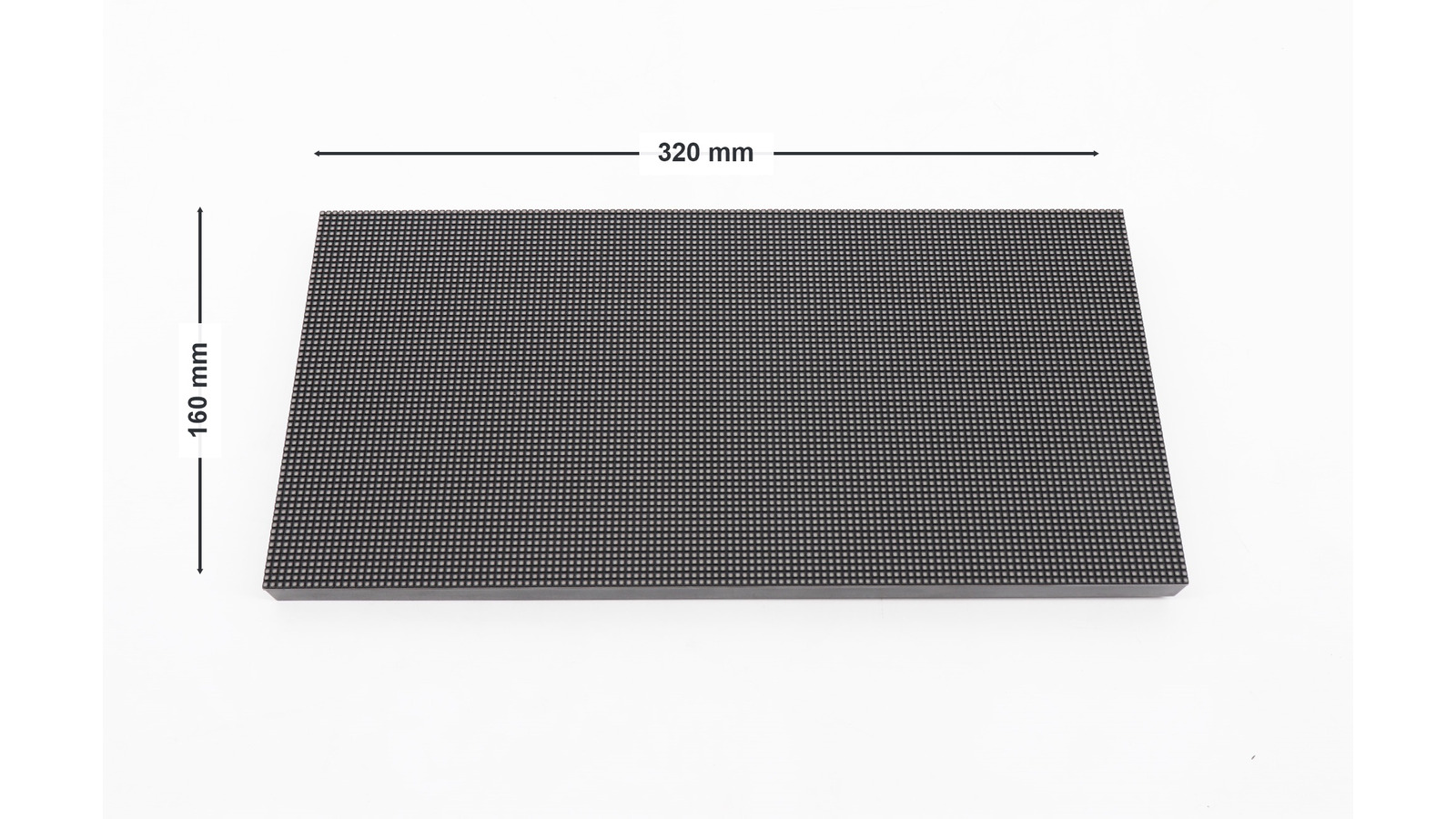
- Pixel resolution, such as 128 x 64 pixels for a 320 x 160 mm P2.5 module.
Physical size tells an installer whether the hardware fits. Resolution tells a content team how much detail it can reproduce. Pixel pitch connects the two. A useful LED Screen Panel specification must include all three, not simply “a 5-meter screen.”
2. LED Module Size vs LED Cabinet Size vs Complete Display Size
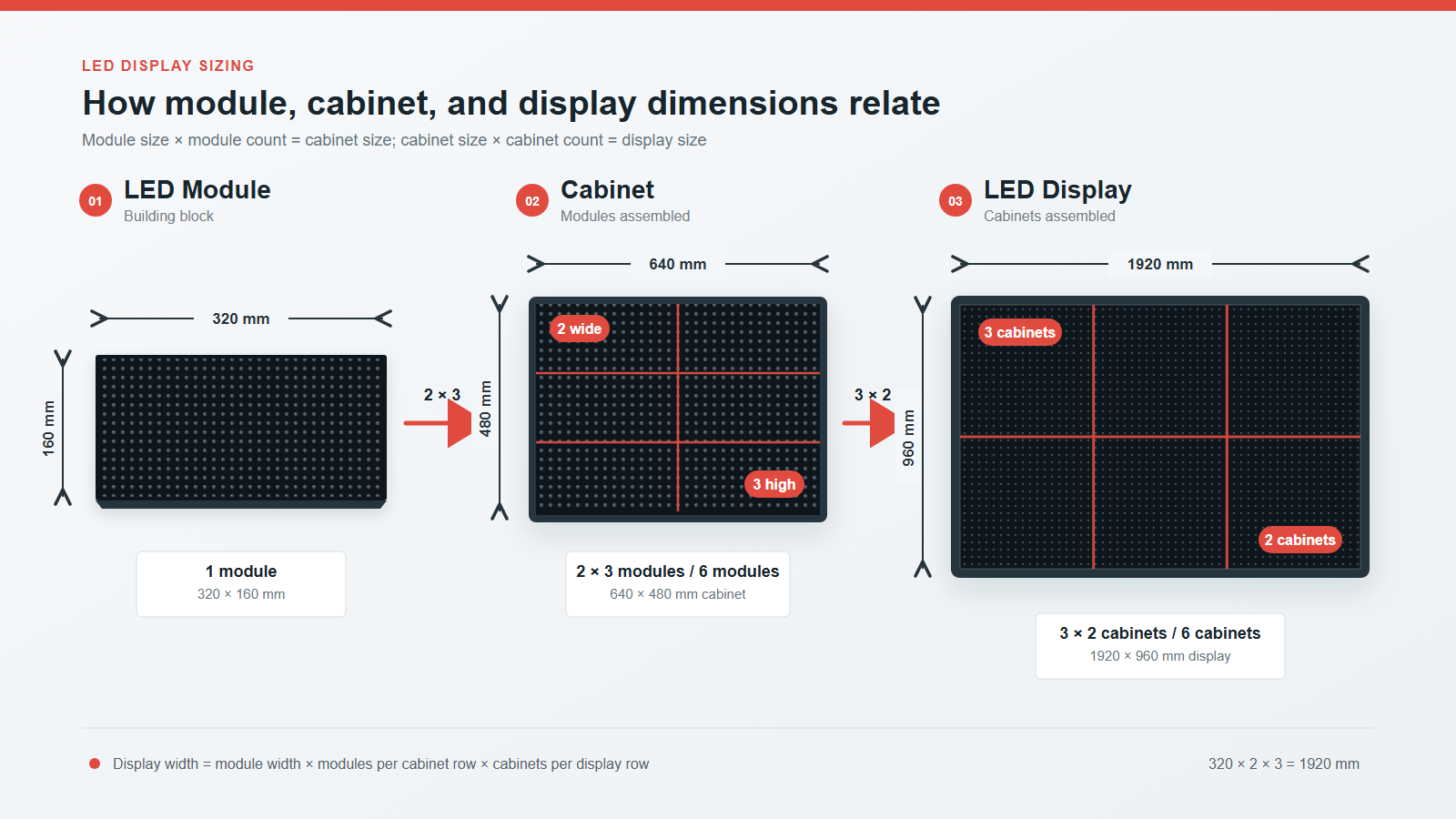
Every modular LED system has a hierarchy. The module is the smallest standard display surface, modules mount to a cabinet, and cabinets connect into the complete screen. Identifying the level behind every dimension prevents most planning errors.
2.1 LED Module Size
An LED Screen Panel module contains the LEDs, PCB, driver components, connectors, frame, and associated hardware. EagerLED’s LED module introduction describes the module as a basic unit forming the front surface of a display.
The current indoor LED module range publishes several physical formats:
| Module format | Published pixel-pitch examples | Example module resolution |
|---|---|---|
| 320 x 160 mm | P1.25, P1.53, P1.86, P2, P2.5, P3.076, P4 | P2.5: 128 x 64 px |
| 250 x 250 mm | P1.56 GOB, P1.95 GOB, P2.6 GOB, P2.97, P3.91 | P3.91: 64 x 64 px |
| 300 x 168.75 mm | P0.93 MiniLED, P1.25, P1.56, P1.87 | P1.25: 240 x 135 px |
| 320 x 180 mm | P1.25, P1.53, P1.86 | P1.25: 256 x 144 px |
| Other published formats | 160 x 160, 192 x 192, 256 x 128, 256 x 256 mm | Varies by pitch |
EagerLED also lists flexible-module formats including 240 x 120, 320 x 160, and 256 x 128 mm. A flexible display can follow a cylinder or arc, but its module dimensions and allowable bend still constrain the final geometry.
2.2 LED Cabinet Size
The LED Screen Panel cabinet is the structural unit that installers handle, align, power, and service. It holds a whole-number grid of compatible modules plus receiving cards, power supplies, wiring or HUB connections, locks, and mounting points.
For example, EagerLED’s EA500C6 rental display uses a 500 x 500 mm cabinet and 250 x 250 mm modules. That is a 2 x 2 module grid, or four modules per cabinet. Its published indoor configurations include P1.56 GOB through P3.91, while outdoor configurations include P2.6 through P3.91.
EagerLED’s EA640F2 indoor display uses a 640 x 480 mm cabinet and 320 x 160 mm modules. The arithmetic is 640 / 320 = 2 modules across and 480 / 160 = 3 modules high, so each cabinet contains six modules. The cabinet has a 4:3 ratio and a listed weight of 7.5 kg.
2.3 Complete LED Screen Size
Complete LED Screen Panel dimensions equal cabinet dimensions multiplied by the number of cabinet columns and rows:
Display width  = cabinet width  x cabinet columns
Display height = cabinet height x cabinet rows
Suppose a project uses 500 x 500 mm cabinets in an 8 x 5 grid. The final video wall is 4.0 x 2.5 m. The cabinet format is square, but the assembled display is not; its aspect ratio is 1.6:1.
For a 640 x 480 mm cabinet in a 5 x 4 grid, the complete display is 3.20 x 1.92 m. These dimensions are an arithmetic example, not a preconfigured EagerLED product size. Structural framing, trim, ventilation, installation tolerance, and maintenance access may increase the total occupied space.
3. Common LED Screen Panel Sizes
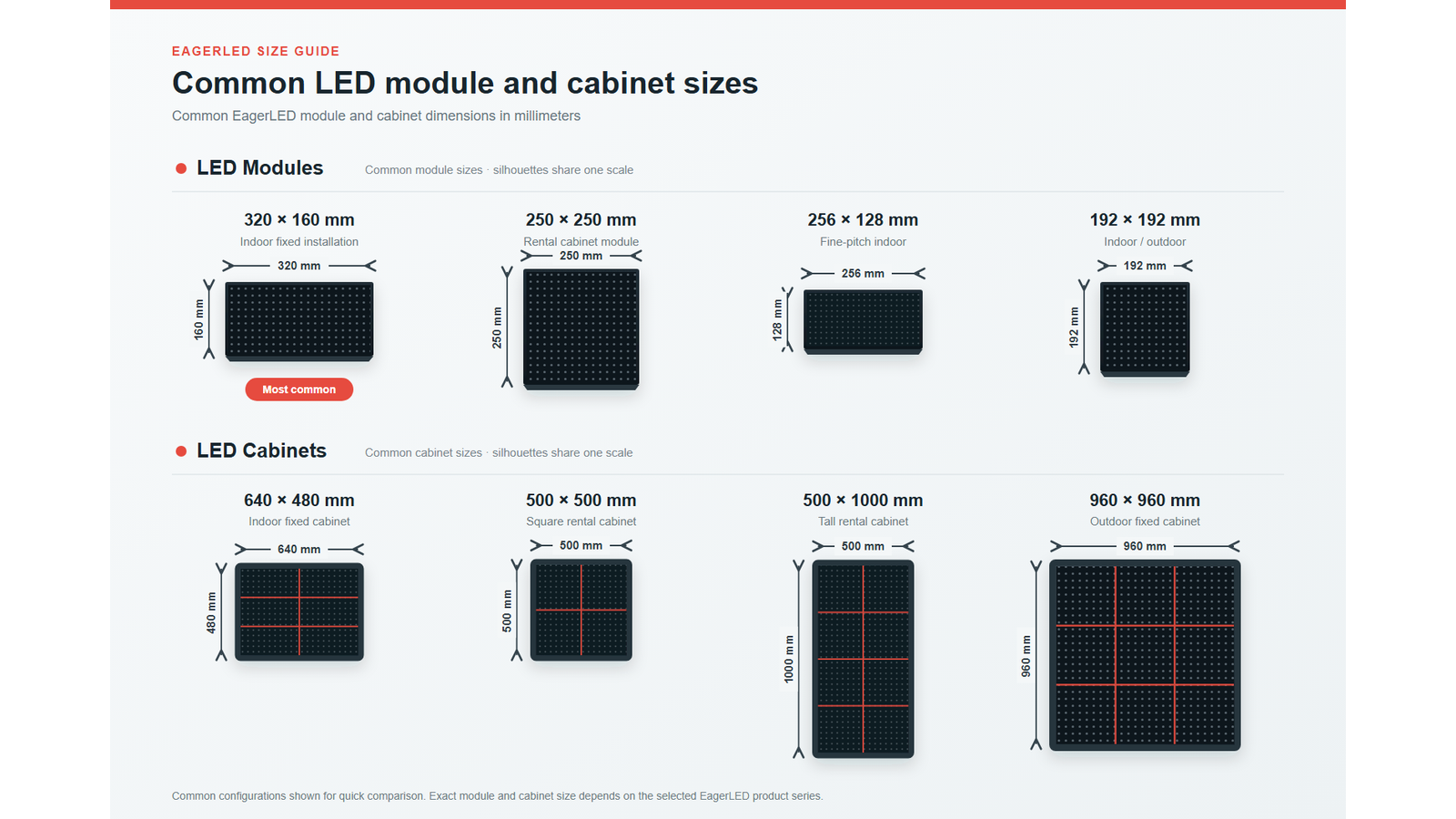
There is no single standard LED Screen Panel size, but recurring formats exist because they simplify production, spares, transport, rigging, and screen expansion. The following examples are taken from EagerLED’s current published pages.
3.1 Indoor LED Screen Panel Size
For a conventional indoor LED Screen Panel installation, 320 x 160 mm modules are widely useful because they fit cleanly into a 640 x 480 mm cabinet. The EA640F2 supports P1.25, P1.53, P1.86, P2, P2.5, P3.076, and P4 variants. At P2.5, one module is 128 x 64 pixels, while the six-module cabinet is 256 x 192 pixels.
For an indoor rental LED Screen Panel, 250 x 250 mm modules pair naturally with a 500 x 500 mm cabinet. The square format rotates and stacks easily, while EagerLED’s EA500C6 can also mix with its 500 x 1000 mm companion cabinet for stage layouts.
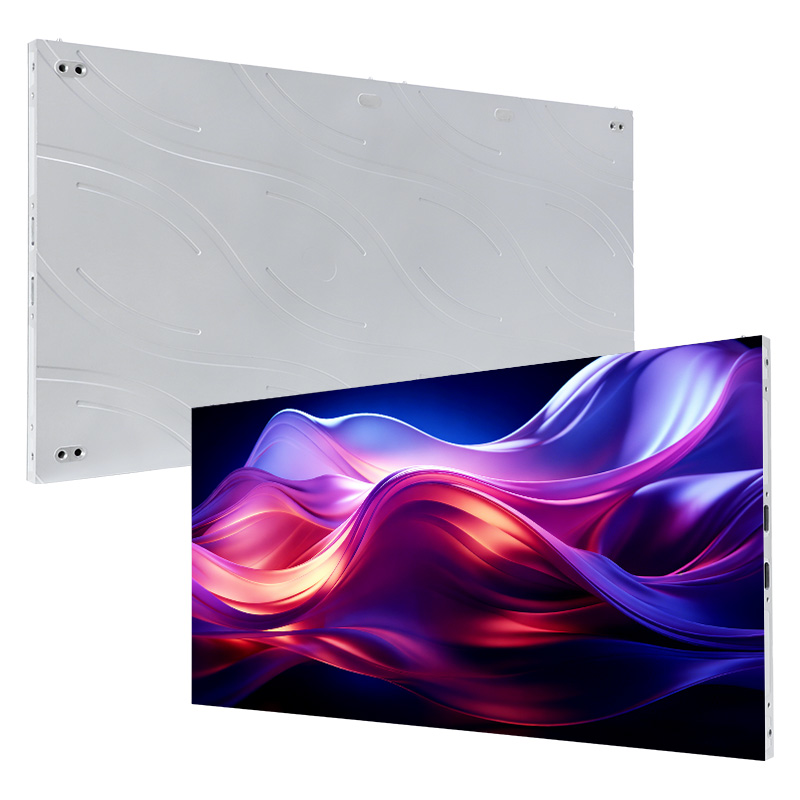
For native 16:9 video walls, the EA600COB3 uses a 600 x 337.5 mm cabinet. EagerLED lists six fine-pitch choices from P0.62 to P1.87, a depth of 30 mm, and a weight of 4.1 kg. The cabinet’s 16:9 geometry makes it easier to build 2K, 4K, or 8K walls without cropping standard video content.
3.2 Outdoor LED Screen Panel Size
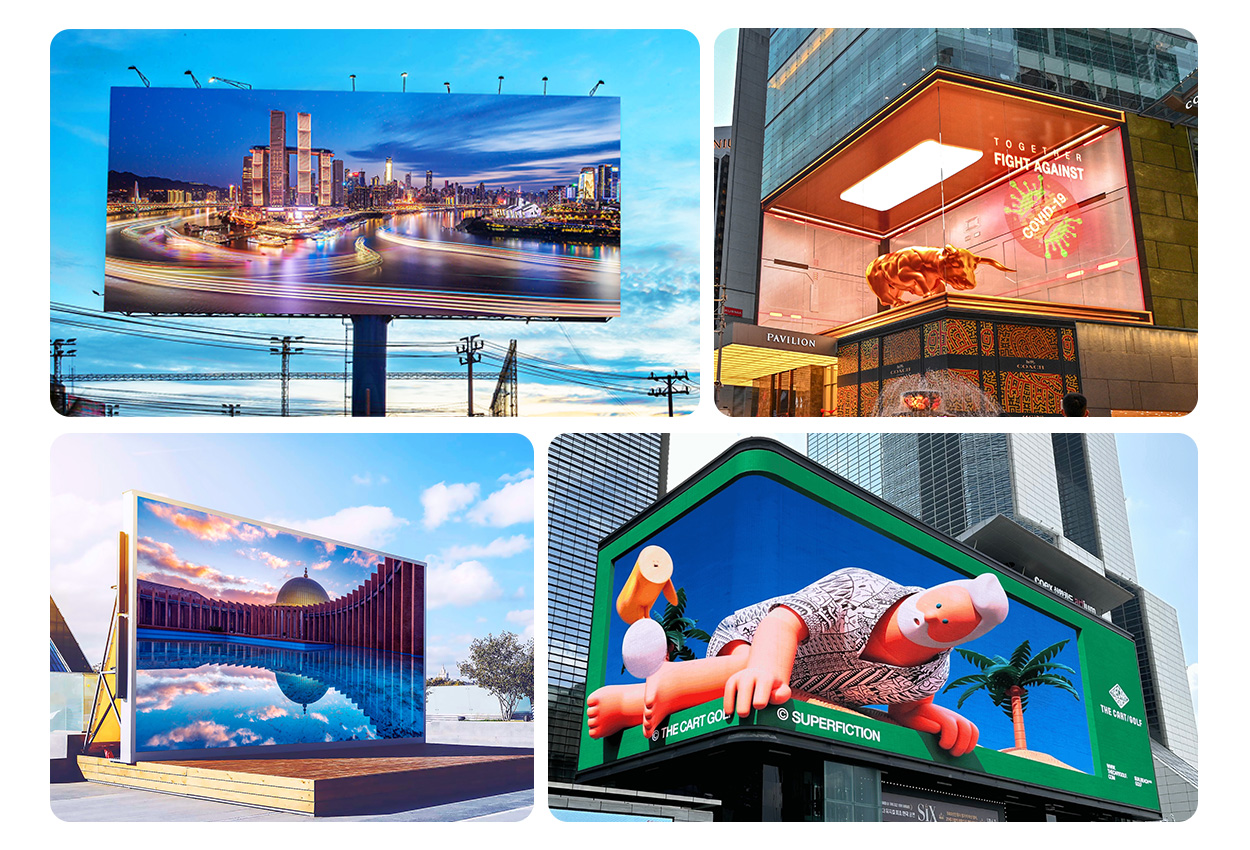
An outdoor permanent LED Screen Panel often uses larger cabinets because installation speed, structural efficiency, brightness, and serviceability matter more than very fine pitch. EagerLED’s EA960F4 advertising display uses a 480 x 320 mm module and a 960 x 960 mm cabinet. It supports P4.44, P5.71, P6.67, P8, and P10, with published brightness between 6,000 and 6,500 cd/m² and IP65 protection.
That product family also lists 1,440 x 960 mm and 1,440 x 640 mm cabinet formats based on the same module platform. This is a practical example of how one module size can support several cabinet geometries. For rental outdoor work, EagerLED also publishes 500 x 500 mm and 500 x 1000 mm products, which are easier to handle repeatedly than a large fixed-installation cabinet.
3.3 DIP Outdoor LED Screen Panel Sizes
DIP describes an LED packaging method, not a unique physical dimension. Therefore, do not infer LED Screen Panel size from “DIP outdoor” in a quotation. Older or long-viewing outdoor billboards may use larger-pitch DIP modules, but the purchaser must still confirm the exact module width, height, resolution, scan method, cabinet grid, and ingress protection for the offered model.
EagerLED’s current EA960F4 specification is based on SMD packages across P4.44-P10. If a project specifically requires DIP for high-intensity, long-distance viewing, request a model-specific data sheet rather than substituting dimensions from an SMD LED Screen Panel.
3.4 Flexible LED Screen Panel Size
Flexible modules solve shape problems, not dimensional planning problems. EagerLED lists flexible products in pitches including P1.25, P1.667, P1.875, P2, and P3, with example module sizes of 240 x 120, 320 x 160, and 256 x 128 mm. These can form curved walls, arcs, columns, and cylindrical displays.
For a curved design, calculate the circumference or arc length first, then divide it by the module width. The result should be a whole number or be reconciled through the approved structure. Also verify minimum bend radius, magnet placement, seam direction, service access, and content mapping. A physically flexible module does not automatically fit every diameter.
4. Why Panel Sizes Matter: Standard vs Custom
4.1 Standard LED Panel Sizes
A standard LED Screen Panel module-and-cabinet combination usually offers the lowest integration risk. Known grids make it easier to calculate resolution, order spares, prepare flight cases, design steelwork, and replace a failed module later. Recurring EagerLED examples include 250 x 250 mm modules in 500 x 500 mm rental cabinets and 320 x 160 mm modules in 640 x 480 mm indoor cabinets.
“Standard,” however, does not mean interchangeable. Two modules with identical external dimensions can have different mounting holes, HUB layouts, connectors, driver ICs, calibration data, masks, and electrical requirements. Spare parts should match the exact series and production specification.
4.2 Custom LED Panel Sizes
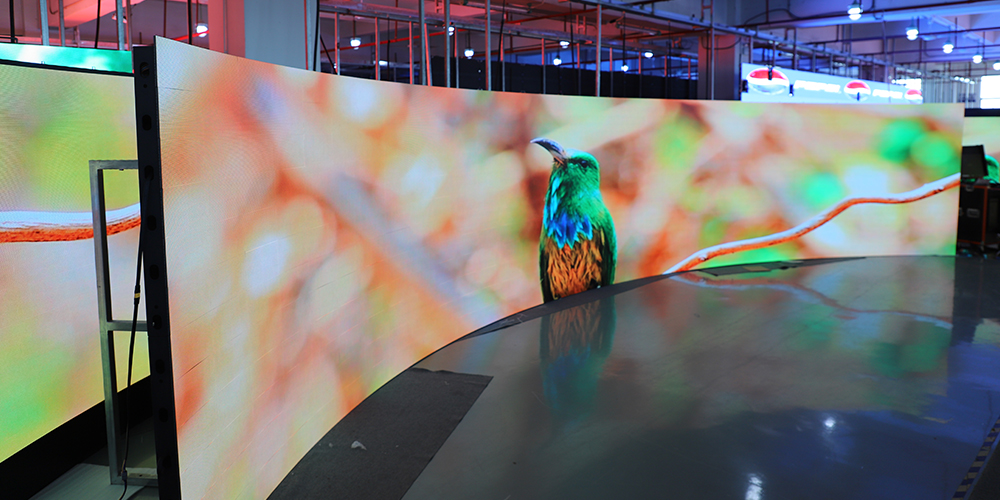
Custom dimensions are justified when the available wall opening, architectural contour, resolution target, or content ratio cannot be achieved cleanly with standard cabinets. A custom solution may combine half-width cabinets, corner units, flexible modules, or a project-specific frame.
The tradeoff is added engineering. Custom work can increase drawing approval time, structural analysis, spare-part complexity, packaging requirements, and replacement lead time. Before specifying a custom panel, test whether a standard cabinet grid plus a small change to the surrounding trim solves the problem.
4.3 Standard vs Custom LED Panel Sizes
| Decision factor | Standard format | Custom format |
|---|---|---|
| Lead time | Usually shorter | Usually longer |
| Spare availability | Easier to plan | Project-specific |
| Structural design | Reuses known dimensions | Requires additional validation |
| Aspect-ratio fit | Limited to cabinet increments | Can better match architecture |
| Expansion later | More predictable | May require matching production |
| Best use | Conventional walls and rental stock | Corners, curves, unusual openings |
For most projects, begin with a standard cabinet matrix. Move to custom construction only when the measurable benefit outweighs the lifecycle cost.
5. How Pixel Pitch and Viewing Distance Affect Resolution
5.1 How Pixel Pitch Affects LED Panel Resolution
For the same physical LED Screen Panel size, a smaller pitch produces more pixels. Calculate the resolution on each axis with:
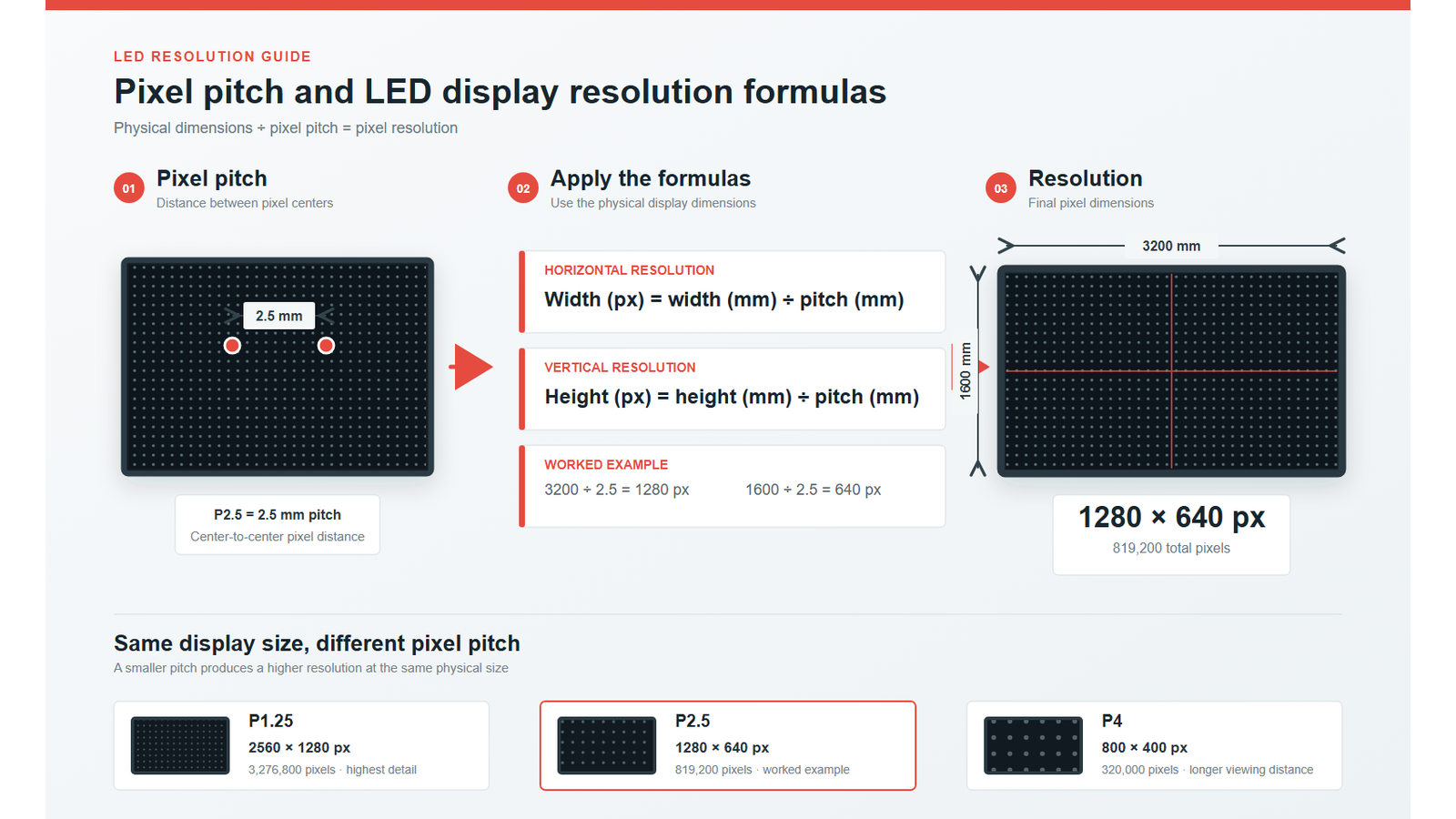
Pixels = physical length in millimeters / pixel pitch in millimetersA 320 x 160 mm P2.5 module therefore has 128 x 64 pixels. EagerLED publishes that exact resolution. Put six modules into a 640 x 480 mm cabinet and the cabinet becomes 256 x 192 pixels. A 5 x 4 cabinet wall becomes 1,280 x 768 pixels at 3.20 x 1.92 m.
Do not round a fractional result and proceed. Nominal pitch labels are sometimes shortened for marketing. The manufacturer’s published module resolution is the authoritative value for controller mapping and content calculations.
5.2 How Viewing Distance Affects LED Panel Selection
A smaller LED Screen Panel pitch is valuable when viewers stand close or when fine text, dashboards, or detailed video must remain legible. Larger pitch is more economical for outdoor signage viewed from farther away. A common preliminary rule is that the pitch number in millimeters approximates a comfortable minimum viewing distance in meters, but it is only a starting point.
Final selection should consider content, eyesight expectations, display brightness, contrast, installation height, viewing angle, camera use, and budget. Test representative content on a sample whenever the project is high value or the nearest viewer is close to the screen.
5.3 Relationship Between Pixel Pitch, Panel Size, and Resolution
Changing one variable affects the others:
- Keep physical size fixed and reduce pitch: resolution and pixel density rise.
- Keep resolution fixed and reduce pitch: the physical screen becomes smaller.
- Keep pitch fixed and enlarge the screen: total resolution rises in cabinet increments.
- Keep cabinet size fixed but change pitch: the mechanical footprint may stay unchanged while controller load changes.
This is why physical dimensions alone cannot define an LED Screen Panel. A proper quotation should state module resolution, cabinet resolution, cabinet quantity, total resolution, total active size, and supported content aspect ratio.
6. How to Choose the Right LED Panel Size
Use this sequence to choose an LED Screen Panel before asking manufacturers to price a project:
- Measure the usable opening. Record maximum active width and height separately from the total space available for framing, cables, ventilation, and access.
- Define the audience. Record minimum, typical, and maximum viewing distances, plus whether viewers are seated, moving, or looking up.
- Define the content ratio. Use 16:9 for conventional video when possible; do not force a standard video canvas into an arbitrary architectural ratio without a content plan.
- Set a resolution floor. Begin with the source content and the smallest text or detail that must be legible.
- Shortlist the pixel pitch. Match the closest-viewing requirement, then compare cost and controller capacity.
- Choose a compatible module and cabinet. Verify that module divisions return whole numbers on both cabinet axes.
- Round to a whole cabinet grid. Calculate the exact active dimensions and confirm that they still fit the site.
- Calculate total pixels. Multiply cabinet resolution by cabinet columns and rows; check sending-card and receiving-card capacity.
- Validate installation constraints. Confirm cabinet weight, total load, lifting points, wall structure, power distribution, service direction, ingress protection, and heat management.
- Approve a complete drawing. The drawing should show active area, outer frame, cabinet grid, seams, cable routes, access, mounting interface, and finished dimensions.
For example, a client requesting approximately 3.2 x 1.9 m indoors could evaluate five-by-four EA640F2 cabinets, producing an active area of 3.20 x 1.92 m. With P2.5, the calculated resolution is 1,280 x 768. That is a defensible display specification; “about a three-meter wall” is not.
7. Common Mistakes When Choosing Panel Size
Avoid these LED Screen Panel sizing errors during design and procurement:
- Using “panel” without defining it. Label every dimension as module, cabinet, active display, or finished installation.
- Ordering from the wall opening alone. Leave verified space for the frame, tolerance, ventilation, cabling, and maintenance.
- Mixing module and cabinet families. Equal dimensions do not prove mechanical or electrical compatibility.
- Ignoring aspect ratio. A screen can physically fit while wasting source pixels or forcing persistent letterboxing.
- Calculating resolution from a rounded pitch label. Use the published module and cabinet resolution.
- Allowing partial cabinets in a drawing. Standard products normally require whole cabinet increments unless a custom or half-size unit is approved.
- Optimizing only for smallest pitch. An unnecessarily fine pitch raises cost and processing load without improving the experience at long viewing distances.
- Forgetting service access. A front-service cabinet and a rear-service cabinet can require very different wall depth.
- Treating outdoor and indoor protection as equivalent. Confirm brightness and the protection grade for the exact face and rear configuration.
- Skipping spare strategy. Buy compatible spare modules, receiving cards, power supplies, and calibration support with the original production batch.
The strongest purchase specification attaches an approved cabinet layout and model data sheet to the order. It makes size measurable at factory acceptance rather than debatable after installation.
8. FAQs
8.1 What is the most common LED Screen Panel size?
There is no universal size. In EagerLED’s published range, common cabinet formats include 500 x 500 mm for rental displays, 640 x 480 mm for 4:3 indoor walls, 600 x 337.5 mm for 16:9 COB walls, and 960 x 960 mm for fixed outdoor advertising. The correct format depends on use, pitch, service method, and target screen dimensions.
8.2 What is the difference between an LED module and an LED cabinet?
The module is the smaller pixel-bearing circuit assembly. The cabinet is the structural enclosure that holds several modules along with power, data, and mounting components. For example, six 320 x 160 mm modules form the active face of a 640 x 480 mm EA640F2 cabinet.
8.3 How do I calculate complete LED display size?
Multiply cabinet width by the number of columns and cabinet height by the number of rows. Ten 500 x 500 mm cabinets arranged five across and two high create a 2.5 x 1.0 m active display. Add the engineered outer frame separately when calculating total occupied space.
8.4 How do I calculate LED screen resolution?
Divide each physical dimension in millimeters by the pixel pitch, or use the manufacturer’s published cabinet resolution. Then multiply cabinet pixels by cabinet columns and rows. Published resolution should take precedence when a nominal pitch has been rounded.
8.5 Is a 16:9 cabinet always the best choice?
No. It is convenient for HD and UHD video, control rooms, and conference content, but a square rental cabinet may be better for touring flexibility, while a larger square outdoor cabinet may reduce installation time. Choose the mechanical grid around the application, not the ratio alone.
8.6 Can LED panels be made to a custom size?
Yes. Complete screens are routinely sized by changing the cabinet grid, and special projects may use custom frames, corner cabinets, or flexible modules. However, the active dimensions must still follow the approved building-block geometry unless the manufacturer engineers custom hardware.
9. Conclusion
The reliable way to size an LED Screen Panel is to work from the inside out: pixel pitch and module, then cabinet, then complete display. EagerLED’s published range demonstrates why the word “panel” is insufficient on its own: 320 x 160 mm, 250 x 250 mm, and 480 x 320 mm modules serve very different cabinets, while 500 x 500 mm, 640 x 480 mm, 600 x 337.5 mm, and 960 x 960 mm cabinets address different applications.
Before ordering, lock five values in writing: exact model, module size and resolution, cabinet size and resolution, cabinet grid, and final active size. Then add total resolution, frame dimensions, weight, power, protection, and service access. For a project-specific cabinet layout, send EagerLED the site dimensions, viewing distance, content ratio, installation environment, and required resolution through its contact page.