

You need a NovaStar MRV412-N. You need accurate specs for planning, reliable setup advice to avoid errors, and a trustworthy source to get it. This page delivers all three.
1.What is Novastar MRV412-N Receiving Card?
2.NovaStar MRV412-N Specifications and Features
3.Novastar MRV412-N Data Groups & Load Capacity
4.Novastar MRV412-N Receiver Card Price Guide
5.Novastar MRV412-N VS MRV416-N Receiving Card: Pros and Cons
6.Novastar MRV412-N User Manual & Setup Guide
7.FAQs about Troubleshooting Tips
8.Conclusion
1. What is Novastar MRV412-N Receiving Card?
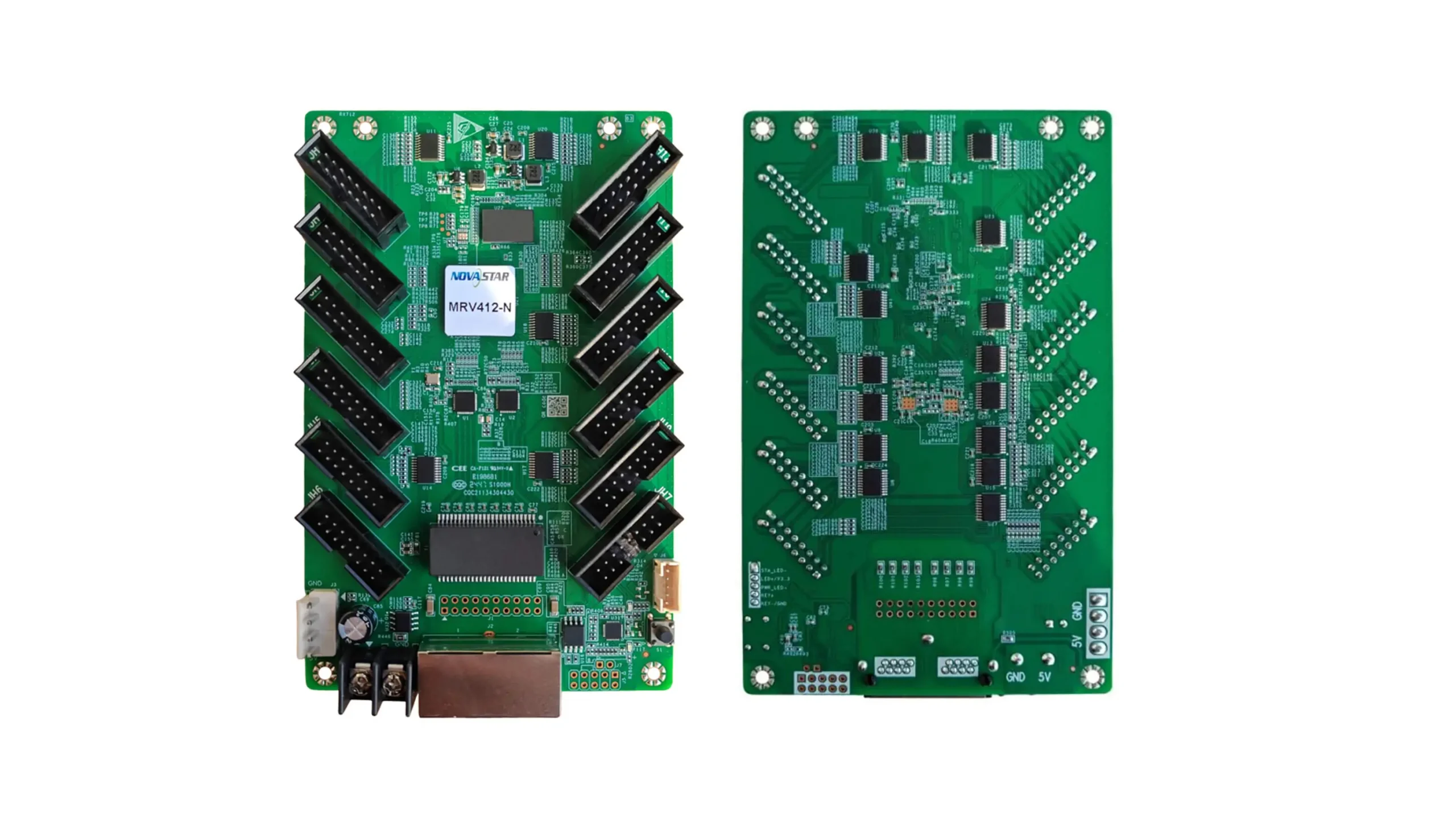
NovaStar MRV412-N is a general-purpose receiving card designed to deliver high-quality LED display performance. It acts as the critical bridge between your video processor (sending card) and the LED modules on your screen. Whether you’re setting up an indoor LED wall or an outdoor display, this card ensures smooth communication, vibrant visuals, and consistent performance.
Why Choose the MRV412-N?
- Pixel-Level Calibration: Eliminates color mismatches and brightness inconsistencies across modules.
- 18bit+ Processing: Enhances grayscale performance, ensuring smoother gradients and eliminating flickering at low brightness levels.
- Dual Backup Systems: Ensures reliability with dual firmware and configuration backups.
- Loop Backup: Maintains uninterrupted operation even if a network fault occurs.
For project managers, installers, and technicians, the MRV412-N is a dependable solution that simplifies setup and enhances display quality.
2. NovaStar MRV412-N Specifications and Features
2.1 Key Specifications
| Specification | Detail | Why It Matters |
|---|---|---|
| Max Resolution | 512×512@60Hz (PWM IC), 512×384@60Hz (Common IC) | Determines how many pixels one card can drive. Avoid overloading for optimal performance. |
| Data Outputs | 12 HUB75E connectors (24 groups RGB data) | Allows flexible module connections, ideal for large-scale installations. |
| Power Input | DC 3.8V to 5.5V | Requires a stable power supply; voltage drop can cause issues. |
| Operating Temp | -20°C to +70°C | Suitable for both indoor and protected outdoor environments. |
| Certifications | RoHS, EMC Class A | Ensures compliance with international standards for safe use. |
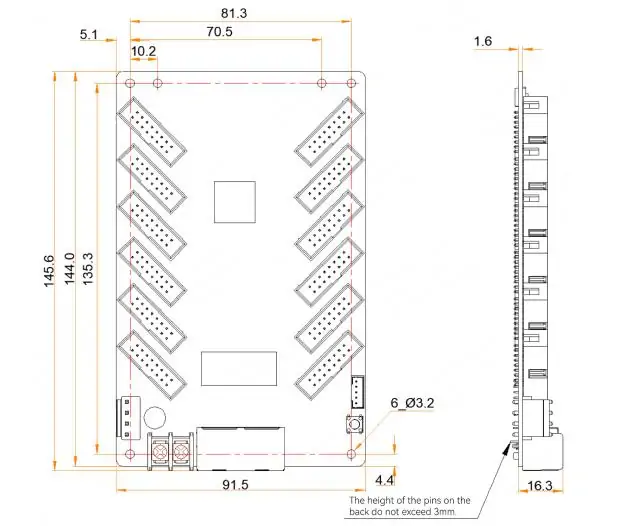
| Dimensions | 145.6mm × 91.5mm × ~20mm | Compact design fits easily into most cabinets. |
2.2 Core Features
2.2.1 Improvements to Display Effect
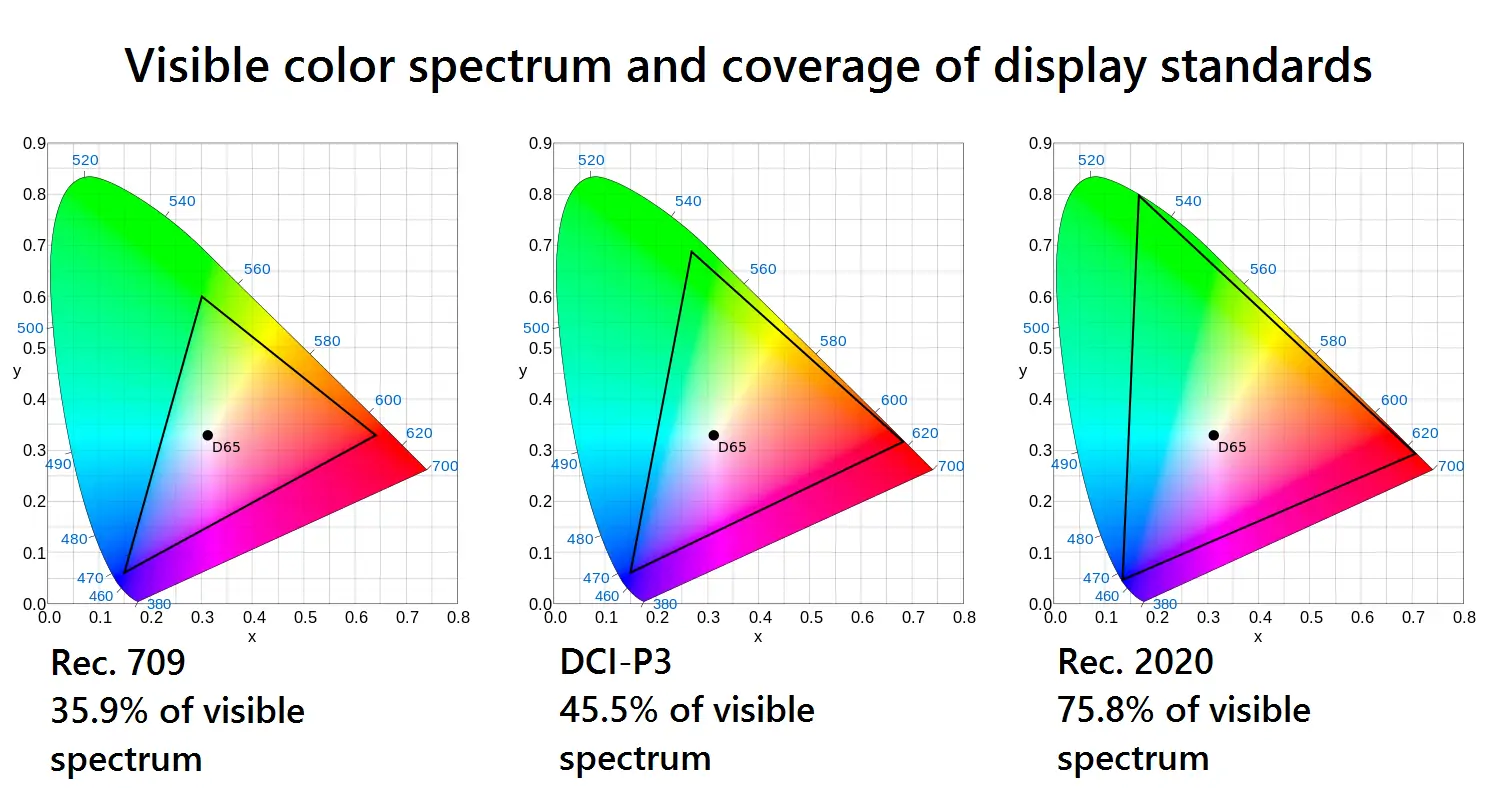
- Color Management: Supports Rec.709, DCI-P3, and Rec.2020 color gamuts for precise color reproduction.
- 18bit+ Grayscale: Reduces grayscale loss, ensuring smoother images even at low brightness.
- Pixel-Level Calibration: Works with NovaStar’s calibration system to eliminate brightness and chroma differences.
- Quick Adjustment of Dark/Bright Lines: Corrects seam brightness caused by module splicing, enhancing visual consistency.
- Low Latency Mode: Reduces video delay to 1 frame when enabled (requires driver ICs with built-in RAM).
- 90° Image Rotation: Allows image rotation in multiples of 90° for flexible mounting options.
2.2.2 Improvements to Maintainability
- Mapping 1.1: Displays controller number, receiving card number, and Ethernet port info for easy troubleshooting.
- Stored Image Settings: Customize the image displayed during startup or when there’s no signal.
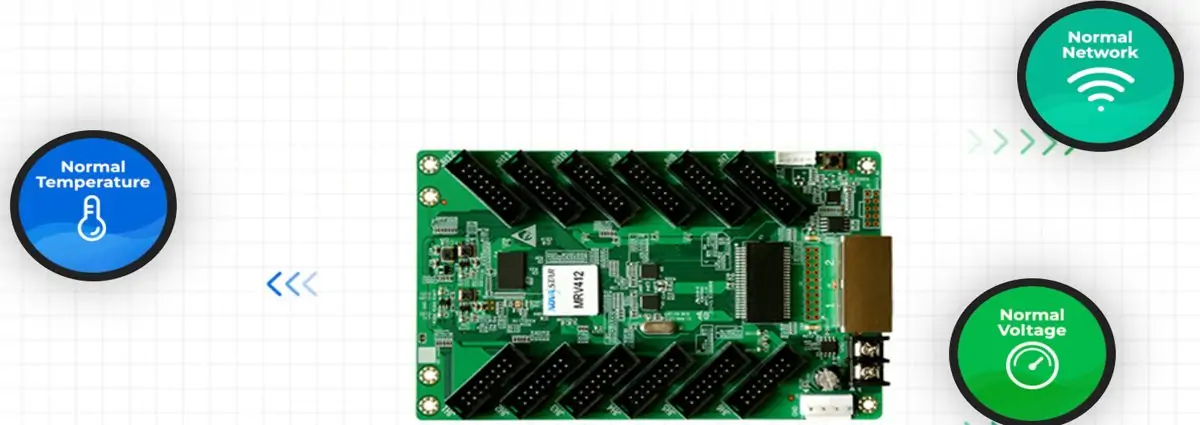
- Temperature/Voltage Monitoring: Monitors card health without external devices.
- Bit Error Detection: Real-time monitoring of Ethernet communication to identify issues quickly.
2.2.3 Improvements to Reliability
- Loop Backup: Forms a redundant loop with the controller to ensure continuous operation during line faults.
- Dual Firmware Backup: Prevents program corruption during updates.
- Dual Configuration Backup: Stores parameters in both application and factory areas for easy restoration.
3. Novastar MRV412-N Data Groups & Load Capacity
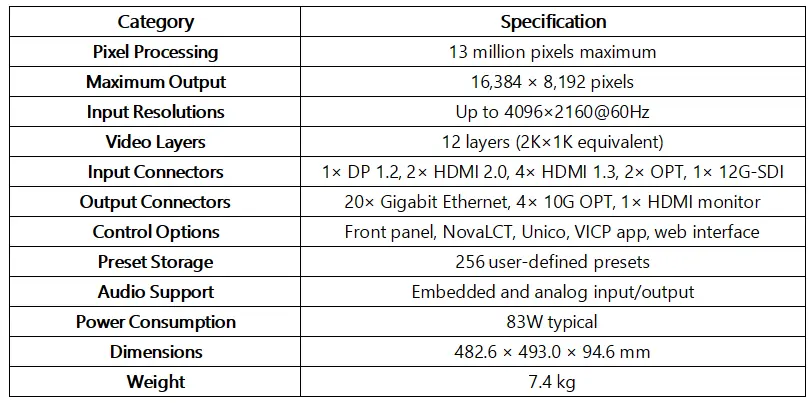
The MRV412-N uses 12 standard HUB75E connectors to communicate with LED modules. Each connector supports two groups of parallel RGB data, allowing the card to handle up to 24 groups of RGB data simultaneously.
3.1 Load Capacity Breakdown:
- For PWM driver ICs: Up to 512×512 pixels @ 60Hz.
- For common driver ICs: Up to 512×384 pixels @ 60Hz.
This flexibility makes the MRV412-N suitable for various setups, from small indoor displays to large outdoor screens.
4. Novastar MRV412-N Receiver Card Price Guide
The NovaStar MRV412-N typically retails for around $14 USD per unit, making it an affordable yet feature-rich option for LED installations. For bulk purchases, volume discounts are often available, reducing the per-unit cost significantly.
Where to Buy?
To ensure authenticity and access competitive pricing, consider purchasing through certified distributors. These platforms provide:
- Transparent pricing based on order volume.
- Guaranteed genuine hardware.
- Batch-matching services to reduce calibration workload.
5. Novastar MRV412-N VS MRV416-N Receiving Card: Pros and Cons
While both cards share similar features, they cater to slightly different needs:
| Feature | MRV412-N | MRV416-N |
|---|---|---|
| Max Resolution | 512×512@60Hz (PWM IC) | 512×512@60Hz (PWM IC) |
| Connectors | 12 HUB75E | 16 HUB75E |
| RGB Data Groups | 24 | 32 |
| Best Use Case | Medium-sized installations | Large-scale installations |
| Price | Lower | Higher |
Pros of MRV412-N:
- Cost-effective for medium-sized projects.
- Easier to integrate into existing systems.
Cons of MRV412-N:
- Limited to 24 RGB data groups, which may not suffice for very large displays.
For smaller to medium installations, the MRV412-N is the better choice due to its balance of cost and functionality.
6. Novastar MRV412-N User Manual & Setup Guide
Setting up the MRV412-N is straightforward if you follow these steps:
Step 1: Power Connections
Always connect the power cables first. Ensure the input voltage is within the specified range (DC 3.8V to 5.5V).
Step 2: Ethernet Connections
Connect the Gigabit Ethernet ports to the sending card or cascade other receiving cards. Each port can function as input or output.
Step 3: Module Connections
Use the 12 HUB75E connectors to link the card to your LED modules.
Step 4: Testing
Press the self-test button twice to display a test pattern. This helps verify proper connections before finalizing the setup.
Step 5: Software Configuration
Use NovaLCT software to configure settings such as gamma adjustment, image rotation, and stored image customization.
7. FAQs
1. What does the green running indicator flashing once every 3 seconds mean?
This indicates an abnormal Ethernet cable connection. Check the cables and connections.
2. How do I fix a blank screen issue?
Disconnect the Ethernet cable and press the self-test button twice to display a test pattern. If the pattern appears, the issue lies upstream (controller or cables).
3. Can I restore corrupted firmware?
Yes, the MRV412-N supports dual firmware backup. You can revert to the factory backup program if needed.
8. Conclusion
The NovaStar MRV412-N Receiving Card is a versatile and reliable solution for LED display installations. With advanced features like pixel-level calibration, 18bit+ processing, and dual backup systems, it ensures professional-grade performance and ease of maintenance.
For guaranteed authenticity and competitive pricing, purchase through certified platforms. Register today to access real-time inventory, project support, and downloadable resources such as the NovaStar MRV412-N User Manual.
Whether you’re installing a new LED wall or upgrading an existing one, the MRV412-N is a smart investment that delivers exceptional value and performance.