NovaStar TB30 vs TB50 should be decided first by playback method: choose the TB30 for scheduled media, and choose the TB50 when you need a live HDMI 1.3 source. Do not rely on the familiar 650,000-vs-1,300,000-pixel comparison alone. NovaStar’s live Taurus comparison still lists the TB30 at 0.65 million pixels, while the TB30 V1.2.4 specification, released July 31, 2026, states up to 1,300,000 pixels and a maximum width or height of 4,096 pixels. Verify the exact unit, firmware, and written load limit before purchase.
Table of Contents
1. NovaStar TB30 vs TB50: The Short Answer
The simplest recommendation is this: choose the TB30 when every piece of content can be uploaded and scheduled in advance; choose the TB50 when the screen must also show an external HDMI signal in real time.
1.1 Choose the TB30 When
The TB30 is the practical option for:
- Retail promotions and digital posters
- Restaurant menu boards
- School, factory, and community information screens
- Transportation notices that use uploaded media or data feeds
- Projects managed remotely through NovaStar’s VNNOX cloud platform
- Installations where live HDMI input is not part of the brief
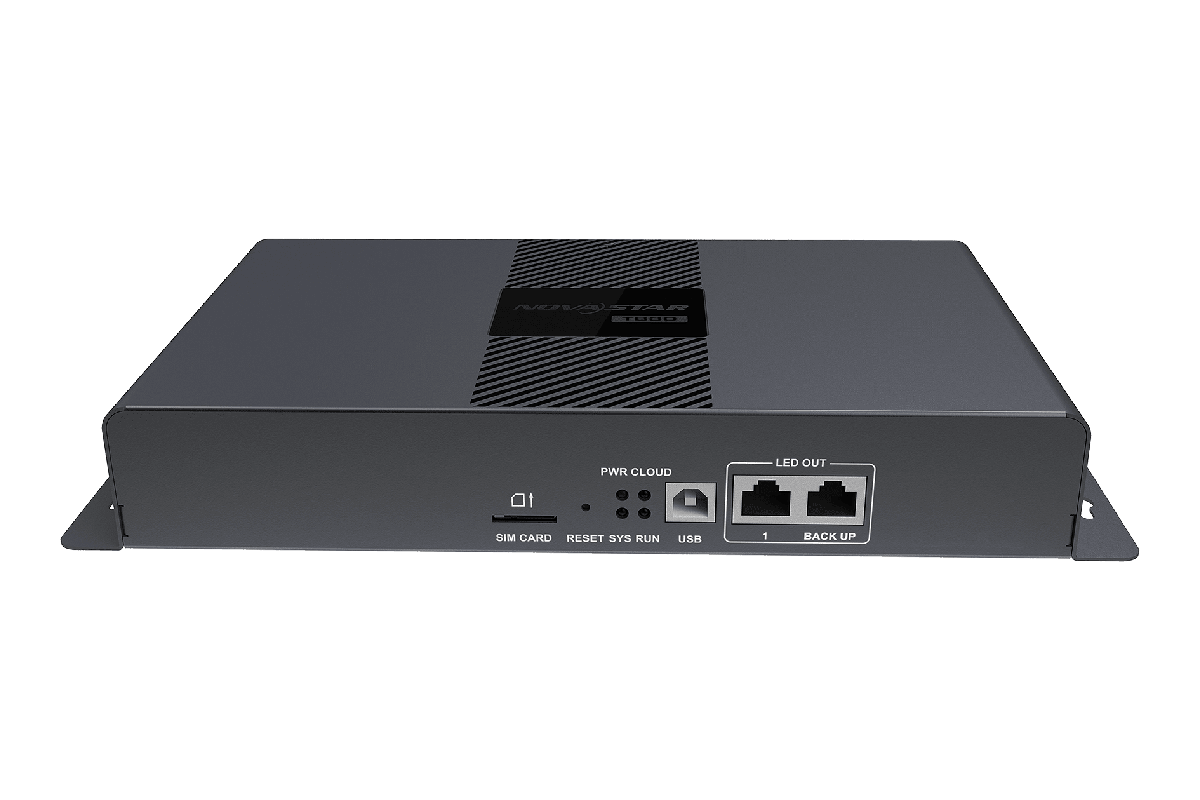
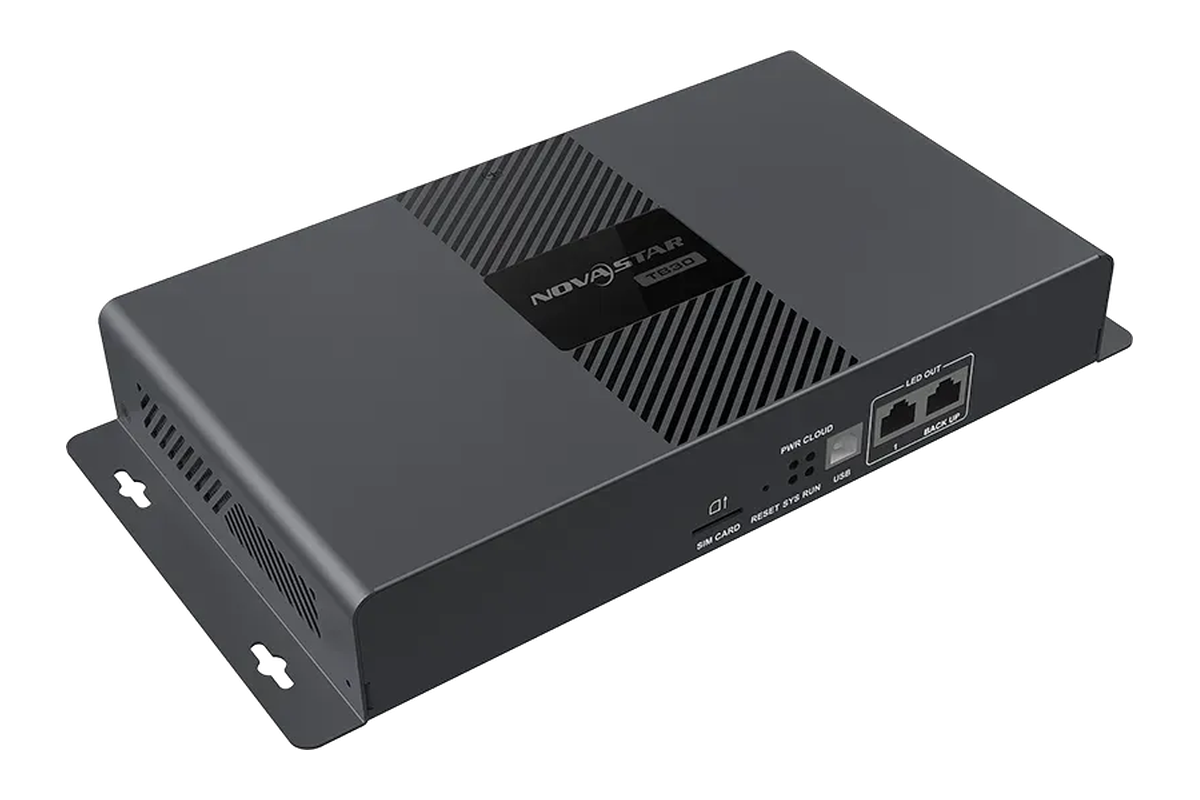
It retains the main advantages of the Taurus platform: onboard media playback, network publishing, local storage, remote control, sensor connectivity, and two Gigabit Ethernet outputs.
1.2 Choose the TB50 When
The TB50 is better for:
- Conference-room and event screens
- Sports bars and broadcast displays
- Stages, houses of worship, and live production
- Screens that switch between scheduled advertising and live video
- Projects that may need a PC, camera, media box, or other HDMI source later
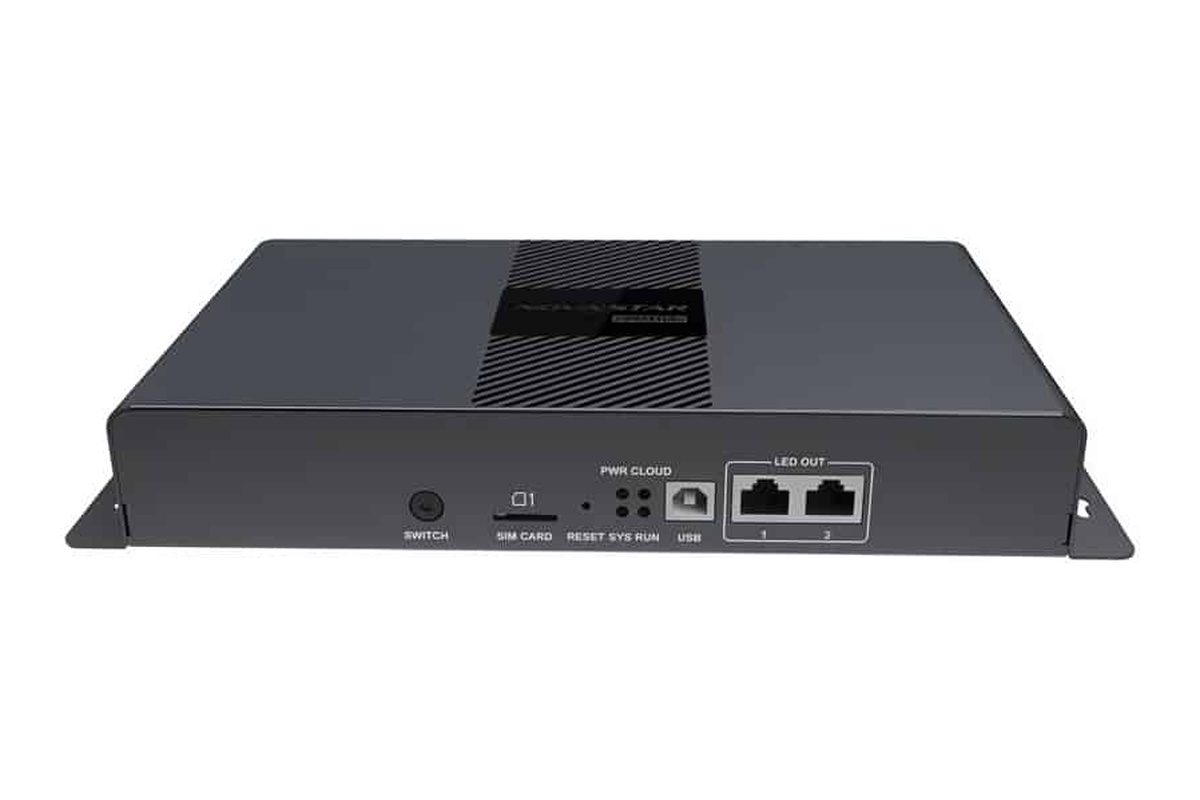
Its decisive advantage is an HDMI 1.3 input with support for synchronized playback. NovaStar also lists automatic HDMI source scaling, which makes the TB50 more adaptable when the incoming source resolution does not exactly match the LED canvas. An HDMI 1.3 loop output is available for monitoring or passing the signal onward.
2. NovaStar TB30 vs TB50: Core Specifications Compared
The following comparison table highlights the specifications that have the greatest impact on player selection.
| Feature | NovaStar TB30 | NovaStar TB50 | Why It Matters |
|---|---|---|---|
| Product type | Taurus multimedia player | Taurus multimedia player | Both combine playback and LED screen control |
| Playback modes | Asynchronous playback | Asynchronous and synchronous playback | TB50 can display live HDMI video |
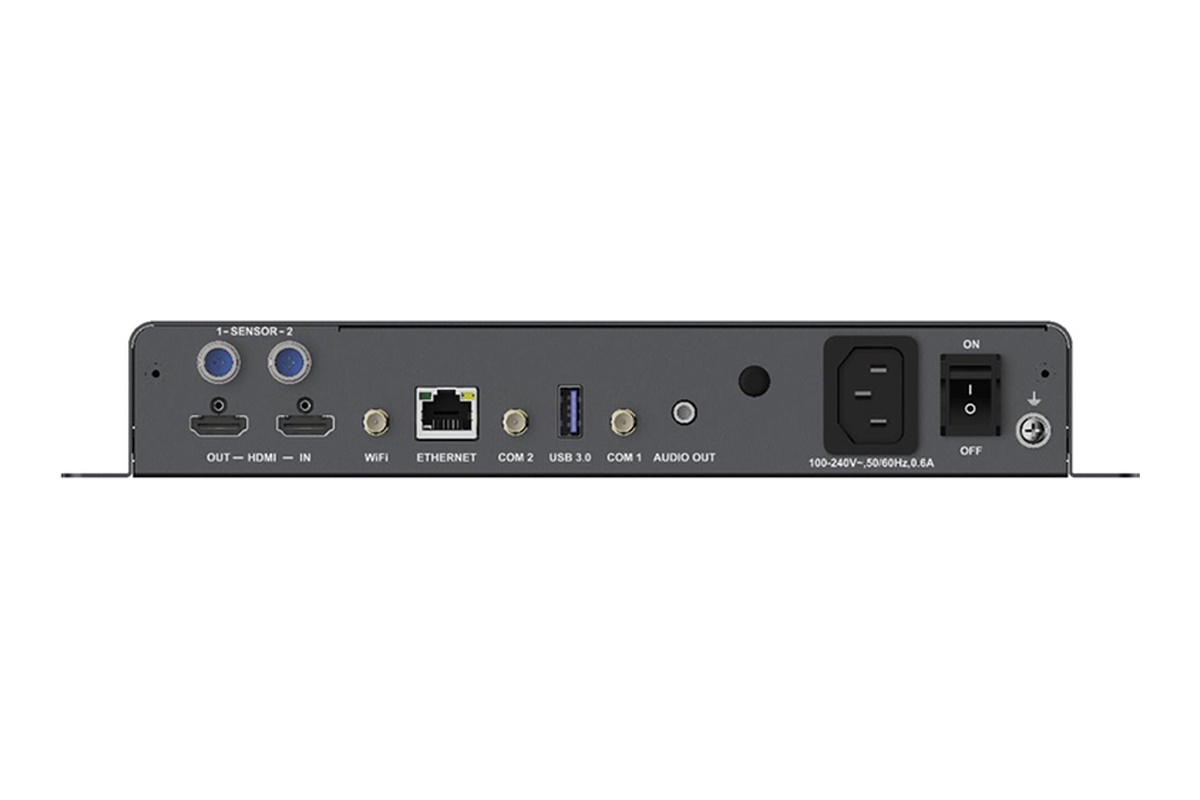
| HDMI input | No | 1 × HDMI 1.3 | Main reason to upgrade to TB50 |
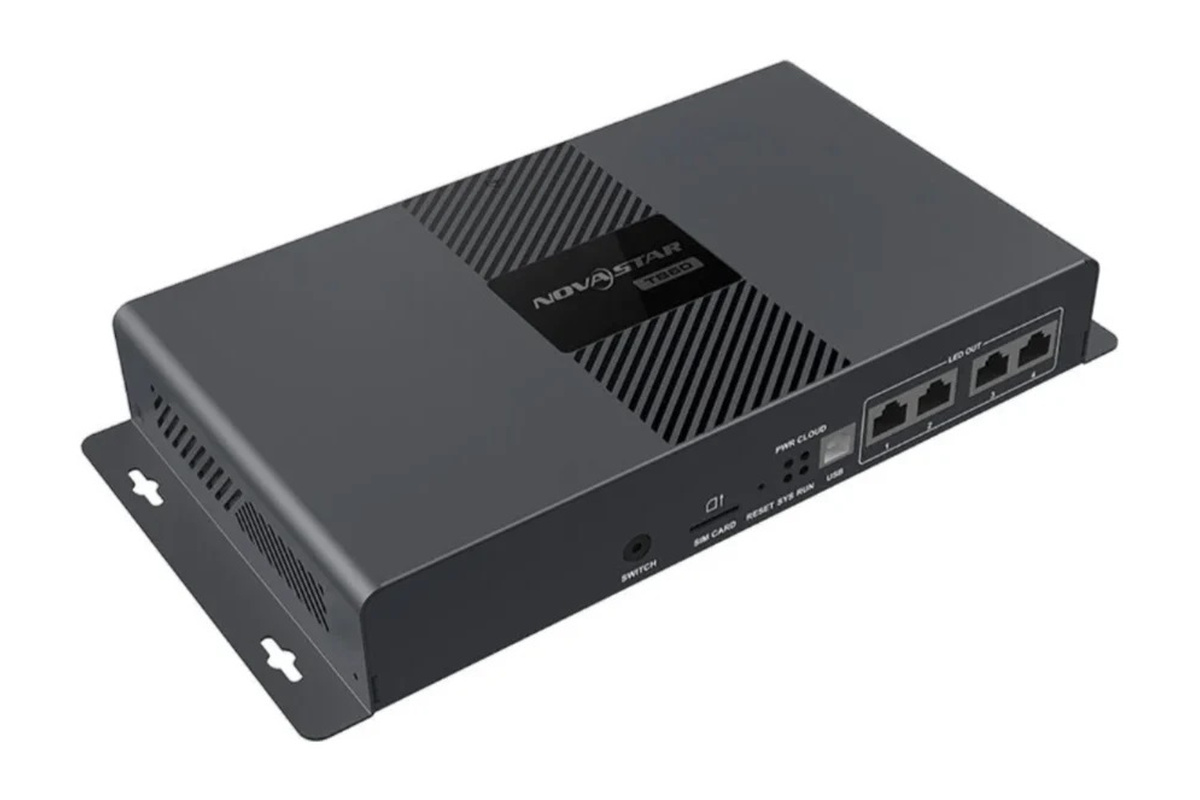
| LED output | 2 × Gigabit Ethernet | 2 × Gigabit Ethernet | Same physical LED output count |
| Load capacity | Official sources conflict: 650,000 pixels in the live table; 1,300,000 pixels in V1.2.4 PDF | 1,300,000 pixels in V1.2.4 PDF | Confirm the TB30 revision; capacity alone may not separate the models |
| Maximum width | 4,096 pixels in V1.2.4 PDF | 4,096 pixels in V1.2.4 PDF | Total capacity and each dimension must pass |
| Maximum height | 4,096 pixels in V1.2.4 PDF | 4,096 pixels in V1.2.4 PDF | Both PDFs also list a 23,040-pixel ultra-long-screen width |
| Internal storage | 32 GB | 32 GB | Suitable for local playlists and cached content |
| System memory | 1 GB | 1 GB | No meaningful difference for normal signage use |
| Wi-Fi | AP and Station modes | AP and Station modes | Local access plus connection to an existing network |
| Mobile-network option | 4G module support | 4G module support | Useful where wired broadband is unavailable |
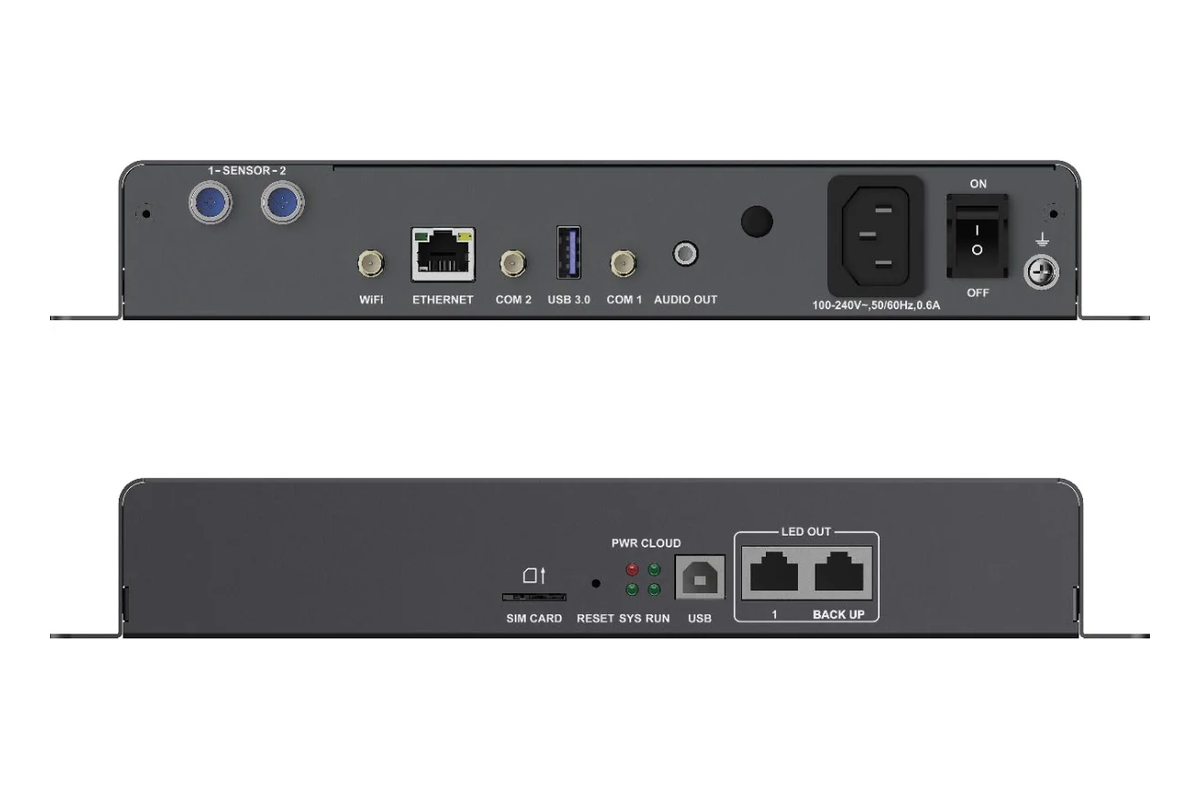
| USB | 1 × USB 3.0 Type-A, 1 × USB Type-B | 1 × USB 3.0 Type-A, 1 × USB Type-B | Same local playback, upgrade, and control connections |
| Maximum power consumption | 18 W | 18 W | No meaningful operating-power difference |
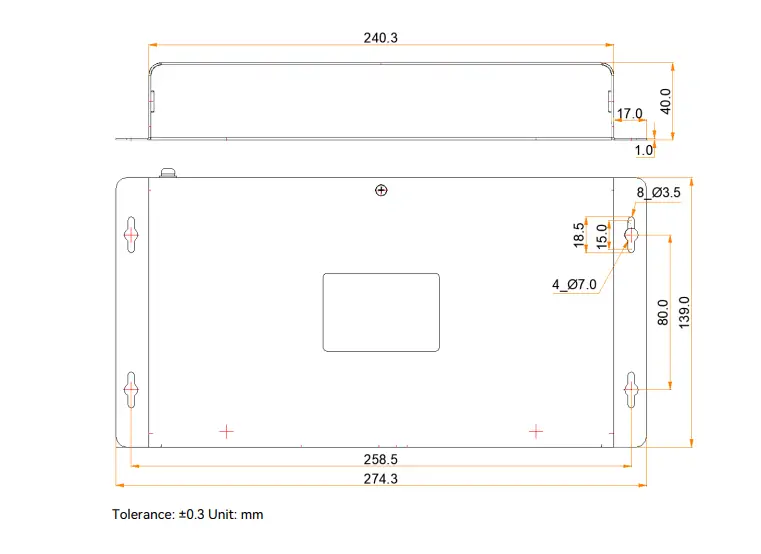
| Dimensions | 274.3 × 139.0 × 40.0 mm | 274.3 × 139.0 × 40.0 mm | Either model fits the same control-box footprint |
Takeaway: the TB50’s confirmed advantage is its HDMI 1.3 input/output and switching between asynchronous and synchronous modes. NovaStar’s July 31, 2026 V1.2.4 PDFs list both models at 1,300,000 pixels and 4,096 × 4,096, although NovaStar’s live comparison still shows the TB30 at 650,000 pixels.
3. Playback and HDMI Differences
The most important distinction is understanding how content reaches the screen.
3.1 Asynchronous Playback on Both Players
In asynchronous mode, content is prepared in software, published to the player, stored locally, and played according to a schedule. The LED screen does not need a content computer connected all day. This arrangement is reliable for repeatable advertising because a temporary internet outage does not necessarily stop already downloaded media from playing.
Both models support this workflow, making either suitable for conventional digital signage. Content can be managed through NovaLCT and ViPlex tools, while VNNOX supports cloud-based publishing and screen management.
3.2 Synchronous HDMI Playback on the TB50
Synchronous mode sends a live source to the display. The TB50’s HDMI 1.3 input can accept video from a laptop, decoder, camera system, or similar source. This matters whenever the displayed content changes in real time and cannot be uploaded as a fixed media file.
Consider a hotel ballroom screen. Most days it may run scheduled welcome graphics, but during a conference it must show a presenter’s laptop. A TB30-only design would require another device or a controller change to accept that source. The TB50 handles both workflows in one player, so paying more initially can reduce later integration work.
3.3 Multi-Screen Synchronization Is Not the Same as HDMI Mode
Do not confuse synchronized playback across several Taurus players with synchronous HDMI input. Taurus systems can coordinate scheduled playback using time-synchronization methods, but that does not give the TB30 a physical HDMI input. In your decision, ask whether you need several screens to play uploaded content together or whether you need one or more screens to reproduce a live HDMI source. Those are different requirements.
4. Load Capacity and Screen Resolution
This is the area where a superficial model comparison can mislead buyers.
4.1 TB30 and TB50 Loading Capacity
NovaStar’s official sources currently disagree. The live Taurus comparison lists the TB30 at 0.65 million pixels and the TB50 at 1.3 million pixels. However, the TB30 V1.2.4 PDF states “Loading capacity up to 1,300,000 pixels” with a maximum width and height of 4,096 pixels. The TB50 V1.2.4 PDF lists the same total capacity and dimensions.
NovaStar does not explain whether the difference reflects a documentation lag, firmware capability, or a product revision. Until the exact TB30 unit is confirmed in writing, use the supplier’s approved load limit. The TB50 remains the safer choice when HDMI input, live-source scaling, or synchronous/asynchronous mode switching is required.
4.2 Calculate the Actual Pixel Load
Use this formula:
Total pixel load = final screen width in pixels × final screen height in pixels
For example, an LED wall built from eight 128 × 128-pixel cabinets across and six cabinets high has a final resolution of 1,024 × 768:
1,024 × 768 = 786,432 pixels
That 786,432-pixel load is above the 650,000-pixel figure in NovaStar’s live comparison but below the 1,300,000-pixel figure in the July 2026 TB30 PDF. If the purchase specification for the exact TB30 still states 650,000 pixels, choose the TB50. If NovaStar or the supplier confirms 1,300,000 pixels for that unit, either model passes the pixel-count test and HDMI becomes the deciding factor. For more planning context, see EagerLED’s 4K LED screen resolution guide.
4.3 Leave Engineering Headroom
Do not design exactly on the published limit. Leave room for cabinet changes, a revised mapping, spare modules, or a later screen extension. Also check maximum width and height independently; a screen can fall below the total-pixel limit and still exceed one dimension limit. This practical check is more useful than comparing only the headline capacity.
5. Connectivity, Storage, and Monitoring
Beyond HDMI, the two players are closely matched. Both offer Wi-Fi AP and Station modes, Gigabit Ethernet network access, optional 4G connectivity, USB ports, stereo audio output, light-sensor connectivity, GPS support, and RS232-based environmental monitoring options.
5.1 Network Publishing
Wi-Fi AP mode lets a nearby technician connect directly to the player. Station mode connects the player to an existing Wi-Fi network. Wired Ethernet is preferable where stable infrastructure is available, while optional 4G is useful for roadside signs, temporary installations, or sites without fixed broadband.
For remote fleets, network quality often matters more than the model upgrade. A TB50 with an unreliable connection will not solve publishing problems. Plan signal strength, data allowances, firewall access, and remote recovery before deployment.
5.2 Local Storage and USB Updates
Both units list 32 GB of internal storage, one USB 3.0 Type-A port, and one USB Type-B control port. That is enough for many signage playlists, although usable space and playback duration depend on file format, bitrate, resolution, and playlist design. USB remains valuable for commissioning and emergency local updates when the network is unavailable.
5.3 Environmental Monitoring and Control
The two models support sensor and relay integration for functions such as brightness adjustment, temperature or humidity monitoring, and peripheral power control when used with compatible accessories. Verify every sensor, multifunction card, and relay requirement as a system rather than assuming the player alone provides the complete function.
6. NovaStar TB30 vs TB50: Which Taurus Player Fits Your Application?
The best choice becomes clearer when matched to a real operating scenario.
6.1 Retail and Quick-Service Restaurants
Choose the TB30 when the screen runs scheduled videos, images, prices, and menus. The TB50 adds little value if no live source will ever be connected. Spend the saved budget on network resilience, spare receiving cards, or better environmental sensors.
Choose the TB50 if the screen may show live television, product launches, in-store events, or content from a local media box. HDMI flexibility can protect the installation from an early redesign.
6.2 Live Events, Conferences, and Worship Venues
The TB50 is the clear recommendation. These venues frequently need real-time presentation, camera, and production feeds. Even if the first deployment uses uploaded content, live input is a predictable future request. In this scenario, the price difference should be weighed against the labor and downtime involved in replacing or supplementing the controller later.
6.3 Outdoor Advertising and Remote Information Screens
For fixed advertising loops that stay within the written load limit of the exact unit, the TB30 offers a leaner design for pure asynchronous signage. Choose the TB50 when the operator needs an emergency live source, local broadcast feed, HDMI scaling, or more flexible event use.
For outdoor projects, enclosure temperature, moisture protection, network reliability, lightning protection, and power control usually create more risk than the player model itself. Neither unit should be treated as weatherproof merely because it controls an outdoor screen.
6.4 Procurement Decision Matrix
| Project Requirement | Recommended Player |
|---|---|
| Uploaded images and videos only | TB30 |
| Cloud-managed scheduled signage | TB30 |
| Live laptop, camera, decoder, or set-top box | TB50 |
| Mix of scheduled and live content | TB50 |
| Pixel load above 650,000 but at or below 1,300,000 | Confirm the exact TB30 revision in writing; choose TB50 if HDMI is required |
| Lowest practical cost and no future HDMI need | TB30 |
| Uncertain future input requirements | TB50 |
7. Common Buying Mistakes
A reliable Taurus-player decision avoids five common mistakes.
7.1 Comparing Only the Pixel Number
Pixel capacity is essential, but it is not the only limit. Check final mapped width, final mapped height, receiving-card layout, Ethernet-port loading, and redundancy expectations. Because NovaStar’s live table and July 2026 TB30 PDF conflict, put the accepted pixel limit and document version in the purchase order.
7.2 Assuming the TB30 Accepts HDMI
Multi-screen synchronization, network streaming, and scheduled playback do not create an HDMI port. If the brief names a laptop, camera, decoder, or live switcher, specify the TB50 or a separate front-end solution.
7.3 Failing to Calculate the Final Screen Resolution
Cabinet dimensions do not reveal the controller load by themselves. Calculate the final pixel width and height, multiply them to obtain the total load, and place the required resolution and source type in the purchase order.
7.4 Ignoring the Complete Signal Chain
The player is only one part of the system. Receiving cards, hub boards, cabinet wiring, network design, sensors, audio, and power accessories must be compatible. A correct player choice cannot compensate for a flawed mapping or under-specified receiving-card layout.
7.5 Buying for Today’s Playlist Only
Ask what the screen will show two years from now. If live presentations or broadcasts are plausible, the TB50 is inexpensive insurance compared with reopening a finished control cabinet and changing the signal workflow.
8. FAQ
8.1 What Is the Main Difference Between NovaStar TB30 and TB50?
The TB50 adds HDMI 1.3 input and synchronous playback, while both players support asynchronous scheduled content. For most projects, this is the decisive selection factor.
8.2 How Many Pixels Can the TB30 Support?
NovaStar currently publishes two answers. Its live Taurus comparison lists the TB30 at 650,000 pixels, while the TB30 V1.2.4 specification dated July 31, 2026 lists up to 1,300,000 pixels. Confirm the document version and approved limit for the exact unit before specifying it.
8.3 Can the TB30 Play Content Without the Internet?
Yes. Once asynchronous content has been published and stored locally, it can play according to its program and schedule without a continuous internet connection. Network access is still needed for remote updates, monitoring, and cloud management.
8.4 Is the TB50 Better for Live Events?
Yes. Its HDMI input allows a real-time source to be displayed, making it the more appropriate Taurus player for presentations, camera feeds, live broadcasts, and event production.
8.5 Are the TB30 and TB50 the Same Physical Size?
The V1.2.4 specification sheets list both at 274.3 × 139.0 × 40.0 mm and 18 W maximum power consumption. Their installation footprint and power rating are therefore effectively the same, although the TB50 is slightly heavier.
8.6 Why Do NovaStar Sources Show Different TB30 Capacities?
NovaStar’s live Taurus comparison lists 0.65 million pixels for the TB30, but its V1.2.4 specification PDF lists 1,300,000 pixels. NovaStar does not explain the discrepancy on those pages. Treat it as a version-control issue and obtain written confirmation for the supplied hardware and firmware.
9. Conclusion
In NovaStar TB30 vs TB50, choose the TB30 for scheduled media when the exact unit’s approved pixel load covers the screen. Choose the TB50 when you need HDMI 1.3 input/output, automatic source scaling, or switching between asynchronous and synchronous modes. Do not assume that capacity alone separates the models: NovaStar’s live table and July 2026 TB30 PDF currently conflict. Put the model, firmware, approved pixel load, maximum mapped dimensions, and required input mode in the purchase order.
Read EagerLED’s NovaStar TB50 multimedia player guide and 4K LED screen guide, or contact EagerLED with the final screen resolution and input requirements for a model check.