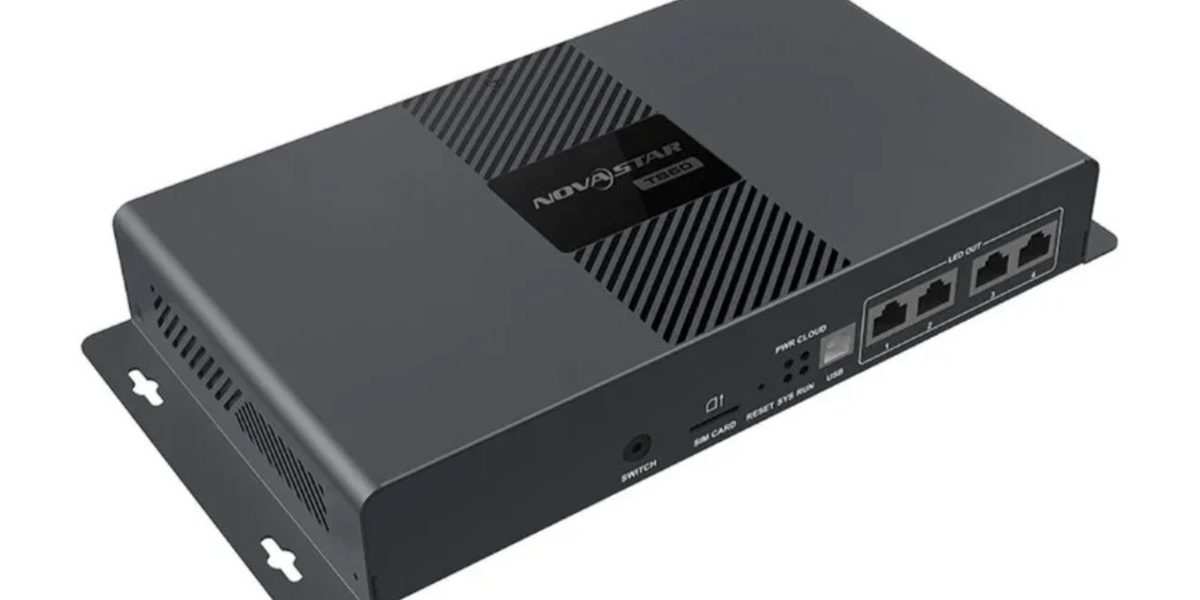
The NovaStar TB50 multimedia player is an all-in-one controller for full-color LED displays. It combines media playback, content storage, screen control, and network publishing in one compact unit, so a dedicated computer does not need to remain beside the display. This guide explains what the TB50 does, its key specifications, how it compares with other Taurus players, and where it is the right choice.
Table of Contents
1. What Is the NovaStar TB50 Multimedia Player?
2. Key Features of the NovaStar TB50 Multimedia Player
3. NovaStar TB50 Multimedia Player Specifications
4. TB30 vs. TB50 vs. TB60: Which Taurus Player Fits?
5. Applications of the NovaStar TB50 Multimedia Player
6. How to Select and Deploy the TB50
7. Frequently Asked Questions
8. Conclusion
1. What Is the NovaStar TB50 Multimedia Player?
The NovaStar TB50 multimedia player belongs to NovaStar’s Taurus series of asynchronous LED display controllers. Unlike a conventional sending card that depends on a continuously connected computer, the TB50 stores approved content locally and plays it according to a schedule. It can also accept an HDMI source for synchronous display when live content is required.
This hybrid design matters in real installations. A retail promotion can run from local storage throughout the day, while a live event feed can be switched to HDMI when needed. The same device handles playback and sends LED data through its two Gigabit Ethernet outputs.
1.1 An All-in-One LED Control System
A typical LED signage system may require a media player, a sending controller, network equipment, and a computer. The NovaStar TB50 multimedia player consolidates the first two roles. Its internal processor decodes video and graphics, its storage holds media, and its LED outputs transmit the mapped image to receiving cards in the screen cabinets.
The result is a smaller equipment stack, fewer inter-device cables, and simpler remote operation. This is especially valuable when the controller is installed inside a roadside cabinet, retail ceiling, building facade, or other location that is difficult to access.
1.2 Asynchronous and Synchronous Playback
In asynchronous mode, users publish programs to the NovaStar TB50 multimedia player over a wired network, Wi-Fi, USB drive, or supported mobile network configuration. The player then follows a schedule without a source computer. This mode is ideal for advertising, menus, announcements, and recurring information.
In synchronous mode, the HDMI input displays a real-time external source. That makes the TB50 suitable for conference content, live camera feeds, broadcast sources, and temporary event use. Multi-screen synchronization can also keep several displays aligned when the network and timing plan are configured correctly.
2. Key Features of the NovaStar TB50 Multimedia Player
The NovaStar TB50 multimedia player is positioned between small-entry Taurus players and higher-capacity models. Its most important advantage is balance: it supports substantially more pixels than the TB30 while remaining compact and straightforward to deploy.
2.1 1.3 Million-Pixel Loading Capacity
The TB50 can load up to 1,300,000 pixels through two primary Gigabit Ethernet outputs. Maximum image width and height can each reach 4096 pixels, provided the total pixel count remains within the loading limit and the receiving-card configuration is valid.
Pixel count, not physical screen size, determines whether the controller is large enough. For example, a 1536 x 640 canvas contains 983,040 pixels and leaves reasonable capacity for configuration. A 1920 x 640 canvas contains 1,228,800 pixels and technically fits, but leaves much less headroom for design changes. Always calculate the final mapped canvas before purchasing.
2.2 4K Video Decoding and Flexible Content
With a quad-core ARM A55 processor, the NovaStar TB50 multimedia player can decode common H.264 and H.265 media formats, including 4K-class source video at up to 60 Hz under supported encoding conditions. The output canvas is still governed by the 1.3 million-pixel LED loading capacity; 4K decoding means the player can efficiently process high-resolution source files before scaling them to the configured screen.
Programs can combine video, images, text, clocks, weather information, and other supported content windows. This gives signage operators more control than a simple looped video player.
2.3 Local, LAN, Wi-Fi, and Cloud-Oriented Management
Content can be prepared and published with NovaStar’s ViPlex tools. Depending on the project, operators may use ViPlex Express on a computer, ViPlex Handy on a mobile device, or a compatible cloud workflow for centralized scheduling. Ethernet is usually the most stable option for permanent installations, while Wi-Fi is convenient for local commissioning.
Optional 4G connectivity can support sites without fixed broadband, but the modem, SIM plan, antenna placement, and regional band compatibility must be confirmed separately. The NovaStar TB50 multimedia player does not make an unreliable mobile network reliable; offline schedules and local fallback content should still be configured.
2.4 Designed for Unattended Operation
The NovaStar TB50 multimedia player supports scheduled startup, shutdown, and program playback, which reduces routine site visits. Screen status monitoring, brightness-control workflows, and sensor integration can also be incorporated where compatible hardware is installed.
For mission-critical signage, the player should still be paired with stable power, surge protection, proper ventilation, grounded network cabling, and documented recovery procedures. A reliable controller cannot compensate for poor cabinet design or an unstable electrical supply.
3. NovaStar TB50 Multimedia Player Specifications
The table below summarizes the specifications most relevant to system design. Hardware bundles and supported functions can vary by firmware, optional modules, and region, so the latest NovaStar datasheet should be checked before final procurement.
3.1 Core Technical Specifications
| Specification | NovaStar TB50 Multimedia Player |
|---|---|
| Product type | Asynchronous LED multimedia player with synchronous HDMI input |
| Maximum loading capacity | 1,300,000 pixels |
| Maximum canvas width | Up to 4096 pixels, within total capacity |
| Maximum canvas height | Up to 4096 pixels, within total capacity |
| LED outputs | 2 x Gigabit Ethernet, both available as primary outputs |
| Processor | Quad-core ARM A55, 1.8 GHz class |
| Memory | 1 GB RAM |
| Internal storage | 16 GB nominal storage; usable capacity is lower after system files |
| Video decoding | H.264/H.265 and common media formats; 4K-class decoding up to 60 Hz under supported conditions |
| Live input | HDMI 1.3 |
| Local publishing | USB and local network |
| Network options | Gigabit Ethernet, Wi-Fi AP/STA, optional mobile-network solution |
| Management | ViPlex Express, ViPlex Handy, and compatible cloud workflows |
| Typical use | Medium-size LED advertising and information displays |
3.2 Ports and System Connections
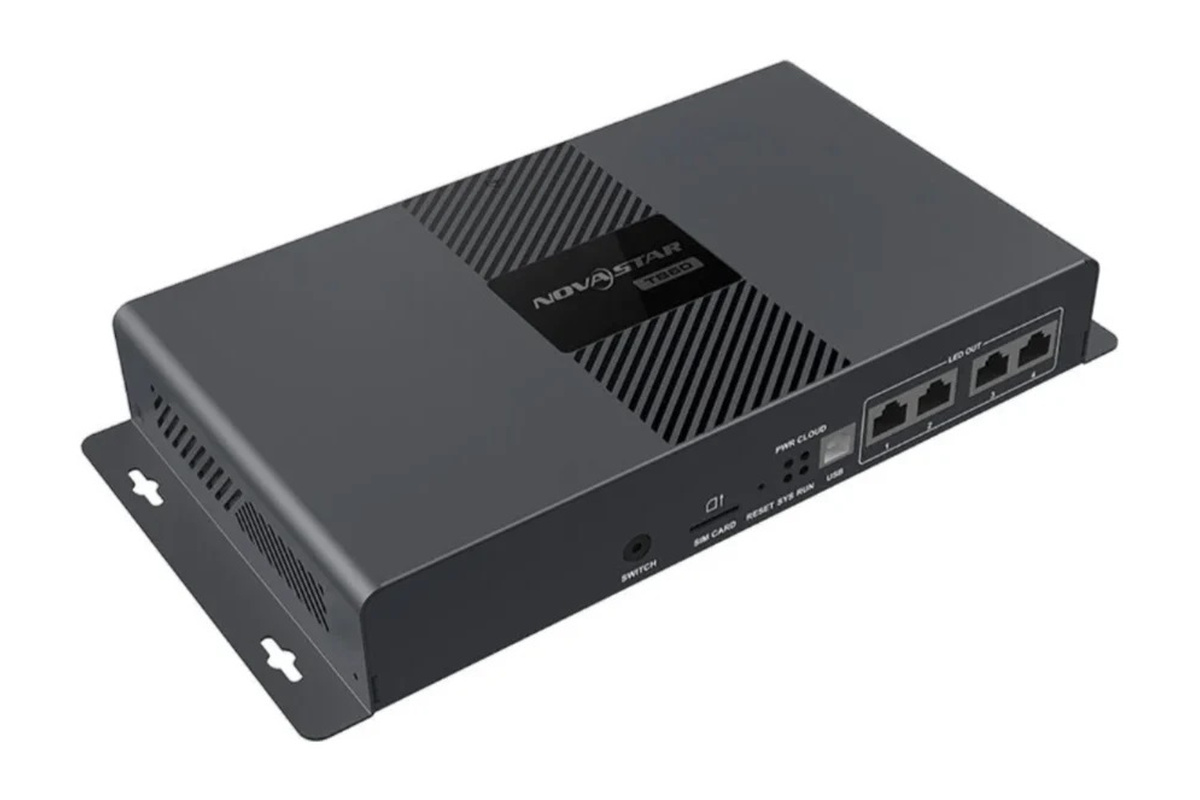
The two RJ45 LED outputs are a major distinction. On the NovaStar TB50 multimedia player, both ports can carry primary screen data, allowing the 1.3 million-pixel canvas to be divided across two receiving-card chains. The screen-mapping file must match the real cabinet route; connecting cables without the correct data map can produce duplicated, shifted, or blank sections.
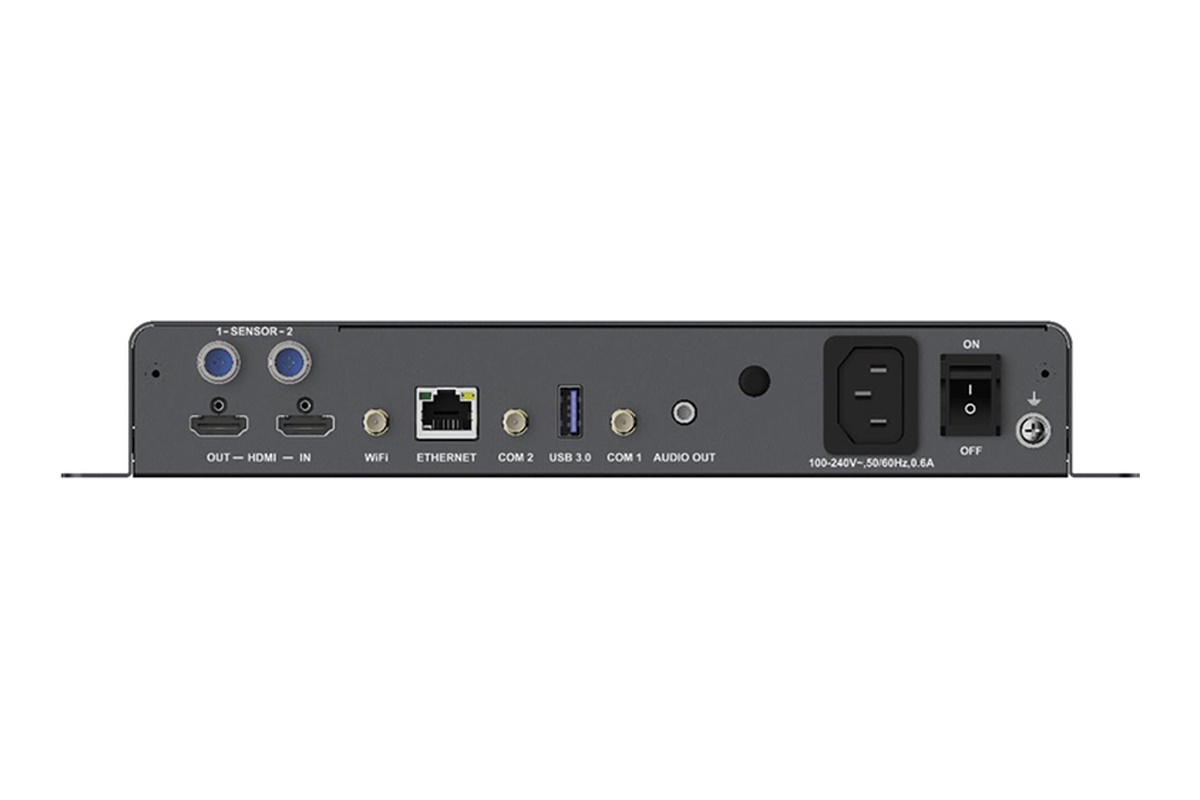
The HDMI connector is for live input, while USB connections support local media transfer and service workflows. Network interfaces are used for publishing, monitoring, and control. Exact connector labeling should always be checked on the unit and in its hardware manual before wiring.
4. TB30 vs. TB50 vs. TB60: Which Taurus Player Fits?
Choosing a Taurus player should begin with mapped pixel count and output topology, not price alone. The following comparison shows where the TB50 sits in the range.
| Item | TB30 | TB50 | TB60 |
|---|---|---|---|
| Maximum loading capacity | 650,000 pixels | 1,300,000 pixels | 2,300,000 pixels |
| RJ45 LED outputs | 2 ports, typically 1 primary + 1 backup | 2 primary outputs | 4 primary outputs |
| HDMI live input | Yes | Yes | Yes |
| Nominal internal storage | 16 GB | 16 GB | 16 GB |
| Best fit | Small signs and simple single-canvas displays | Medium displays needing two active data paths | Larger canvases and more complex output distribution |
| Selection advantage | Lower capacity and simpler projects | Balanced capacity, cost, and deployment flexibility | Highest capacity of the three |
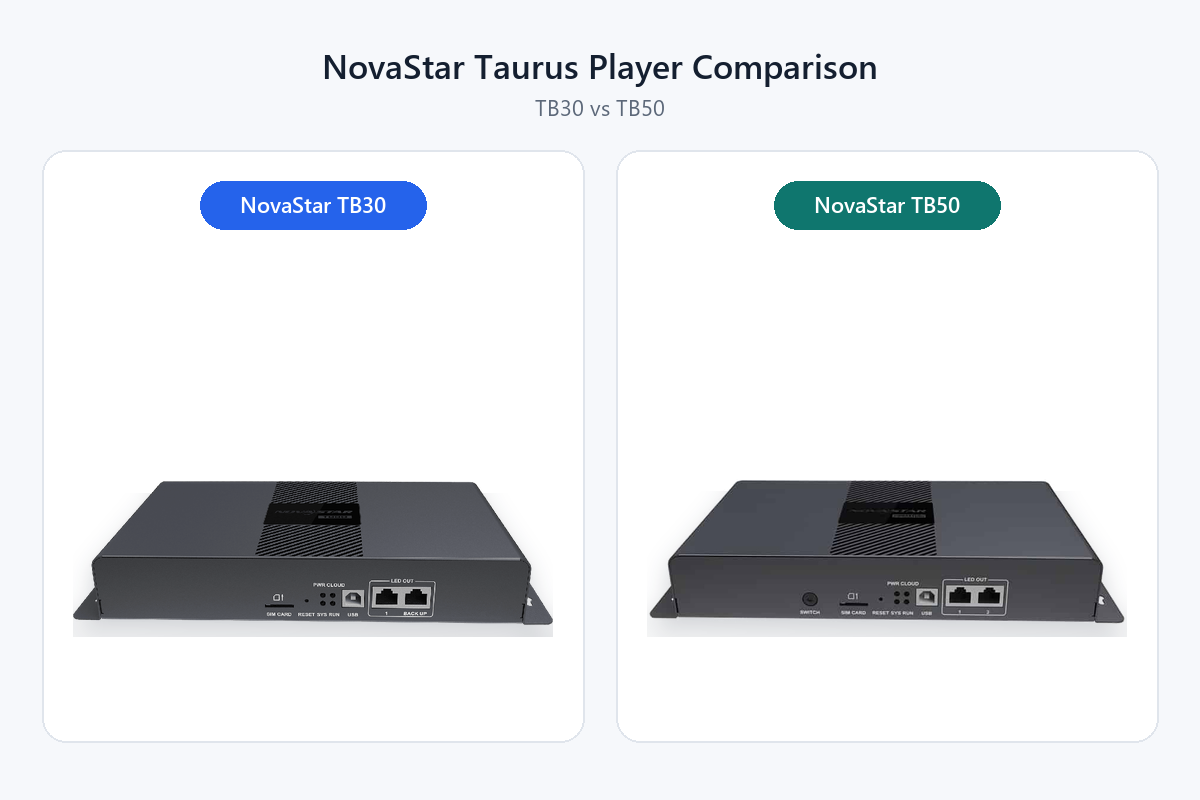
For a screen below 650,000 pixels that values output redundancy, the TB30 may be sufficient. See EagerLED’s detailed TB30 vs. TB50 comparison for a closer look at those two models. The NovaStar TB50 multimedia player is the practical middle option when both RJ45 ports must actively drive the display or when the canvas exceeds the TB30 limit. The TB60 is the safer choice when the project approaches 1.3 million pixels, requires four output paths, or is likely to expand.
Do not specify a controller at its limit unless the screen mapping is final. A modest reserve protects the project from later cabinet additions, resolution changes, or an overlooked overscan area.
5. Applications of the NovaStar TB50 Multimedia Player
The NovaStar TB50 multimedia player is best suited to medium-size LED displays that need scheduled content, remote updates, and occasional live input without a permanently connected PC.
5.1 Retail Stores and Shopping Centers
Storefront screens, promotional walls, and mall directories benefit from scheduled playlists and centralized updates. Operators can prepare campaigns in advance, assign playback periods, and replace expired offers without visiting every screen. Local storage also allows the display to continue playing when the management network is temporarily unavailable.
5.2 Outdoor Advertising and Building Signage
Billboards, building facades, pole signs, and roadside information screens often run for long hours in unattended locations. The NovaStar TB50 multimedia player can automate playback and reduce the need for an on-site source computer. For outdoor projects, weatherproof enclosures, operating-temperature limits, heat management, lightning protection, and network availability remain essential parts of the design. EagerLED’s outdoor LED display guide explains the enclosure and environment considerations in more detail.
5.3 Corporate, Education, and Hospitality Displays
Reception walls, campus notices, hotel information boards, and conference-area displays can run branded or informational content on a schedule. HDMI input allows the same LED wall to show a presentation or live source when required, making the system useful beyond fixed digital signage. For projects still defining the display itself, review the LED video wall planning guide before finalizing resolution and control capacity.
5.4 Transport and Multi-Site Information Networks
Stations, parking facilities, service centers, and distributed branches need consistent information across many locations. A cloud-oriented workflow can group screens, schedule content, and standardize updates. Before deployment, test bandwidth, time synchronization, user permissions, and offline behavior at representative sites rather than assuming every connection performs identically.
6. How to Select and Deploy the TB50
The NovaStar TB50 multimedia player should be selected only after the LED canvas, cabinet routing, content workflow, and network environment are understood.
6.1 Calculate the Real Pixel Load
Multiply the final canvas width by its height. A 1280 x 720 screen requires 921,600 pixels, so it fits comfortably. A 1920 x 720 screen requires 1,382,400 pixels and exceeds the TB50 limit, even if the physical screen looks modest. In that case, use a higher-capacity player or revise the mapped resolution.
Next, divide the cabinet load sensibly between the two active Ethernet outputs. Avoid long, uneven receiving-card chains where one port is close to its limit and the other is barely used.
6.2 Plan Content and Network Operation
Decide who creates programs, who approves them, and how they reach the player. Use wired Ethernet for stable high-volume publishing when possible. Configure local emergency content and verify that schedules continue after a network interruption. When several screens must play in sync, test the synchronization method under the real network conditions.
6.3 Avoid Common Installation Mistakes
- Buying by screen dimensions: Always calculate pixels; a small fine-pitch display can require more capacity than a large coarse-pitch sign.
- Treating two ports as automatic backup: On the TB50, both ports are normally used as primary outputs. Redundancy requires a deliberate system design.
- Skipping firmware and software checks: Confirm compatible versions of ViPlex, receiving-card firmware, and player firmware before commissioning.
- Relying only on Wi-Fi: Metal cabinets, distance, and radio interference can weaken service access. Provide a wired or local recovery method.
- Ignoring power and heat: Use proper ventilation, surge protection, grounding, and controlled shutdown procedures.
- Publishing untested media: Validate aspect ratio, codec, frame rate, text size, and color on the actual LED screen before scheduling a campaign.
7. Frequently Asked Questions
7.1 Does the NovaStar TB50 Multimedia Player Need a Computer?
No computer is required for continuous playback after content and screen configuration have been published. A computer or mobile device is still used for setup, program creation, maintenance, and updates. HDMI live input also requires an external source when synchronous content is shown.
7.2 Can the TB50 Play Content Without Internet Access?
Yes. Programs stored locally can play according to their schedule without an active internet connection. Internet or LAN access is needed for remote publishing, monitoring, cloud functions, and online data sources. Test the exact behavior of weather widgets or other dynamic content before relying on them offline.
7.3 Can the TB50 Drive a 4K LED Screen?
It can decode 4K-class source media, but it cannot load a full 3840 x 2160 LED canvas because that canvas contains more than 8.2 million pixels. The LED output canvas must remain at or below 1.3 million pixels. Source decoding capability and LED loading capacity are different specifications.
7.4 What Software Is Used with the TB50?
ViPlex Express is commonly used for computer-based content management, while ViPlex Handy supports mobile workflows. Compatible NovaStar cloud services may be used for remote fleet management. NovaLCT or related configuration tools may also be involved in receiving-card and screen setup, depending on the project workflow.
7.5 When Should I Choose the TB60 Instead?
Choose the TB60 when the mapped canvas exceeds 1.3 million pixels, when four primary RJ45 outputs simplify cabinet routing, or when future expansion would leave the TB50 too close to its ceiling. Capacity reserve is usually less expensive than replacing a controller after the screen design changes.
8. Conclusion
The NovaStar TB50 multimedia player is a strong middle-range choice for LED signage that needs 1.3 million-pixel capacity, two active Ethernet outputs, local scheduling, remote management, and HDMI live input. It fits retail, outdoor advertising, corporate, hospitality, and information networks. Confirm the final pixel map, output routing, software compatibility, and connectivity plan before ordering; if the canvas approaches the limit or needs four output paths, move to the TB60.