A product launch LED screen should be specified around three approvals: the audience can read the presentation, the cameras can capture the planned shots, and the production team can run the reveal and recovery cues reliably. Choose the cabinet grid and native pixel canvas first, then test the exact display configuration at the intended brightness.
This guide is for AV rental companies buying indoor screen inventory for launches in the Middle East. It provides a model-specific pixel comparison and a rehearsal checklist. It does not assume that every launch needs the finest pitch, that a high refresh number guarantees clean footage, or that a cabinet purchase includes a complete show-control system.
In this guide
1. Define what the product launch LED screen must show
List the content sources and the smallest essential information before selecting pitch. The main wall may carry a reveal film, product specifications, speaker slides and a live demonstration, but those sources can have different resolutions, formats and latency requirements. A decorative backdrop does not need to reproduce a detailed software interface in the same way.
Ask the producer to identify the required shots: wide stage, presenter close-up, product close-up and any moving camera shot. Mark audience seating and camera positions on the stage drawing. Keep enough room for the product, presenter, lighting, service access and approved support hardware; the visible screen width is only one part of the stage footprint.
For a product launch LED screen, an early sample test should use the actual logo, subtitles and product detail images. Do not approve a configuration solely from bright promotional footage. Confirm readable text from the farthest meaningful seat and acceptable pixel structure from the closest audience position.

2. Calculate the pixel canvas from the exact indoor model
The current EA500C6 indoor specification table, checked October 21, 2026, lists 500 × 500 mm (19.7 × 19.7 in) cabinets with 250 × 250 mm modules. The module matrix varies by pitch. Two modules across and two vertically give the calculated cabinet matrices below.
Illustrative layout: an 8 × 4.5 m (26.2 × 14.8 ft) flat wall uses 16 columns and nine rows, or 144 working cabinets. It has a physical 16:9 ratio. The comparison holds that physical layout constant so the effect of changing the indoor model is clear; it is not a recommendation for every venue.
| Published indoor model | Published module pixels | Calculated cabinet pixels | Calculated wall canvas |
|---|---|---|---|
| EA500C6-iP1.95, listed with GOB | 128 × 128 | 256 × 256 | 4,096 × 2,304; 9,437,184 pixels |
| EA500C6-iP2.6, listed with GOB | 96 × 96 | 192 × 192 | 3,072 × 1,728; 5,308,416 pixels |
| EA500C6-iP3.91 | 64 × 64 | 128 × 128 | 2,048 × 1,152; 2,359,296 pixels |
The product launch LED screen in this example does not automatically have a 1,920 × 1,080 or 3,840 × 2,160 native canvas. A standard input may need scaling even though the physical ratio is 16:9. Give the final output map to the content designer, then agree safe areas and delivery formats with the operator.
The finer example has four times as many pixels as the coarser example across the same physical area. That calculation affects processing and output planning; it does not establish a price multiplier or a guaranteed improvement visible to every viewer. Confirm processor total load, per-port loading, supported output dimensions and source interfaces separately.
3. Treat brightness and camera behavior as acceptance conditions
The selected EA500C6 indoor entries list at least 3,840 Hz refresh. The current table lists 750 cd/m² for iP1.95 and iP2.6 and 800 cd/m² for iP3.91. These are published configuration values, not proof of acceptable footage at the brightness your lighting director chooses.
Test the product launch LED screen with the intended camera body, lens, recording mode, frame rate and shutter settings. Include the presenter and actual lighting. A screen adjusted for a dark stage can behave differently from the same screen operated at its headline output; inspect low-brightness gradients, skin-tone balance and dark brand backgrounds.
Spatial moiré, moving bands and source-scaling artifacts are different problems. Use the LED camera artifact guide for diagnosis rather than treating every pattern as a refresh issue. Do not promise that a particular pitch or refresh value eliminates all artifacts.
| Approval | Test material and condition | Keep in the handover |
|---|---|---|
| Audience readability | Smallest real text at the final size and seating positions | Approved content version and physical layout |
| Camera image | Wide and close shots, motion, lighting and chosen screen output | Camera, lens, exposure and display settings with sample recordings |
| Source handling | Presentation, reveal film and live demonstration changes | Input formats, routing and agreed transition behavior |
| Recovery | Agreed source-loss and restart scenarios | Operator actions, fallback content and approved recovery sequence |
4. Rehearse the reveal and the failure path
Document what the audience sees before, during and after the reveal. Assign a named production role to each cue, including the switch to live demonstration and the return to a holding graphic. A successful playback on a laptop does not establish that the full signal chain switches as intended.
For a product launch LED screen, request a recovery plan that distinguishes a failed content source from a failed display component. An agreed holding graphic may come from the playback or switching system; do not assume the cabinets store and select that graphic themselves. Identify the equipment that provides each function.
Where redundancy is proposed, require a drawing of the actual alternative path and a controlled demonstration of the supported behavior. Spare ports, duplicate cables and a second computer are not interchangeable forms of redundancy. Confirm how the operator detects the fault and whether changeover is automatic or manual.
5. Verify repeatable assembly and the quoted revision
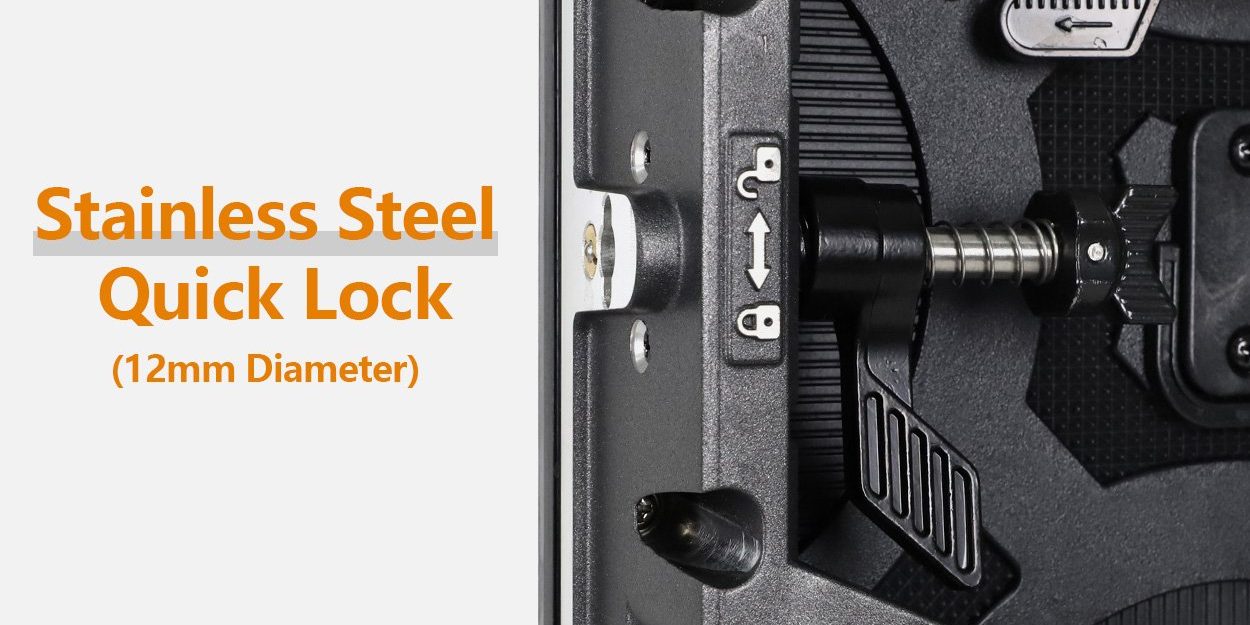
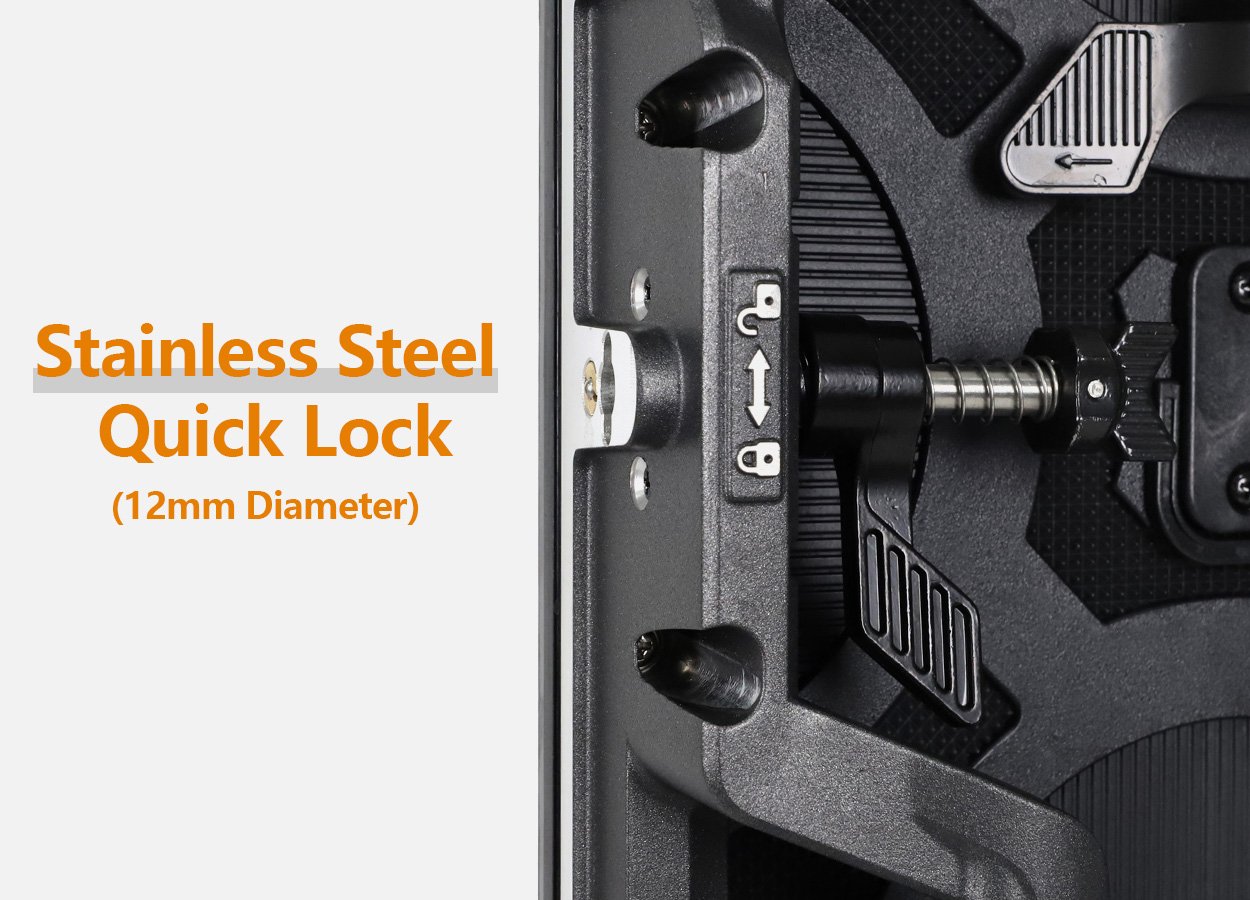
A product launch LED screen must return to the approved geometry after transport and assembly. Check alignment, locks, module condition and uniform backgrounds across cabinet boundaries. The current EA500C6 page describes quick locks and alignment pins; neither feature removes the need to inspect and secure the completed build.
The official video below shows EA500C6 and EA1000C6 cabinet handling and assembly. Watch the connections and discuss the relevant hardware with the supplier. It is a hardware demonstration, not proof of a particular launch, camera test or permitted suspension arrangement.
Watch the EagerLED C6 cabinet demonstration. Use the ordered model’s instructions and the approved production drawings.
Confirm whether the delivery includes matching spare modules, receiving electronics, configuration files and calibration information. Keep the indoor and outdoor model schedules separate. The selected indoor entries are listed as IP31; do not move them into weather exposure because the family also has outdoor versions.
Frequently asked questions
Does a finer pitch always justify its additional pixel load?
No. The benefit depends on content detail, physical text size, audience positions and the camera workflow. Compare representative samples and the complete system scope before deciding which additional detail is useful.
Can a 4K source be used with the example wall?
Only if the chosen input and processing chain supports it and maps it correctly. Source format and native wall resolution are separate. Confirm scaling and inspect small text rather than assuming a 4K input produces native one-to-one pixels.
Does GOB establish camera suitability?
No. The product table identifies GOB on selected indoor pitches, but that construction label does not approve a camera image. Test the complete display, processing, lighting and camera arrangement.
Should launch screens operate at maximum brightness?
Not automatically. Commission output for the room, presenter lighting, content and camera exposure. Check that the chosen setting preserves usable grayscale and audience comfort; the published maximum is not the required show setting.
What must be repeated after a late change?
Repeat the checks affected by the change. A different source format needs routing and scaling checks; a changed camera or lens needs the relevant shots repeated; a replacement module needs configuration and image matching checked before final approval.
Send a launch-specific screen brief
Provide dimensions, audience and camera positions, sample content, recording settings, venue conditions and reveal cues. Include the destination country and expected reuse across your rental fleet. Discuss your product launch LED screen with EagerLED and request the exact indoor configuration, processing scope and acceptance materials.