An LED wall can look excellent inside a venue and still produce distracting textures in a camera feed. During a product launch, those textures may cross a brand logo. In a broadcast studio, they can move behind a presenter. These unwanted moiré patterns can turn an otherwise successful display installation into a production problem.
For LED display buyers, distributors, AV integrators, and project contractors, the challenge extends beyond finding a quick camera adjustment. A reliable solution must support the required shots, preserve image quality, and remain practical for the people operating the system.
Moiré patterns on LED screens usually arise from spatial sampling: the camera captures the display’s repeating pixel structure in a way that creates false detail. Reducing them requires attention to the relationship between the display, lens, sensor, and shooting geometry. Refresh-related flicker and scan bands require a separate diagnosis.
This guide explains how to identify the problem, assess available remedies, and specify meaningful camera tests before purchasing an LED display. For an EagerLED project inquiry, these considerations help turn a general request for “good camera performance” into requirements that a supplier and integration team can evaluate.
1. What Causes Moiré Patterns on LED Screens?
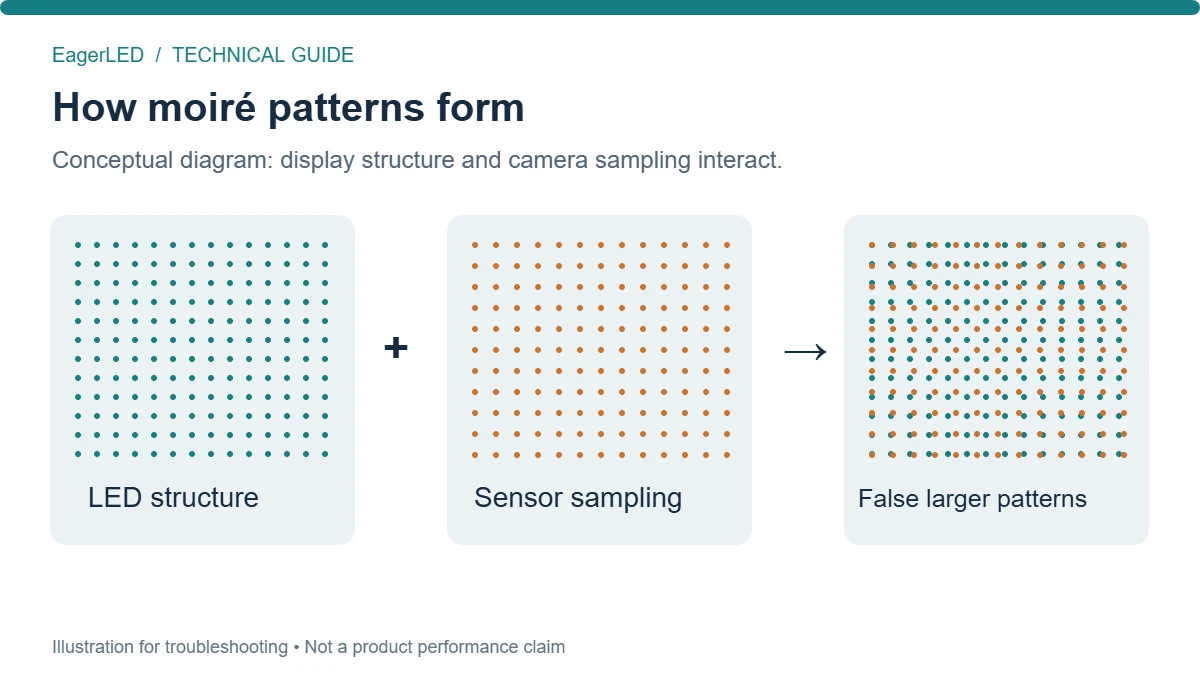
Moiré patterns are false shapes or textures created when repeating detail interacts with another repeating structure or a sampling grid. In LED filming, the display supplies a regular arrangement of light-emitting pixels, while the camera samples the projected image through its sensor.
Under unfavorable conditions, the captured result contains broad contours, colored ripples, or mesh-like textures that are absent from the original content. These are forms of spatial aliasing: fine detail is represented incorrectly as a different visible pattern.
The important detail is that the camera encounters the optical image of the LED grid, rather than the physical grid at its original size. Lens magnification, shooting distance, focus, and sensor sampling therefore all matter.
Two separate sources of repetitive detail deserve attention:
- The display structure: LED pixels, gaps between emitters, and the arrangement of individual color elements.
- The displayed content: Fine stripes, tightly spaced lines, small text, and detailed architectural textures.
Moiré patterns can occur even when the wall shows a uniform color because the physical emitter structure remains present. Conversely, repetitive graphics can introduce additional aliasing even when the underlying pixel grid is sufficiently softened.
Brompton’s technical guidance identifies the interaction between LED pixels and camera photosites as the underlying mechanism and describes background defocus as one practical mitigation.
For buyers, this means moiré patterns alone do not establish that a panel is defective. They do establish that the tested display-and-camera configuration needs further evaluation.
2. Moiré Patterns vs. Flicker and Scan Lines
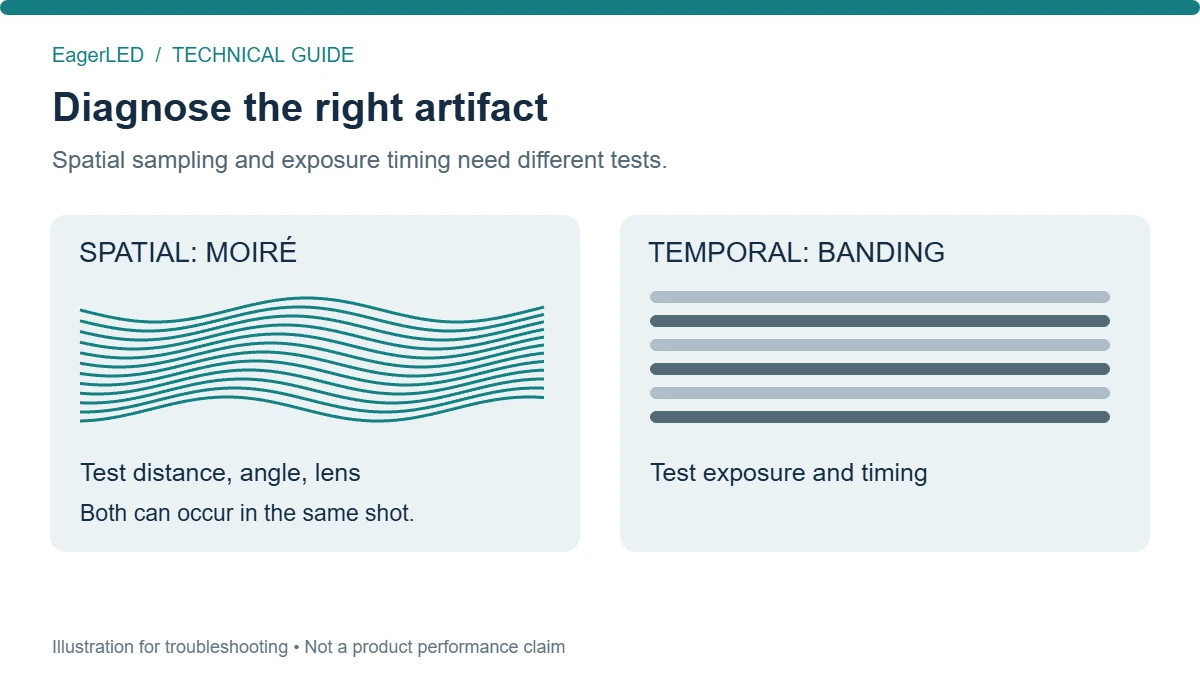
Before changing equipment, determine which artifact is actually present. Spatial interference, temporal modulation, and physical display faults can all appear as “lines on an LED screen,” but their remedies differ.
On smaller screens, swipe horizontally to read all columns.
| Observed symptom | Likely cause to investigate | Useful diagnostic check |
|---|---|---|
| Curved ripples or colored meshes | Spatial moiré | Change focal length or camera position |
| Brightness pulsing over time | Temporal interaction with LED emission | Compare shutter and display timing settings |
| Dark bands crossing the image | Scan timing or exposure interaction | Check synchronization, phase, and shutter compatibility |
| Lines fixed at cabinet boundaries | Alignment, calibration, or assembly issue | Inspect the wall directly and with uniform content |
| Artifacts visible only in a reduced preview | Preview scaling or downstream processing | Inspect the original recording at native resolution |
These observations guide diagnosis; they are not conclusive tests individually. Moiré patterns and scan bands can exist in the same shot.
Start by recording a static scene. Keep exposure fixed, then make a controlled change to camera position or zoom. Next, restore the original framing and investigate timing separately. Changing several variables together makes it difficult to identify which adjustment helped.
A high LED refresh-rate specification does not guarantee freedom from spatial moiré. Refresh describes time-dependent display behavior; pixel-grid interference concerns spatial detail.
NovaStar describes its Shutter Fit function as matching display operation to camera exposure parameters to alleviate scan lines. That is a timing remedy, rather than a universal solution for moiré patterns. Compatibility depends on the actual control system and panel configuration.
Keep this distinction in commissioning reports. Recording “camera artifact resolved” without identifying the cause leaves future operators with little useful guidance.
3. How Pixel Pitch and Camera Resolution Affect Moiré
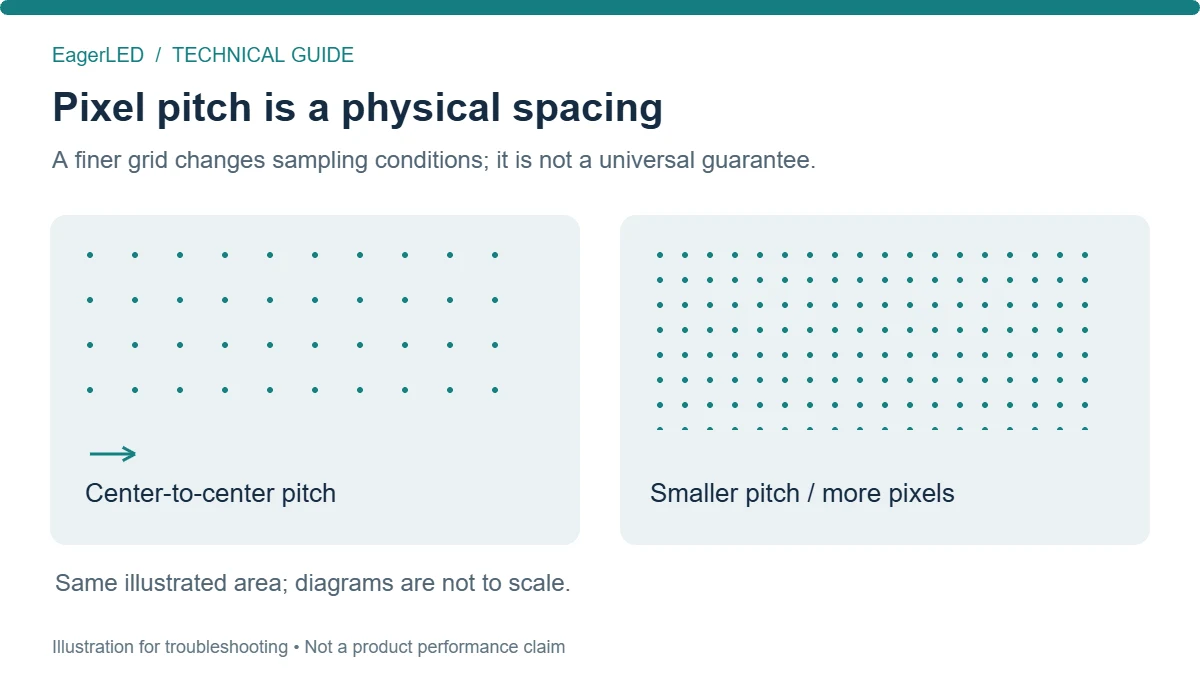
Pixel pitch is the center-to-center spacing between adjacent display pixels, usually expressed in millimeters. At the same wall dimensions, a smaller pitch provides more physical pixels and a finer repeating structure.
That finer structure can help reduce visible moiré patterns, but no single pitch is safe under every filming condition. The camera must still capture the wall through a particular lens, at a particular distance, in a particular recording mode.
01. Display resolution and pixel pitch describe different things
A large wall and a small wall can have the same total pixel count while using different pixel pitches. “4K LED wall” therefore does not fully describe camera suitability.
A basic design relationship is:
Horizontal pixel count ≈ active display width ÷ pixel pitch
Both dimensions must use the same units. As an illustrative calculation, a 6,000 mm active width divided by a 2 mm pitch gives approximately 3,000 horizontal pixels. Actual cabinet layouts determine the available finished dimensions.
This calculation helps estimate the content canvas. It does not predict whether moiré patterns will appear.
02. Camera resolution also needs context
A higher-resolution recording mode may provide better sampling, but the result depends on how the sensor is read and how the image is processed. Cropping, resampling, optical filtering, and output scaling can change the outcome.
For comparisons, lock the intended recording mode before judging panels. Testing a camera in one mode and later switching modes weakens the value of the original approval.
Sony’s moiré prediction tools use both camera optical information and LED pitch information, illustrating why pitch cannot be assessed independently. Sony also states that prediction does not guarantee prevention under all conditions. Sony Camera and Display Plugin.
4. Reducing Moiré Patterns Through Camera Position
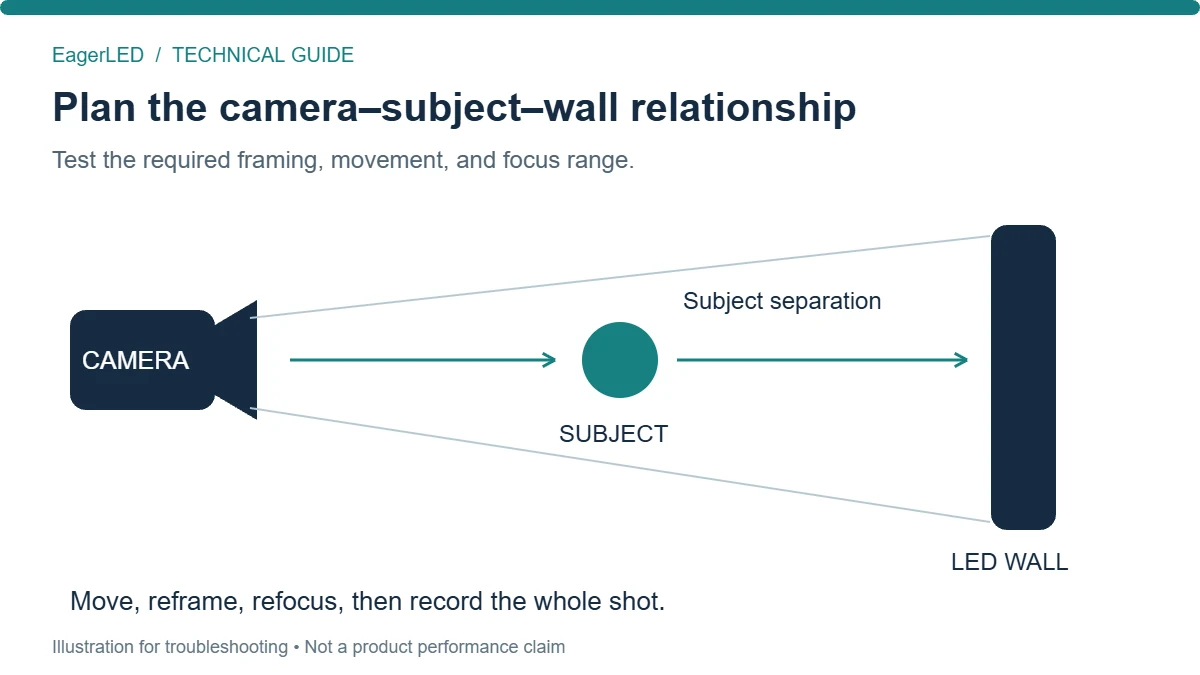
Changing camera position is a useful early troubleshooting step because it changes how the LED grid projects onto the sensor. However, the adjustment must preserve the required composition.
Begin with the problematic shot and make small, documented movements. Watch both the affected background and the subject. Moiré patterns may weaken at one position and return elsewhere in the movement range.
On smaller screens, swipe horizontally to read all columns.
| Adjustment | What it changes | Practical limitation |
|---|---|---|
| Move the camera nearer or farther | Apparent size of the LED structure | Changes framing and perspective |
| Move laterally | Viewing geometry across the wall | May affect scenic composition |
| Change camera height | Vertical viewing angle and background relationship | May compromise the desired subject angle |
| Move the subject forward | Subject-to-background separation | Requires usable stage depth |
| Adjust wall orientation during design | Relationship between camera positions and display plane | Affects layout and audience sightlines |
Avoid assuming that moving backward always solves the problem. If the operator then zooms in to restore framing, the LED structure’s projected size may approach the original condition.
Similarly, an angled camera position is not automatically better. It may reduce one pattern while creating another, and it can change apparent brightness or color depending on the display’s angular characteristics.
For permanent installations, define an approved shooting range: the camera positions, focal lengths, and movements that pass inspection. This is more useful than marking one acceptable tripod location.
For example, a presentation studio may require a wide stage shot, a seated interview, and a standing presenter shot. Each deserves separate testing. A successful wide shot does not establish that moiré patterns will remain controlled during a tighter composition.
Record movement as well as still frames. A pattern that appears unobtrusive when static can become distracting as it shifts during a pan or dolly move.
5. Adjusting Focus, Aperture, and Lens Choice
The objective is to preserve useful subject detail while reducing the camera’s ability to resolve problematic background structure.
01. Focus on the subject
When the shot permits it, keep the presenter or product sharp and allow the LED background to fall slightly outside the focus plane. This can reduce moiré patterns without requiring a different display.
The limitation is content readability. A background carrying essential text, technical drawings, or product details may not tolerate much softening. Agree on that requirement before treating defocus as an acceptable remedy.
02. Evaluate aperture with the actual scene
At otherwise comparable settings, a wider aperture reduces depth of field and may help soften the wall. However, it also reduces focus tolerance for moving subjects.
Closing the aperture increases depth of field over the usual working range, potentially making LED structure more visible. Very small apertures can introduce diffraction softness, but deliberately degrading the whole image is rarely a desirable production solution.
Manage exposure through suitable lighting and camera controls so that the chosen aperture remains operationally useful.
03. Test the lens throughout its working range
Moiré patterns can change as focal length changes. Lens sharpness, focus behavior, and magnification all contribute to the captured result.
Test the actual lens rather than relying on a general claim that wide-angle or telephoto lenses are always preferable. Include intermediate zoom positions: acceptable endpoints do not prove that the entire zoom range is usable.
Also compare the intended sharpening settings. Excessive edge enhancement can emphasize unwanted texture. Reducing it may improve the appearance of moiré patterns, but it does not reverse aliasing already created during capture.
Save accepted camera settings alongside the display configuration. A replacement camera operator should be able to reproduce the approved setup without repeating the entire investigation.
6. Anti-Moiré Filters and Diffusion: Benefits and Limits
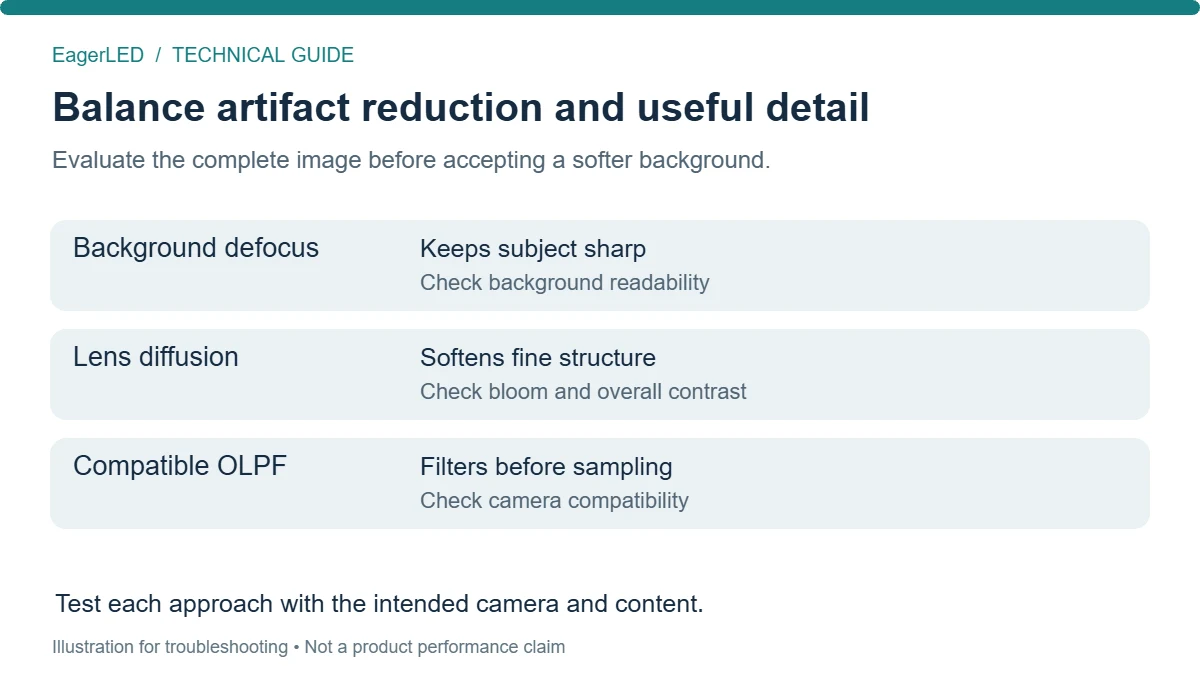
Optical filtering can reduce the fine detail reaching the sensor, but different filtering approaches affect the image differently. “Anti-moiré” should describe a tested result under stated conditions, rather than an unrestricted product promise.
On smaller screens, swipe horizontally to read all columns.
| Approach | Potential benefit | Trade-off to evaluate |
|---|---|---|
| Compatible optical low-pass filter | Suppresses fine spatial detail before sensor sampling | Camera-specific compatibility and image rendering |
| Lens diffusion filter | Can soften fine structure and reduce its contrast | Possible highlight bloom and reduced crispness |
| Engineered display diffusion treatment | May reduce the visibility of emitter structure | Effects on contrast, reflections, brightness, and clarity |
| Slight background defocus | Targets the background while retaining subject focus | Reduced background text readability |
| Content softening | Reduces repetitive detail within graphics | Does not remove the physical LED grid |
A camera’s optical low-pass filter is not equivalent to a diffusion filter placed in front of the lens. Do not assume interchangeable terminology means interchangeable performance.
RED, for example, documents camera-specific OLPF options and cautions that third-party filters may not behave as intended with its camera system and color processing. Verify compatibility with the camera manufacturer before making changes.
For LED buyers, packaging labels also require care. SMD, COB, and GOB describe construction or protection approaches; they are not standardized ratings for resistance to moiré patterns.
Compare the actual products under equivalent shooting conditions. Surface treatment, emitter arrangement, pitch, and optical behavior may differ within the same category.
Do not add an improvised covering to an installed wall without supplier approval. Any proposed treatment should be assessed for thermal behavior, service access, installation requirements, and its effect on the finished image.
7. Can You Remove Moiré Patterns from Recorded Footage?
Post-production can sometimes reduce moiré patterns, but complete removal without visible compromise is not assured. Once false detail overlaps genuine image information, software must distinguish between them.
Research specifically addressing camera-captured screen images identifies this separation as difficult because the interference is structured and varies considerably. Liu, Shu, and Wu’s research on screen-image demoiréing.
Start with the original recording, not a compressed messaging-app copy. Determine whether the artifact mainly affects color, brightness detail, or both.
A practical evaluation sequence is:
- Select a short section containing both stillness and movement.
- Isolate the background where possible.
- Compare targeted color-artifact reduction and restrained spatial filtering.
- Check subject edges, logos, small lettering, and fine textures.
- Export through the intended delivery pipeline and inspect again.
Localized corrections may preserve more useful detail than applying strong blur across the frame. However, masks must remain stable as people move in front of the screen.
AI-assisted restoration should also be evaluated frame by frame and in motion. An attractive still frame does not establish that restored textures will remain consistent throughout a clip.
Downscaling may make fine artifacts less visible when appropriate filtering is used, but broad moiré patterns can remain. Enlarging the result afterward does not recover lost information.
For a live event, post-production cannot repair the feed viewers have already seen. Contractors should therefore treat footage repair as a recovery option, with its own labor and quality implications, rather than a substitute for commissioning.
8. Choosing an LED Screen: What to Test Before Buying
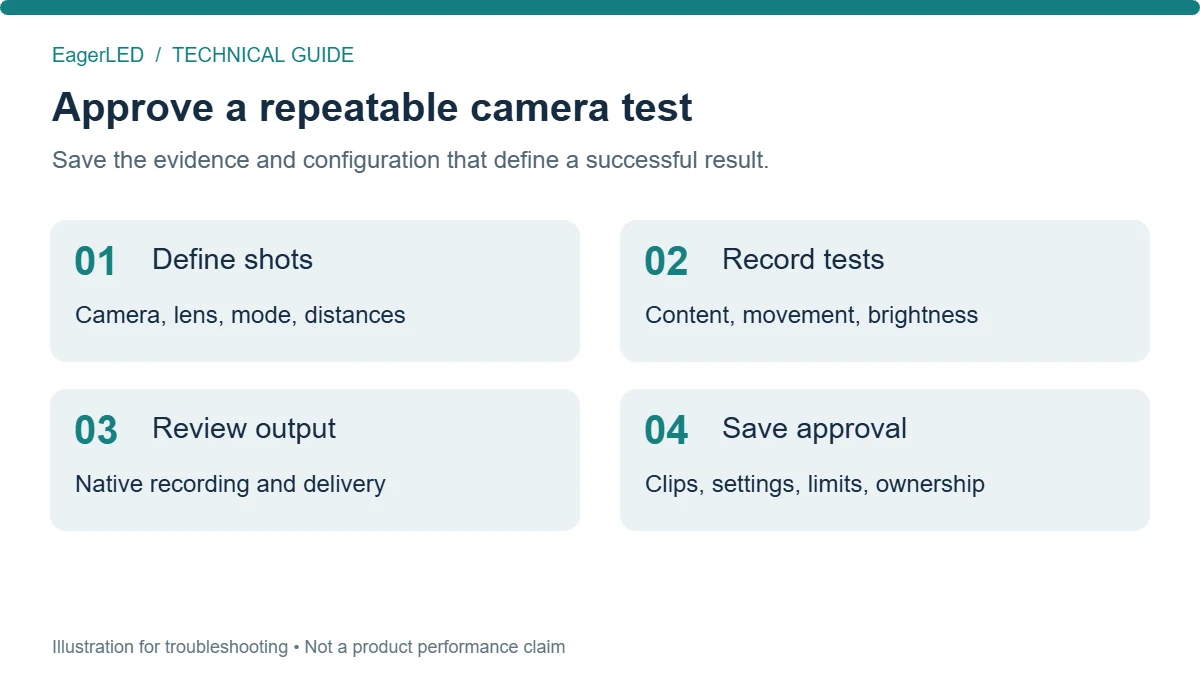
A useful purchasing specification describes the required camera result and the conditions under which it must be achieved.
Before requesting a quotation from EagerLED, prepare the planned screen dimensions, room layout, camera positions, lens list, recording formats, typical content, and subject-to-wall spacing. Identify which requirements are fixed and which can change.
This allows the discussion to address the complete application instead of focusing exclusively on pixel pitch or refresh rate.
01. Build a representative acceptance test
On smaller screens, swipe horizontally to read all columns.
| Test area | Information to supply or record | Acceptance question |
|---|---|---|
| Shooting geometry | Camera, subject, and wall positions | Do all required compositions remain usable? |
| Camera configuration | Body, recording mode, lens, aperture, filters | Was the proposed production setup tested? |
| Movement | Pans, zooms, focus transitions, tracking moves | Do moiré patterns appear during transitions? |
| Content | Brand graphics, text, video, uniform fields | Are both structural and content artifacts acceptable? |
| Display operating state | Brightness, processing preset, relevant timing settings | Does performance hold at intended operating levels? |
| Output chain | Switcher, recorder, encoder, delivery format | Is the final audience output acceptable? |
| Handover evidence | Original clips, configuration files, test notes | Can the approved result be reproduced? |
Define the review conditions before testing. Native-resolution inspection helps diagnose artifacts, while intended playback size helps judge their practical visibility. Both are useful, but they answer different questions.
A suitable acceptance statement might require no objectionable moiré patterns in agreed shots, reviewed through an agreed delivery chain. The parties should document what “objectionable” means using approved clips rather than leaving it undefined.
02. Compare proposals on the same basis
Ask each supplier to identify the tested panel configuration and any operating restrictions. If one option requires softer backgrounds or excludes certain camera positions, that affects its suitability even when its purchase price is attractive.
Include processing capacity in the comparison. A finer pitch across the same physical area increases pixel count, which may change controller loading, signal distribution, and content-rendering requirements.
Distributors should retain the test conditions when passing recommendations to customers. A statement such as “tested successfully with these cameras and shots” is more useful than a broad claim of immunity to moiré patterns.
EagerLED’s supplier-evaluation guidance likewise recommends recording camera-test results and settings as part of sample approval. EagerLED’s LED supplier evaluation guide.
9. Preventing Moiré Patterns Across Production Applications
The most effective prevention plan reflects how the display will actually be used. A fixed presenter camera allows different compromises from a roaming event camera.
On smaller screens, swipe horizontally to read all columns.
| Application | Planning priority | Recommended operational practice |
|---|---|---|
| Conference livestream | Readable presentation content and presenter framing | Approve camera shots and a direct presentation feed |
| Broadcast studio | Repeatable daily operation | Maintain documented camera and display presets |
| Rental stage | Changing venues, lenses, and camera teams | Repeat representative tests after each build |
| Virtual production | Camera movement and focus transitions | Test the planned shot sequence and scenic depth |
| Showroom or demonstration space | Product detail and mixed recording devices | Separate professional capture requirements from casual filming |
01. Live events and conferences
For presentations, consider routing slides directly into the broadcast system while using cameras for the speaker and venue. This avoids requiring every piece of fine slide text to survive being displayed, photographed, scaled, and encoded.
The audience inside the room can still use the LED wall. The remote audience receives a feed suited to reading the content.
Rehearse with final graphics whenever possible. A generic demonstration video does not reveal how small typography, patterned backgrounds, or detailed diagrams will behave.
02. Broadcast and permanent installations
Store a baseline configuration and define who can change it. If moiré patterns appear after a previously successful handover, compare the current camera mode, lens, position, processing, and content against that baseline.
This approach helps distinguish a changed operating condition from an equipment problem.
03. Virtual production and rental work
Test focus transitions and camera paths, including moments when the wall becomes sharper than intended. A successful static composition does not validate an entire sequence.
For rental systems, record panel identification and the tested control configuration. After rebuilding, inspect alignment and repeat the relevant camera checks.
Assign one person to approve the recorded image. LED technicians, camera operators, and content teams may each see only part of the signal chain; a shared approval point prevents unresolved moiré patterns from passing between departments.
10. FAQ
01. Can moiré patterns damage an LED screen?
No. Moiré patterns in recorded images are visual sampling artifacts and do not physically damage LED modules. They also do not, by themselves, prove hardware failure. Investigate dead pixels, damaged modules, overheating, or electrical faults separately when those symptoms are present.
02. Why does my phone show moiré patterns when the main camera does not?
A phone has a different lens, sensor, processing pipeline, and capture mode. Its image of the LED grid therefore differs from the main camera’s image. A clean professional camera feed cannot guarantee clean recordings from every attendee’s phone; define which devices the project must support.
03. Can moiré patterns appear only after uploading a video?
They can become visible or more pronounced after resizing, sharpening, or platform processing. First compare the original file with the uploaded version at equivalent viewing sizes. If the original is clean, investigate the export and delivery stages before changing the LED wall.
04. Will replacing an HDMI or SDI cable fix moiré patterns?
Usually not when the problem is spatial interference created during photography. Investigate cables when symptoms include dropouts, sparkles, unstable connections, or corrupted signals. A cable replacement does not change the optical relationship between the LED grid and the camera sensor.
05. Does a global-shutter camera eliminate moiré patterns?
No. A global shutter changes how exposure is timed across the sensor; it does not remove spatial sampling limits. It may address some issues associated with sequential sensor readout, but camera-and-display tests remain necessary for both spatial artifacts and LED timing behavior.
06. Why are moiré patterns visible on only part of a curved LED wall?
Different parts of a curved wall face the camera at different angles and sit at different distances. Their projected pixel structure and focus can therefore vary across the image. Inspect the entire frame, especially during movement, rather than approving only the central area.
07. Can lower LED brightness solve moiré patterns?
Lower brightness may make an artifact less conspicuous or correct overexposure, but it does not remove the geometric source of spatial aliasing. Display dimming can also change temporal behavior. Set brightness for the production, then assess spatial interference and timing artifacts separately.
08. Should moiré patterns be covered by the purchase specification?
Yes, when filmed performance matters. Define the cameras, shots, settings, content, review conditions, and acceptable results before ordering. Any promise or remedy should be documented explicitly. Do not assume a general product warranty includes every possible camera interaction.
09. What should I send EagerLED when asking about a moiré problem?
Provide an original recorded clip, a photograph or diagram of the setup, display model and pitch if known, camera and lens details, recording mode, approximate distances, and processing settings. Explain when the problem appears and which adjustments change it. This gives technical discussions a reproducible starting point.
11. Conclusion
Moiré patterns on LED screens require a system-level diagnosis. Identify whether the problem is spatial interference, temporal banding, or a separate display fault before choosing a remedy. Then evaluate camera geometry, optical settings, panel characteristics, and the final output together.
For B2B buyers and integrators, the strongest protection is a representative acceptance test with recorded results and reproducible settings. Smaller pixel pitch and optical adjustments may help control moiré patterns, but their value depends on the required production.
When discussing an LED display project with EagerLED, bring the shooting requirements into the specification from the beginning. A display selected around real camera positions, content, and operating conditions provides a sounder basis for purchase, installation, and handover.