A good indoor LED display should combine a suitable pixel pitch, comfortable adjustable brightness, consistent color, reliable refresh performance, accurate cabinet alignment, practical maintenance access, controlled heat and noise, and dependable operation. The right screen keeps your actual content readable from the nearest seat and fits the room’s lighting, installation space, and service requirements.
This checklist is for buyers comparing direct-view LED walls for meeting rooms, shops, exhibition halls, and other indoor venues. Here, the LEDs form the image themselves; this is different from an LCD screen that uses an LED backlight.
By EagerLED | Technical selection guide. Product examples below reference EagerLED’s published specifications; final performance must be confirmed for the quoted configuration.
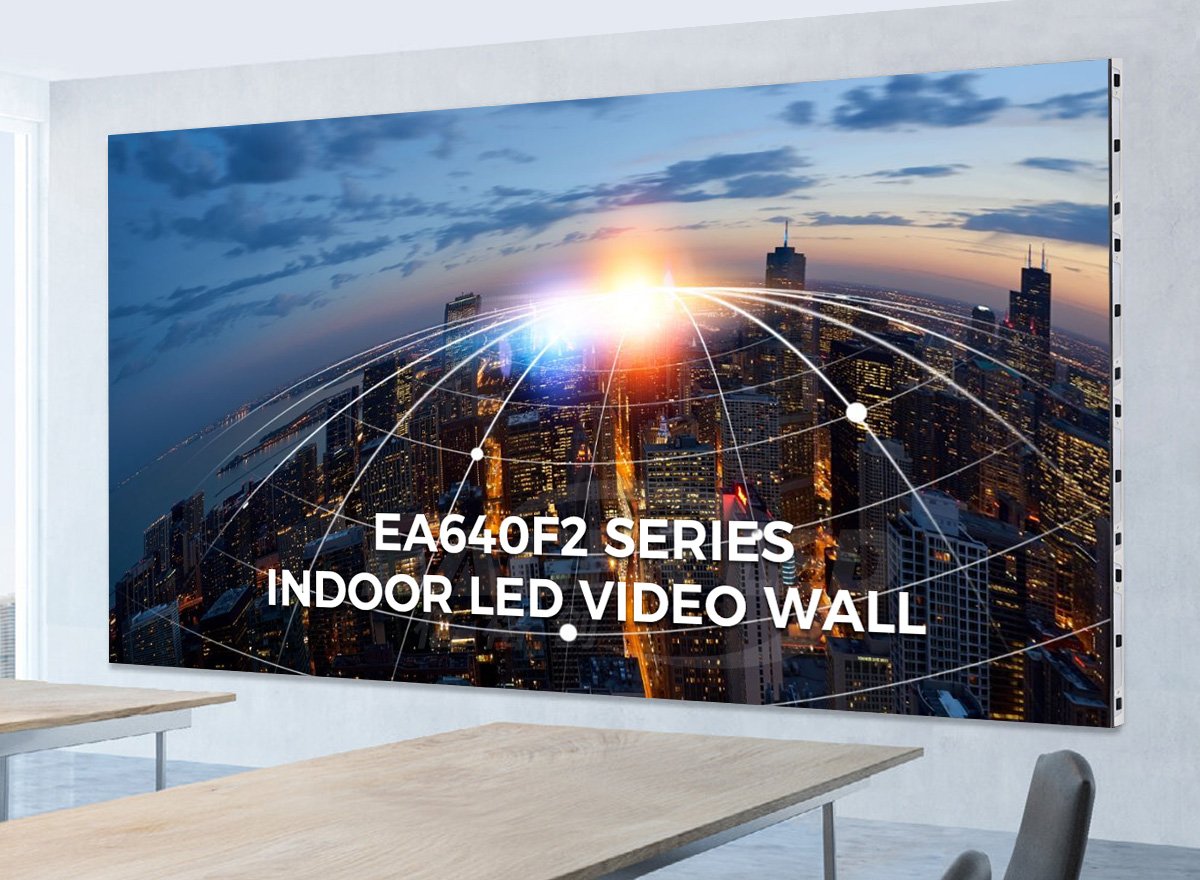
Indoor LED display features checklist
Compare the complete display system, not just its highest advertised number. Ask each supplier to demonstrate the same content under comparable lighting and brightness settings.
| Feature | What a suitable screen provides | What to verify |
|---|---|---|
| Pixel pitch and resolution | Readable text and sufficient detail at the nearest viewing position | Native pixel dimensions and a demonstration of your smallest text |
| Brightness control | A clear picture without excessive glare | Brightness in cd/m² (nits), dimming range, and dark-image quality |
| Color and uniformity | Consistent brightness, neutral grays, and useful off-axis visibility | Gray, white, red, green, and blue test patterns from different seats |
| Refresh and processing | Stable playback and suitable performance when filmed | Actual driver configuration, source frame rate, and camera test |
| Cabinet alignment | A flat wall with closely aligned module and cabinet joints | Mechanical adjustment, mounting depth, and installed dimensions |
| Maintenance access | Accessible modules, power supplies, and receiving cards | Exactly which components can be serviced from the front or rear |
| Heat, noise, and power | Operation compatible with the room and electrical design | Maximum and typical consumption, ventilation, and noise conditions |
| Reliability and protection | A suitable environmental rating and a workable support plan | IP rating, humidity limits, warranty terms, and replacement parts |
8 characteristics to evaluate
1. Pixel pitch matched to viewing distance and content
Pixel pitch is the center-to-center distance between adjacent pixels, measured in millimeters. P2 means a nominal 2 mm pitch. A smaller pitch places more pixels in the same physical area, which can improve close-range detail, but also changes cost and the processing capacity required.
Start with the nearest viewer and the smallest text you need to show. A screen used for spreadsheets has different requirements from one showing large retail graphics. Request a full-size sample or demonstration with your own slides; a viewing-distance rule of thumb cannot guarantee text readability.
Check native resolution as well as pitch. A controller accepting a 4K signal does not make the LED wall a native 4K display. Our LED display resolution guide explains how physical dimensions and pixel count work together.
2. Adjustable brightness that suits indoor lighting
Brightness is measured in cd/m², also called nits. The best indoor display is not automatically the brightest one. EagerLED’s indoor LED screen overview describes 600–1,200 nits as a typical indoor product range; this is a starting reference, not a universal operating target.
A dim meeting room may need a lower setting, while a window-facing installation needs assessment under its actual daylight conditions. Compare readability with the room lights on and off, then dim the display and check that shadows and gray gradients remain distinguishable. Ask whether adjustment is manual, scheduled, or controlled by an optional light sensor.
3. Consistent color, contrast, and viewing angles
A good picture needs more than a high brightness specification. Check for uneven white balance, visible differences between modules, and washed-out dark areas. Evaluate solid-color patterns and low-gray content across the complete wall, not just a single cabinet.
Look from the side seats and any elevated or lower viewing positions. Horizontal and vertical viewing-angle specifications are model-specific, and color may change before content becomes unreadable. Review the supplier’s measurement conditions and compare display contrast ratio under equivalent lighting rather than treating differently measured ratios as interchangeable.
4. Refresh performance verified with your video and cameras
Refresh rate and video frame rate describe different things. The LED refresh specification concerns the display’s driving behavior; the source frame rate describes how many distinct video frames are supplied each second. A high refresh specification does not increase the source video’s frame rate.
For presentations that will be filmed or streamed, a specified refresh rate of 3,840 Hz is a useful item to discuss with the supplier, not a guarantee of band-free recording. Driver settings, scanning behavior, brightness level, camera shutter speed, and synchronization can all affect the result. Test the proposed configuration with the intended camera and content before purchase.
5. Precise cabinet alignment and a suitable mounting design
LED cabinets can form a continuous image without the thick bezels of a tiled LCD wall, but mechanical joints still exist. Poor installation or module alignment can make seams visible. Inspect horizontal and vertical lines across joints, and look for raised edges or color changes along cabinet boundaries.
Confirm the full installed depth, including the supporting structure, cables, and required ventilation. The cabinet’s published thickness alone is not the wall’s finished depth. Ask the installer to verify the mounting design, access requirements, and support capacity for the complete assembly.
6. Maintenance access that works after installation
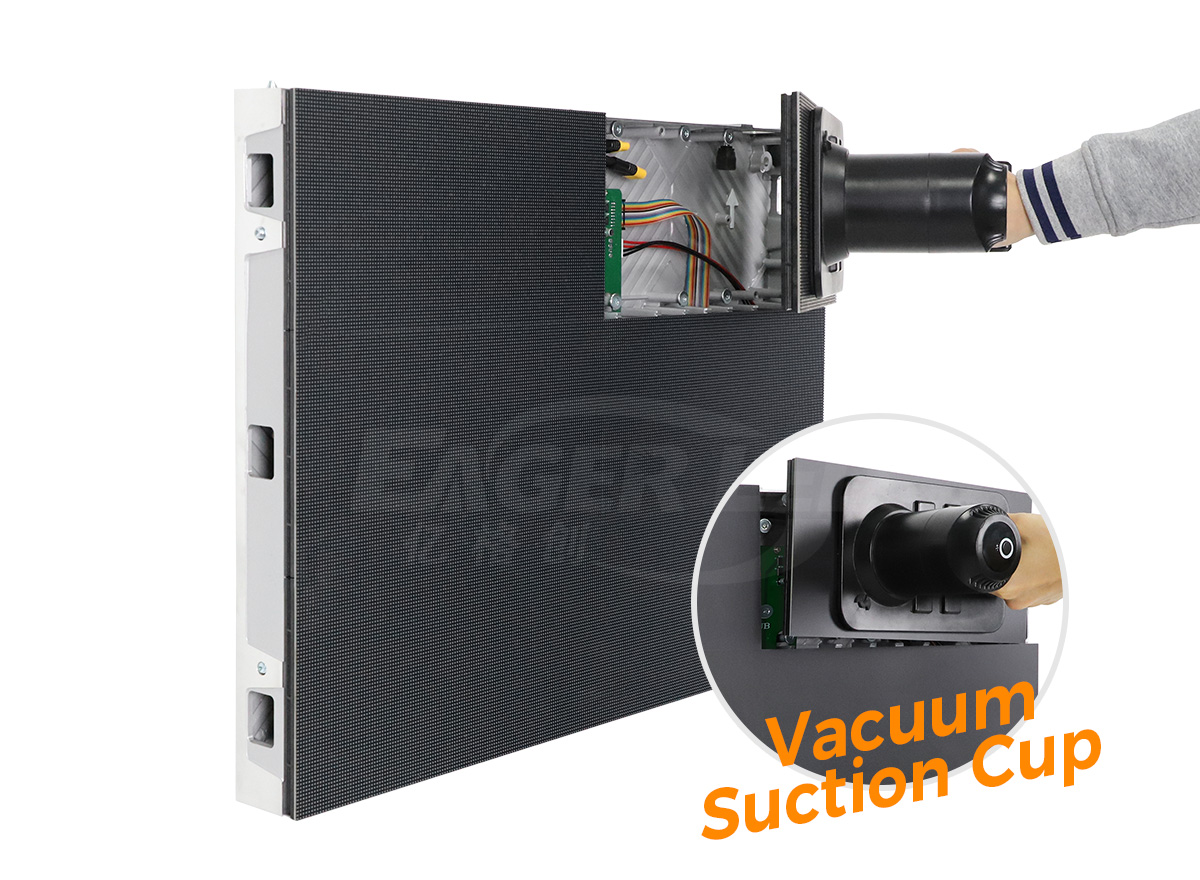
Front service can be valuable where there is no rear access corridor. However, “front maintenance” should identify every accessible component: LED modules, power supplies, receiving cards, and relevant connections. A front-removable module does not automatically mean that every component can be reached from the front.
For a concrete example, the EagerLED EA640F2 indoor front-service display specifies front access for its modules, power supplies, and receiving cards. Its published cabinet dimensions are 640 × 480 mm, with a 60 mm cabinet thickness and a listed cabinet weight of 7.5 kg. Confirm the final configuration and mounting allowance in the project quotation.
7. Controlled heat, noise, and operating power
Ask for maximum power consumption for electrical planning and typical consumption with its stated test conditions for operating-cost estimates. These figures are not interchangeable: content, brightness, and cabinet configuration affect the load. Compare suppliers at the same settings.
Check noise under sustained operation, particularly in meeting rooms and studios. A fanless cabinet still needs its specified ventilation space, and other system components may generate noise. Confirm the operating-temperature range and make sure the installation does not trap heat behind the screen.
8. Appropriate protection, spare parts, and support
An indoor LED screen is not automatically waterproof. Check the model’s front and rear IP ratings, operating-humidity limits, cleaning instructions, and condensation restrictions. A protective coating or a COB surface should not be interpreted as permission to expose the complete cabinet to water. Our COB vs SMD LED display comparison explains the packaging differences.
Likewise, a component lifetime figure is not a warranty that the complete display will run for ten years without repair. Ask about warranty coverage, replacement-module availability, calibration data, receiving-card configuration backups, and the process for restoring a failed section. A clear service plan is more useful than an unsupported lifespan promise.
Screen size and resolution: a worked example
Use physical size and pitch to estimate the pixel canvas, then confirm the actual cabinet resolution on the specification sheet:
- Horizontal pixels = active screen width in mm ÷ exact pixel pitch in mm.
- Vertical pixels = active screen height in mm ÷ exact pixel pitch in mm.
Illustrative calculation: a 3,840 × 2,160 mm active screen at an exact 2 mm pitch has 1,920 × 1,080 pixels. At an exact 1 mm pitch, that same area has 3,840 × 2,160 pixels. These are calculated examples, not specifications for a particular EagerLED product; practical sizes depend on available modules and cabinets.
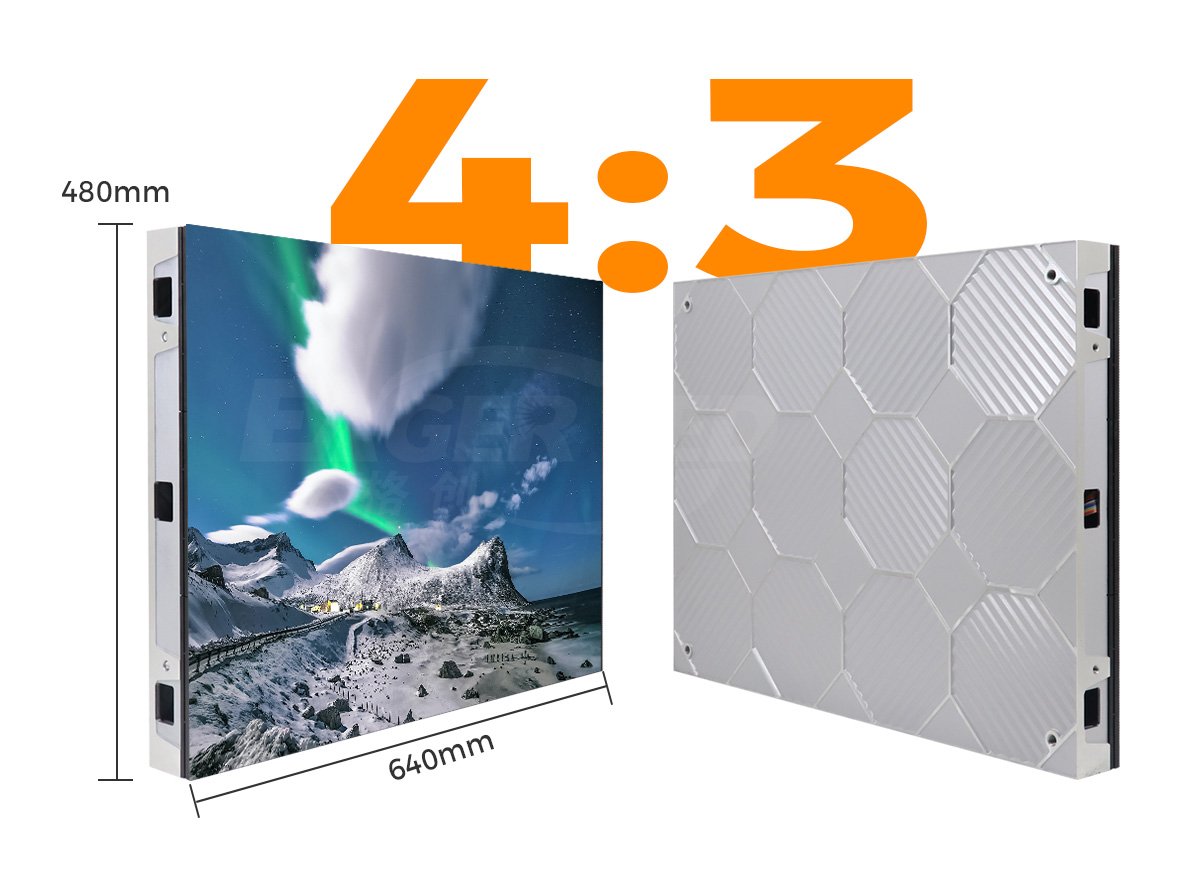
For example, a layout of six EA640F2 cabinets across and six down measures 3,840 × 2,880 mm before installation allowances. This is a 4:3 layout, not the 16:9 screen used in the earlier calculation. Confirm the intended aspect ratio before choosing cabinet quantities, then match the content canvas and controller mapping to the final pixel dimensions.
What to check before accepting a screen
- Record the room: nearest and farthest seats, wall dimensions, ambient lighting, operating hours, and whether cameras will be used.
- Agree the specification: exact pitch, native resolution, active display size, brightness range, refresh configuration, power figures, service access, and environmental limits.
- Test your content: small text, gray gradients, solid colors, and moving video at the intended brightness. View the entire screen from representative seats.
- Check installation and service: inspect alignment and ventilation, and have the supplier demonstrate the agreed component-replacement method.
- Document the handover: collect the configuration backup, operating instructions, agreed spare parts, warranty terms, and support contact.
Avoid choosing solely by the lowest price per square meter, peak brightness, or a claimed “4K compatible” input. Those descriptions do not establish the wall’s native resolution, readable text size, installation cost, or suitability for recording.
Frequently asked questions
What are the most important indoor LED display features?
Prioritize a pixel pitch and native resolution suited to your viewing distance, adjustable brightness, consistent color, suitable refresh performance, accurate cabinet alignment, accessible maintenance, controlled heat and noise, and reliable support. Verify them using your actual content and room conditions.
What brightness should an indoor LED display have?
There is no single correct brightness for every room. EagerLED’s indoor screen overview gives 600–1,200 nits as a typical product range, but the operating setting must suit ambient light and viewing comfort. Check image detail at the brightness you will actually use.
Which pixel pitch is best for an indoor LED screen?
Choose pitch from the nearest viewing distance, smallest text, required native resolution, and budget. Smaller pitch adds pixels within a fixed area, but it is not automatically the most economical choice. Confirm readability with a full-size demonstration of your content.
Are indoor LED displays waterproof?
Do not assume an indoor display is waterproof. Check the exact model’s front and rear IP ratings, humidity limits, and cleaning instructions. Indoor cabinets should only be used in the environmental conditions specified by their manufacturer.
Does a 3,840 Hz refresh rate guarantee flicker-free filming?
No. Recording quality also depends on the driver and scan configuration, brightness, camera shutter settings, source frame rate, and synchronization. Test the complete proposed system with the intended camera before accepting it for filming or live streaming.
Discuss your indoor display requirements
Send EagerLED your screen dimensions, closest viewing distance, content type, room-lighting conditions, installation method, and filming requirements. Request an indoor LED display recommendation with the proposed pixel dimensions, service arrangement, and configuration details for your project.