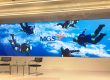


A floor LED display turns a walking surface into a video canvas for exhibitions, stages, retail spaces and interactive experiences. Also called an LED display floor or LED video floor, it combines image-producing modules with protection and a supporting structure designed for the intended use.
Choosing a floor LED display involves more than comparing pixel pitch and price. This guide explains the main types, important specifications, application choices and project costs, then provides installation questions and EagerLED product references to help you prepare a clear purchasing brief.
1. What Is a Floor LED Display?
A floor LED display is a modular video screen engineered for installation beneath a walking surface. It combines LED modules, protective surfaces, cabinets, supporting structures and control electronics. Unlike a conventional wall screen, the complete assembly must accommodate the intended foot traffic and any approved equipment loads.
LED display floor, LED video floor and LED floor tile screen are related names buyers use for this equipment. Check what the supplier actually provides: a full video display, simple color-changing dance tiles and projected floor graphics have different image capabilities. A floor-standing advertising kiosk is another product entirely.
01 How the System Works
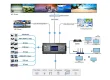
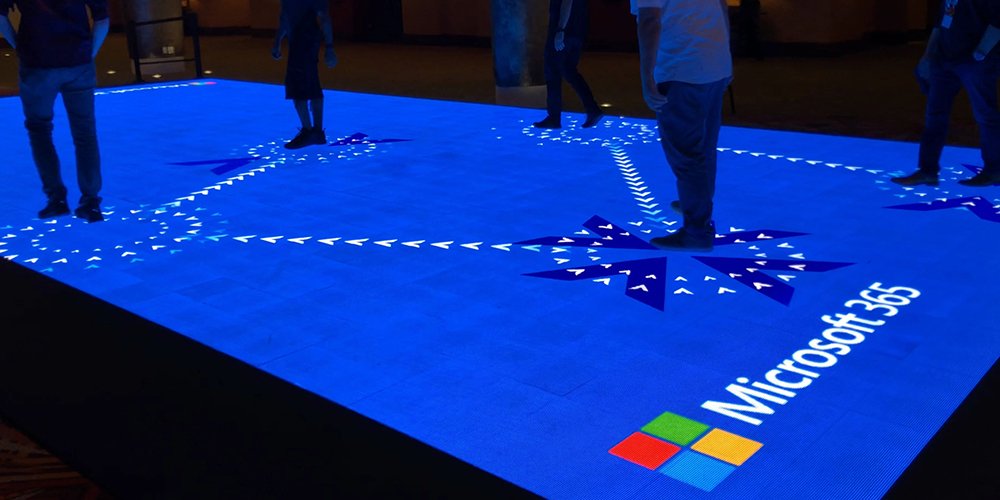
Video enters a processor or controller, which maps the image to receiving cards and LED modules. The protective surface and cabinet transfer walking loads through the specified supports to the building floor. An interactive floor LED display adds sensing and software so movement can trigger graphics. Video playback alone does not make a floor interactive.
02 Floor Screens Compared with Wall Screens
| Design issue | Floor LED display | Conventional wall screen |
|---|---|---|
| Mechanical design | Requires verified walking loads, supports and surface protection | Designed for its mounting arrangement; do not assume it can be walked on |
| Viewing geometry | Viewed from above or obliquely, often at close range | Usually viewed from the front |
| Service access | Confirm access separately for modules, power supplies and receiving cards | Front or rear service depends on the model |
| Environment | Assess spills, cleaning, grit and drainage as well as enclosure protection | Protection depends on indoor or outdoor specification |
2. Floor LED Display Specifications That Matter
Choose a floor LED display using evidence for the complete installation. A headline load rating, brightness figure or refresh rate cannot describe every operating condition. Request the exact configuration and supporting documentation before comparing quotations.
01 Loads, Surface Wear and Slip Resistance
Distributed load, concentrated load, rolling load and impact are different requirements. A figure expressed in kg/m² describes loading over an area under stated conditions; it does not automatically approve a small stage foot or a vehicle wheel. Include support spacing, load contact areas and expected movement in the structural review.
Ask how the walking surface is tested for slip resistance in the conditions expected at the venue. Dry and wet use may need different assessment. Check wear, cleaning compatibility, joint alignment and replacement procedures. The word anti-slip is not a substitute for a relevant test report on the supplied surface.
02 Ingress Protection and Outdoor Conditions
The IEC 60529 IP classification concerns enclosure protection. It does not certify the drainage, slip resistance or structural safety of an installed floor LED display. Confirm which faces and connections the stated rating covers, and obtain operating limits for water exposure, temperature and humidity.
For an outdoor floor LED display, plan the route rainwater will take away from the platform. A protected cabinet can still be part of an unsuitable installation if water collects around unprotected connections or service openings. Coordinate drainage and electrical design with the installation team.
03 Pixel Pitch, Brightness and Camera Performance
Pixel pitch is the distance between adjacent pixel centers, measured in millimeters. Smaller pitch provides more pixels within the same area. Choose it using the nearest viewing position, actual graphics and camera framing; a single pitch-to-distance rule cannot account for small text, oblique viewing or surface reflections.
Brightness is commonly stated in cd/m², also called nits. Test a floor LED display under the intended ambient lighting and at the dimmed level used during the event. Inspect grayscale gradients and dark content as well as bright demonstration footage. Excessive brightness can make a close-viewed surface uncomfortable.
Refresh rate describes display updating behavior; it is different from the video frame rate. A high published refresh value alone does not guarantee clean camera footage. Test the intended processor, scan behavior, shutter settings and frame rate together, especially for broadcast and virtual production.
04 Power, Heat and Control Capacity
Request maximum and representative operating power, stating whether figures are per cabinet or per square meter. Electrical distribution must follow the specified maximum demand and local design requirements; operating energy estimates should use realistic content and brightness. Keep the approved heat-dissipation path clear.
Calculate the native pixel canvas from the actual cabinet layout. Confirm processor capacity, input compatibility, data routing and any required backup arrangement. Keep configuration files and a cabinet map with the handover documents so technicians can restore the floor LED display after a component replacement.
3. Types of Floor LED Displays and How to Choose
The main categories overlap. An indoor floor LED display can be interactive and portable; an outdoor system can be either fixed or temporary. Specify environment, assembly frequency and interaction separately instead of treating a product label as a complete specification.
01 Indoor and Outdoor Systems
An indoor floor LED display may suit a museum, showroom or covered event venue. Evaluate detail at standing distance, surface glare, height transitions and cleaning. An outdoor floor LED display additionally needs verified environmental protection, drainage and daylight visibility. Indoor use does not remove the need to plan for spills.
02 Interactive Floors and Dance Floors
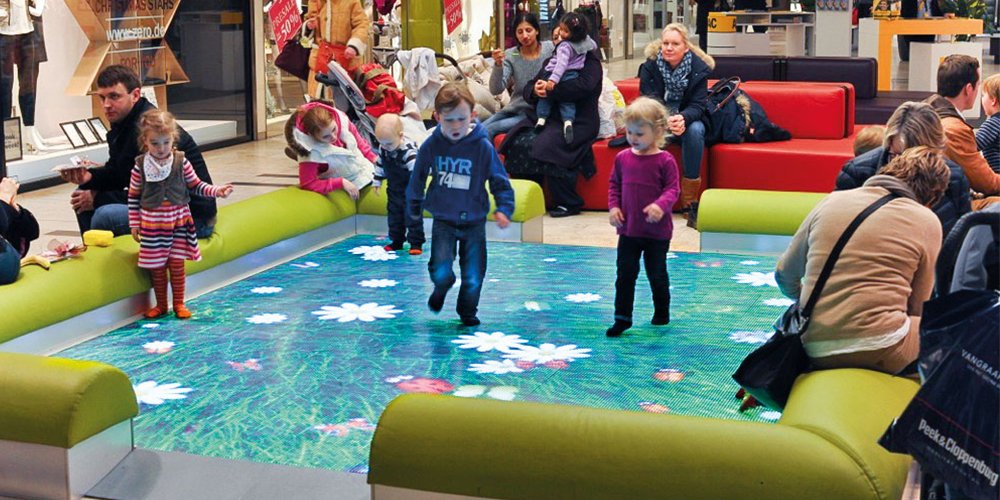
An interactive floor LED display needs a complete loop: sensing, position or trigger data, software response and visible output. Ask for a demonstration with the expected number of participants. Check detection near panel joints, response with different footwear, and behavior when visitors stop moving or objects remain on the surface.
The term LED dance floor can describe simple illuminated tiles or a video-capable floor. Music synchronization and step detection are separate features and may require additional controllers or software. Put the required playback and interaction functions in the quotation, including content licenses and who can edit the effects.
| Project requirement | Suitable starting point | Demonstration to request |
|---|---|---|
| Close-viewed showroom | Indoor video floor with appropriate pixel pitch | Brand graphics and text at real viewing angles |
| Interactive exhibit | Sensor-equipped floor and compatible content system | Multiple users, stationary objects and restart behavior |
| Temporary event | Rental-oriented floor LED display | Repeated assembly, connectors, edge protection and packing |
| Exposed outdoor venue | Outdoor-rated cabinets and site drainage plan | Daylight content and documented environmental limits |
| Camera-facing studio | Floor coordinated with camera and processing system | Actual shutter settings, reflections and color matching |
03 Evaluate Sensing by the Result
Sensor type alone does not establish tracking accuracy, latency or multi-user capacity. Embedded sensors and external tracking systems have different installation needs. Request end-to-end response measurements and a working content example. Confirm whether the quoted system provides simple trigger zones or continuous positions suitable for interactive LED floor games.
4. Where Floor LED Displays Are Used
Useful LED floor tile screen applications start with how people move through the venue. Define the intended viewing position, interaction and operating conditions before choosing a floor LED display. Match the content to that use rather than relying on a dramatic demonstration video.
01 Museums, Exhibitions and Showrooms
A digital walkway can introduce a theme, reveal a graphic beneath a visitor or connect display areas. Keep instructions brief and make the response understandable. Evaluate whether participants block the image for other visitors. Measure actual engagement or interaction counts for the project instead of assuming a guaranteed increase in dwell time.
02 Stages, Concerts and Dance Venues
A floor LED display can extend scenic content beneath performers and coordinate with the stage backdrop. Plan camera sightlines, footwear, props and equipment routes. Touring projects also need packing, assembly and inspection procedures. Confirm controller compatibility; matching cabinet dimensions do not prove that separate rental products can be mixed.
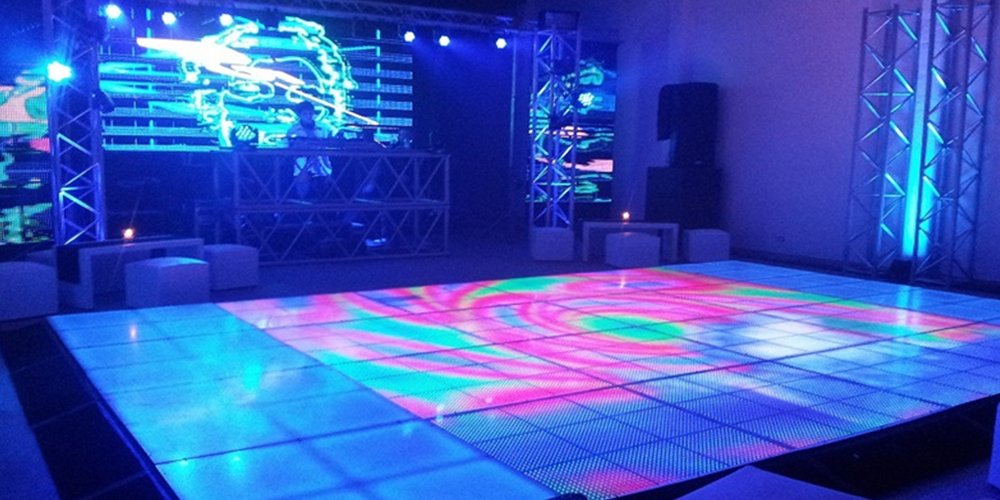
03 Retail Routes and Public Spaces
Retail projects can use a floor LED display for a branded entrance, product launch or visual route through a space. Keep essential wayfinding available independently of moving content. Consider accessibility, stopping points and how the installation behaves during a power or playback failure. Avoid treating a decorative display as the only route indicator.
04 Broadcast and Virtual Production
An LED video floor used on camera needs coordinated testing with the surrounding screens, cameras and processor. Inspect reflections, color matching, moiré and scan artifacts with the actual lens and shooting positions. Structural approval must separately cover crew, set pieces and camera equipment. Glass sports floors are distinct engineered systems, so their specifications should not be transferred to modular LED cabinets.
5. What Affects Floor LED Display Cost?
There is no dependable universal floor LED display price per square meter. Panel area and pixel pitch matter, but the installed cost also includes supports, controls, power distribution, content, freight and labor. Compare quotations against the same project brief and list exclusions explicitly.
01 Hardware and Installation Costs
Finer pitch increases the pixel count within a fixed area and can change processing requirements. Environmental protection, surface construction, interaction and service design also affect the bill of materials. A recessed permanent installation has different site-work requirements from a temporary raised platform, even if the display area is identical.
| Quotation item | What the offer should identify | Comparison question |
|---|---|---|
| Display hardware | Exact models, cabinet count, pitch and surface finish | Are the same usable area and native resolution included? |
| Structure and access | Supports, edge treatment, ramps or recess and service openings | Who is responsible for the complete installation design? |
| Power and video | Distribution, cabling, controller and receiving-card configuration | Does the offer include commissioning and configuration files? |
| Interaction and content | Sensors, software licenses, media server and content production | What works on delivery, and what requires additional development? |
| Delivery and ownership | Freight, installation, training, warranty and replacement parts | What costs and service responsibilities are excluded? |
02 Preparing a Useful Project Brief
Send a dimensioned plan, location, indoor or outdoor conditions, expected users and equipment, operating hours and intended content. Include the closest viewing and camera distances. State whether the floor LED display must react to people and how many simultaneous participants are expected.
Ask for the expected maintenance access and acceptable downtime to be included in the proposal. For a fuller checklist, use the floor LED display buying guide. A comparable specification is more useful than an isolated panel price.
6. What to Ask a Floor LED Display Supplier
A floor LED display supplier should connect each product claim to the configuration being offered. Request model-specific documentation and a clear division of responsibility between the manufacturer, installer and venue. A video of someone walking on a sample does not establish the suitability of the complete project.
01 Evidence to Request
Ask for applicable load and ingress-protection reports, surface testing, installation drawings and operating instructions. Check the tested model, support arrangement and limitations. Request a service demonstration covering modules, power supplies and receiving cards separately. Confirm which tasks require lifting cabinets or accessing the underside.
Agree on spare-parts availability, warranty exclusions, support response and who performs on-site work. Ask what happens if the replacement module comes from a different production batch. For an interactive floor LED display, confirm ownership of software licenses, content files and configuration backups.
02 Acceptance Checks
Write acceptance criteria before placing the order. They can cover cabinet layout, surface alignment, representative content, brightness settings, interaction behavior and a practical maintenance demonstration. Record the approved control configuration and any unresolved items at handover. This gives both parties a clearer reference than broad claims such as premium quality or seamless operation.
7. Installation, Maintenance and Common Problems
Installation planning determines whether a floor LED display can be operated and maintained as intended. Coordinate supports, electrical routes, heat management and service access before the cabinets arrive. Keep manufacturer instructions and the approved site design together.
01 Choose the Mounting Arrangement
Surface mounting creates a raised edge that needs an appropriate transition. Recessed mounting can align the display with surrounding finishes but requires planned drainage and access. A supporting frame can provide space for cables and equipment. Use the specified support locations and leveling tolerances; a generic installation tolerance is not suitable for every cabinet.
For an outdoor floor LED display, avoid detailing that traps water beneath the cabinets. Keep cables protected from movement and contact with sharp edges. Have the responsible installer complete the required electrical and structural checks before the venue opens the surface to users.
02 Maintain the Complete System
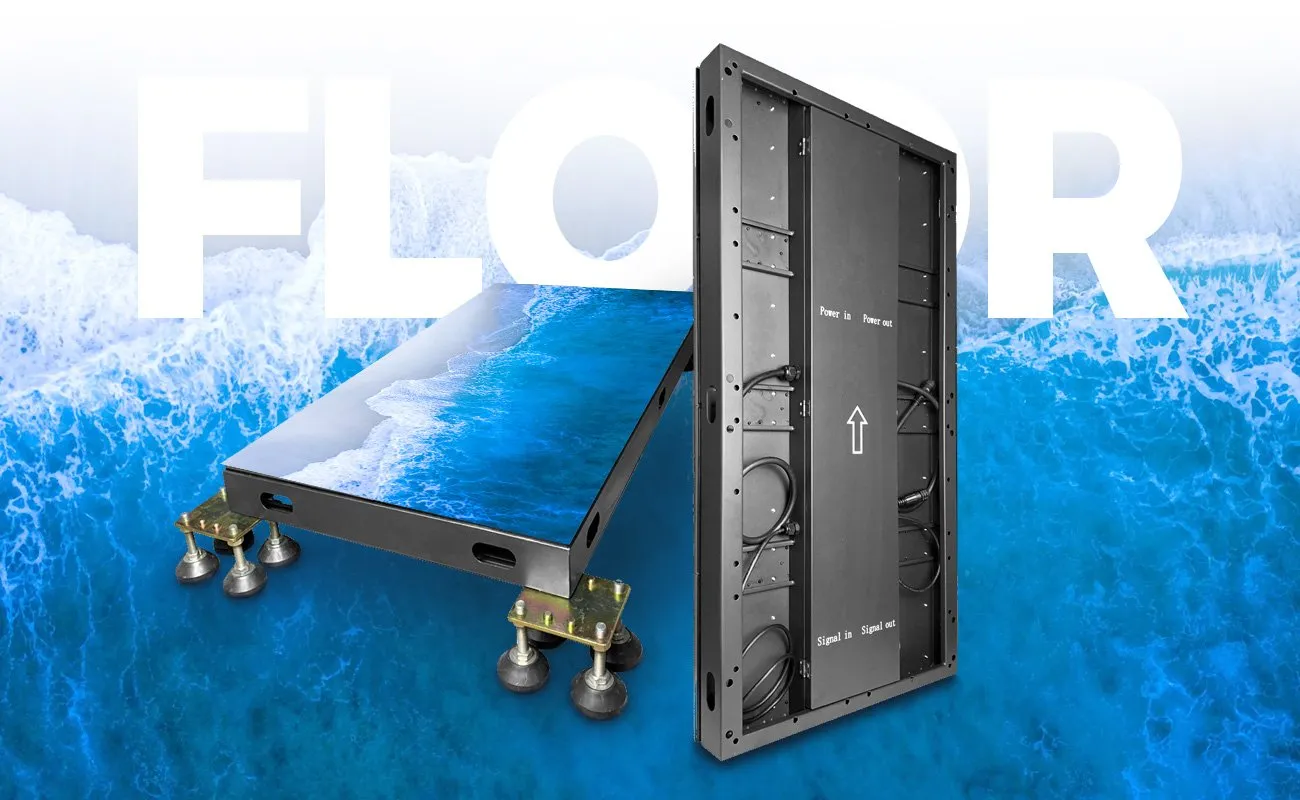
Front-serviceable modules do not necessarily mean every component is accessible from above. For example, the EA-iFloor product page describes magnetic front service and an openable back cover for the power supply and receiving card. Confirm the practical replacement route within your floor design.
Use the cleaning products and methods approved for the actual surface. Set inspection intervals according to use and manufacturer instructions, checking joints, protective surfaces, connectors and drainage. Isolate the affected area and follow the approved power-isolation procedure before service. Keep a maintenance record by cabinet position.
| Observed problem | What to investigate | Planned response |
|---|---|---|
| Damaged walking surface | Impact, wear or unsuitable concentrated loads | Restrict access and obtain the approved replacement procedure |
| Water or dampness | Seals, connections, drainage and operating conditions | Isolate equipment and have qualified personnel inspect before reuse |
| Missing image area | Power, signal path, mapping and component condition | Use the cabinet map and supplier diagnostic procedure |
| Hot area or color change | Cooling path, brightness settings and component condition | Check operating limits and service instructions |
| Unreliable interaction | Sensor mapping, calibration, obstructions and software | Retest with the intended users and content workflow |
8. EagerLED Floor LED Display Solutions
Use the following EagerLED product pages as starting points for a floor LED display specification. Published manufacturer figures describe particular products; request current test reports and confirm the exact configuration in the quotation. Do not transfer one model’s rating to another.
01 Indoor and Outdoor Product References
The EA-iFloor indoor floor LED display page lists 500 × 1000 mm cabinets, IP66 protection and a load figure above 2,000 kg/m². It also describes a protective mask and magnetic front service. Confirm supports, concentrated loads and access to internal components for the intended installation.
The EA-OFloor outdoor floor LED display page lists 500 × 1000 mm cabinets, front-and-rear IP67 protection, a load figure above 1,500 kg/m² and 3,840 Hz refresh. Interaction is offered as an option. The project still needs a suitable drainage, connection-protection and service plan.
02 Rental and GOB Options
For repeated event use, review the EA500RF rental floor LED screen with the intended packing, assembly and support requirements. Confirm environmental suitability and the supplied control system instead of assuming compatibility with existing rental stock.
The EA500RF2 GOB floor LED display is presented as an indoor rental product. Its published front and rear protection ratings differ. GOB surface protection should therefore not be interpreted as a blanket outdoor rating or as proof that all floor models have the same load capacity.
To discuss a floor LED display configuration, send EagerLED your project requirements, including the floor plan, location, traffic and equipment loads, operating schedule and interaction needs. Ask for a written scope covering hardware, installation interfaces, controls and support.
9. Frequently Asked Questions
These questions address practical issues that often remain after the initial product comparison.
01 Can a floor LED display support a car or heavy stage equipment?
A distributed load rating alone does not establish suitability for wheels, stage legs or moving equipment. Give the supplier the total mass, contact areas, wheel positions and movement pattern. Obtain approval for the complete floor LED display and support structure before placing that equipment on it.
02 Can I use a floor LED display with ordinary video software?
Standard video playback and interactive content are different requirements. Confirm the processor inputs, native canvas resolution and supported frame rates for playback. For interaction, also confirm sensor communication, tracking software, media-server integration and license ownership. Ask the supplier to demonstrate your actual content workflow.
03 Will a floor LED display work with a wheelchair or trolley?
This depends on the approved wheel loads, surface finish, joints, edge transitions and access route. Include the intended mobility aids and equipment in the project brief. A demonstration of people walking on a panel does not validate rolling loads or establish accessibility compliance for the installation.
04 Can an outdoor floor LED display remain underwater?
Do not interpret an IP67 claim as permission for permanent immersion. Check the exact test conditions and manufacturer operating instructions, including connectors. Drainage remains part of the installation design. A floor LED display exposed to standing water should be assessed under the approved site operating procedure.
05 Is renting a floor LED display better than buying?
Compare the complete cost across your actual event schedule. Rental may include transport, crew, controls and support; ownership adds storage, maintenance, spares and content management. There is no universal number of events at which buying becomes cheaper. Compare equivalent area, specifications and service scope.
06 How should I plan spare parts for a floor LED display?
Ask for a model-specific spare-parts list covering modules, surface protection, power supplies, receiving cards and connectors. Quantities should reflect floor area, use, repair lead time and acceptable downtime. Record calibration files and component versions, and confirm how replacement modules will be matched to the installed display.
10. Conclusion
A floor LED display should be selected as a complete walking surface and video system. Start with the environment, users and approved loads, then choose image quality, interaction and controls. Verify how the assembly will drain, dissipate heat and provide access for repairs.
Compare documented specifications and complete project costs. Test representative content and the actual interaction or camera workflow before final acceptance. With those decisions defined, a floor LED display can be specified for the venue with clear installation responsibilities and a practical maintenance plan.