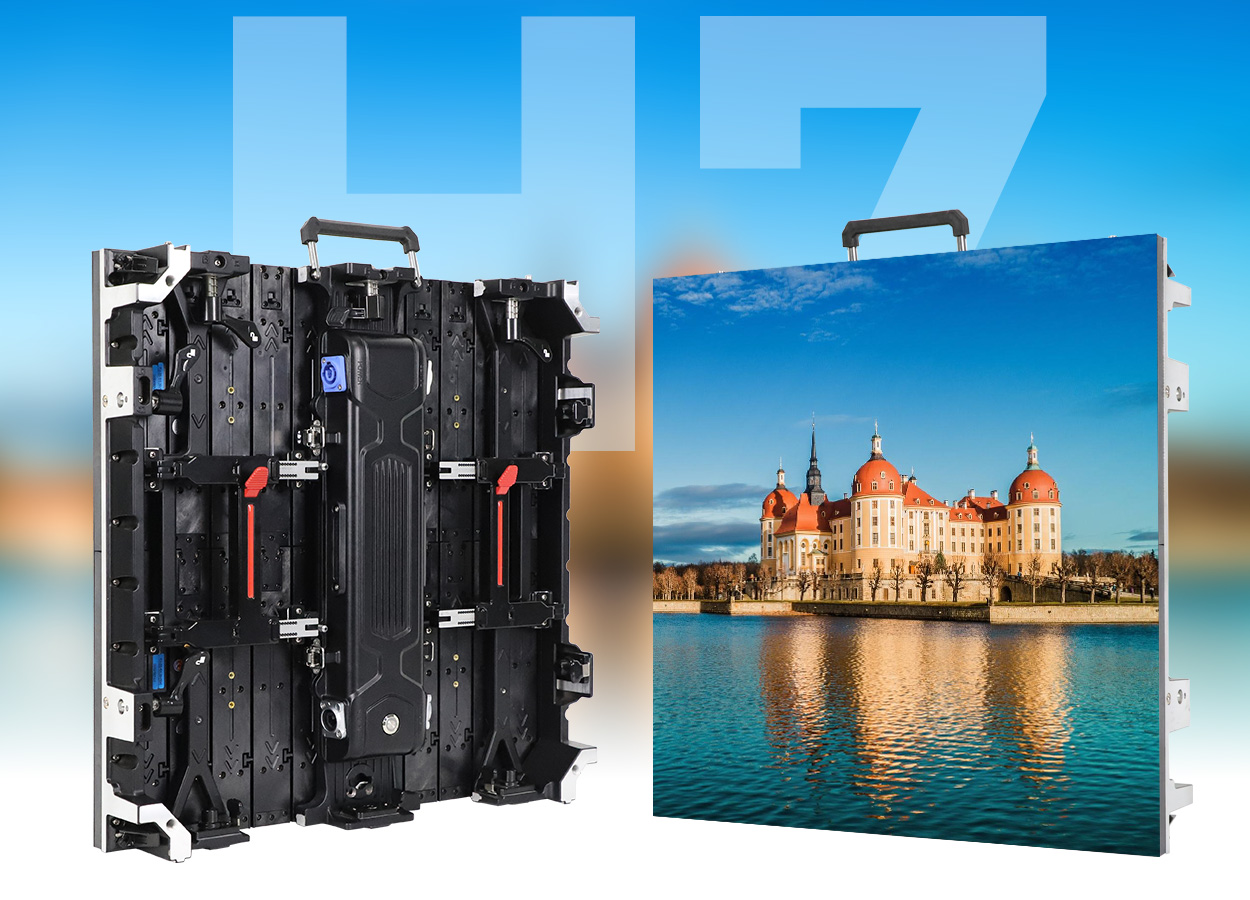
An LED backdrop screen is a direct-view video wall built from LED display modules mounted in cabinets. The cabinets lock together to form a stage background, exhibition wall, or event display in the size and shape a venue needs. To choose one, start with viewing distance and content, then confirm pixel pitch, indoor or outdoor rating, camera performance, cabinet layout, rigging, power, and service access.
Quick answer: The module creates the image; the cabinet supports and connects several modules; the complete backdrop includes cabinets, a controller, power, signal cabling, and a safe support structure. A smaller pixel pitch gives more pixels across the same wall, but it is not automatically the best value for every audience distance.
What is an LED backdrop screen?
An LED backdrop screen is a large, self-illuminating display used behind performers, speakers, products, or exhibits. Unlike a printed backdrop, it can change between graphics, video, live camera feeds, and event branding. Unlike projection, the image comes directly from the wall, so there is no projector beam to block. Venue lighting, content, and budget still determine which approach makes sense.
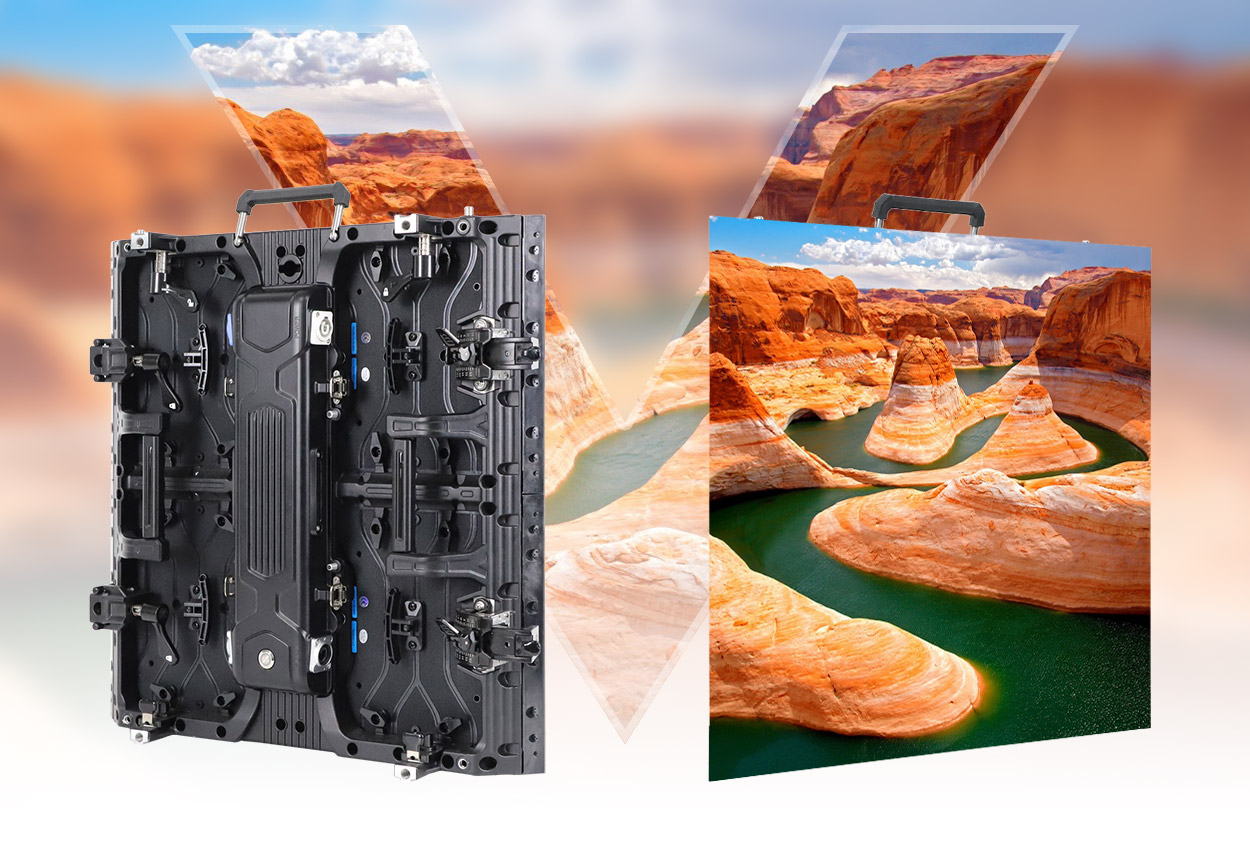
Backdrops are usually assembled from repeatable cabinets. Each cabinet contains one or more replaceable LED modules, a power system, receiving electronics, and mechanical connections. The cabinet layout determines the finished screen dimensions and pixel canvas. For temporary events, rental cabinets emphasize quick locking, transport protection, and access for repairs. See EagerLED’s stage rental LED display setup guide for the wider production workflow.
How do LED display modules make the image?
An LED display module is the replaceable face of the display. Its red, green, and blue light-emitting elements form pixels. The receiving system maps image data to the pixels, while the power supply drives the module. Multiple modules fit into a cabinet; cabinets then connect into the wall. “Module,” “panel,” and “cabinet” are often used loosely in sales copy, so ask a supplier for the exact dimensions and service unit before ordering spares.
Pixel pitch is the center-to-center spacing between adjacent pixels, measured in millimeters. A 3.9 mm pitch puts roughly 1,538 pixels across a 6 m-wide wall (6,000 ÷ 3.9). That is a planning calculation, not a promise of a particular cabinet’s exact pixel count: final resolution must be checked against the selected module and cabinet specification. Smaller pitch improves detail at close range, while a larger pitch may be sufficient for distant viewers.
LED packaging is another choice. SMD is common in many rental and fixed-installation displays. COB products use a different packaging approach and can be useful where surface protection and fine pitch matter. DIP still appears in some outdoor applications. None of these labels alone proves that a screen is weatherproof, camera-ready, or suitable for a particular venue; compare the finished product’s published specifications. EagerLED’s COB LED display module page provides one module example.
Which specifications matter for a stage or event backdrop?
| Specification | What to check | Why it matters |
|---|---|---|
| Pixel pitch and resolution | Closest audience or camera distance; final wall pixel canvas | Fine text and close shots need more detail than distant scenic content. |
| Brightness | Venue lighting, daylight exposure, and dimming range | A wall must remain readable without overpowering people on stage. |
| Refresh and camera compatibility | Test with the actual camera frame rate and shutter settings | Moire, banding, and flicker may appear on camera even when the wall looks fine in person. |
| Cabinet and module access | Front or rear service path, spare modules, and calibration data | A failed part must be replaceable within the available stage space. |
| Environment and structure | Indoor or outdoor rating, wind plan, rigging method, and certified load capacity | Weather and support requirements can rule out an otherwise attractive panel. |
| Power and control | Maximum rated draw, circuit plan, processor outputs, and backup signal | The content canvas and electrical supply must match the assembled wall. |
For a camera-heavy event, request a camera test with representative content rather than relying on refresh-rate marketing alone. For an outdoor event, verify the rating of the complete assembled system, including connections and protection measures, and use a qualified team for rigging and electrical design.
How do you size an LED backdrop and calculate modules?
- Define the visible area. Measure the stage opening, sightlines, and any space that must remain clear for entrances or lighting.
- Choose a cabinet grid. A 6 m × 3 m wall built with 500 mm × 500 mm cabinets would use 12 columns and 6 rows, or 72 cabinets. Check that the chosen series supports this layout and mounting orientation.
- Calculate the native pixel canvas. Divide width and height in millimeters by the actual pixel pitch, then confirm the manufacturer’s per-cabinet resolution. Map video content to that native canvas to avoid awkward scaling or cropped text.
- Validate the full system. Confirm processor capacity, cable runs, maximum power demand, structural loads, access for maintenance, and spare parts before finalizing the order.
This example is a sizing method, not a universal specification. Curved walls, corners, and mixed cabinet sizes need a separate mechanical and content map. EagerLED’s right-angle rental LED screen illustrates why cabinet geometry should be chosen before content is produced.
Where do background LED screens work best?
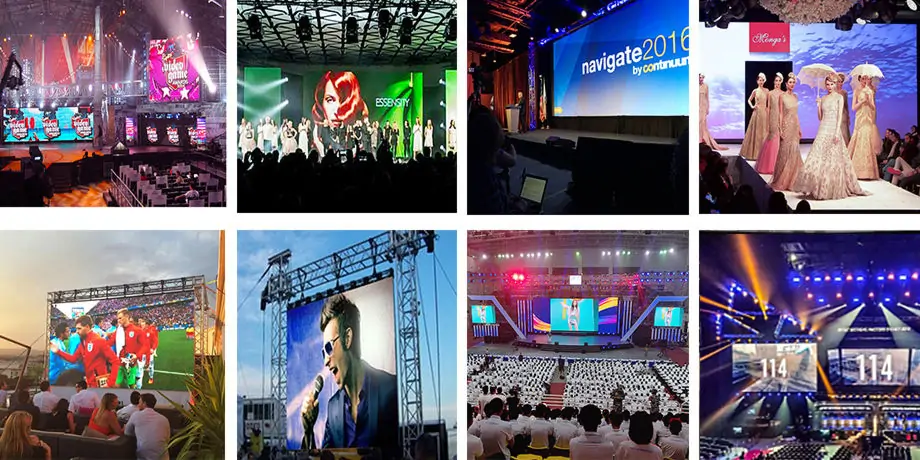
Concerts and performances: Scenic video and live feeds can change during the show, but content should support the performer rather than distract from them. Conferences and product launches: A backdrop can show slides, speaker names, branding, and remote guests; test text size from the back row. Exhibitions: Modular cabinets can fit a booth footprint and be reused in new configurations. Studios: Camera testing, color control, and subject-to-wall spacing deserve special attention.
A background screen is not the same as every other LED installation. A roadside billboard prioritizes long-distance visibility and weather exposure; a stage backdrop prioritizes sightlines, fast assembly, camera performance, and event safety. The concert LED screen guide covers additional stage-specific planning decisions.
Common mistakes to avoid
- Buying on pixel pitch alone: Choose pitch with the closest viewer, content detail, and budget in mind.
- Assuming an outdoor module makes the whole wall weatherproof: Check cabinet, connectors, power, and installation details.
- Ignoring native resolution: A beautiful animation can look soft or crop badly when the content canvas does not match the wall.
- Skipping camera tests: Bring the actual camera and settings to a sample wall where possible.
- Planning no service access: Specify front or rear maintenance and keep compatible calibrated spares available.
- Underestimating support and power: Use the manufacturer’s maximum-load figures and qualified local professionals for the final plan.
Questions to ask before requesting a quote
Send the supplier your target width and height, venue type, closest viewing distance, content type, event dates, camera setup, installation method, and available power. Ask for a cabinet drawing, exact pixel canvas, maximum and typical power figures, controller plan, spare-parts list, service direction, warranty terms, and a clear scope for rigging and installation. If the screen must bend or turn a corner, include the required radius or angle and request compatible hardware details.
For temporary projects, compare the full delivered and installed cost with a purchase plan that includes transport, storage, crew, maintenance, and future use. For a permanent installation, pay particular attention to service access, ventilation, and the long-term content system.
FAQ: LED backdrop screens and display modules
What is the difference between an LED module and an LED cabinet?
The module is the replaceable display face containing pixels. The cabinet is the structural unit that holds modules and related electronics and connects to neighboring cabinets.
What pixel pitch is best for an LED backdrop?
There is no single best pitch. Start with the closest viewer or camera position and the smallest text or detail you need to show. Ask the supplier to demonstrate the proposed pitch at the intended distance.
Can an LED backdrop be used outdoors?
Yes, if the complete product and installation are specified for the outdoor conditions. Check the finished system’s weather rating, support design, wind plan, electrical protection, and local requirements.
How many cabinets do I need?
Divide the planned wall width and height by the chosen cabinet width and height, using compatible whole-cabinet increments. For example, a 6 m × 3 m wall with 0.5 m square cabinets uses 72 cabinets.
Next step
The right LED backdrop starts with a measured venue and a defined content plan. Once those are clear, EagerLED can help match a cabinet and module system to the required dimensions, pixel canvas, environment, and service approach. Include those project details when you request a quote so the recommendation can be checked against your actual use.