LED display remote monitoring gives an AV integrator a way to see selected system conditions without waiting for a customer to report a dark screen. It is useful only when the proposed controller, receiving cards, sensors, network, software, and support agreement provide the specific signals the project needs. A device appearing “online” does not prove that the correct content is visible or that every cabinet is healthy.
This guide is for an AV integrator specifying and handing over a fixed commercial display, especially one that the owner cannot inspect continuously. It explains how to define the monitoring scope, ask for compatible hardware, test alerts, and transfer responsibility to the operating team. It is a procurement and acceptance framework, not a claim that every EagerLED configuration includes a particular cloud service.
The examples below are proposed project checks. Use the selected equipment manuals and the customer’s IT, electrical, and service procedures to set the final configuration. Remote access, content publishing, and component monitoring are separate capabilities and should appear separately in the quotation.
1. Define What LED Display Remote Monitoring Must Tell You
Start with the owner’s service question: “Is the screen presenting the intended message at the intended time?” Work backward from that result. A monitoring platform may report that a media player is online, but the display can still be on the wrong input, too dim, partly dark, or showing stale content. Define which of those conditions matter to the owner and which can actually be observed by the proposed system.
Separate four layers. Playback status concerns the player, schedule, file transfer, and source. Control status concerns the processor, sending path, receiving cards, and cabinet mapping. Display status concerns monitored electrical, temperature, or sensor values where the hardware supports them. Visual confirmation requires an authorized person, camera, or site inspection to establish what an audience can see. The layers complement one another; none should be described as a universal proof of image quality.
Write a short service statement for each screen. Include its location, normal operating hours, business criticality, available local staff, and the consequence of a failed display. A retail promotion screen may need confirmation that the scheduled campaign is playing. A building lobby information screen may need a faster route to restore the correct source. The integrator can then choose alerts that support the actual response instead of collecting every available metric.
LED display remote monitoring should also have a defined boundary. Decide whether the supplier is providing the hardware, configuring the monitoring platform, receiving alarms, diagnosing incidents, or attending site. These are different deliverables. The LED display handover guide provides a broader way to record operating and service responsibilities; the monitoring schedule in this article is the part that makes those responsibilities testable after the installation team leaves.
2. Specify the Signals the Actual Equipment Can Provide
For LED display remote monitoring, a useful signal is specific, attributable, and actionable. Ask the supplier for the monitoring capability of the exact proposed controller and receiving-card configuration. A controller family brochure is not enough: firmware, accessory sensors, cabinet wiring, network access, software license, and user permissions can change what the dashboard can show.
01. Distinguish online status from cabinet health
Device connectivity is a sensible starting signal for LED display remote monitoring. A player or processor that stops reporting may indicate a network problem, a power problem, a restart, or a failed device. It does not identify which cause applies, and it does not establish that the LED surface has failed. Record the last successful check-in time and the normal reporting interval so an operator can tell a fresh reading from an old one.
When LED display remote monitoring needs component-level detail, request a written list of supported readings. Some control systems can report receiving-card state, temperature, voltage, or cabinet-level alarms. More detailed values can depend on a particular receiving card, smart module, sensor, or custom cabinet connection. NovaStar’s VMP user manual, for example, distinguishes monitoring functions that require compatible receiving cards and additional module or cabinet sensors. Treat that as an example of conditional capability, not a specification for every EagerLED screen.
02. Ask what each reading proves and misses
| Signal or evidence | Useful question it answers | Important limit to record |
|---|---|---|
| Player or controller check-in | Has the device reported recently? | An online player does not prove visible playback. |
| Current source and playlist status | Is the expected source or schedule selected? | The displayed pixels can still differ from the software state. |
| Receiving-card or cabinet topology | Which monitored section stopped reporting? | Location accuracy depends on the installed map and supported hardware. |
| Temperature, voltage, or power alarm | Is a supported sensor outside its approved condition? | Availability and thresholds depend on sensors and the exact design. |
| Site photo or authorized visual check | What can an audience actually see? | A single view may miss color, timing, or intermittent defects. |
Ask how readings are displayed and exported. A color-coded dashboard is easier to use when it also gives the device ID, affected cabinet coordinates, timestamp, measured value, alarm state, and acknowledgment history. If a sensor is absent, label the value “not monitored” rather than presenting a blank field as a healthy reading.
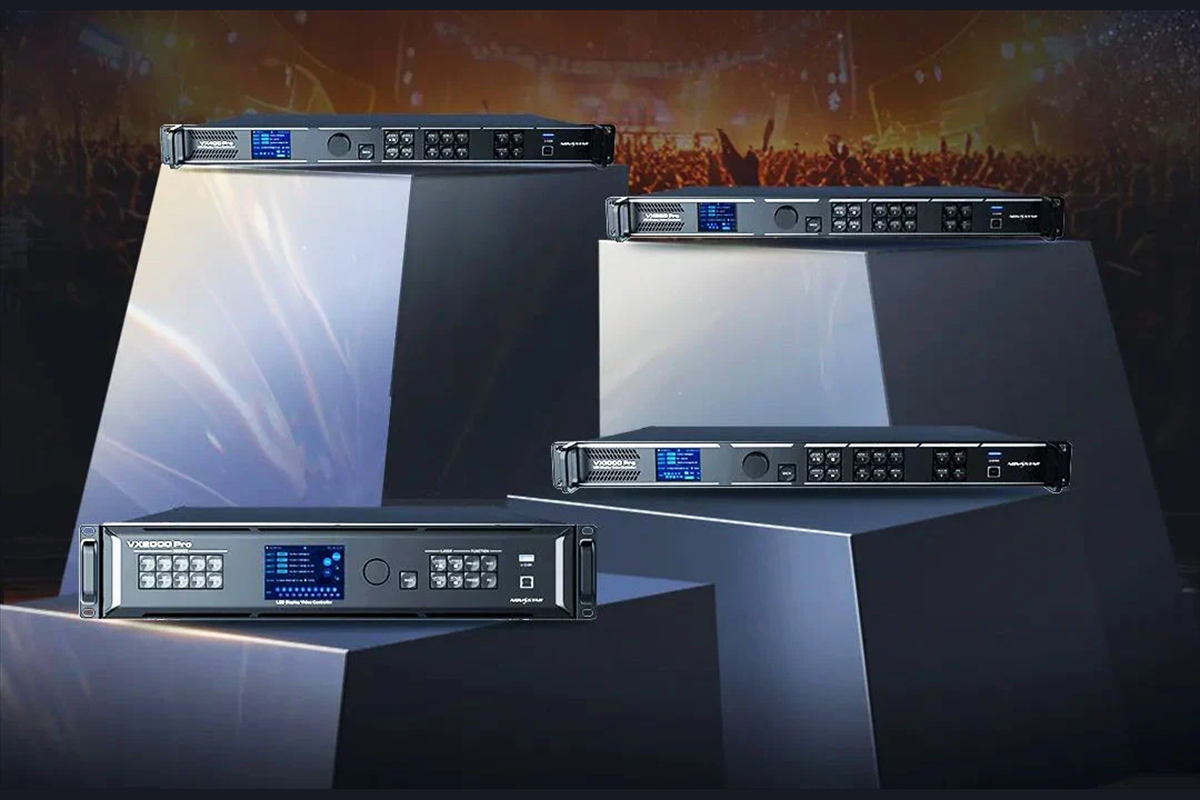
When specifying LED display remote monitoring, do not buy a controller for its headline pixel capacity and assume it provides remote diagnostics. Conversely, do not reject a display because one dashboard lacks a particular sensor when the owner does not need that signal. The right procurement question is whether the proposed combination can answer the agreed operational questions and provide evidence when an incident occurs.
3. Choose a Connection the Customer Can Support
LED display remote monitoring needs a path from the relevant devices to an approved monitoring location. The design may keep management on a local network, send selected status to a cloud platform, or use a customer-approved remote support connection. Each option changes who administers accounts, where data is stored, what happens during an Internet outage, and how quickly someone can investigate an alarm.
01. Draw the management path separately from the video path
The drawing for LED display remote monitoring should show the playback source, processor, sending devices, receiving cards, network switches, monitoring gateway or software, and notification destinations. Mark which links carry content, control commands, status data, or all three. A screen can keep playing locally when its cloud connection fails. The monitoring design must distinguish that “unknown remote status” from “display off.”
Ask the customer’s IT team to approve connectivity before ordering a platform that assumes unrestricted Internet access. Document the allowed network route, required service endpoints, account ownership, update method, and recovery contact. Avoid shared administrator accounts. Give routine operators only the functions they need, and record who can change schedules, brightness, controller parameters, or alert recipients. Credential transfer belongs in the customer’s approved system, not in a general installation PDF.
02. Plan the offline state
In the LED display remote monitoring plan, specify what happens to playback when the connection disappears. Can the selected player continue the last approved local schedule? How will an operator distinguish a network outage from a stopped display? What local indication can staff check without opening a cabinet? The answer depends on the actual player, source design, and network, so demonstrate it with the proposed configuration rather than promising universal behavior.
For a multi-site estate, give every screen a stable asset name that matches the physical label, drawing, dashboard, and service record. Location names such as “Lobby Left” can change after renovations; add a unique asset identifier. The site survey checklist helps capture the location, power, network, and access facts that this monitoring diagram needs.

4. Turn Status Alerts Into a Defined Response
In LED display remote monitoring, an alarm has value when a named team receives it, understands its limits, and knows what to do next. Define a small initial alert set: prolonged loss of device check-in, loss of an expected source or schedule, a supported cabinet fault, and a measured condition that exceeds the approved equipment threshold. The exact delay and limit must come from the system design and operating conditions; copying an arbitrary number across venues creates noise or missed incidents.
Separate warning, service incident, and unknown. A warning may justify watching a trend and planning a visit. A visible failure or agreed critical alarm should create an incident with an owner and time record. Unknown means the monitoring path cannot establish the state, often because the connection or sensor is unavailable. It is a reason to verify, not a reason to mark the screen healthy or failed automatically.
| Event | First recipient and check | Escalation evidence |
|---|---|---|
| Player stops reporting | Operations checks whether the site network and local display are working. | Last check-in, site network status, current screen photo if available. |
| Expected content is absent | Content owner checks approved schedule, source, and recent changes. | Playlist version, source selection, timestamp, visible result. |
| Cabinet or receiving-card alert | AV support checks the mapped location and supported diagnostic record. | Asset ID, cabinet coordinates, alarm export, authorized site observation. |
| Temperature or power warning | Qualified support checks the specified sensor and operating context. | Actual value, threshold source, trend, ambient conditions, service advice. |
| Monitoring path unavailable | IT or the monitoring service owner checks connectivity. | Connection timeline and independent confirmation of screen operation. |
Agree on acknowledgment, duplicate-alert suppression, and closure. A repeated alarm every minute can bury the first useful event. A message delivered to an unattended mailbox can look like a working service when nobody has accepted it. Require the incident record to show who acknowledged it, what was checked, what remained uncertain, and when the customer was told the outcome.
LED display remote monitoring should never invite an untrained operator to open an energized cabinet or reset a protective device to clear an alert. The first response can be a safe observation, source check, or contact with the authorized support team. Electrical and component work follows the site’s approved procedure.
5. Test LED Display Remote Monitoring Before Handover
Include LED display remote monitoring in the acceptance plan while the integrator, customer, and relevant IT or service contacts are available. A dashboard screenshot taken during setup is not a witnessed end-to-end test. The test should show that an event is detected, delivered to the right person, understood correctly, and closed with a record.
01. Prove identity and normal operation first
Compare the asset list against physical labels and the final cabinet map. Confirm that the displayed device, site name, time zone, software version, and alarm recipient match the approved schedule. Capture the normal baseline: online state, intended source, representative playback, and the readings that the actual sensors expose. Label unavailable readings explicitly.
Use a current site photograph to verify visible playback. A remote status page can establish its own data, but it cannot certify color uniformity, dead pixels, or legibility from every viewpoint. For those outcomes, use the project’s visual acceptance method and record its conditions. If the display has front and rear access, the monitoring record should refer to the same cabinet coordinates that a technician uses on site.
02. Witness safe fault and recovery scenarios
Test at least one permitted loss-of-connectivity scenario, one content or source discrepancy, and one supported device alarm or test notification. The method must be approved for the installed system. A controlled network disconnect at an agreed point may be suitable; deliberately overheating a cabinet, shorting a sensor, or interrupting public safety content is not. If an alarm cannot be induced safely, use the platform’s documented test mechanism and state what the test did and did not prove.
For each scenario, record the trigger, event time, detection time, recipient, notification channel, acknowledgment, operator action, recovery evidence, and any mismatch. Do not call a test “passed” merely because a banner appeared on a technician’s laptop. Confirm the customer’s designated recipient actually receives and recognizes the message on the channel they will use after handover.
Repeat a relevant test after changing a controller, network route, software account, cabinet map, or alert destination. Those changes can invalidate an earlier acceptance result. Retain exported alarms and the approved configuration reference with the handover records, while keeping credentials in the customer’s controlled access system.

6. Keep the Monitoring Service Usable After Installation
At handover, give the customer an LED display remote monitoring schedule rather than only a login. It should identify each asset, monitored signals, unsupported signals, threshold source, alert route, responsible team, software or subscription owner, network dependency, and review date. A single screen can have different owners for content, IT access, AV diagnosis, and physical repair; list each role clearly.
Ask the operator to perform a short practice exercise. They should find the correct screen, read the age of its last status update, identify whether a condition is warning, fault, or unknown, and explain the approved next action. If this cannot be done without the installer standing nearby, simplify labels and instructions before signoff. Restrict engineering functions to qualified roles.
Review ongoing costs separately from the hardware quotation. Possible items include monitoring software, mobile data, cloud storage, alert delivery, support labor, on-site visits, and replacement sensors. Their existence and amount depend on the selected service and contract. Ask what happens if a license expires, a SIM is deactivated, an account owner leaves, or a supplier changes. A monitored installation should have a recovery path that the customer controls.
Match incident records to compatible spare parts. If the dashboard identifies a cabinet or module, the technician still needs the approved part number, hardware revision, service tool, and access method. EagerLED’s spare-parts planning guide covers that inventory decision in more detail. Remote diagnosis can narrow the investigation, but it does not make visually similar modules interchangeable.

Schedule periodic checks of the contact list, alert delivery, time synchronization, account ownership, and asset map. Include a supervised test after significant configuration changes. Measure the service honestly: record alarms that led to action, false or duplicate alerts, missed notifications, and unresolved incidents. A dashboard’s green indicator is useful only while the underlying monitoring path and responsibility chain remain current.
7. Frequently Asked Questions
01. Does an online controller mean the LED wall is working?
No. It means the controller reported through the monitored connection at a recorded time. The wall may still show the wrong source, outdated content, a dark cabinet, or an image-quality defect. Add source checks and a visual confirmation method where the owner needs assurance of the visible result.
02. Can a monitoring platform identify a failed LED module?
Only when the installed control and module design provides enough supported data to locate that fault. Some systems report cabinet or receiving-card status without identifying an individual failed LED. Ask for a demonstration using the exact proposed hardware and map, and record the smallest fault area the platform can reliably identify.
03. Is Internet access required for every monitored display?
No. Local network monitoring can be possible when the selected equipment and software support it. A cloud service or remote alert route needs an approved connection. Define how the screen continues operating and how staff verify its state when that connection is unavailable.
04. Who should receive temperature and power warnings?
Send them to the team authorized to interpret the specified sensor and arrange safe action. Operations may acknowledge the warning, while qualified AV or electrical support investigates the equipment. Use thresholds from the actual design and manual; do not let an operator clear a serious warning by opening or resetting equipment outside their role.
05. What should be included in a monitoring quotation?
Request the supported devices and readings, required sensors or gateways, network design, software and license terms, account ownership, alert channels, commissioning tests, training, support hours, and responsibilities for site attendance. Separate one-time configuration from recurring service charges and list anything excluded.
06. How often should the alert route be tested?
Set the interval in the customer’s operating plan and repeat a relevant test after an account, network, controller, or recipient change. Test delivery and acknowledgment, not just dashboard appearance. Keep a dated record of the result and correct failed or noisy alerts before relying on them.
8. Prepare a Monitoring Brief for Your EagerLED Project
Send a project brief that identifies the display location, intended operating hours, audience-facing purpose, preferred local or cloud management approach, customer IT restrictions, support contacts, and the failures that matter most. Add the proposed cabinet and controller list, a site drawing, network availability, and any requirement for component-level alarms. Ask the supplier to return a signal-by-signal capability schedule with dependencies and exclusions.
For a new or upgraded screen, contact EagerLED with the display and site requirements. Request a configuration-specific proposal that states which monitoring functions are included, how they will be tested, and who will operate them after handover. That gives the integrator and customer a clear basis for acceptance and ongoing support.