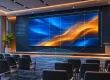
A church LED video wall is a modular, direct-view display that combines LED cabinets into one large canvas for lyrics, Scripture, sermon graphics and live camera images. The right system makes these messages readable across the sanctuary while fitting the room’s lighting, seating and volunteer workflow.
Choosing a church LED video wall starts with the nearest seat, the farthest seat and the content people must read. Screen dimensions, pixel pitch, native resolution, camera performance and service access matter more than a headline brightness figure or an advertised “4K-ready” label.
This guide explains how to compare a church LED video wall with projection, estimate the complete project cost, select an appropriate configuration and verify performance before acceptance. It also separates permanent sanctuary displays, portable stage systems and outdoor church signs, which have different technical requirements.
Choose your next planning step: compare LED, LCD, and projection, work through screen layout and seating requirements, or use the church LED screen procurement checks before approving a proposal. For a published project example, see the P2.5 church LED screen installation in the USA.
1. What Is a Church LED Video Wall?
A church LED video wall uses light-emitting pixels on replaceable modules. Modules fit into cabinets; receiving cards distribute image data, and a video processor maps the source to the assembled display. The screen produces its own light, so it does not need a projector throw path or a projection surface.
The main benefit is a large, continuous image without the visible bezels of a tiled television wall. However, “seamless” depends on cabinet alignment, calibration and maintenance. Poor mechanical adjustment can leave visible joins, while mismatched modules can create color patches.
01. What belongs in the complete system?
A complete church LED video wall includes cabinets, a controller or processor, power distribution, signal cabling, mounting hardware and content sources. Presentation software sends lyrics and graphics; a camera switcher may supply live video. Audio normally travels through the church sound system, rather than being reproduced by the LED cabinets.
Specify the intended result in plain language: readable lyrics from the back row, comfortable brightness from the front row and acceptable camera images during livestreaming. A church LED video wall cannot fix blocked sightlines, tiny text or an unreliable source computer on its own.

2. Church LED Video Wall vs. Projector or TV
A church LED video wall is worth considering when a large image must remain clear under worship lighting or when projector placement is difficult. Projection can still be effective in a room with controlled light, and a commercial flat-panel display may be sufficient for a compact chapel.
Compare complete installed systems at the same usable image size. A low panel-only price excludes the structure and processing needed to operate a church LED video wall. Likewise, a projector quote should include the lens, mounting, screen, signal transport and service access.
| Option | Strong fit | What to check |
|---|---|---|
| Direct-view LED wall | Large continuous images; flexible cabinet layouts; lit stages | Native pixel count, low-brightness quality, structure and service access |
| Projector and screen | Large images in rooms with controllable ambient light | Throw distance, lens choice, contrast under service lighting and access |
| Single flat-panel display | Small chapels, classrooms and overflow rooms | Text size from the back row, reflections and practical screen dimensions |
| Tiled LCD video wall | Layouts where individual display panels are acceptable | Bezel interruptions through text, color matching and replacement access |
For small churches, check whether two smaller displays would serve wide seating better than one central screen. Size the text before choosing the technology. A larger church LED video wall with an unsuitable pixel pitch can show fewer useful pixels than a smaller display with a finer pitch.
Ask for a demonstration using your own lyrics and slides under representative room lighting. Include people sitting off-axis and near the screen. This reveals readability and comfort problems that a supplier’s colorful demo reel may hide.
3. Church LED Video Wall Cost and Quote Comparison
Church LED video wall cost depends on display area, pixel pitch, cabinet construction, processing, installation and support. There is no reliable universal installed price per square foot. A price for an indoor panel package cannot be compared directly with an installed system that includes engineering, electrical work and training.
01. Build a complete project budget
When researching an LED screen for church price, ask each supplier to separate equipment, delivery and site work. State the currency, shipping destination, trade terms, taxes and exclusions. Obtain a dated quotation tied to a cabinet layout and exact model configuration.
| Cost item | What the quote should include | Comparison risk |
|---|---|---|
| LED cabinets | Model, pitch, quantity, native resolution and calibration | Different pixel counts sold as the same screen size |
| Processing and sources | Input formats, output capacity, scaling and required adapters | A compatible processor or source upgrade is omitted |
| Structure and installation | Engineered support, labor, access equipment and commissioning | Panel-only pricing presented as a complete project |
| Power and signal | Distribution, cable routes, protection and installation labor | Existing infrastructure assumed without a site survey |
| Delivery and taxes | Packing, freight, insurance, duties and destination charges | Trade terms leave substantial costs with the buyer |
| Spares and support | Modules, power supplies, receiving cards, training and warranty scope | Replacement labor or return freight is excluded |
Illustrative calculation, not an EagerLED quotation: a 4.8 m × 2.7 m display has an area of 12.96 m². If a hypothetical cabinet package costs $1,200 per m², its equipment subtotal is $15,552. Adding hypothetical amounts of $2,500 for processing, $5,000 for structure and installation, and $1,500 for spares and training gives $24,552 before freight, taxes and other excluded site costs. Replace every assumption with written supplier figures.
02. Compare ownership costs, not just purchase price
For a church LED video wall, operating cost includes electricity, cooling, maintenance access, replacement parts and support. Ask for maximum power for electrical design and measured average power at the intended brightness for energy budgeting. Those figures serve different purposes.
For example, an assumed 12 m² screen averaging 200 W/m² draws 2.4 kW. At 20 operating hours per week, it uses approximately 2,496 kWh per year, excluding processors and room cooling. Multiply by your electricity tariff. This arithmetic illustrates a method; it is not a product power specification or a promise of savings.
4. Choose Pixel Pitch, Screen Size and Resolution
Pixel pitch is the center-to-center distance between adjacent pixels, measured in millimeters. A smaller pitch places more pixels in the same physical area. For a church LED video wall, the closest viewing position and the smallest necessary text help determine whether the extra pixel density is useful.
01. Shortlist a church LED video wall pixel pitch
Do not treat a pitch-to-distance rule as a guaranteed reading distance. Visual acuity, text design, contrast and content all affect results. Use the following comparison to request samples, then validate them from your actual seating positions.
| Typical situation | Pitch options to compare | Demonstration priority |
|---|---|---|
| Close seating or detailed teaching graphics | Fine-pitch options around P1.5–P2.5 | Small text, gradients and visible pixel structure |
| General sanctuary lyrics and video | Compare options around P2.5–P3.9 | Readability at front, rear and side seats |
| Longer viewing distances; large stage backgrounds | Compare P3.9 and coarser options with finer alternatives | Whether the native canvas supports required text |
| Camera-facing stage backdrop | Evaluate pitch with actual camera geometry | Moiré, bands, exposure and focus behavior |
These are selection starting points, not minimum-distance specifications. The nearest camera position may be more demanding than the nearest seat. Confirm the actual pixel matrix of each module and cabinet because commercial pitch names are sometimes rounded.
02. Calculate the native image, then plan the layout
Approximate horizontal pixels = screen width in millimeters ÷ pixel pitch in millimeters. Apply the same calculation to height. A 4,800 × 2,700 mm church LED video wall at an exact 2.5 mm pitch would contain 1,920 × 1,080 pixels. At an exact 4 mm pitch, the same area would contain 1,200 × 675 pixels, assuming a compatible module layout.
A processor accepting a 4K input does not make the screen a native 4K display. Native 3,840 × 2,160 resolution at 2.5 mm pitch requires approximately 9.6 × 5.4 m of active display area. Final dimensions must fit whole modules and cabinets.
Choose a 16:9 canvas for conventional widescreen content, or document how a wider stage layout will handle lyrics, camera feeds and background graphics. Cabinet aspect ratio and complete-screen aspect ratio are different. Check the bottom edge against seated sightlines, and test font size from the farthest row before approving the church LED video wall dimensions.
5. Match the Display to the Church Application
01. Permanent indoor sanctuary display
A fixed church LED video wall should provide stable alignment, accessible components and comfortable low-brightness performance. Front-service cabinets can help when there is no rear maintenance corridor, but technicians still need safe access to the screen face, power isolation and room to remove modules.
Measure available wall depth, stage clearances and ventilation needs. Ask whether modules, power supplies and receiving cards are all serviceable from the proposed direction. “Front service” should describe the components you will actually need to replace.

02. Portable stage and multi-purpose room system
A portable church LED video wall needs suitable locking hardware, protective cases, repeatable cabinet mapping and a trained setup team. Frequent assembly increases the importance of corner protection, connector durability and alignment checks. Include storage space and transport labor in the decision.
Confirm whether the specified cabinets are approved for ground support, hanging or both, and use the matching rated accessories. A rental-style cabinet is not automatically suitable for every mounting arrangement or outdoor event.

03. Outdoor church sign
An outdoor church sign serves approaching visitors with service times, directions and event notices. It is a different application from an indoor church LED video wall. Compare weather protection on both front and rear surfaces, drainage, ambient operating conditions, sunlight visibility and scheduled dimming.
Confirm site-specific sign and installation requirements with the local installer. Avoid claims that an enclosure works in “any weather.” Its documented protection rating and environmental limits must match the actual exposure.

6. Optimize Brightness, Cameras and Worship Content
The best church LED video wall setting is the one that keeps content readable without overpowering faces, stage lighting or camera exposure. Maximum brightness is a capability, not the default operating level. Evaluate dark gradients, skin tones and white lyrics at the brightness you will use during services.
01. Test refresh behavior, moiré and latency
Refresh frequency, video frame rate and camera shutter speed are different quantities. A high refresh specification alone does not guarantee clean footage. Scan behavior, shutter settings, synchronization and brightness control can all influence visible bands. Moiré is a separate interaction between the LED pixel pattern and camera sampling.
Test your church LED video wall with the actual cameras, lenses and recording settings. Record wide and close shots, move the camera and change focus. If artifacts appear, work through camera position, shutter settings, screen brightness and supported synchronization options with the supplier.
For image magnification, evaluate the entire camera-to-screen path. Camera processing, switching, scaling and display processing each contribute delay. Request a measured end-to-end result under the proposed configuration; processor-only latency does not describe the whole system.
02. Make content readable before making it elaborate
Use short lyric lines, strong contrast and uncluttered backgrounds. Keep essential text away from the screen edges and avoid placing it behind people standing on stage. Dense slides should be redesigned rather than simply enlarged. A church LED video wall is most useful when the message is easy to follow.
Prepare separate outputs where the sanctuary display and livestream need different framing. Test captions and translated text with the longest expected lines. Store a simple fallback slide locally, and teach volunteers how to switch to it when a media source fails.
7. Plan Installation, Maintenance and Acceptance Tests
Church LED video wall installation involves both a display system and a supporting structure. Have qualified professionals confirm loads, mounting details, electrical distribution and access arrangements for the actual site. Cabinet weight alone excludes framing, cables, accessories and any additional installation loads.
Plan the service route before the screen is ordered. A component that can be removed from the front is still difficult to maintain if it is beyond safe reach. Identify who owns troubleshooting, which spare parts stay on site and what response is available before a weekend service.
| Test | Method | Evidence to retain |
|---|---|---|
| Text and sightlines | Display real lyrics from nearest, farthest and side seats | Approved text templates and seating observations |
| Uniformity and alignment | Show neutral gray, solid colors and grid patterns | Photographs and a list of corrected defects |
| Low-brightness image | Show dark gradients at service brightness | Accepted settings and sample content |
| Camera compatibility | Record representative shots and shutter settings | Original clips with camera and display settings |
| Signal and recovery | Switch inputs and rehearse a source interruption | Documented recovery steps and fallback content |
| Serviceability | Demonstrate safe access and component replacement | Handover records, spares list and configuration backups |
Retain the cabinet map, receiving-card configuration, processor settings and calibration files with the handover documents. Label power and data routes so a technician can identify a failed section without guessing. Spare modules should match the supplied batch where practical; replacing a module may still require calibration.
Acceptance of a church LED video wall should include a rehearsal with ordinary volunteers, not only a supplier demonstration. Verify startup, shutdown, input switching and recovery after a source interruption. Record the final operating brightness and camera settings so later changes can be traced.
Keep a service log for faults and replaced parts. Agree on warranty coverage for components, labor, shipping and access equipment separately, along with exclusions and the process for obtaining replacement parts. This makes the support promise useful when the screen actually needs attention.
8. EagerLED Options and a Useful Quote Brief
EagerLED’s product families address different installation needs. Select a church LED video wall configuration by confirmed technical requirements rather than assuming every model offers the same pitch, environmental protection or maintenance arrangement.
01. EA640F2 for fixed indoor installations
The EA640F2 indoor LED display uses a 640 × 480 mm cabinet and front-access components. Its published cabinet dimensions support planning a fixed indoor wall. Request the precise pixel-pitch option, cabinet resolution, brightness range and mounting details for your project; a cabinet’s 4:3 shape does not limit the assembled wall to that ratio.

02. EA500H3 for stage systems
The EA500H3 rental LED display uses 500 × 500 mm cabinets with quick assembly features and corner protection. For a portable church LED video wall, specify the intended indoor or outdoor configuration, transport package, support hardware and service access. Confirm the protection ratings for the exact variant instead of relying on a family-level description.

03. EA250F for outdoor information displays
The EA250F outdoor front-service LED display is a candidate for entrance signage. Its outdoor design should be assessed against site exposure, sign dimensions and the proposed maintenance method. Keep an outdoor sign quotation separate from the sanctuary church LED video wall budget so their different requirements remain clear.

To obtain a useful comparison, send EagerLED your church display brief: target width and height, nearest and farthest seats, room photographs, stage plan, lighting conditions, camera equipment, content sources, service-access constraints, destination and installation schedule. Ask for the cabinet layout, native resolution, complete itemized scope and a demonstration plan with the quote.
9. Church LED Video Wall FAQ
01. Can a church LED video wall work with ProPresenter or another presentation computer?
Yes, when the computer's video output matches the processor's supported input format. Confirm resolution, refresh rate, adapters and any long-distance signal transport. Test the actual computer with separate operator and audience outputs. Software compatibility does not by itself confirm that the processor can drive the complete LED canvas.
02. Can we expand the wall later without replacing the existing cabinets?
Sometimes, but expansion should be planned when ordering. Confirm cabinet compatibility, processor capacity, power and structural provisions, and availability of matching modules. Different production batches or aged LEDs may not match perfectly. Keep configuration and calibration records, and ask for an expansion plan rather than an open-ended compatibility promise.
03. Should a church rent a screen before buying?
A rental trial can reveal whether the proposed image size, placement and workflow suit a room. Use it to test actual services and volunteer operation. If the rental screen has a different pitch or processing system, its results will not establish the final product's image quality or camera performance.
04. What happens if one LED module fails during a service?
The effect depends on the failure: an individual pixel or module may affect a limited area, while a power or data problem can affect a larger section. Ask about the specific redundancy design and recovery procedure. Keep a fallback presentation method available, and leave component replacement to trained personnel following safe isolation procedures.
05. Do we need 4K for worship lyrics and sermon slides?
Not necessarily. Readability depends on physical text size, viewing distance and the native pixel canvas. A smaller room may benefit more from an appropriate layout and well-designed slides than from additional pixels. Specify native resolution separately from the maximum input resolution accepted by the controller.
10. Conclusion
A church LED video wall should be chosen around readable content, real viewing positions and dependable weekly operation. Start with screen dimensions and pixel pitch, then verify native resolution, camera performance, maintenance access and the complete installed budget.
Compare equivalent scopes, test the intended content and document acceptance criteria before ordering. With the right configuration and a clear handover, a church LED video wall can support worship lyrics, teaching and live video while remaining manageable for the team that operates it.