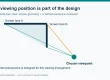
To choose LED display modules for an LED advertising screen, start with the installation environment and the closest normal viewing distance. Use those findings to shortlist pixel pitch, then check native resolution, calibrated brightness, weather protection, service access, power, and the total installed cost. Test your own ad creative on a sample before ordering.
A retail message viewed from 3 m needs different detail from a roadside message viewed from 40 m. This buyer’s guide turns those site conditions into a module and cabinet specification, with comparison tables, a cost worksheet, and a supplier checklist. Updated 29 September 2026.
Jump to the selection checklist or review EagerLED’s LED display module overview for available module families.
1. What Are LED Display Modules and LED Advertising Screens?
01. The module, cabinet, and complete display
An LED display module is the replaceable tile that carries the LED pixels, driver circuitry, and electrical connections. LED display modules mount on a cabinet or frame; cabinets connect to power supplies, receiving cards, and a controller. Together they form an LED advertising screen that can show video, still images, schedules, prices, and wayfinding. This construction of LED display modules makes unusual sizes possible and allows a failed tile to be serviced without replacing the entire display.
Specify the module and cabinet as a system. An attractive pixel pitch is not useful if the module does not fit the cabinet, its connector differs from the receiving system, or spare parts cannot be obtained later. Ask whether replacements will match the original LED bin and calibration data. A replacement from a different production batch may work electrically while appearing visibly brighter or a different color.
02. Direct-view LED versus an LCD video wall
In a direct-view LED advertising screen, the LED packages themselves create the image. A typical LCD video wall uses backlit panels and has panel seams. LED advertising screens are often a better fit for large custom canvases, high ambient light, and distant audiences. LCD can be economical for a small, close-viewed indoor installation. Compare the actual viewing distance, physical dimensions, service access, and total cost; “LED” alone does not guarantee better readability.
LED display modules may use surface-mount devices (SMD), chip-on-board (COB), glue-on-board (GOB) protection, or flexible substrates. These describe LED display module construction or protection methods, not a universal quality ranking. The right choice of LED display modules depends on touch exposure, pixel pitch, curvature, repair method, and budget.


2. Match the LED Advertising Screen to the Site
Start with the audience journey. Note the closest and farthest routine viewing points, dwell time, approach angle, sunlight direction, operating schedule, and whether the viewer is walking or driving. An LED advertising screen that looks vivid in a showroom may wash out behind sunlit glass. A high-brightness outdoor LED advertising screen may be uncomfortable in a dim lobby. Plan around the worst normal lighting condition and use automatic dimming to adapt across the day.
| Application | Typical content | Priority | Question to verify |
|---|---|---|---|
| Retail wall or storefront | Promotions, product video, short calls to action | Close-range clarity, glare control, quiet operation | Can shoppers read the smallest text from their normal path? |
| Outdoor facade or billboard | Large branding, short messages, scheduled campaigns | Daylight visibility, weather protection, structural safety | What are the front and rear IP ratings and wind-load design? |
| Event or rental stage | Live camera feed, graphics, sponsor content | Fast rigging, cabinet interchangeability, camera performance | Can the supplier demonstrate the refresh and scan settings on camera? |
| Corporate or control space | Dashboards, presentations, detailed text | Fine pitch, color uniformity, service access | Does the proposed resolution fit the source workflow? |
| Transit or public information | Wayfinding, schedules, safety notices | Legibility, uptime, accessible placement | Who updates content during an outage? |
For retail, commercial LED display options provide a useful starting point. For advertising formats and placement, compare this article with EagerLED’s screen format and placement guide. This page focuses on how to specify modules and verify the finished system.

3. Choose Pixel Pitch and Resolution from Viewing Distance
01. What pixel pitch tells you
Pixel pitch is the center-to-center spacing between adjacent pixels, measured in millimeters. A P2.5 module has 2.5 mm spacing; a P6 module has 6 mm spacing. Smaller pitch places more pixels in each square meter and can show finer detail at a closer distance, but usually costs more and increases data and processing requirements. Pixel pitch is a starting point, not a promise that any specific text size will be readable.
Measure the closest typical viewer, not the nearest place a person could stand. Test the actual artwork at that distance. A large headline on P6 may be legible where small prices are not. The resolution of an LED advertising screen also depends on physical screen size: approximate horizontal pixels equal display width in millimeters divided by pitch in millimeters. A 4 m wide P4 screen provides about 1,000 horizontal pixels. Check both horizontal and vertical dimensions before promising a full-HD canvas.
| Closest routine viewing distance | Starting pitch to compare | Likely use | What could change the choice? |
|---|---|---|---|
| About 1–3 m | P1.2–P2.5 | Indoor detail, fine text, close retail | Text size, budget, touch exposure |
| About 3–6 m | P2.5–P4 | Retail feature wall, lobby, small outdoor | Window glare and content density |
| About 6–12 m | P4–P6 | Facade, venue, medium signage | Driving speed and message duration |
| Beyond about 12 m | P6–P10 or larger | Large outdoor screen or distant audience | Screen size and required detail |
These bands are planning examples, not a substitute for a site test. A finer pitch increases pixel density, but readable text also depends on letter size, contrast, and the viewer’s distance. Use EagerLED’s LED screen panel size guide to turn pitch and cabinet dimensions into a realistic canvas, then ask the supplier to render your actual creative at that size.
02. Calculate resolution before designing creative
For a 3,840 mm × 2,160 mm canvas at P4, the approximate native resolution is 960 × 540 pixels. A 1,920 × 1,080 video can still play, but the controller will scale it. If you need 1,920 pixels across a 3,840 mm width, the pitch must be around P2, subject to cabinet and module increments. Confirm the final pixel matrix on the shop drawing; cabinet dimensions can alter the nominal size.

4. Specify Brightness, Protection, and Image Quality
01. Brightness and ambient light
Brightness is commonly specified in nits, equivalent to cd/m². Indoor LED display modules often sit around 600–1,500 nits, while outdoor products may be several thousand nits. These are broad categories, not universal minimums: a shaded wall and a sun-facing facade have different needs. Ask for the calibrated brightness and how the controller dims the screen at night. More brightness can increase power use and visual discomfort without improving the message.
Window displays are a special case. An indoor-rated module behind glass is not automatically suitable for direct sun or a hot sealed window cavity. Verify reflected light, solar heat, ventilation, and viewing angle on site. For outdoor LED advertising screens, check the complete enclosure, gaskets, cabling, drainage, and the rated protection of both front and rear. IP65 on the front does not imply IP65 on the rear.
02. Refresh rate, grayscale, and calibration
If an LED advertising screen will be filmed, ask for a camera test at the intended shutter speed. Refresh rate, scan design, brightness setting, and processor configuration interact; a nominal high refresh figure alone does not guarantee a band-free recording. For all LED advertising screens, request uniformity testing at low and normal brightness. Color and brightness calibration should be documented so replacement LED display modules can be matched later.
Viewing angle specifications can be measured at different brightness thresholds, so compare demonstration images from the side rather than relying only on a headline angle. Verify the processor’s input formats, scaling behavior, color settings, and ability to restore content after a power interruption.

5. Select the Module and Cabinet Construction
Choosing between SMD, COB, GOB-protected, and flexible LED display modules requires attention to where hands, water, dust, or vibration will reach the display. SMD LED display modules are common across many pitches and can be comparatively straightforward to service. COB can protect very fine-pitch pixel surfaces, but repair practices vary by product. GOB adds a protective coating to certain LED module assemblies. Flexible modules can form curves, but the specified bend radius, frame accuracy, and service approach must be checked together.
| Decision | Options to compare | Evidence to request |
|---|---|---|
| Pixel construction | SMD, COB, protected surface, flexible | Sample, repair method, surface durability test |
| Service direction | Front service or rear service | Clearance drawing and module replacement demonstration |
| Cabinet material | Die-cast aluminum or steel | Weight, flatness, corrosion treatment, mounting details |
| Module compatibility | Size, connector, power, receiving card | Approved parts list and spare-part policy |
| Protection | Indoor enclosure or outdoor sealing | Front/rear IP test report and cable-entry design |
| Curved design | Flexible module or angled cabinets | Minimum radius and full-scale mock-up |
Front service matters when the screen sits against a wall and there is no safe rear walkway. Rear service may simplify some large installations if technicians have access. For either service route, verify that LED display modules, power supplies, and receiving cards can be changed individually without dismantling neighboring sections. EagerLED’s parts and maintenance tutorials show the kinds of components that should appear in a service plan.
6. Build a Complete LED Advertising Screen Specification
01. Site survey and technical brief
Record usable width and height, mounting surface, viewing distance, sunlight exposure, ambient temperature, rain and dust exposure, power location, network access, and the route for installation equipment. Photograph the site from the actual audience positions. For public or outdoor LED advertising screens, involve a qualified structural and electrical professional to review mounting loads, wind, local permits, and safe isolation.
Give every supplier the same brief. Request screen size and final pixel matrix; pitch and module/cabinet dimensions; calibrated brightness; front and rear protection ratings; maximum and typical power; weight; controller and software; service direction and clearance; spares; warranty terms; installation scope; and commissioning tests. A quote that omits structure, cabling, control equipment, or labor is not comparable with a turnkey quote.
- Measure usable width, height, and normal viewing distance.
- Choose indoor or outdoor construction from actual exposure, including window heat and rain paths.
- Shortlist two pixel pitches and calculate each proposed screen’s native pixel matrix.
- Test the smallest important text and video at the intended viewing point and brightness.
- Check front or rear service access, controller compatibility, spares, and power design.
- Compare fully installed quotes and agree on factory and site acceptance tests.
02. Content and control workflow
Plan who will create, approve, schedule, and remove campaigns. For a single LED advertising screen, a simple local player may be enough. Multiple LED advertising screens may need centralized scheduling, user roles, logs, and offline playback. Verify the accepted media formats and native canvas dimensions. Design short messages with strong contrast and readable type. For roadside displays, follow local rules for motion, luminance, and dwell time; avoid assuming that a moving animation is permitted.
Before shipment, request a factory acceptance test using your creative. Check dead pixels, cabinet seams, uniformity, dimming, controller recovery, and spare-module interchange. At site acceptance, repeat key tests under actual lighting and document the final settings. The goal is a functioning LED advertising screen, not merely a powered panel.
7. Compare Total Cost and Advertising Return
LED display modules account for only part of the budget. Include cabinets, processing, mounting steel, electrical work, data cabling, shipping, installation equipment, permits, content creation, software, energy, cleaning, and spare parts. Ask suppliers of LED advertising screens to show what is included and excluded. Compare the LED advertising screen cost over the intended operating period rather than using the lowest module price.
| Cost item | Input to request | How to compare |
|---|---|---|
| Display hardware | Modules, cabinets, controller, power supplies | Price for the same screen size and final pixel matrix |
| Site work | Structure, electrical, access equipment, permits | Written scope and responsibility for each trade |
| Energy | Typical and maximum watts per m²; operating hours | Typical kW × hours × local tariff |
| Maintenance | Cleaning, access, spares, repair response | Annual service plan and spare-part availability |
| Content operation | Design, scheduling, software, connectivity | Annual recurring cost and staff time |
For example, a 10 m² screen drawing an average of 250 W/m² during 10 hours of daily operation uses about 25 kWh per day. At a hypothetical electricity tariff of $0.15/kWh, that is $3.75 per day before other costs. This is an illustrative calculation, not a product claim; request measured typical power at your expected brightness and use your local tariff.
Define the business outcome before installation: store visits, coupon redemptions, product inquiries, event ticket scans, or sold advertising slots. Use campaign codes, scheduled tests, or comparable periods where practical. An LED advertising screen can change content instantly, but its return depends on location and creative as much as hardware. Avoid attributing all sales movement to the screen without a measurement plan.

8. Installation, Maintenance, and Operating Life
Confirm the wall or frame can carry the full installed weight, including steel, cables, and maintenance loads. Design safe access for technicians. Protect connectors from water paths and strain. Separate power and data as required by the electrical design, label circuits, and document isolation points. Outdoor LED advertising screens also need an engineering review of wind load, drainage, grounding, surge protection, and any local approval.
Commission the LED advertising screen at normal operating brightness, not only at maximum output. Set day and night dimming, test controller restart, verify all content sources, and save calibration and configuration files. Keep spare LED display modules from the same production batch where possible. Record module positions and serial numbers so replacements can be traced.
Maintenance is not “zero.” Inspect ventilation, cabinet seals, fasteners, cables, and pixel health on a schedule appropriate to the environment. Clean only with the supplier-approved method. For an outdoor screen, inspect after severe weather. Ask what failure level triggers on-site service, how quickly spares can arrive, and who pays for access equipment during the warranty period.
Published lifetime figures for LED display modules usually refer to a defined brightness-depreciation condition, not a guarantee that every power supply, controller, or module will run without failure for that many hours. Evaluate warranty coverage and serviceability separately from an advertised lifetime number.
9. Questions to Ask an LED Display Supplier
Use a written comparison sheet. Ask: What is the exact module model and production batch? What are the final screen dimensions and native resolution? Is brightness quoted before or after calibration? What are the front and rear IP ratings? What power should the electrician design for? Can modules, power supplies, and receiving cards be replaced from the available access side? How many spares are included? Which components and labor are covered by warranty?
Request drawings showing cabinet seams, mounting points, ventilation, cable entry, and the service envelope. Ask for a demonstration of your content at the closest viewing distance and a camera test if filming matters. Confirm that the supplier will hand over controller files, wiring diagrams, and maintenance instructions. An LED display module supplier should be able to explain a tradeoff, such as why a slightly wider pitch is sufficient, rather than simply recommending the costliest pixel density.
For a curved or transparent LED advertising screen concept, do not assume a standard cabinet can be adapted without compromise. Ask for a mock-up and confirm both the visual appearance and the physical maintenance route. For product families and options, use EagerLED’s LED display module catalog as a starting point, then request specifications for the exact proposed model.
10. FAQ: LED Display Modules and LED Advertising Screens
01. How do I choose pixel pitch for an LED advertising screen?
Start with the closest typical viewing distance, the physical screen size, and the smallest important text. Shortlist two pitches and display your actual creative at full scale. A smaller pitch improves close detail but adds cost; a distant billboard with large text may not benefit from very fine pitch.
02. What is the difference between an LED module and an LED panel?
Terminology varies. An LED display module is usually the replaceable pixel tile. A panel or cabinet commonly contains several modules plus frame, power, and receiving hardware. Ask the supplier to identify exactly which unit is included in a price or warranty.
03. Can indoor LED display modules be used outdoors?
Only if the complete installed system is designed and certified for the exposure. Outdoor LED advertising screens require appropriate sealing, thermal management, brightness, structure, and electrical protection. Placing an indoor module in a box does not automatically create an outdoor-rated screen.
04. How bright should an outdoor LED advertising screen be?
It depends on direct sun, shade, orientation, viewing angle, and local brightness rules. Request the calibrated brightness at the intended operating mode and an automatic dimming plan. Evaluate the actual location by day and night rather than buying solely by the highest nit figure.
05. Is front service or rear service better?
Front service is useful when a wall or facade leaves no rear access. Rear service can work well where a safe maintenance corridor exists. Select the route that lets technicians replace modules and other common failure points without dismantling the installation.
06. What should be included in an LED screen quotation?
Ask for exact screen size and resolution, modules, cabinets, controller, power, structure, cabling, installation, commissioning, software, spares, warranty, and exclusions. Compare proposals against the same written scope. A module-only price is not an installed project price.
07. How can I lower operating cost without losing visibility?
Use automatic dimming, suitable rather than excessive brightness, an efficient content schedule, and a pitch matched to viewing distance. Request typical power at the planned brightness and compare it with maximum power for electrical design.
11. Conclusion: Specify the Screen Around the Audience
The most useful LED advertising screen is one that makes the intended message readable at the real site and remains practical to maintain. Choose LED display modules after measuring viewing distance, checking daylight and weather exposure, defining content resolution, and agreeing on service access. Compare complete proposals with the same scope, then test a sample with your own creative.
To move from a concept to a comparable quotation, send the installation dimensions, site photos, closest typical viewing distance, operating hours, and sample content. That information lets a supplier recommend an appropriate module, cabinet, and controller. Explore EagerLED’s LED display module range or send your project brief to EagerLED.