


Choosing an LED display refresh rate starts with how the screen will be viewed and recorded. A 1920Hz configuration may be adequate for a display judged primarily by direct viewing. Camera-facing projects deserve comparison with 3840Hz and 7680Hz options, but neither number guarantees clean footage. The right choice is the configuration that meets your visual requirements under the actual operating conditions.
For AV integrators, the purchasing risk is treating one specification as a complete description of performance. Two LED walls with the same advertised refresh rate can behave differently when filmed, dimmed, or operated with different receiving-card settings. A higher number also does not establish better resolution, lower latency, or more accurate color.
This guide explains how to evaluate LED display refresh rate alongside frame rate, camera exposure, scanning, and grayscale performance. It provides a practical framework for comparing supplier proposals, choosing suitable equipment, and documenting acceptance tests before an installation or rental inventory purchase.
1. What Is LED Display Refresh Rate?
LED display refresh rate describes the repetition of the panel’s light-driving activity, expressed in hertz. In direct-view LED specifications, figures such as 1920Hz, 3840Hz, and 7680Hz generally describe a high-frequency driving or PWM refresh characteristic. They do not mean the screen receives thousands of different video frames every second.
PWM, or pulse-width modulation, controls light output through timed electrical pulses. Many LED modules also multiplex their rows, sharing driver outputs across different groups of LEDs. The resulting light pattern depends on the driver architecture, scan arrangement, and configuration.
An LED display refresh rate specification therefore needs context. Ask the supplier what the quoted figure represents, which operating mode produces it, and whether the proposed screen retains the required grayscale performance and brightness in that mode.
Avoid interpreting the number as a count of complete, independently rendered pictures. Different timing layers exist between the incoming video and the light emitted by individual pixels. Understanding those layers makes specification comparisons more useful.
For procurement, attach the LED display refresh rate requirement to an identified module, receiving card, firmware version, and configuration file. A general brochure value is a starting point; the delivered setup is what must pass acceptance.
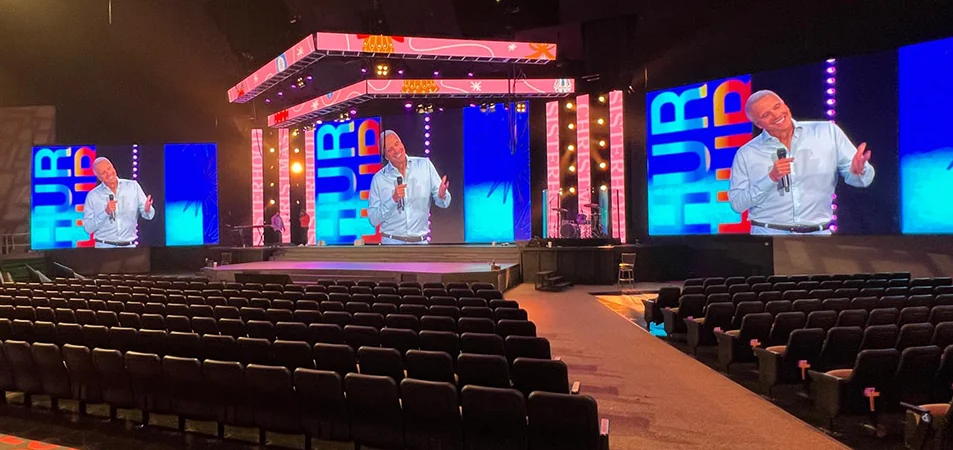
2. Refresh Rate vs. Frame Rate: What’s the Difference?
Video frame rate describes how many image frames are supplied or displayed each second. LED display refresh rate describes a different part of the system: the repeated light-driving activity used to reproduce those images.
A screen can receive a 60 fps signal while its driver electronics operate with a quoted 3840Hz refresh characteristic. The higher number does not create additional motion samples. If the source contains sixty distinct frames per second, repeating their light output more frequently does not turn them into thousands of new frames.
The following distinctions help prevent incompatible requirements in an equipment specification.
| Term | What it describes | What to verify |
|---|---|---|
| Source frame rate | The cadence of incoming video frames | Supported playback and input formats |
| Panel video frame rate | The cadence at which the panel presents image frames | Compatibility across the processor, receiver, and panel |
| PWM or driver refresh | Repetition within the LED light-driving process | Definition, operating mode, and configuration conditions |
| Camera shutter time | How long the sensor exposes each image or sensor row | Intended shutter settings during acceptance tests |
| Genlock and phase | A shared timing reference and relative timing alignment | Supported devices, reference format, and adjustment controls |
Do not specify LED display refresh rate as a substitute for high-frame-rate video support. A sports replay project may need a particular video cadence, while a studio backdrop may require precise synchronization. These are separate requirements, even when both influence the recorded result.
Likewise, latency needs its own evaluation. Signal processing, scaling, buffering, and the wider video chain determine delay. A higher PWM figure alone does not establish faster end-to-end response.
3. How Refresh Rate Affects Flicker and Camera Performance
A camera captures light during finite exposure intervals. If those intervals interact poorly with LED pulse timing or row scanning, the recorded image can show brightness variations that are less noticeable to someone standing in front of the screen.
Increasing LED display refresh rate can help by shortening the repetition period of the light-driving process. However, camera exposure time, sensor readout, synchronization, and panel scanning still affect the result. A specification cannot describe every combination of these variables.
Short exposure times deserve particular attention because they capture a smaller interval of the emitted light pattern. Rolling-shutter sensors add another variable: different sensor rows are exposed at different times. Test the camera modes you plan to use, including movement, rather than approving equipment from a stationary photograph.
Separate temporal artifacts from spatial artifacts. Moving bars, scan-related lines, and irregular exposure require investigation of timing and scanning. Moiré is a spatial interference effect involving the LED pixel grid and camera sampling; increasing LED display refresh rate does not resolve its underlying cause.
Brompton’s technical guidance distinguishes synchronization problems, exposure/PWM interactions, and spatial moiré. This distinction is useful when deciding whether to adjust timing, change shooting geometry, or investigate panel design.
Record the symptoms before making adjustments. Note whether an artifact moves, changes with shutter time, appears only during camera motion, or follows a particular image pattern. These observations make troubleshooting more efficient than repeatedly selecting a higher refresh setting.
Treat LED display refresh rate as one diagnostic variable. Change one setting at a time and retain the original configuration so that each adjustment has an identifiable effect.
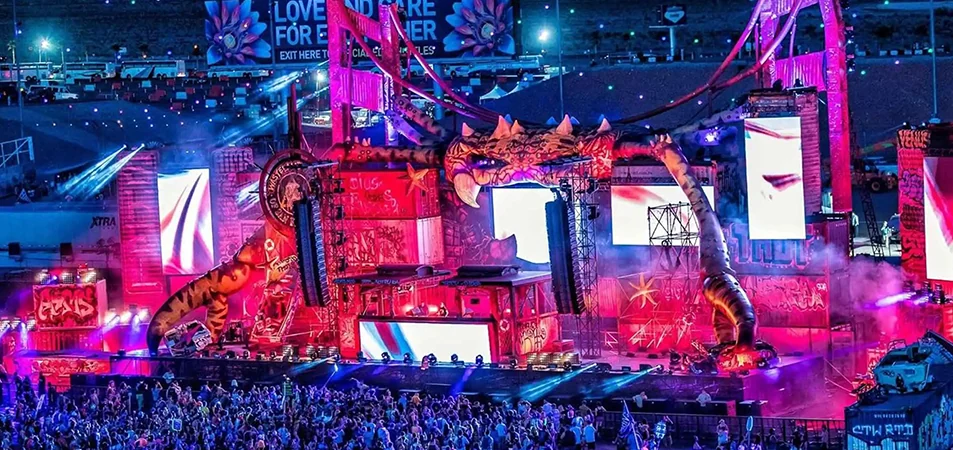
4. 1920Hz vs. 3840Hz vs. 7680Hz: Key Differences
The three figures identify different nominal refresh levels, not universal quality grades. A 3840Hz value is twice 1920Hz, and 7680Hz is twice 3840Hz. Those numerical relationships do not translate into proportional improvements in image quality or camera compatibility.
When comparing LED display refresh rate options, use the same content, target brightness, camera settings, and evaluation criteria. Otherwise, a favorable demonstration may reflect different operating conditions rather than the specification being compared.
| Nominal option | When to include it in evaluation | Potential reason to select it | What still needs proof |
|---|---|---|---|
| 1920Hz | Direct-view signage with limited recording requirements | It may meet the actual brief without an unnecessary specification upgrade | Visual quality and any required phone or camera recording |
| 3840Hz | Event, presentation, and other camera-facing proposals | More frequent driving can help with exposure-related artifacts | Performance with the specified cameras, brightness, and shutter settings |
| 7680Hz | More demanding camera tests or shorter-exposure requirements | It may provide additional timing flexibility in a suitable system | Useful improvement over the alternative and acceptable grayscale performance |
For 1920Hz, start with the viewing requirement. A static information display should be judged on readability, brightness suitability, uniformity, and the recording obligations in the brief. Do not reject or approve it from refresh rate alone.
For 3840Hz, establish what the complete system can reproduce. This is a candidate to test for filmed applications, not a declaration that every camera will record cleanly. A successful demonstration should identify its settings.
For 7680Hz, ask what additional capability the project needs. If the requirement involves challenging shutter settings, request a direct comparison under those settings. An upgrade should solve a documented problem or support an agreed operating range.
The most useful LED display refresh rate comparison ends with evidence: which configurations passed, where limitations appeared, and whether the differences matter to the installation.
5. Higher Refresh Rates: Benefits, Limits, and Trade-Offs
A higher LED display refresh rate can reduce sensitivity to some exposure-related artifacts. That can be valuable when production teams need flexibility in camera setup or when a venue supports several recording workflows.
However, refresh rate does not establish pixel count, contrast, calibration quality, or uniformity. It also does not correct poor source content. A low-resolution graphic remains low resolution after the panel repeats its light output more frequently.
Compare the benefits against configuration constraints. The driver and receiving system must allocate timing resources to scanning, pulse generation, and grayscale reproduction. Depending on the hardware, different modes may prioritize different performance characteristics. Do not assume every higher-refresh configuration sacrifices grayscale, or that none do.
Low-brightness performance deserves a separate demonstration. Smooth gradients, neutral grays, and shadow detail can expose limitations that bright promotional footage hides. Brompton’s documentation on low-level image reproduction explains why output precision matters when LED panels operate at reduced brightness.
An LED display refresh rate upgrade also has no universal price premium. Ask for comparable quotations that identify hardware, processing, configuration, spares, and support. Any difference in cost should be tied to the actual proposal rather than an assumed percentage.
Finally, consider the commissioning burden. A system that meets the brief with documented settings and a repeatable test process may be easier to support than one sold mainly on its maximum figure. Include setup documentation and configuration recovery in the purchase discussion.
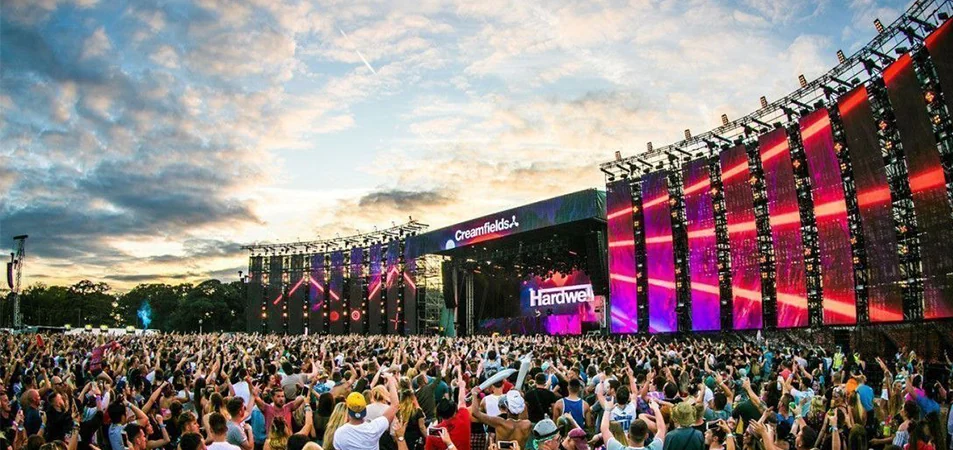
6. Choosing a Refresh Rate for Signage, Events, and Broadcast
Choose LED display refresh rate according to the most demanding required use, while distinguishing contractual requirements from possible future uses. A lobby wall occasionally photographed by visitors has a different brief from a studio background recorded daily.
For signage, begin with viewing distance, content, ambient light, and maintenance access. Include recording tests if marketing teams regularly film the display. For events, identify whether the wall appears behind speakers, in audience shots, or as a close-up camera background.
| Application | Primary question | Evaluation priority | Information needed from the project team |
|---|---|---|---|
| Retail or lobby signage | Is recording part of normal operation? | Direct-view quality plus required device tests | Content, viewing distance, ambient light, recording expectations |
| Conferences and live events | Which cameras will include the wall? | Presentation brightness and representative camera shots | Camera models, video cadence, shutter settings, stage layout |
| Broadcast studios | Can the complete video chain share timing? | Synchronization, low-level reproduction, repeatability | Reference format, camera modes, operating brightness |
| Virtual production | How will the wall appear through the production lenses? | Camera movement, exposure range, spatial artifacts, color workflow | Lens package, framing, camera paths, content pipeline |
| Sports venues | Will production use short exposures or slow motion? | Tests of the actual capture modes | Camera recording formats, shutter requirements, framing |
For rental inventory, LED display refresh rate should be part of a broader operating envelope. Document the camera settings and brightness ranges already tested, and identify combinations that require additional commissioning. Distributors can use the same approach to avoid promising universal camera compatibility.
EagerLED’s rental LED display range provides a starting point for discussing cabinet formats and event applications. Confirm the refresh configuration of the specific proposed model; category descriptions do not establish the capabilities of every product.
Treat studio and virtual-production requests as system specifications. The panels, processor, cameras, reference timing, and content workflow need to work together. A higher LED display refresh rate is useful only within that wider arrangement.
7. Beyond Refresh Rate: Driver ICs, Scan Ratio, and Grayscale
The driver IC controls how the LEDs receive their electrical drive signals. Its capabilities matter, but naming a chip is not enough to establish screen performance. Module design, firmware, receiving-card configuration, and calibration influence the delivered result.
Ask how LED display refresh rate was obtained in the quoted configuration. A maximum available mode may differ from the mode used for a demonstration or the settings loaded into shipped cabinets.
Scan ratio describes how driver resources are shared across groups of LEDs. It is another variable to evaluate, especially for camera use. Avoid ranking panels solely by scan ratio: the implementation and the complete imaging system still matter.
Grayscale concerns the reproduction of brightness levels. Buyers should distinguish an input signal’s bit depth from internal processing precision and the panel’s effective light output. These figures describe different stages and are not interchangeable.
Assess LED display refresh rate and grayscale together using dark gradients, neutral ramps, and realistic content at the intended brightness. Check whether neighboring cabinets reproduce the same tones and whether an operating-mode change alters shadow detail.
Processor features also require compatible receiving hardware and panels. For example, Brompton’s ShutterSync documentation describes adjusting panel timing to camera exposure and explicitly recommends camera testing. Its availability and behavior are tied to supported configurations.
Keep spatial resolution in a separate specification line. Screen dimensions and pixel pitch determine the available pixel count; they are not established by LED display refresh rate. EagerLED’s display resolution guide explains the relationship between screen size, pitch, and resolution.
8. What to Check Before Buying a High Refresh Rate LED Display
A useful request for quotation describes the result you need and the conditions under which it must be achieved. Asking only for “7680Hz” leaves too much room for incompatible interpretations.
State the LED display refresh rate requirement alongside the viewing application, target brightness, input formats, camera requirements, and acceptance method. Ask the supplier to identify exceptions before commercial approval.
| Item | Evidence to request | Why it matters |
|---|---|---|
| Hardware identity | Module, driver IC, receiving card, and processor details | Connects the demonstration to the proposed equipment |
| Operating configuration | Firmware versions, configuration file, and selected mode | Makes the setup reproducible |
| Refresh specification | Defined value and applicable operating conditions | Separates available capability from delivered settings |
| Image quality | Gradients and representative footage at target brightness | Reveals limitations hidden by bright test content |
| Camera performance | Original clips with camera and exposure settings | Supports comparison without relying on edited demonstrations |
| Delivery consistency | Configuration checks and an agreed sampling plan | Helps identify variation across the shipment |
| Handover and recovery | Configuration backup and restoration procedure | Supports servicing and later replacement |
Your acceptance language should define observable criteria. For example, require no visible moving bars in agreed camera modes, acceptable dark-gradient reproduction, and consistent output across the assembled test area. Define who evaluates the recordings and which viewing conditions apply.
Link LED display refresh rate claims to the tested configuration in the purchase record. If hardware or firmware changes before delivery, establish whether the relevant tests must be repeated.
For project contractors, also separate factory acceptance from site acceptance. A factory demonstration cannot reproduce every cable path, reference source, camera position, or operating condition at the final venue. Allocate time for commissioning in the installation schedule.
9. How to Test an LED Wall with Your Camera
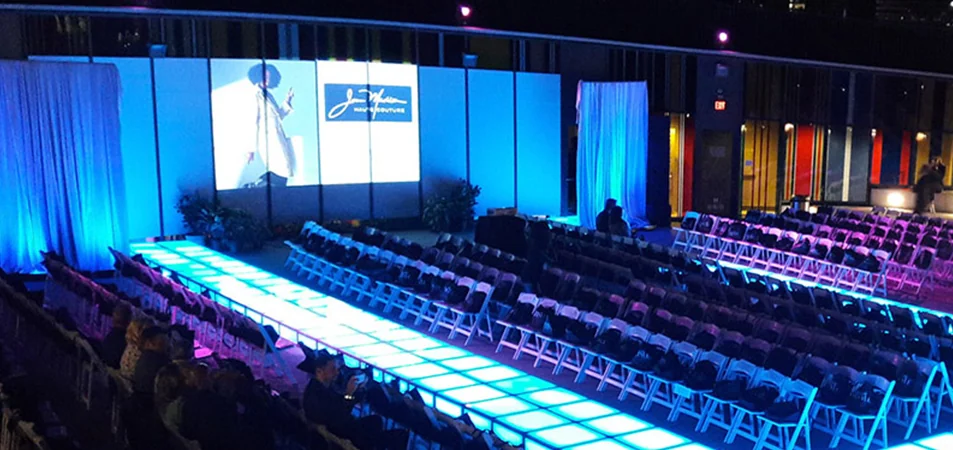
Begin with a representative assembled area and the proposed signal chain. Use the intended processor, receiving cards, playback source, and cameras. Set the wall to a realistic operating brightness before judging LED display refresh rate performance.
Record a baseline configuration. Include firmware, input format, camera frame rate, shutter time or angle, sensor mode, lens, exposure settings, and any synchronization reference. Without this record, a successful clip may be difficult to reproduce.
Run the test in a controlled sequence:
- Display neutral gray fields, gradients, and representative program content.
- Record the required camera modes at the intended shutter settings.
- Repeat at the lowest brightness expected in normal operation.
- Include pans, tilts, and the camera distances planned for the venue.
- Compare supported refresh modes while holding other variables steady.
- Review original recordings on a suitable monitor and retain the configuration.
When changing LED display refresh rate, confirm whether the selected mode also changes other settings. If it does, record those changes; the comparison is between configurations rather than refresh values in isolation.
Inspect both full-frame playback and relevant details. Do not judge exclusively from a camera’s small preview screen. Keep rejected clips as well as successful ones so the commissioning team understands the limits of the approved setup.
The final LED display refresh rate recommendation should identify a tested operating range. Specify which cameras and settings passed, what remains untested, and which adjustments require revalidation. This gives the buyer a usable handover record instead of a vague “flicker-free” promise.
10. FAQ
01. Can I increase refresh rate through software alone?
Sometimes a supported configuration change can increase LED display refresh rate, but software cannot guarantee a capability beyond the panel hardware. Ask the supplier whether the proposed change is supported and what happens to brightness, grayscale, and compatibility. Back up the existing configuration and repeat the relevant acceptance tests before using the change operationally.
02. Does a 7680Hz LED wall require a 7680Hz HDMI signal?
No. The quoted panel refresh and the HDMI video timing describe different processes. Select an input format supported by the source, processor, receiving system, and panel. A 7680Hz specification does not mean HDMI carries 7,680 distinct video frames per second, nor does it establish the system’s maximum input frame rate.
03. Can one rental inventory mix 3840Hz and 7680Hz cabinets?
Do not approve a mixed wall from refresh figures alone. Check module and receiving-system compatibility, calibration, brightness, and timing with the supplier. Even physically compatible cabinets may require different configurations. If mixing is supported, test the assembled combination for visible boundaries, tonal differences, and camera artifacts before deployment.
04. Is a smartphone video enough to approve camera performance?
A smartphone is useful when phone recording is part of the brief. It cannot validate every production camera. Automatic exposure and changing recording modes can also make results difficult to repeat. Test representative phones for visitor capture, then separately test the cameras and controlled settings specified for professional recording.
05. Does higher refresh rate always increase power consumption?
There is no universal relationship buyers can calculate from LED display refresh rate alone. Consumption depends on the design, brightness, content, drive settings, and operating conditions. Request comparable measurements or specifications with those conditions stated. Do not apply an assumed energy multiplier when moving from 3840Hz to 7680Hz.
06. Will a global-shutter camera eliminate every LED artifact?
No. A global shutter avoids the staggered row-exposure mechanism of a rolling shutter, but its exposure still interacts with the screen’s changing light output. It also does not remove spatial moiré or calibration differences. Test the actual camera and panel combination rather than treating sensor architecture as a complete compatibility guarantee.
07. Should replacement modules be tested after servicing?
Yes. Verify the approved replacement type, configuration, and calibration before returning the wall to service. Check the repaired area with uniform fields and relevant camera modes. Matching LED display refresh rate labels is insufficient if other module characteristics or settings differ. Retain replacement and configuration records with the installation documentation.
08. What should I send a supplier when reporting flicker?
Send an original clip, the camera model, frame rate, shutter setting, display brightness, input format, and a configuration backup where appropriate. Describe whether the problem changes with movement or exposure. Include the affected area and whether all cabinets behave similarly. These details help separate timing issues from hardware, configuration, or spatial artifacts.
11. Conclusion
Select LED display refresh rate through an application brief and a repeatable acceptance test. Evaluate 1920Hz, 3840Hz, and 7680Hz as configuration options, with attention to camera requirements, grayscale reproduction, and the complete signal chain. Specify the conditions that matter to your project and retain evidence that the delivered equipment meets them.
For an EagerLED proposal, prepare the screen dimensions, installation environment, viewing distance, target brightness, content formats, and camera requirements. Ask for the proposed hardware and configuration, together with a demonstration plan covering the required operating modes.
Contact EagerLED to discuss those requirements. A clearly defined LED display refresh rate specification gives both the buyer and supplier a stronger basis for quotation, testing, and handover.





