


An LED stock ticker display needs a permitted market-data source, a defined update policy, and a readable layout before the screen hardware is specified. The system must distinguish delayed prices, unavailable data, trading halts, and closed markets. A strip that continues scrolling is not necessarily showing current or complete information.
This guide is for an AV integrator designing a financial office lobby installation. It separates the display equipment from the data service and application that feed it. The goal is a clear procurement and commissioning brief, not a trading tool, an investment recommendation, or an assumed license to redistribute financial information.
Begin by asking the client what visitors should learn from the display and which instruments must appear. An LED stock ticker display showing a small approved watchlist has different content and support requirements from a broad exchange feed. Agree the audience, data fields, status labels, and ownership of recurring services before comparing cabinet quotations.
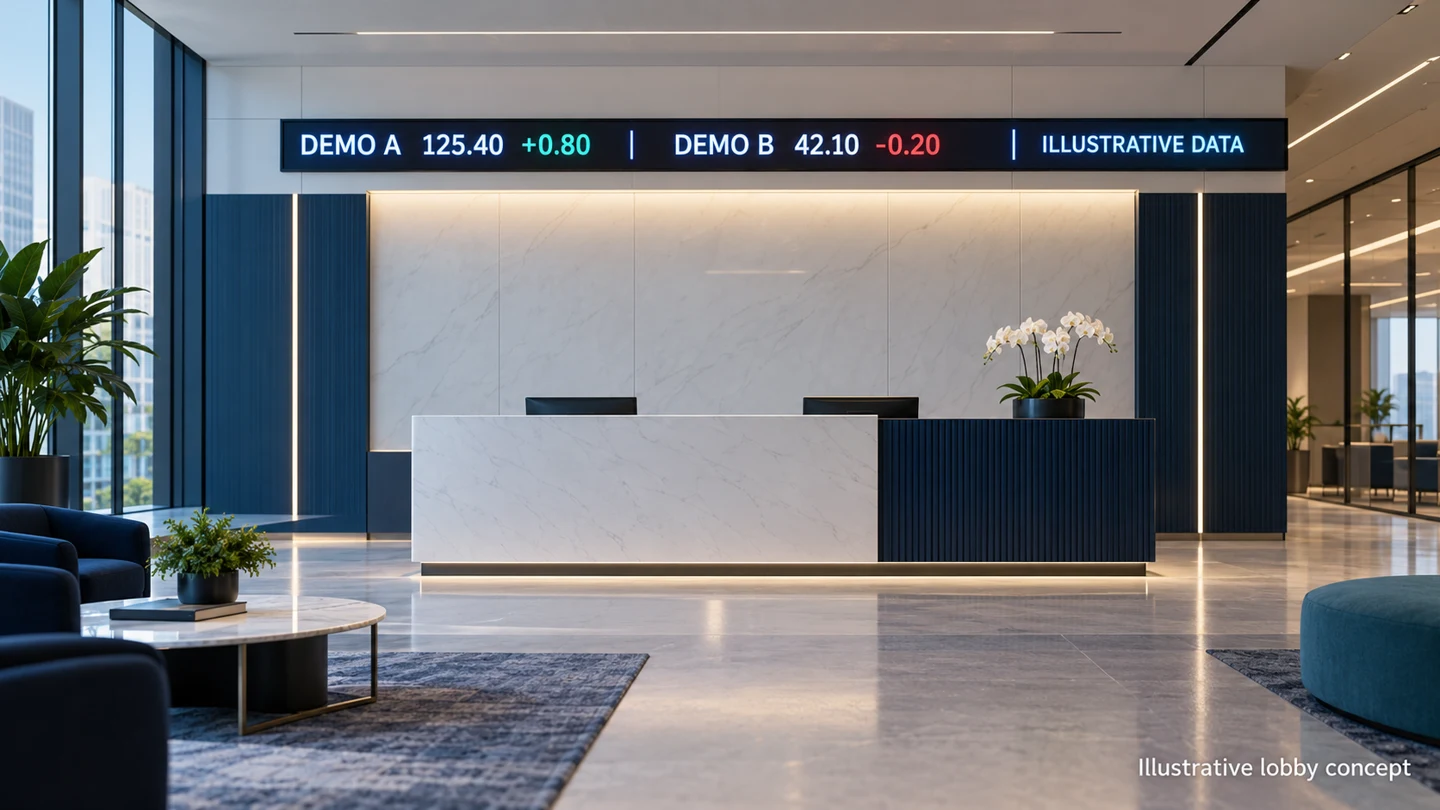
1. Confirm the data scope for your LED stock ticker display
Write a short use description for the data provider: building location, intended viewers, whether the lobby is public, the number of displays, requested instruments, and real-time or delayed use. Ask the provider to confirm the permitted presentation and any required notices in writing. Access to a website or a personal subscription does not establish permission for a lobby installation.
Identify the actual data product. A last-trade feed, bid-and-ask service, index value, and end-of-day dataset are different inputs. The client should choose what it needs rather than letting the developer fill an empty field with whichever number is easiest to retrieve. Keep the instrument coverage and field definitions attached to the approved project scope.
Published NYSE market-data policies distinguish delayed information and require clear delay messaging for licensed displays, including wall boards and tickers. That is a useful procurement warning, not a universal rule that every product uses the same delay. Obtain the current terms for the exact feed and proposed audience before enabling production data.
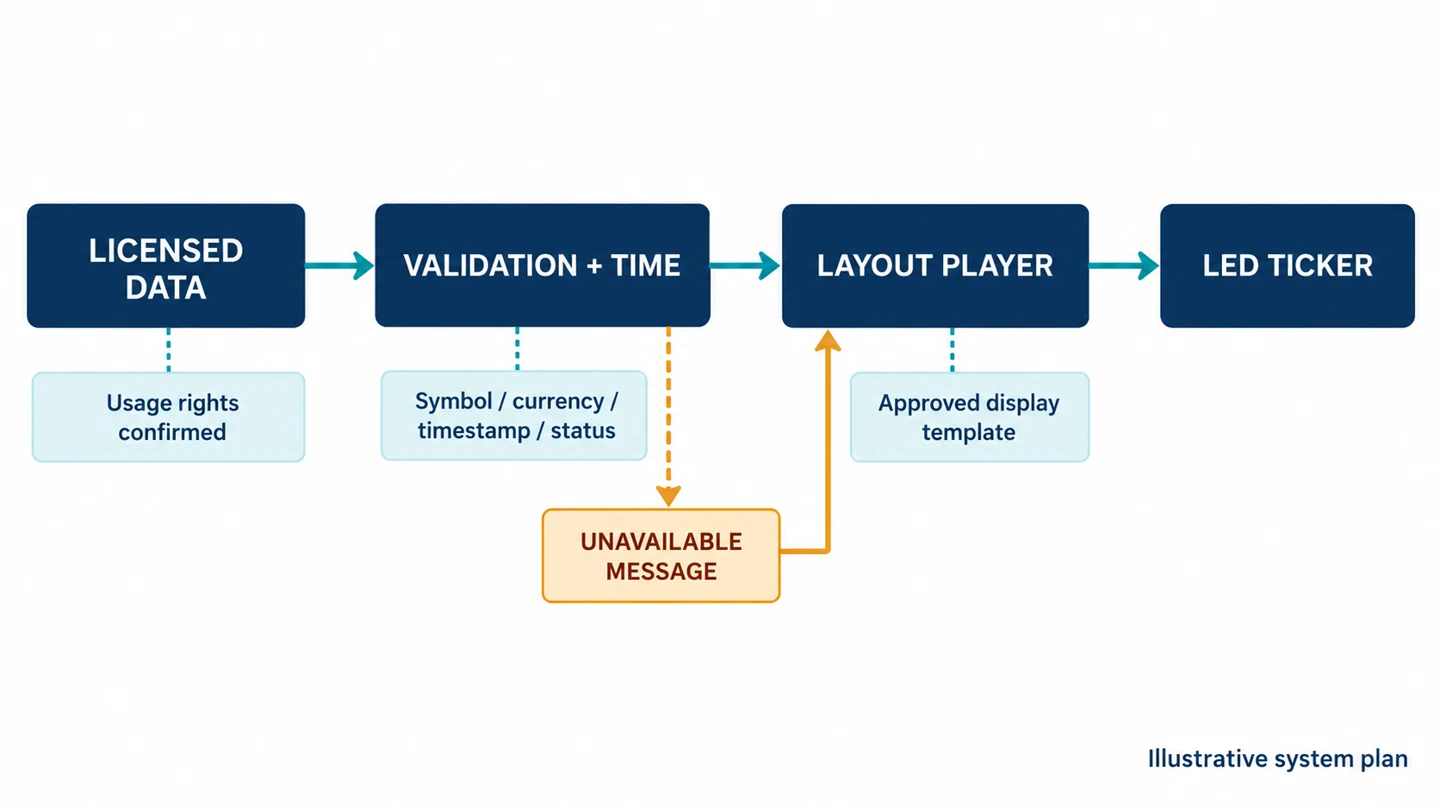
For an LED stock ticker display, ask who holds the service agreement and who manages renewals. The building owner may need to be the continuing account holder while the integrator performs installation. Record the approved support arrangement without placing credentials in public documents or on the display. A handover should not leave the client dependent on a temporary technician account.
01. Document what can change after installation
Adding markets, moving a screen into a public area, increasing the number of locations, or including the ticker in a broadcast may change the permitted use. Ask the provider how such changes should be reviewed. Treat the original approval as a description of the installation, not blanket permission for every later use.
Separate software access from data rights in the quotation. A player license may allow someone to create a layout while the data subscription governs the information within it. Request each cost and renewal responsibility explicitly. If the provider cannot confirm a requested use, keep that feed out of the production design until the scope is resolved.
2. Define the information behind each displayed value
The application should receive and preserve enough context to explain a number. Record instrument identifier, display symbol, market or venue where relevant, currency, value type, source timestamp, receipt time, and status. A visible symbol alone may be ambiguous when similar identifiers exist across markets or different classes of the same company.
Ask how the data service represents corrections, missing fields, symbol changes, and corporate actions. The integrator does not need to invent financial calculations to compensate for unclear documentation. Use the provider’s defined fields where available, and ask the client’s data owner to approve any transformations before they appear on the wall.
For an LED stock ticker display, make the change field explicit: absolute change and percentage change are different values. Identify the reference point, such as the provider’s previous-close field, rather than assuming it. Preserve the sign and currency. A green number with its minus sign removed is a content defect even if the screen itself is working perfectly.
Use a controlled test dataset before connecting live information. Include a long symbol, a negative change, an unchanged value, a missing price, a high-precision value, and instruments in different currencies. The tests should prove that the application treats missing information as missing, rather than converting it to a plausible-looking zero.
01. Keep the different clocks visible in the design
Three intervals matter: when the provider’s information was valid, when the application received it, and when the layout presented it. The display’s LED refresh specification describes a separate electronic behavior. A high refresh rate does not make a delayed data product real-time or guarantee that a network connection is healthy.
Decide whether the audience needs a source timestamp, an update notice, a persistent delay label, or a combination. Use a named time zone where a timestamp could be misunderstood. Store the underlying time information for support even if the public layout uses a shorter approved notice. Test clock handling across the operating day.
The LED stock ticker display specification should say how a list is ordered and how long an instrument waits before appearing again. A large list can create a long cycle even when updates arrive promptly. Compare the full repeat time with the time visitors normally spend in the lobby, then reduce the list or add a deliberate grouping scheme.
3. Design delayed, stale, halted, and closed states separately
Delayed data can be valid for its agreed delay. Stale data means the system has not obtained an update expected under its operating rules. A trading halt is a market status, while a closed session is part of the trading schedule. These states should not all produce the same frozen number without explanation.
Define the fallback behavior jointly with the data provider and client. The policy may suppress affected values, show a clear unavailable message, or retain a last-known value with an approved timestamp and status. Avoid silently retaining an apparently live price when the application cannot determine whether it is still appropriate to display.
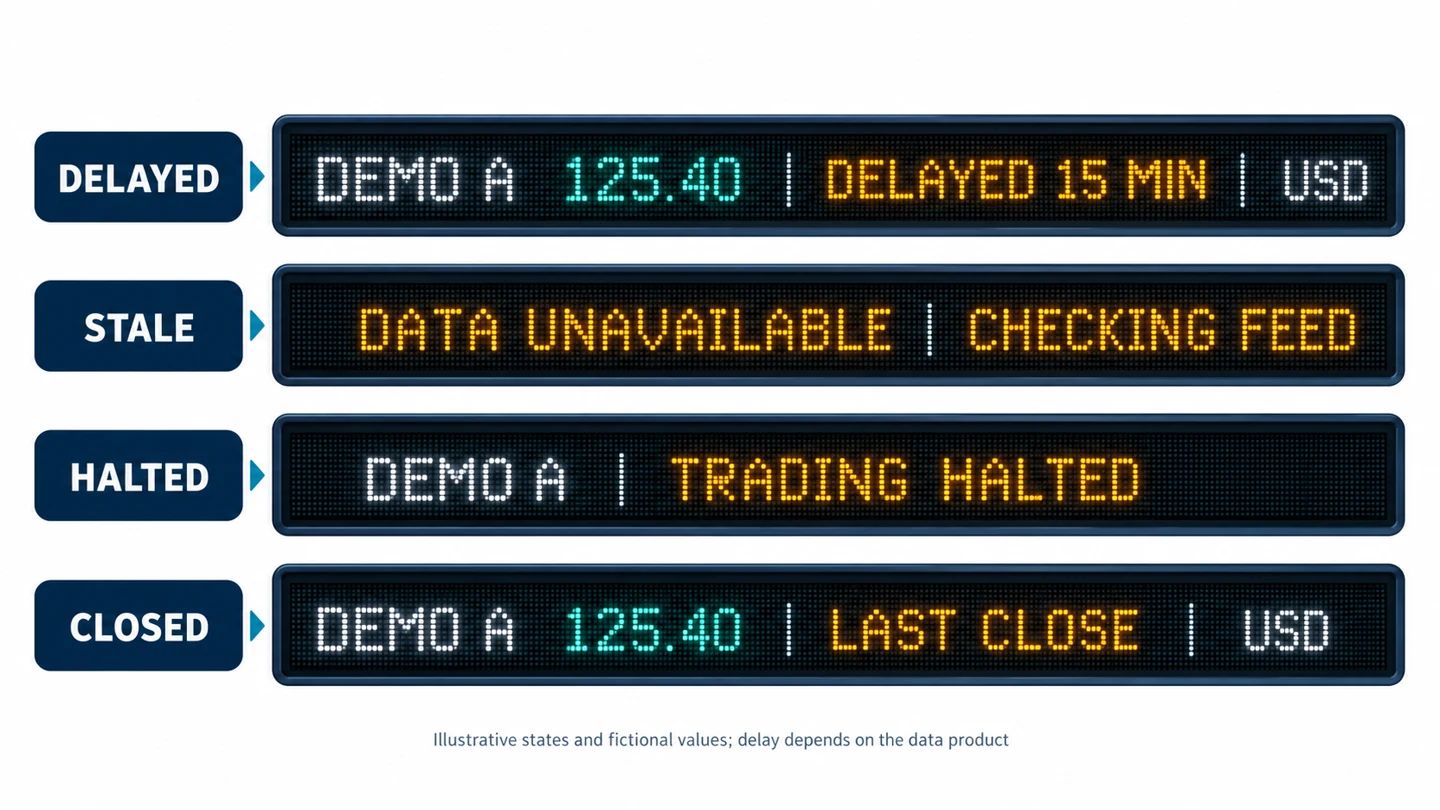
| State | How to establish it | Display decision | Operator response |
|---|---|---|---|
| Valid delayed data | Provider product and current message context | Show the approved delay notice with the values | Confirm the subscribed product matches the brief |
| Feed stale or unavailable | Agreed health and age checks, not screen motion | Use the approved unavailable or last-known-data treatment | Check application, connection, and provider status |
| Trading halted | Explicit supported status from the data service | Show a distinct halt state; do not infer normal trading | Verify symbol mapping and status handling |
| Market closed | Supported session information and relevant calendar | Identify last-close or other approved off-session values | Check scheduled behavior and time-zone settings |
| One instrument missing | Field validation for that instrument | Suppress or label the affected item without falsifying a value | Investigate coverage, identifier, and entitlement |
Set the stale threshold from the actual feed behavior and intended presentation. An illiquid instrument may have no new trade while the connection remains healthy. Conversely, a responsive application may be repeatedly receiving an old cached response. Use the provider’s documented health signals and timestamps instead of treating every unchanged price as a failure.
For the LED stock ticker display, decide whether an incident affects one instrument, a group, or the entire screen. A missing symbol should not necessarily remove unrelated valid data. But a failed clock or invalid feed state may undermine the whole presentation. Document the decision and test it with controlled examples.
Include recovery in the design. Once the feed returns, the application should validate current records before resuming the normal layout. A restart should not briefly show an old cached playlist as live information. Staff need an observable status and a defined escalation path, rather than a requirement to guess whether a reboot fixed the underlying problem.
4. Test the LED stock ticker display layout at the site
Measure the available active width and height, nearest and farthest viewers, side positions, and the period during which a person can see the strip. A narrow architectural opening may suit a short ticker but leave too little height for several rows. Ask for a pixel canvas drawing, not only the outer dimensions of the enclosure.
Choose character size with the actual fields. Decimal points, minus signs, percent symbols, and currency labels must remain distinguishable. Test bright daylight, normal lobby lighting, and evening conditions. A sample that looks sharp on a desktop monitor does not prove readability on the installed strip at the intended distance.
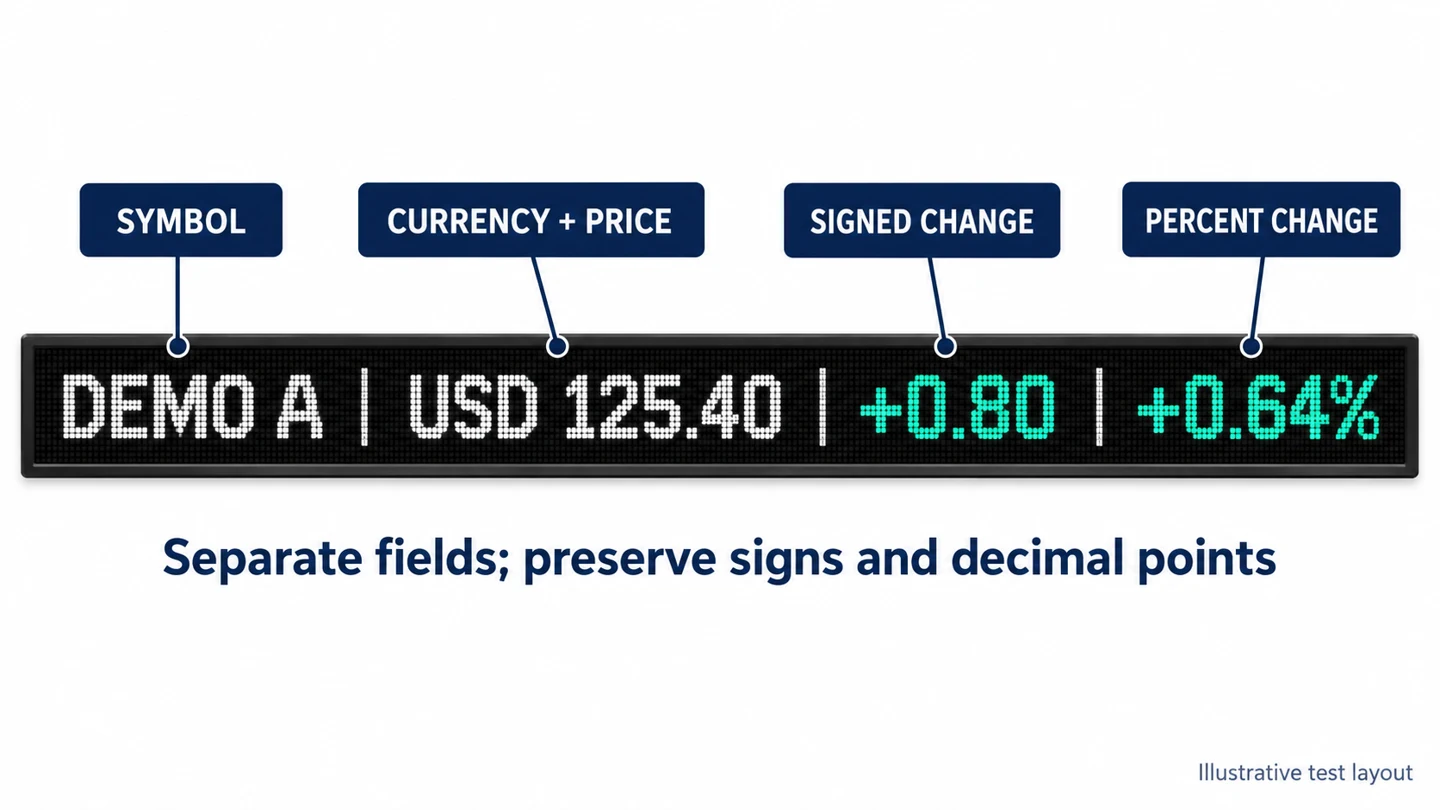
Use color as an additional cue, not the only carrier of meaning. Keep explicit signs and labels, including for unchanged or unavailable values. If the client requires a particular positive-and-negative color convention, document it and test it with the intended audience. Avoid relying on a convention that visitors may interpret differently.
For an LED stock ticker display, scrolling speed should be selected through a reading test. Ask reviewers to identify a symbol, price, currency, and change during one normal pass. If they cannot finish the task, shorten the record, enlarge essential text, slow the motion, or use a paged arrangement. Do not solve crowding by shrinking everything.
Check the entire route around corners and across joins. A field should not become unreadable because a cabinet joint, column, or viewing angle interrupts it at the wrong moment. For curved or segmented installations, demonstrate the intended content on a representative configuration. Confirm service access and the ability to replace components without dismantling unrelated finishes.
The venue viewing-angle test guide helps organize side-position checks. For this application, add reading tasks for signed numbers and status notices. The relevant pass condition is that visitors can interpret the information, not merely see a bright moving band.
5. Separate hardware, software, and data-service responsibilities
A complete quotation for an LED stock ticker display should identify the cabinet system, mounting, power, processing, player, application, data service, installation, and support. “Ticker solution included” is insufficient if nobody owns the mapping between the subscribed fields and the displayed layout.
| Workstream | Named deliverable | Recurring item to check | Handover owner |
|---|---|---|---|
| Display hardware | Cabinets, processor, mounting and approved wiring | Service, spares, inspection and energy | Hardware supplier and site facilities team |
| Market data | Approved instruments, fields, use and notices | Subscriptions, product changes and required administration | Client’s data-service account owner |
| Application | Validation, status logic, layout and monitoring | Hosting, software support and maintenance | Application support provider |
| Site connectivity | Permitted network route and operational access | Connectivity and managed-service charges | Client IT team or contracted provider |
| Content approval | Watchlist, field labels, status wording and templates | Review time when requirements change | Named client content owner |
Ask bidders to distinguish one-time integration from ongoing operation. Include the number of supported screens, sites, environments, and layouts. Clarify whether a development or demonstration feed is included and what changes when the production account is activated. Do not base the long-term budget on a trial entitlement that expires after commissioning.
Record support boundaries for common symptoms. If the display is black, the hardware and power path may be relevant. If the image works but values are missing, the application or data provider may own the next step. The client should have one initial contact who can route the incident without making reception staff diagnose the entire system.
For the LED stock ticker display installation, provide the actual electrical and structural requirements to qualified site professionals. Keep service clearances, ventilation, and cable routes in the drawings. The EA640F2 indoor display page illustrates fixed-wall cabinet and service considerations; it is not a claim that this standard cabinet fits every narrow ticker opening.
If standard cabinets cannot fit the proposed strip, request an engineered arrangement with confirmed active pixels and access details. Compare it with a revised opening or a different display format. Custom geometry does not remove the need to demonstrate text quality, data behavior, mounting, and a practical repair route.
6. Commission the complete chain and its failure behavior
Commission the LED stock ticker display with an approved test script. First validate fictional records against the layout so no example values can be confused with current market information. Then test the authorized production feed with the client’s data owner present. Compare selected visible fields against the agreed source and capture the result.
Exercise the state transitions deliberately in a test environment or approved maintenance window. Simulate missing fields, delayed responses, expired access, an unavailable connection, and a player restart using the provider’s supported methods. Record what the audience sees and which operator notification appears. Do not interrupt a live business service simply to create a demonstration.
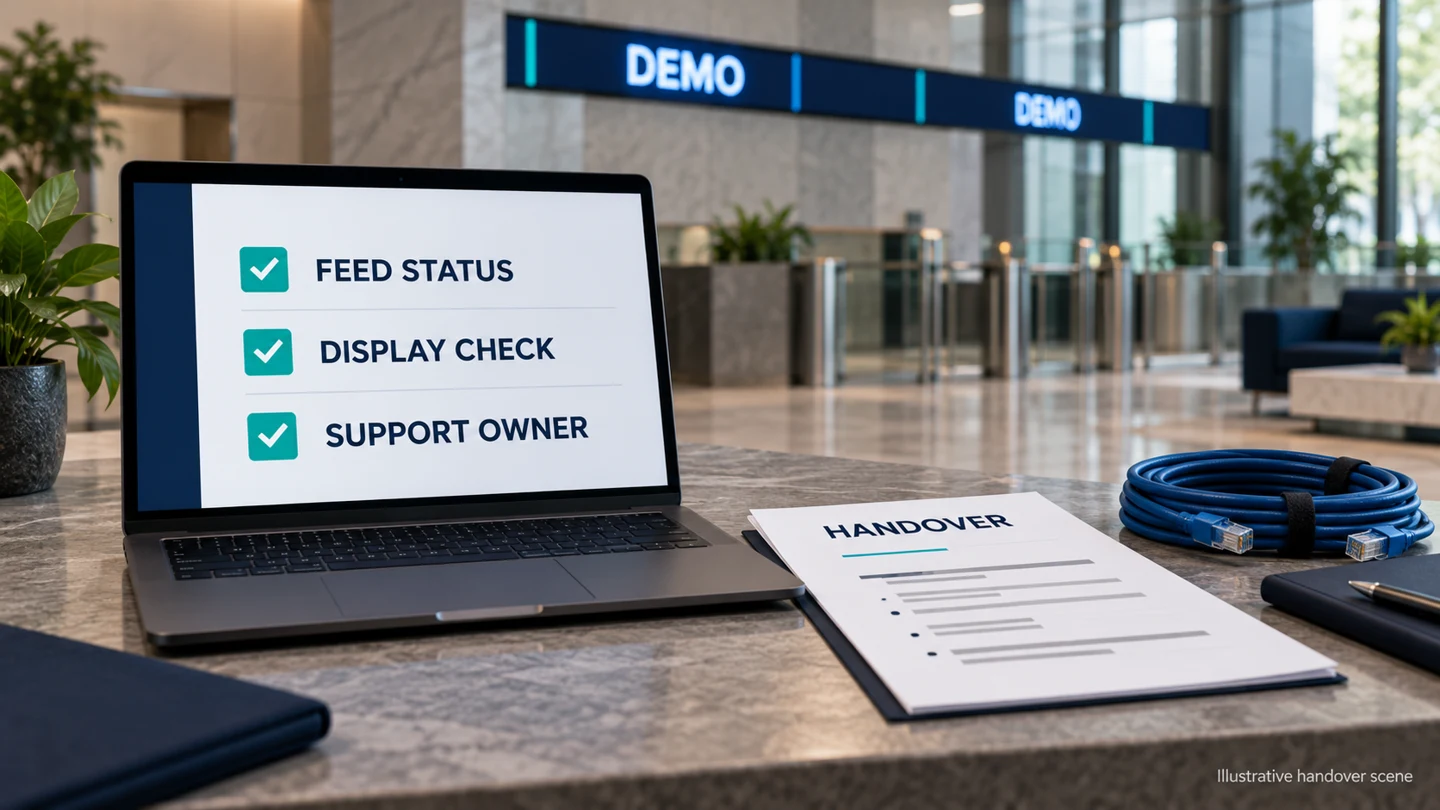
Check a full operating cycle, including opening, a quiet period, closing, and the next startup where relevant. Confirm the time zone and market calendar behavior with the data provider. A weekend or holiday layout should be planned rather than discovered when staff return to a screen of unexplained old prices.
Deliver the final watchlist, field definitions, approved notices, layout files, configuration backups, support contacts, renewal responsibilities, and test record. Store account access through the client’s approved process. Keep service documentation distinct from public content so credentials or internal diagnostic information cannot accidentally become a ticker item.
Set a routine that verifies both the picture and the information state. A daily visual check can confirm that the LED stock ticker display is readable, while application monitoring checks feed and rendering behavior. Use the site-specific LED maintenance plan to organize hardware records alongside the software and data-service records.
Frequently asked questions
Can the lobby ticker also show company announcements?
Yes, if the layout and scheduling clearly separate announcements from market information. Define who approves each content type and whether required data notices remain visible. Test the transition so an announcement does not leave a partial price record or hide an important status message.
Can several buildings share one watchlist?
Technically they may, but each location’s permitted data use and software scope must be confirmed. Keep a central approved list with site-specific configuration where needed. Record which screens received an update, rather than assuming that publishing once reached every building.
Should the ticker show company names or short symbols?
Use the identifier that the intended audience can understand within the available reading time. Long names consume more width; short symbols may need market context. Test representative records and keep an approved mapping so a renamed instrument does not inherit an incorrect label.
Can a photograph of the ticker be used in marketing?
Ask the data-service account owner to confirm the permitted use before distributing images containing market data. For layout demonstrations, clearly labeled fictional records can avoid confusion with current prices. Do not assume the permission for a physical lobby automatically covers a separate publication.
What happens if the application supplier is replaced?
The handover should identify exportable templates, configuration ownership, interfaces, and account responsibilities. Require a migration test using approved sample records and status cases. Keep the existing working arrangement available until the replacement passes the same acceptance checks.
Prepare a complete ticker brief
Before ordering an LED stock ticker display, assemble the display dimensions, audience positions, approved data product, instrument list, field definitions, notices, and fallback policy. Add a responsibility table and a realistic support budget. Those details make hardware and integration proposals comparable.
Discuss the display requirements with EagerLED and coordinate the data-service scope with the client’s chosen provider. Request a representative text demonstration and a complete interface plan. Approve the LED stock ticker display when both its physical presentation and its information behavior match the documented brief.





