


NovaStar’s MCTRL4K and MCTRL660 Pro are both independent LED controllers, but they are built for very different screen sizes. Choosing between them comes down to three specs: input resolution, Ethernet port count and pixel loading capacity.
Both controllers are configured in NovaLCT and share core features such as Genlock, Ethernet port redundancy and pixel-level calibration. The MCTRL4K targets 4K and HDR walls, while the MCTRL660 Pro covers mid-size screens and adds a 3G-SDI input for broadcast sources.
This guide compares the two side by side, shows how to work out which one your LED wall needs, and answers the most common buying questions.
1. Quick Answer
The NovaStar MCTRL4K loads up to 8.8 million pixels (4096×2160@60Hz) through 16 Neutrik Gigabit Ethernet ports and 4 × 10G fiber ports. The MCTRL660 Pro loads up to 2.3 million pixels (1920×1200@60Hz) through 6 Gigabit Ethernet ports and 2 × 10G fiber ports, and adds a 3G-SDI input that the MCTRL4K lacks.
Rule of thumb: if your LED screen is above 2.3 million pixels or needs HDR, choose the MCTRL4K. If it is below 2.3 million pixels, especially with SDI broadcast sources, the MCTRL660 Pro is the more cost-effective controller.
2. MCTRL4K vs MCTRL660 Pro: Spec Comparison Table
| Specification | NovaStar MCTRL4K | NovaStar MCTRL660 Pro |
|---|---|---|
| Max loading capacity | 8.8 million pixels (DP/HDMI); 8.3 million (DVI) | 2.3 million pixels |
| Standard resolution | 4096×2160@60Hz | 1920×1200@60Hz |
| Max custom width / height | Up to 7680 px | Width up to 3840 px, height up to 2560 px |
| Video inputs | 1 × DP 1.2, 1 × HDMI 2.0, 2 × dual-link DVI | 1 × 3G-SDI, 1 × HDMI 1.4a, 1 × single-link DVI (each with loop) |
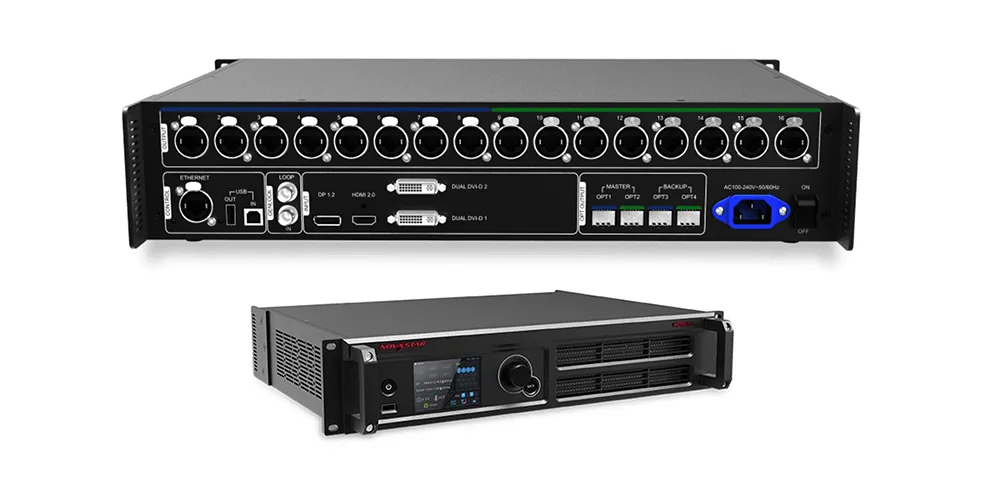
| Ethernet outputs | 16 × Neutrik Gigabit | 6 × Gigabit |
| Per-port capacity (8-bit) | 650,000 pixels | 650,000 pixels |
| Per-port capacity (10/12-bit) | 320,000 pixels | 320,000 pixels |
| Fiber outputs | 4 × 10G (OPT1–2 main, OPT3–4 backup) | 2 × 10G (OPT1 main, OPT2 backup) |
| Bit depth | 8 / 10 / 12-bit | 8 / 10 / 12-bit |
| HDR | HDR10 and HLG | Not supported |
| Genlock | Yes (IN + LOOP) | Yes (IN + LOOP) |
| Max cascaded units | 10 | 8 |
| Power consumption | 30 W | 20 W (rated) |
| Chassis | 2U, 482.6 × 372 × 89 mm, 4.6 kg | 1U rack-mount |
Specs compiled from NovaStar datasheets and authorized dealer listings; always confirm against the latest official datasheet before ordering.
3. Resolution and Input Interfaces
The MCTRL4K accepts true 4K sources; the MCTRL660 Pro is built around Full HD and WUXGA sources. This is the first spec to check, because the controller cannot display more detail than its input accepts.
01. MCTRL4K: Native 4K at 60Hz
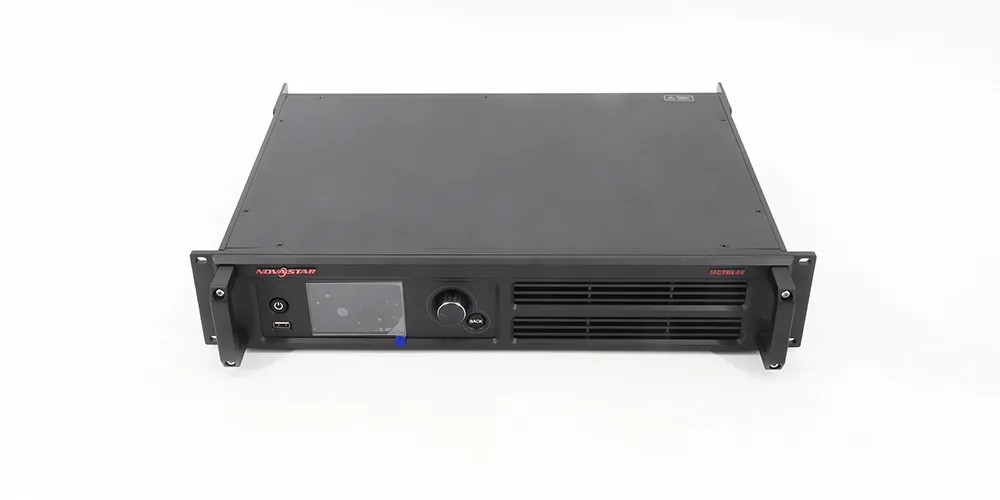
- DP 1.2 and HDMI 2.0: each accepts up to 4096×2160@60Hz, about 8.8 million pixels per input.
- 2 × dual-link DVI: each handles 3840×1080@60Hz or 3840×2160@30Hz. Combined, the two DVI inputs carry about 8.3 million pixels.
- Two DVI working modes: Mosaic mode stitches both DVI inputs into one image. Multi-card mode splits the unit into two independent controllers, each showing a separate source.
- Custom resolutions: width or height can stretch up to 7680 pixels, which suits ultra-wide stage backdrops and tall facade screens.
- Decimal frame rates: 23.98, 29.97, 59.94 Hz and others are supported, which matters for film and broadcast content.
For full specifications, setup and pricing, see our NovaStar MCTRL4K controller guide.
02. MCTRL660 Pro: 1920×1200 with Broadcast-Friendly SDI
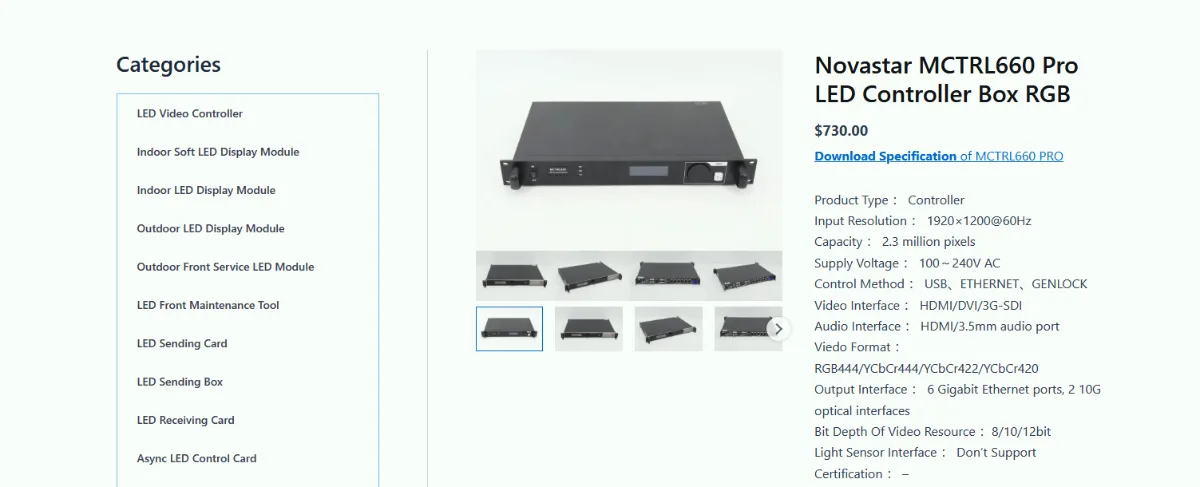
- 3G-SDI with loop: accepts up to 1920×1080@60Hz directly from broadcast cameras and production switchers over BNC.
- HDMI 1.4a and single-link DVI, each with loop: standard loading of 1920×1200@60Hz.
- Custom resolutions: width up to 3840 pixels or height up to 2560 pixels, as long as the total stays within 2.3 million pixels.
- Note: 3G-SDI sources do not support input resolution and color depth settings in the controller.
Bottom line: if your content is produced in 4K, or your screen is wider or taller than 3840 pixels, the MCTRL4K is the only one of the two that can take it in one unit. If your sources are 1080p cameras or SDI switchers, the MCTRL660 Pro matches them without extra converters.
4. Ethernet Ports and Loading Capacity
Both controllers load 650,000 pixels per Gigabit Ethernet port at 8-bit, so the real difference is port count: 16 ports versus 6. More ports means more pixels per unit and shorter cable runs per receiving-card chain.
01. How Capacity Changes with Bit Depth
| Bit depth | Per port | MCTRL4K total | MCTRL660 Pro total |
|---|---|---|---|
| 8-bit | 650,000 px | ~8.8 million px (input-limited) | 2.3 million px |
| 10/12-bit | 320,000 px | ~5.1 million px | ~1.9 million px |
On the MCTRL4K, HDR mode works with 10-bit HDMI sources and halves the per-port capacity. Plan for this before you promise HDR on a large wall.
02. Fiber Outputs for Long Distances
- MCTRL4K: 4 × 10G optical ports. OPT1 carries Ethernet ports 1–8 and OPT2 carries ports 9–16; OPT3 and OPT4 act as backups.
- MCTRL660 Pro: 2 × 10G optical ports. OPT1 carries all 6 Ethernet ports and OPT2 serves as backup. The unit can also work as a fiber converter, which removes the need for separate converter boxes on some sites.
- Distance: single-mode fiber reaches up to 10 km; multi-mode (OM3/OM4) reaches about 300 m, depending on the module.
03. Worked Example: Which Controller Fits Your Wall?
Assume a P2.6 LED screen with 500 × 500 mm cabinets. Each cabinet is 192 × 192 = 36,864 pixels, so one port at 8-bit carries up to 17 cabinets.
| Wall size | Resolution | Total pixels | Ports needed (8-bit) | Recommended controller |
|---|---|---|---|---|
| 4 m × 2.5 m | 1536 × 960 | 1.47 million | 3 | MCTRL660 Pro |
| 6 m × 3 m | 2304 × 1152 | 2.65 million | 5 | MCTRL4K (exceeds 2.3M) |
| 10 m × 5.5 m | 3840 × 2112 | 8.11 million | 13 | MCTRL4K |
Note the middle row: the wall needs only 5 ports, yet it still exceeds the MCTRL660 Pro’s 2.3-million-pixel ceiling. Always check total pixels first, then port count.
5. Other Key Features: Backup, Cascading and Image Quality
Both units share NovaStar’s core feature set, so outside capacity and inputs the differences are small.
| Feature | MCTRL4K | MCTRL660 Pro |
|---|---|---|
| Ethernet port redundancy | Yes | Yes |
| Fiber backup | OPT3/OPT4 back up OPT1/OPT2 | OPT2 backs up OPT1 |
| Cascading | Up to 10 units | Up to 8 units |
| Genlock sync | Yes | Yes |
| Low-latency mode | Yes (HDMI/DP sources) | Yes |
| Pixel-level brightness and chroma calibration | Yes | Yes |
| RGB independent gamma | Yes | Yes |
| HDR10 / HLG | Yes (needs A8s or A10s Plus receiving cards) | No |
| Web-based screen configuration | Yes | Yes |
| Setup software | NovaLCT | NovaLCT |
For camera-facing screens such as XR stages and TV studios, both controllers support Genlock, which locks the LED refresh to the camera and prevents scan lines in footage. For touring, the MCTRL4K’s Neutrik EtherCON connectors lock in place, which reduces loose-cable failures during a show.
Do not mix the two models in one cascaded system. Use identical controllers when a screen needs more than one unit. Before expanding an existing wall, run through our NovaStar controller compatibility checklist.
6. Which One Should You Choose?
Match the controller to the screen’s pixel count first, then to the input sources and image features you need.
01. Choose the MCTRL4K If
- Your screen has more than 2.3 million pixels, up to a full 4K canvas.
- Your content is produced in 4K or delivered over DP 1.2 or HDMI 2.0.
- The screen is wider or taller than 3840 pixels.
- You need HDR10 or HLG for premium visuals or broadcast.
- You want to show two independent sources on one screen using multi-card mode.
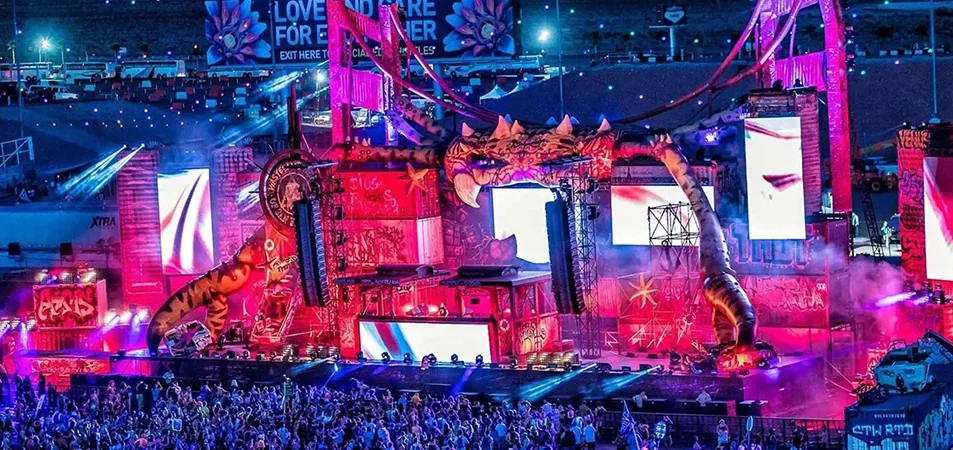
- Typical projects: large stage backdrops, stadium screens, XR virtual production volumes, flagship retail and outdoor billboards.
02. Choose the MCTRL660 Pro If
- Your screen stays within 2.3 million pixels (for example 1920 × 1080 or 1920 × 1200).
- Your main sources are SDI cameras or production switchers.
- You need Genlock and fiber on a mid-size broadcast, church or event screen.
- Rack space and budget are tight, and a 1U unit fits better.
- Typical projects: TV studios, live events, conference halls, houses of worship and control rooms.
One MCTRL4K is usually simpler than cascading several MCTRL660 Pro units for a 4K wall: fewer devices, fewer sync points and one configuration file.
7. FAQ
01. What is the main difference between MCTRL4K and MCTRL660 Pro?
Capacity. The MCTRL4K loads up to 8.8 million pixels at 4096×2160@60Hz; the MCTRL660 Pro loads up to 2.3 million pixels at 1920×1200@60Hz.
02. How many Ethernet ports do MCTRL4K and MCTRL660 Pro have?
The MCTRL4K has 16 Neutrik Gigabit Ethernet ports plus 4 × 10G fiber ports. The MCTRL660 Pro has 6 Gigabit Ethernet ports plus 2 × 10G fiber ports.
03. How many pixels can one Ethernet port load?
On both controllers, one port loads 650,000 pixels with 8-bit sources and 320,000 pixels with 10-bit or 12-bit sources.
04. Can the MCTRL660 Pro drive a 4K LED screen?
Not with a single unit. A 3840×2160 screen has about 8.3 million pixels, which needs several cascaded MCTRL660 Pro units. One MCTRL4K handles it alone.
05. Does the MCTRL4K support SDI input?
No. Its inputs are DP 1.2, HDMI 2.0 and two dual-link DVI. SDI sources need an external converter, while the MCTRL660 Pro accepts 3G-SDI directly.
06. Does the MCTRL660 Pro support HDR?
No. HDR10 and HLG are available on the MCTRL4K, used with compatible receiving cards such as A8s or A10s Plus.
07. How many units can be cascaded?
Up to 10 MCTRL4K units, or up to 8 MCTRL660 Pro units, for unified control of very large screens.
8. Conclusion
The MCTRL4K and MCTRL660 Pro differ mainly in three specs: resolution (4096×2160 vs 1920×1200), ports (16 vs 6 Ethernet) and capacity (8.8 million vs 2.3 million pixels). Choose the MCTRL4K for 4K, HDR and large-format screens. Choose the MCTRL660 Pro for mid-size screens, SDI broadcast sources and tighter budgets.
Not sure which controller your project needs? Send your screen size, pixel pitch and input sources to the EagerLED engineering team. We will calculate the pixel load, port mapping and receiving-card plan, and supply a complete LED display system with the right NovaStar controller pre-configured. Contact EagerLED for a free quote.
Related reading: NovaStar MCTRL660 guide · NovaStar HDR Master 4K vs MCTRL4K





