

When it comes to modern LED display control, having a reliable and versatile multimedia player is essential for seamless content delivery. The Novastar TB30 stands out as a powerful, all-in-one solution designed to handle playback and control for full-color LED screens without the need for a dedicated computer.
In this comprehensive guide, we’ll explore the Novastar Taurus TB30 in detail—its key features, performance specs, ideal applications, and how it compares to other models like the Novastar TB40. Whether you’re setting up digital signage for retail stores, public information displays, or smart city projects, the NOVA TB30 offers the flexibility and reliability needed for today’s dynamic environments.
1. What Is the Novastar TB30?
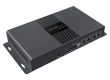
The Novastar Taurus TB30 is a smart multimedia player and LED display controller developed by Xi’an Novastar Tech Co., Ltd. It integrates playback and sending capabilities into a single, compact device, making it an ideal choice for controlling full-color LED displays in various settings. As part of the Taurus series, the TB30 Novastar is built for ease of use, wireless connectivity, and robust performance.
This device eliminates the need for an external computer by offering onboard storage, advanced media decoding, and multiple control options. With support for 4K video playback, sensor integration, and remote management via cloud platforms, the NovaStar TB30 simplifies the process of running and managing LED displays from anywhere using a computer, smartphone, or tablet.
2. Novastar TB30 Specs and Key Features
The Novastar TB30 combines efficient hardware with a wide range of functionalities tailored for modern LED applications. Below, we break down its key specifications and features.
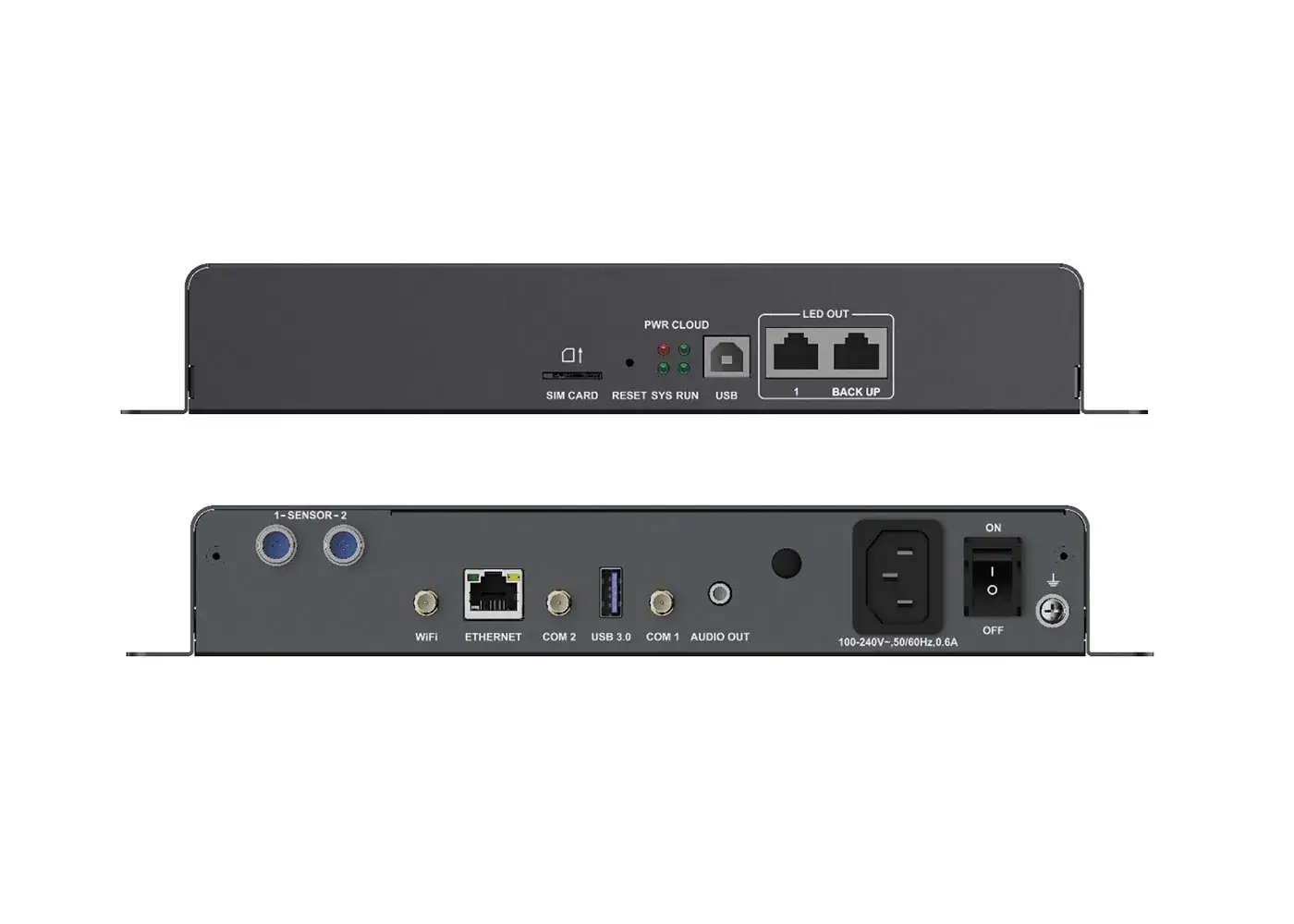
2.1 Performance and Processing Power
- Processor: Quad-core ARM A55 @1.8 GHz, ensuring smooth decoding and playback of high-resolution content.
- Memory: 1 GB of onboard RAM and 32 GB of internal storage (expandable via USB).
- Media Decoding: Supports H.264/H.265 4K@60Hz video decoding, along with multiple image formats (JPEG, BMP, GIF, PNG, WEBP).
- Playback Capability: Can handle 1x 4K, 2x 1080p, 4x 720p, 4x 480p, or 6x 360p videos simultaneously.
This makes the NOVA TB30 suitable for demanding environments where high-quality video playback and fast response times are critical.
2.2 Display Output and Loading Capacity
- Maximum Pixel Capacity: 650,000 pixels, with a maximum resolution of 4096×4096 pixels.
- Output Ports: 2x Gigabit Ethernet ports (one primary, one backup) for reliable signal transmission and redundancy.
- Audio Output: 1x stereo audio connector with a fixed sample rate of 48 kHz, compatible with OMTP headphones or external speakers.
The dual Ethernet setup ensures uninterrupted operation, which is vital for long-running installations like digital billboards or public displays.
2.3 Network and Connectivity
- Wired Connection: 1x Gigabit Ethernet port for stable LAN or public network access.
- Wireless Options:
- Wi-Fi AP and STA modes can operate simultaneously (2.4 GHz supported). The default SSID is “AP+Last 8 digits of SN,” with the password printed on the label.
- Optional 4G/5G module support (using EC20 4G module or similar), with a SIM card slot designed to prevent incorrect insertion.
3. USB Ports:
- 1x USB 3.0 (Type A) for content playback, firmware upgrades, and storage expansion (supports Ext4 and FAT32 file systems).
- 1x USB (Type B) for direct connection to a control computer.
The Novastar TB30 prioritizes network connections as follows (for firmware below V4.5.0): wired > Wi-Fi > 4G/5G. This flexibility allows for remote management in diverse environments.
2.4 Sensor and Control Options
- Sensor Connectors: 2x inputs for brightness, temperature, or humidity sensors, enabling automatic adjustments based on environmental conditions.
- Reset Button: Factory reset function (hold for 5 seconds) to restore default settings.
- Indicators:
- PWR (red): Power status.
- SYS (green): Operating system status.
- CLOUD (green): Internet and VNNOX connection status.
- RUN (green): FPGA functionality.
These features make the TB30 Novastar ideal for smart city applications where environmental adaptability is key.
2.5 Synchronous Playback Capabilities
One of the standout features of the Novastar TB30 is its support for synchronous playback across multiple displays in asynchronous mode. This ensures that content on different screens remains perfectly aligned, based on time synchronization. Key methods include:
- NTP Time Synchronization: Recommended for LAN environments, using an NTP server for precise time calibration.
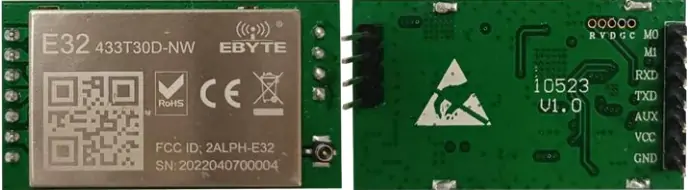
- RF Synchronization: Requires an optional RF module (E32-433T30D-NW), with one device set as the master and others as slaves.
- GPS Synchronization: Enabled with an optional 4G module and SIM card, ideal for remote or outdoor installations.
Synchronous playback halves the number of simultaneously playable videos but is essential for multi-screen projects like chain stores or advertising networks.
3. Where to Use the Nova TB30?
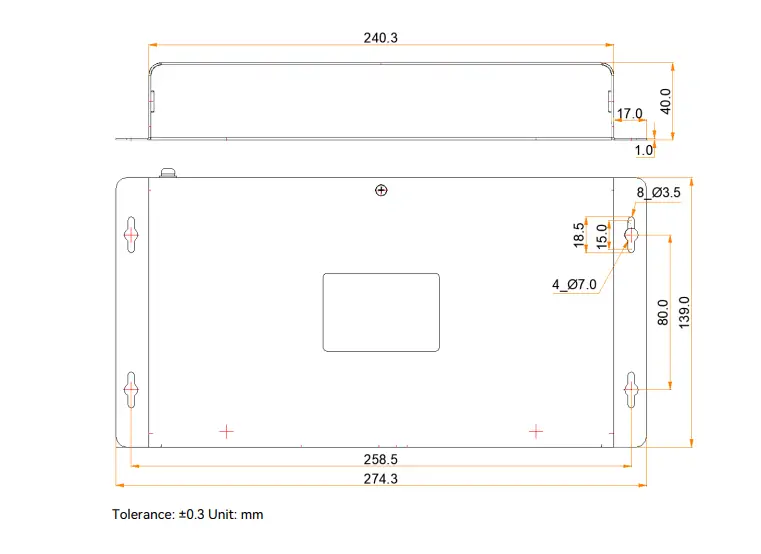
The Nova TB30 is versatile enough for a wide range of applications, thanks to its compact design (274.3 mm × 139.0 mm × 40.0 mm) and all-in-one functionality. Common use cases include:
- Retail Stores: Shelf displays, window signage, or entrance screens for promotional content.
- Chain Stores: Synchronized content across multiple locations, managed remotely via cloud platforms.
- Public Information Displays: Lamp-post signs, bus stop screens, or community notice boards.
- Smart City Projects: Environment-aware LED panels that adjust brightness based on ambient light or temperature.
- Outdoor Advertising: Standalone billboards or digital signs in high-traffic areas.
With an operating temperature range of –20°C to +60°C and IP20 rating, the Novastar TB30 performs reliably in both indoor and outdoor settings. Its sensor support enhances energy efficiency by automatically optimizing display brightness.
4. Novastar TB30 vs Novastar TB40
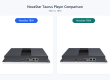
When choosing a multimedia player, it’s important to compare models to find the best fit. Here’s how the Novastar TB30 stacks up against the Novastar TB40:
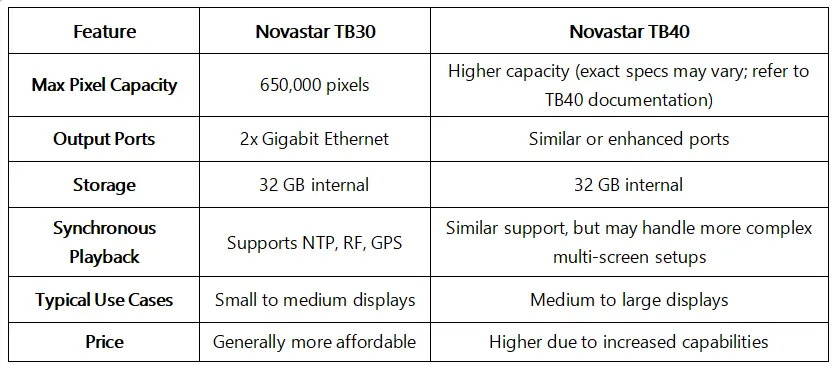
The Novastar TB30 is ideal for projects with moderate pixel requirements and simpler setups, while the Novastar TB40 better suits larger installations needing higher performance. For most retail and public display scenarios, the TB30 Novastar offers a cost-effective solution without compromising on features.
5. Novastar TB30 Software and Manual
To maximize the Novastar TB30’s potential, users can leverage NovaStar’s software tools for configuration and control:
5.1 LED Displays
- ViPlex Handy: A mobile app for Android and iOS that allows local device management, including synchronous playback and time synchronization settings.
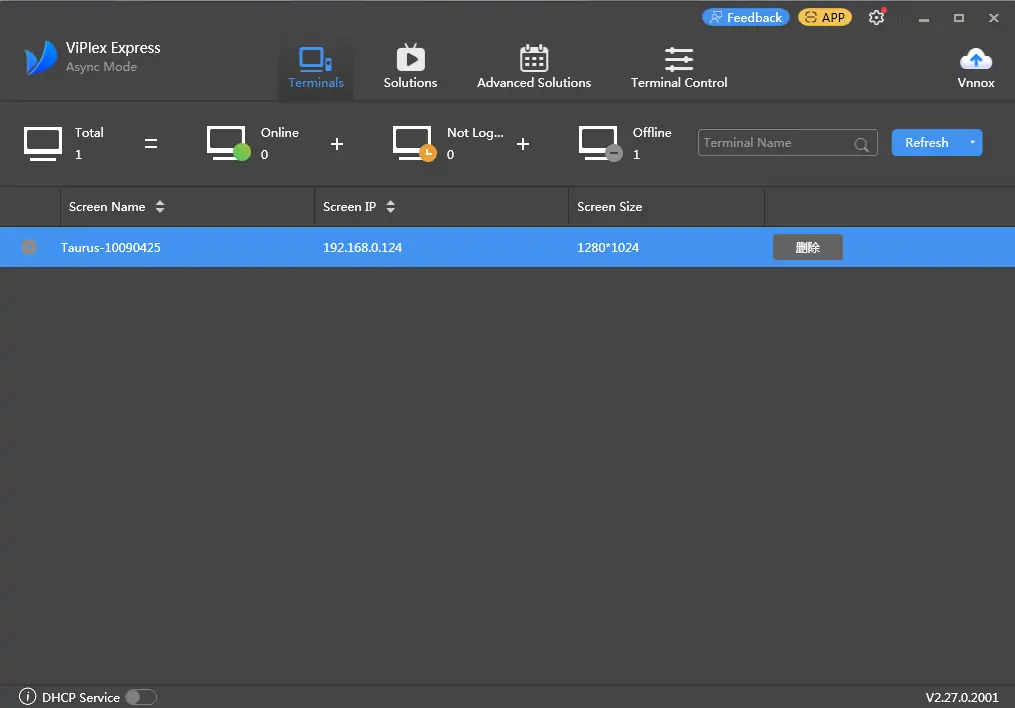
- ViPlex Express: Windows-based software for LAN control, enabling batch configuration of multiple devices.
- VNNOX: A cloud-based platform for remote content publishing and monitoring, accessible via web browsers.
The Novastar TB30 Manual provides detailed instructions on setup, firmware upgrades, and synchronous playback implementation. It covers everything from connector descriptions to advanced functions like RF and GPS synchronization. You can download the latest manual and software from NovaStar’s official website or resource portals.
5.2 Novastar TB30 File Download
6. Novastar TB30 Configuration and Synchronous Playback
Configuring the Novastar TB30 is straightforward with the right tools. Here’s a brief overview of how to set up synchronous playback—a key feature for multi-screen projects:
NTP Synchronization (Recommended for LAN):
- Set Up NTP Server: Configure an NTP server on your LAN (a PC can serve as one).
- Configure TB30:
- Using ViPlex Handy: Connect to the device, enable synchronous playback, and set synchronization mode to NTP with the server details.
- Using ViPlex Express: Log in to devices, enable synchronous playback in batch, and apply NTP settings.
3. Verify Time Sync: Ensure all devices show synchronized time for seamless playback.
RF Synchronization:
- Install RF Module: Attach the E32-433T30D-NW module and antenna to each TB30.
- Assign Roles: Set one device as master (time reference) and others as slaves.
- Configure via Software: Use ViPlex Express or VNNOX to enable RF synchronization, set group IDs, and apply settings.
GPS Synchronization:
- Install 4G Module and SIM Card: Insert the EC20 4G module and a valid SIM card.
- Enable GPS Sync:Through ViPlex Express or VNNOX, select GPS as the time synchronization mode and apply to all devices.
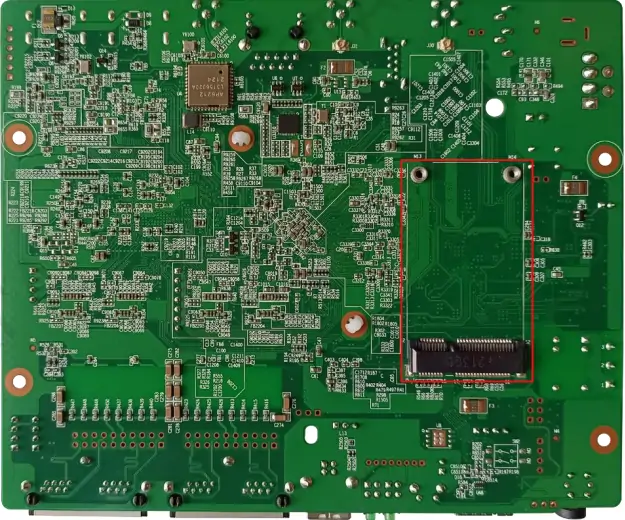
These steps ensure that your Novastar TB30 units work in harmony, delivering consistent content across displays. For detailed steps, refer to the Novastar TB30 Manual.
7. Buying the Novastar TB30: Price and Support
The Novastar TB30 Price typically ranges around $233.3, but it can vary based on region, supplier, and configuration (e.g., with or without 4G/RF modules). To get the latest pricing and compare options, consider checking authorized distributors or online platforms like LedInCloud, which offer real-time quotes and support.
When purchasing, ensure you receive:
- The TB30unit with accessories (Wi-Fi antenna, power cord, Quick Start Guide).
- Access to software downloads and firmware updates.
- Technical support for installation and troubleshooting.
NovaStar provides global certifications (e.g., FCC, UL, CE), ensuring compliance with international standards. If you’re unsure about compatibility, consult with suppliers to confirm the right model for your project.
8. FAQs
1. Which controllers is the TB30 compatible with?
It is specifically designed for integration into Novastar’s Jupiter series and C-series all-in-one controllers.
2. What are the TB30's key features?
Its key features include support for 4K input, a massive 2.5-million-pixel processing capacity, and four Gigabit Ethernet output ports.
3. What is the main function of the TB30?
The TB30’s primary function is to receive, process, and distribute video data to the receiving cards across an LED display.
4. What software controls the TB30?
You configure and manage the TB30 using Novastar’s dedicated software, primarily NovaLCT or SmartLCT.
9. Summary
Novastar TB30 is a smart, efficient, and versatile multimedia player that excels in modern LED display applications. With its robust processing power, flexible connectivity options, and advanced synchronous playback features, it simplifies the management of digital signage from retail stores to smart city installations.
Whether you’re comparing the Novastar TB30 vs Novastar TB40 or exploring configuration options, the TB30 Novastar stands out as a reliable and affordable choice for small to medium-sized projects. By leveraging tools like ViPlex and VNNOX, along with comprehensive documentation, users can easily set up, control, and scale their display networks.
If you’re looking for a player that combines performance with ease of use, the NovaStar TB30 is an excellent investment. For resources, manuals, and support, visit NovaStar’s official website or trusted platforms to get started today.