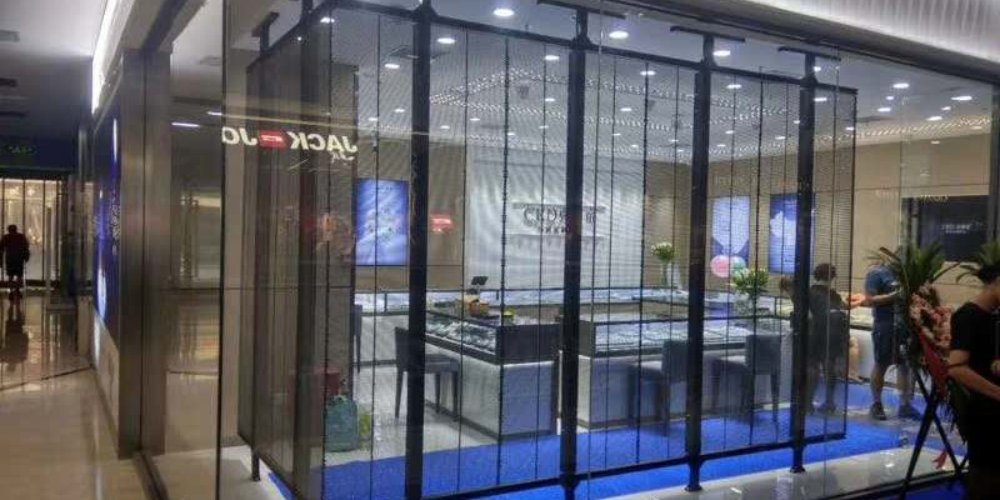
A P3.91 transparent LED screen is a see-through LED display that places pixels on spaced light bars instead of a solid, opaque panel. The P3.91-7.82 format uses approximately 3.91 mm horizontal spacing and 7.82 mm vertical spacing. It is commonly evaluated for retail windows, showrooms, stages and atriums where digital content must remain visible without completely blocking the space behind the screen.
For a hanging installation, do not choose a screen from transparency or pixel pitch alone. First calculate the cabinet layout, verified cabinet mass, support-frame mass, power equipment, cables and service hardware. Then give the resulting point-load layout to a qualified structural engineer for approval under the applicable local building code.
Quick Answer
- What it does: displays video while preserving part of the view and ambient light behind the screen.
- What P3.91-7.82 means: the horizontal and vertical LED spacing are different because the LEDs sit on narrow strips.
- Where it fits: glass storefronts, commercial interiors, exhibition stands, rental stages and atriums.
- How to estimate hanging mass: cabinet count x verified cabinet mass + the documented mass of frames, power boxes, cables and rigging.
- What still needs engineering approval: anchor capacity, point-load distribution, load combinations, deflection, movement and any wind or seismic effects.
Technical review date: August 31, 2026. Product values below are model-specific and come from EagerLED’s current public EA1000TiF2 specification table. They are planning data, not a stamped structural design.
Contents
- P3.91 specifications at a glance
- How P3.91-7.82 works
- How to estimate atrium hanging load
- How to select the right configuration
- Transparent panel vs LED film vs conventional LED
- Best applications
- Buyer and engineering checklist
- Frequently asked questions
P3.91 Transparent LED Screen Specifications at a Glance
The table separates the two P3.91 scan configurations in EagerLED’s current fixed-installation range. They share the same cabinet and load values, but their published brightness differs, so the exact model suffix still matters.
| Planning item | EA1000TiF2-P3.91-8S | EA1000TiF2-P3.91-16S |
|---|---|---|
| Published cabinet size used here | 1000 x 1000 mm | 1000 x 1000 mm |
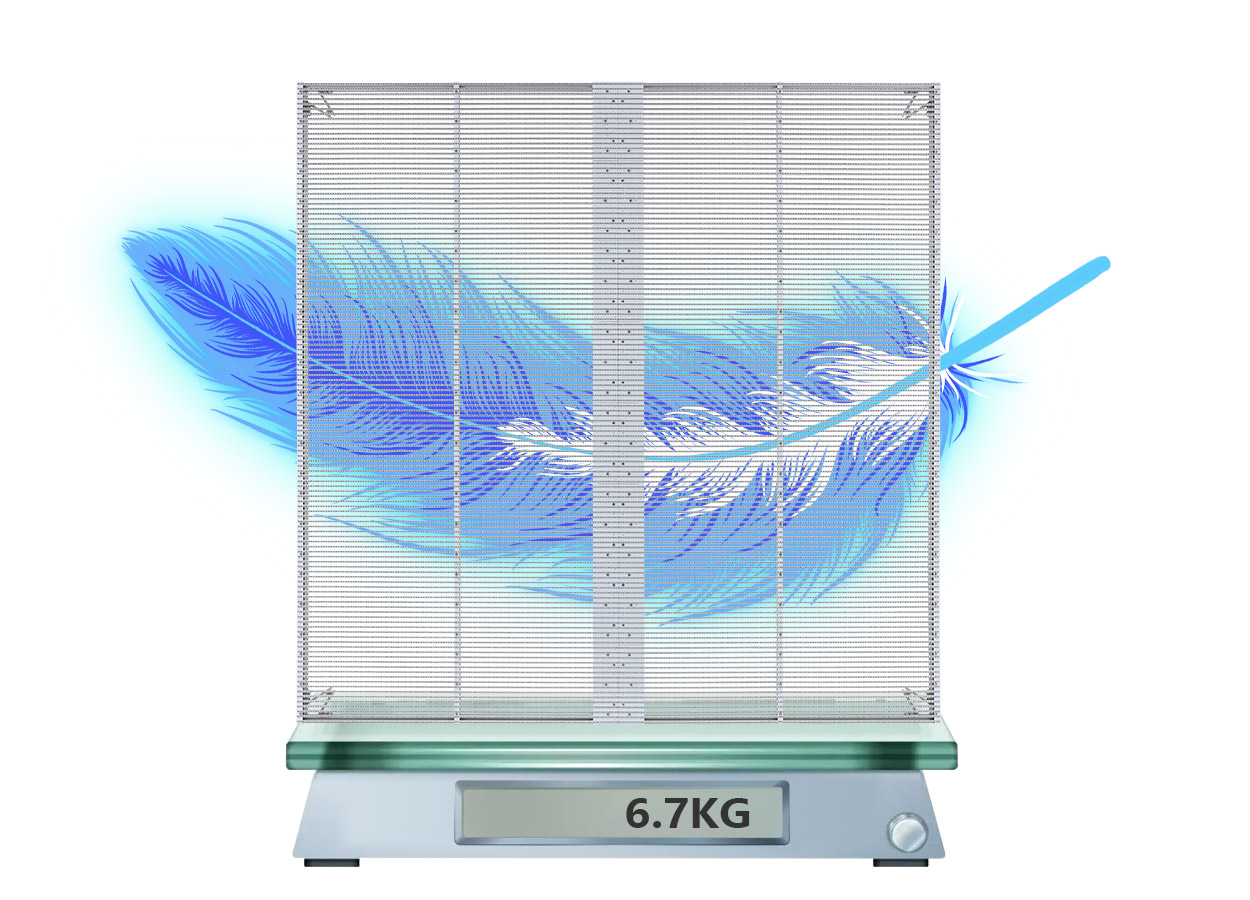
| Published cabinet mass | 6.7 kg per cabinet | 6.7 kg per cabinet |
| Derived cabinet-only mass per area | 6.7 kg/m2 | 6.7 kg/m2 |
| Pixel pitch | P3.91-7.82 | P3.91-7.82 |
| Pixel density | 32,768 pixels/m2 | 32,768 pixels/m2 |
| Published brightness | 4500 cd/m2 | 2500 cd/m2 |
| Published transparency | 60% | 60% |
| Viewing angle | 140 degrees | 140 degrees |
| Refresh rate | ≥3840 Hz | ≥3840 Hz |
| Average / maximum power | 220 / 800 W/m2 | 220 / 800 W/m2 |
| Published protection grade | IP33 | IP33 |
Data rule: match every number to the exact model, cabinet size and scan configuration on the signed quotation or technical submittal. A marketing summary is not a substitute for the configuration-specific specification table. See the current EA1000TiF2 fixed indoor product page.
How Does a P3.91-7.82 Transparent LED Screen Work?
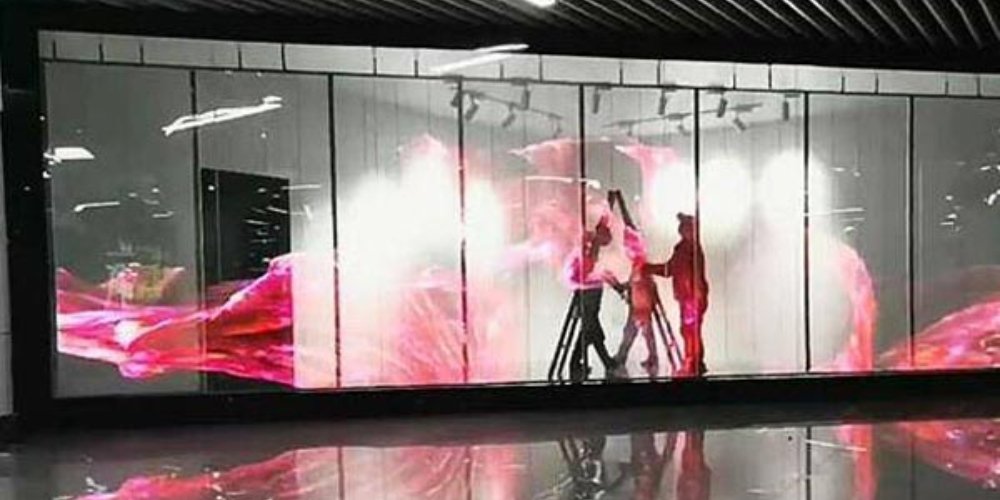
A transparent LED panel uses self-emitting LEDs mounted on slim horizontal or vertical light bars. The open space between those bars allows daylight and the background view to pass through. When the display is off, the support strips remain visible, but the surface does not become a solid black wall. When it is on, the LEDs create the image and the surrounding open area provides the see-through effect.
Agil Huseynov, CEO of AVENDOR, defines pixel pitch on AVIXA Xchange as “the distance between the centers of two adjacent LED pixels.” In a P3.91-7.82 transparent layout, the horizontal distance is about 3.91 mm and the vertical distance is about 7.82 mm. The larger vertical spacing creates more open area than a conventional square-pitch LED panel.
That geometry creates the main design tradeoff. Tighter LED spacing can improve image detail, but it adds components that block more of the background. Wider spacing can improve the see-through effect, but viewers must stand farther away before the pixel structure blends into a coherent image. The best configuration is therefore the one that meets the project’s minimum viewing distance, content type and required sightline, not simply the model with the smallest number.
How Do You Estimate Transparent LED Screen Load in an Atrium?
The planning calculation is straightforward, but the allowable load is not. You can estimate the display’s mass from the cabinet schedule. Only the building owner and a qualified structural engineer can confirm whether the roof, beam, truss, mullion or suspension points can carry it.
Step 1: Calculate the finished screen area
Screen area (m2) = finished width (m) x finished height (m). Use the final cabinet-aligned dimensions, not an approximate architectural opening.
Step 2: Calculate the cabinet count
Cabinet count = cabinets across x cabinets high. For the published 1000 x 1000 mm cabinet, a 6 x 4 m screen uses 6 cabinets across and 4 cabinets high, for a total of 24 cabinets.
Step 3: Calculate the cabinet-only mass
Cabinet-only mass = cabinet count x mass per cabinet. Using the published EA1000TiF2 value of 6.7 kg, the example screen has a cabinet-only mass of 24 x 6.7 kg = 160.8 kg. Its area is 24 m2, so the cabinet-only mass is 6.7 kg/m2.
Step 4: Add every non-cabinet component
The engineering input must also include the measured or documented mass of hanging bars, steel frames, power and control boxes, receiving equipment, cables, connectors, trim, service platforms and secondary safety devices. Do not replace those real values with a generic percentage.
Total suspended mass = display cabinets + support frame + rigging + power/control equipment + cables + service accessories.
Step 5: Map point loads and obtain structural approval
Total mass alone is not enough. The engineer needs the number and location of suspension points, the load path, eccentricity, expected movement and maintenance access. Loads should not be divided equally among anchors unless the engineered rigging layout proves that distribution. In the United States, ASCE/SEI 7-22 is titled Minimum Design Loads and Associated Criteria for Buildings and Other Structures; every project must follow the code and approval process applicable to its jurisdiction.
Do not copy an arbitrary safety factor from a blog or AI answer. The responsible engineer must apply the correct load factors, combinations and serviceability criteria for the project jurisdiction and installation type.
Power planning for the same 6 x 4 m example
Using the published 220 W/m2 average and 800 W/m2 maximum values, a 24 m2 screen corresponds to approximately 5.28 kW average and 19.2 kW maximum. Final circuit design must use the actual configured power supplies, distribution method, voltage, code requirements and operating scenario.
How to Select the Right Transparent LED Screen Configuration
1. Start with minimum viewing distance and content
Text, fine logos and detailed product photography need more pixel density than large motion graphics. A lower pitch supports closer viewing, but it usually reduces the open area and increases cost. Test the actual content at the real minimum distance before approving the model.
2. Measure ambient light at the glass
A controlled indoor atrium and a sun-facing storefront are different environments. The EA1000TiF2 table lists 4500 cd/m2 for the P3.91-8S model and 2500 cd/m2 for the P3.91-16S model; the page’s 5000 cd/m2 maximum applies to other pitches. Select brightness from the exact specification column, a site light survey and a content test, not from the highest headline number.
3. Verify transparency for the exact configuration
Transparency depends on pixel spacing, strip width, power-box placement, frame design and the measurement method. Ask the supplier to state the value for the quoted SKU and to show an off-state sample against a background similar to the installation.
4. Match refresh rate to cameras and content
A published refresh rate of at least 3840 Hz is useful for stages, broadcast environments and venues where visitors record the screen. The full camera result also depends on scan mode, shutter settings, brightness and controller configuration.
5. Read the IP code correctly
The International Electrotechnical Commission explains that IP ratings “grade the resistance of an enclosure against the intrusion of dust or liquids.” The first digit covers solid objects and the second covers liquids. IP33 is an indoor-oriented published rating for the models above; it should not be treated as approval for exposed outdoor weather.
6. Confirm service access before fabrication
Check whether modules, power supplies and receiving cards are serviced from the front or rear. In a storefront, the maintenance path must not conflict with glazing, doors, sprinklers, ceiling systems or customer circulation. A light cabinet is still difficult to maintain if technicians cannot reach it safely.
Transparent LED Panel vs LED Film vs Conventional LED Wall
| Factor | Rigid transparent LED panel | Transparent LED film | Conventional LED wall |
|---|---|---|---|
| Structure | Modular cabinet or bar frame | Thin display layer applied to or supported by glass | Opaque modular cabinet |
| View through the screen | Partial view through open strips | Typically prioritizes glass integration and low visual obstruction | No see-through view |
| Image contrast | Depends strongly on ambient light and background | Depends strongly on glass, ambient light and pixel spacing | Usually stronger because the rear is opaque |
| Installation planning | Cabinet layout, frame, rigging, power and service access | Glass condition, cable routing, film layout and controller placement | Cabinet structure, ventilation, access and power |
| Best fit | Storefronts, showrooms, atriums, exhibitions and transparent stage layers | Windows and glass surfaces where minimal visual obstruction is the priority | Applications where image impact is more important than transparency |
For current product options, compare EagerLED’s transparent LED screen range, including fixed, rental, invisible and film-based formats.
Where Does P3.91 Work Best?
Retail windows and showrooms
The screen can place promotional video over a product display while preserving a view into the store. Confirm brightness at the sunniest time of day and design high-contrast content with transparent or dark background areas.
Shopping-mall atriums
A hanging transparent screen can create a large visual surface without making the atrium feel closed. The decisive checks are structural approval, access for maintenance, cable routing, fire and life-safety coordination, and sightlines from multiple floors. See also EagerLED’s guide to choosing a shopping-mall transparent LED screen.
Rental stages and exhibitions
Transparent panels can layer content with performers, products or scenery behind the display. Rental projects should prioritize fast locking, handling protection, spare modules, calibrated brightness and camera testing.
Glass walls and commercial interiors
Fixed panels work when the building design provides support, service access and a suitable viewing distance. Film products may be preferable when preserving the appearance of the glass is more important than cabinet modularity.
When Is P3.91 the Right Choice?
P3.91 is a strong candidate when viewers are several metres away, the content is designed for LED, the project needs a balance between detail and transparency, and the site can support the required brightness, power and maintenance path.
Choose another solution when viewers inspect fine text at very close range, deep black levels matter more than sightlines, the glass or building cannot accept the mounting system, the site is exposed to weather beyond the product’s rating, or the support structure cannot carry the complete engineered load.
Before purchase, review EagerLED’s practical guide to judging transparent LED screen quality and ask for a content test using the quoted controller and scan configuration.
Transparent LED Screen Buyer and Engineering Checklist
- Record the finished width, height and cabinet-aligned dimensions.
- State the nearest, typical and farthest viewing distances.
- Test the real content at the real viewing distance.
- Measure ambient light at the installation during the brightest operating period.
- Confirm pixel pitch, brightness, transparency, refresh rate and scan mode for the exact SKU.
- Calculate cabinet count, cabinet mass and documented accessory mass.
- Issue an anchor and point-load plan for structural review.
- Confirm IP rating, operating temperature, ventilation and indoor/outdoor exposure.
- Confirm power distribution, controller capacity, cable paths and backup strategy.
- Verify front/rear service access, spare parts and safe maintenance procedures.
- Request the final technical submittal and approval drawing before production.
Sources and Methodology
- EagerLED EA1000TiF2 product page: current P3.91 pitch, density, cabinet size and mass, brightness, transparency, refresh, viewing angle, power and IP data.
- AVIXA Xchange: pixel-pitch definition and its qualitative relationship to viewing distance.
- IEC IP ratings: meaning of the two-digit ingress-protection code.
- ASCE/SEI 7-22: official standard page for Minimum Design Loads and Associated Criteria for Buildings and Other Structures; use the applicable code in the project jurisdiction.
Frequently Asked Questions
What is a transparent LED screen?
It is a self-emitting LED display built with open spacing between LED strips or pixels, allowing part of the background view and ambient light to pass through while video is displayed.
How do you calculate the hanging load for a transparent LED screen in an atrium?
Calculate the cabinet count, multiply it by the verified mass per cabinet, and add the documented mass of the frame, rigging, power equipment, cables and service accessories. Give the layout and point loads to a qualified structural engineer; total mass alone does not prove the building or anchors are adequate.
What does P3.91-7.82 mean?
It describes an asymmetric transparent LED layout with approximately 3.91 mm horizontal spacing and 7.82 mm vertical spacing between LED centers. The wider vertical spacing creates more open area for transparency.
How transparent is a P3.91 screen?
There is no universal P3.91 percentage. EagerLED’s current EA1000TiF2 specification table lists 60% for both P3.91 variants, while other cabinet and film designs use different strip widths, frames and measurement methods. Confirm the exact quoted SKU.
Can an IP33 transparent LED screen be installed outdoors?
IP33 should not be treated as approval for exposed outdoor use. Select a model rated for the actual dust, rain and installation exposure, and verify the complete enclosure and connection system rather than relying on a single component rating.
Need a configuration and load-planning package? Send EagerLED the screen dimensions, installation drawings, viewing distance, site photos, ambient-light conditions and required completion date. The team can prepare a model-specific cabinet layout and technical quotation for engineering review.