


A big LED screen is a modular, direct-view display built from LED cabinets rather than a single glass panel. The right specification depends on the closest viewer, ambient light, content, camera use, installation environment, and service access. This guide explains how to size and specify a big LED screen for advertising, events, stadiums, retail, and corporate venues. It also separates practical purchasing criteria from technology claims that sound impressive but may not improve the result.
Start with the viewing geometry and content. A giant billboard read from a roadway needs a different pixel pitch, brightness, structure, and control system from a conference wall viewed from three metres. The same big LED screen dimensions can deliver very different native resolution and cost. Use the calculations and checklists below to prepare a brief, compare supplier proposals, and ask for evidence under realistic operating conditions.
- Choose the screen type from the venue: indoor fine-pitch for close viewers, outdoor fixed for weather and daylight, or rental cabinets for repeated setup.
- Calculate native resolution: active width and height in millimetres divided by pixel pitch in millimetres. A 6 m-wide P2.5 wall has about 2,400 pixels across.
- Compare complete systems: request measured brightness and power, controller capacity, structural and electrical scope, service access, spares, and warranty terms.
- Test before purchase: view your actual content from the nearest seat and, where relevant, through the intended camera.
These are planning rules, not universal product specifications. Final pitch, brightness, structure, and power requirements depend on the site and an engineered proposal.
1. What Is a Big LED Screen and How Does It Work?
A big LED screen uses red, green, and blue light-emitting diodes to form pixels that emit their own light. LED modules connect to receiving cards, power supplies, and a cabinet frame; cabinets join to make a large, nearly seamless canvas. A sending controller maps the video source to the physical pixel grid. Unlike an LED-backlit LCD video wall, a direct-view LED display has no LCD glass or bezel between cabinets.
The term big LED screen describes size, not a single technology. A venue can build a permanent facade display, a quick-lock rental wall, a front-service fine-pitch wall, or a transparent storefront screen. Each has different priorities. Outdoor cabinets need engineered weather protection and sunlight-readable output. Rental cabinets prioritise handling speed and mechanical protection. Indoor fine-pitch cabinets place more pixels in each square metre for close viewing.
Every big LED screen should be specified as a complete system: LED modules, cabinets, controller, content source, electrical distribution, data cabling, mounting structure, cooling strategy, and a maintenance plan. Compare systems using the same measurement conditions; an isolated cabinet’s laboratory maximum brightness or power draw does not describe the installed wall’s everyday performance.

2. Which Big LED Screen Type Fits the Venue?
Choose the product family before choosing a model number. A big LED screen used for a temporary concert should withstand repeated assembly, while a 24/7 retail installation needs a serviceable cabinet and predictable operating costs. This comparison is a planning guide, not a substitute for a site survey.
| Type | Typical use | Priority checks | Trade-off |
|---|---|---|---|
| Indoor fine-pitch | Meeting rooms, control rooms, retail | Close viewing, grayscale, calibration, front service | Finer pitch increases pixel count and cost |
| Outdoor fixed | Billboards, facades, public information | Daylight brightness, ingress protection, structure, remote monitoring | Higher brightness increases power and thermal demands |
| Rental or stage | Concerts, exhibitions, touring | Quick locks, cabinet weight, edge protection, camera performance | Handling features add cost and require trained crews |
| Transparent | Shop windows, glass facades | Transparency, sightlines, reflected light, legibility | Transparency reduces solid image area |
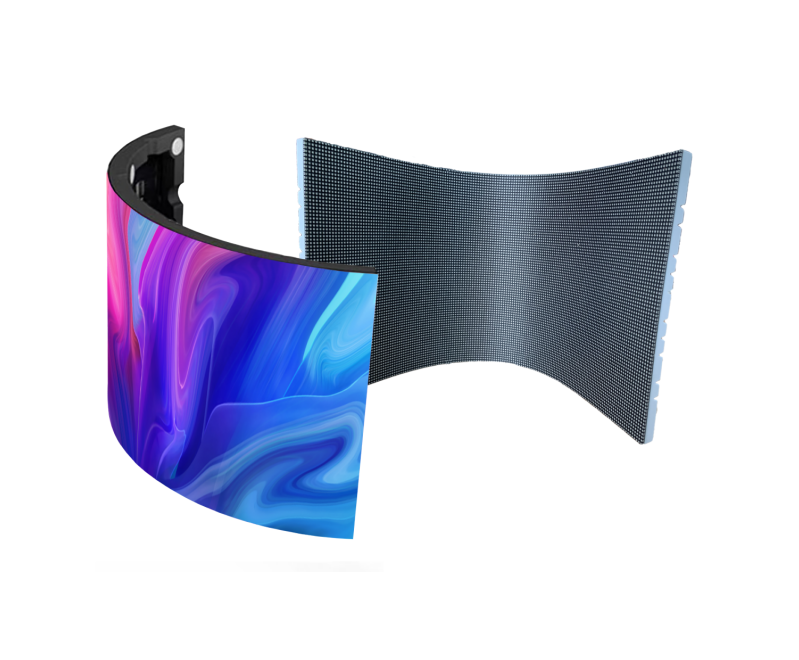
| Flexible or curved | Columns, creative stages, architecture | Minimum bend radius, seam geometry, service access | Custom geometry complicates mounting and content mapping |
For an outdoor big LED screen, ask whether the stated IP rating applies to the front, rear, or whole installed assembly. For an indoor big LED screen, ask how modules are removed without disturbing adjacent cabinets. For a rental big LED screen, inspect the locking hardware after repeated builds. See EagerLED’s rental LED display range for a concrete example of cabinet formats and applications.


3. Choose Pixel Pitch, Viewing Distance, and Native Resolution
Pixel pitch is the centre-to-centre distance between neighbouring pixels, measured in millimetres. A smaller number means more pixels in the same area. For a first shortlist, the nearest regular viewing distance in metres can be roughly similar to pitch in millimetres: a viewer at 3 m might compare P2.5 and P3. This is a heuristic, not a visibility guarantee. Text size, contrast, image detail, eyesight, and camera distance can justify a finer pitch.
01. Calculate the actual canvas
Divide the active screen width and height in millimetres by pitch in millimetres. For a 6,000 × 3,375 mm big LED screen at P2.5, the approximate native canvas is 2,400 × 1,350 pixels. At P4, the same dimensions give approximately 1,500 × 844 pixels. Cabinet and module dimensions may constrain the final active size, so confirm the exact pixel map with the manufacturer. A source labelled “4K” does not turn a lower-resolution wall into a 4K native display. For example, a native 3,840 × 2,160 canvas at P2.5 would need about 9.6 × 5.4 m of active area before cabinet-size adjustments (3,840 × 2.5 mm and 2,160 × 2.5 mm).
02. Match pitch to the content
Large moving images tolerate coarser pitch than small text, maps, menus, or presentation slides. Test the smallest essential text at the closest seat. For an outdoor roadside big LED screen, viewing time and safe legibility can matter more than very fine pixel density. For a studio or livestream, test the display with the actual camera, shutter speed, frame rate, and exposure. EagerLED’s pixel-pitch guide provides a deeper distance discussion.
| Pitch | Closest viewer to test | 6 m width, approximate pixels | Common fit |
|---|---|---|---|
| P1.5 | About 1.5 m | 4,000 | Close-view indoor wall |
| P2.5 | About 2.5 m | 2,400 | Retail, meetings, exhibitions |
| P3.9 | About 4 m | 1,538 | Stage and rental wall |
| P6 | About 6 m | 1,000 | Large venue or outdoor display |
| P10 | About 10 m | 600 | Long-view billboard |
These distances are starting points. Request a sample showing the real content from the real viewing position before approving a big LED screen specification.
4. Specify Brightness, Weather Protection, and Image Quality
Brightness is usually expressed in nits, equivalent to cd/m². An indoor big LED screen in controlled lighting can need far less output than a display facing direct sun. Ask for both maximum and typical operating brightness, the automatic dimming method, and how the image looks at night. Running an outdoor wall at its maximum continuously can waste energy and make it uncomfortable to view after dark.
01. Assess the whole environment
Survey daylight direction, shade, reflective glazing, night-time limits, ambient temperature, rain exposure, airborne salt, and access for cleaning. Weather ratings are useful only when the assembled enclosure, connectors, cable entries, and service doors are designed consistently. The required wind load and structural approval belong in the installation design, not in the pixel-pitch decision.
02. Ask for measured visual performance
Refresh rate describes how frequently pixels are driven; video frame rate describes content frames per second. They are different. For a camera-facing big LED screen, assess scan pattern, low-brightness grayscale, calibration, moiré, and flicker with a camera test. Contrast depends on black surface treatment and ambient reflections as well as peak output. HDR support should be verified across the content chain, controller, calibration, and usable brightness range rather than assumed from a label.
Colour consistency is a system property. Ask how cabinets are binned and calibrated, whether replacement modules can be matched later, and how the controller stores correction data. A big LED screen that looks uniform on day one should remain serviceable after an individual module or power supply is replaced.

5. Where Does a Big LED Screen Deliver Value?
A big LED screen is useful when a large audience needs readable dynamic information or immersive visuals. The benefit varies by context, so define the job before the display. For advertising, measure traffic, dwell time, visibility angles, permitted content, and scheduling needs. For stadiums, map the farthest seats and verify replay, score, sponsor, and emergency-message workflows. For events, calculate setup time, crew size, transport volume, and signal redundancy.
01. Advertising, retail, and public information
An outdoor advertising big LED screen can rotate campaigns and update content remotely. The display still needs a realistic content plan: readable messages, suitable duration, safe luminance, and compliance with local signage rules. A transparent big LED screen may preserve a shop window’s sightlines, but text and fine imagery can lose impact against a bright background. Test it with the actual storefront lighting.
02. Stages, sports, and corporate venues
A stage big LED screen often needs camera-friendly refresh, fast rigging, backup signal paths, and spare cabinets. Sports installations may require several different displays: main replay wall, perimeter signage, ribbon boards, and concourse information. A conference big LED screen needs close-view sharpness and reliable presentation switching; a finer pitch can matter more than maximum brightness. A screen that must serve multiple uses should be tested against the hardest use case rather than the average one.
Architectural and curved installations add content-mapping considerations. Curved cabinets do not automatically make every graphic look correct; the media canvas must reflect the physical geometry. If the installation needs front-only maintenance, make that a purchase requirement before finalising the structure.




6. Engineer the Complete Big LED Screen System
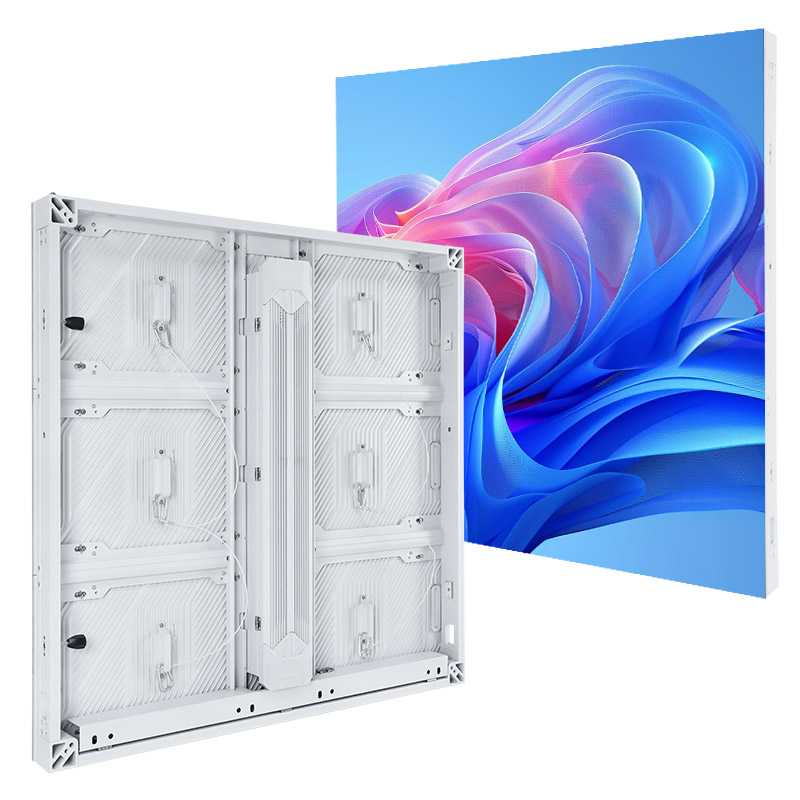
The visible wall is only part of the project. A big LED screen proposal should include cabinet dimensions, active area, total resolution, processor and receiving-card capacity, power distribution, signal path, structure, ventilation, and access. Confirm that the processor supports the intended pixel count, inputs, colour depth, content formats, and redundancy. A larger wall can exceed controller capacity even if each cabinet is compatible.
01. Structure, power, and data
Obtain a structural design for the mounting substrate, dead load, wind load where relevant, and safe maintenance access. Electrical planning should account for maximum connected load, realistic average load, circuit protection, earthing, and local code requirements. Request a one-line diagram rather than relying on a single watts-per-square-metre number. Plan separate paths for power and signal, cable strain relief, and backup feeds if uninterrupted operation matters.
02. Maintenance and failure recovery
Choose front or rear service around the actual site. A wall against a solid facade cannot depend on rear access that does not exist. Ask which parts are field-replaceable, how long a module exchange takes, whether spares are included, and how replacement colour is calibrated. For a mission-critical big LED screen, test controller, power, and signal failure scenarios before acceptance. Remote monitoring is helpful only if someone is responsible for acting on alerts.
At handover, record cabinet serial numbers, wiring drawings, calibration files, firmware versions, password custody, and spare-part locations. A big LED screen should have a documented operating procedure for scheduled dimming, content updates, cleaning, and fault escalation.

7. Estimate Purchase Price and Total Cost of Ownership
A quote per square metre is only one line of a big LED screen budget. Pitch, LED packaging, brightness, cabinet construction, weather protection, controller, and warranty affect hardware price. Site works can include structure, electrical distribution, permits, access equipment, rigging, and commissioning. Operating cost depends on actual brightness schedules, content, electricity tariff, ventilation, replacement parts, and support.
Use a common scope when comparing suppliers. One big LED screen quote may include controller and spares; another may exclude them. Ask each supplier to state delivered active dimensions, pixel count, average and maximum power at stated test conditions, warranty exclusions, expected spare quantity, and service response. Avoid treating an advertised LED lifetime as a guarantee that the entire display will run maintenance-free for that duration.
| Cost item | Ask the supplier to specify | Why it matters |
|---|---|---|
| Display hardware | Pitch, cabinet count, active area, pixel count | Confirms like-for-like resolution |
| Control system | Processor, sending and receiving cards, licenses | Prevents missing signal capacity |
| Structure and installation | Engineering, mounting, rigging, access | Can be a major site-specific cost |
| Electrical and operation | Peak load, typical schedule, dimming, tariff | Determines ongoing energy spend |
| Service and spares | Warranty, spare modules, response and calibration | Limits downtime and repair costs |
For a simple energy estimate, multiply the measured average kilowatts by operating hours and the local price per kWh. For example, a measured 4 kW average running 10 hours a day uses about 40 kWh daily. This is arithmetic, not a typical big LED screen consumption claim; request a project-specific measurement. Compare a five-year budget that includes replacement and service, not only the purchase price.
8. Which LED Screen Innovations Actually Matter?
New packaging and control methods can improve a big LED screen, but the value depends on the application. Fine-pitch SMD, COB, and other LED packages differ in pixel density, robustness, repair approach, contrast treatment, and cost. “MicroLED” is used inconsistently in marketing; ask the supplier to define the chip and packaging technology, active pixel pitch, repair method, and measured performance.
| Claim | Evidence to request | When it matters |
|---|---|---|
| Finer pixel pitch | Native pixel map and a sample with the smallest required text | Close viewing and detail-heavy content |
| COB or other protective packaging | Impact and cleaning guidance, repair method, replacement-module availability | Touch-prone or high-traffic indoor installations |
| HDR or camera-ready output | Camera test at intended shutter and frame settings; grayscale and calibration results | Broadcast, livestream, and dark-scene content |
| Energy-saving control | Measured average power at the same brightness and content, plus dimming schedule | Long daily operating hours |
01. HDR, high resolution, and camera use
True 4K native resolution requires a physical grid of roughly 3,840 × 2,160 addressable pixels, not just a 4K input. For a big LED screen, calculate the required physical size from pitch and target resolution before ordering. HDR can improve highlight and shadow detail when the complete workflow supports it. In broadcast work, stable low-level grayscale and synchronization often matter as much as an extreme maximum brightness figure.
02. Efficiency and smart control
Automatic dimming, efficient power supplies, sensible thermal design, and scheduled operation can reduce energy use. Compare measured power for the same brightness and content; percentage-saving claims without test conditions are not comparable. Sensors and remote monitoring can help a big LED screen adapt to ambient light and flag faults, but they need configuration and maintenance. Interactivity or augmented-reality content may require separate tracking, software, and production budgets.
Innovation should solve a documented problem. If a viewer stands ten metres away, a very fine pitch may deliver little visible improvement. If a camera sees the screen close-up, a cheaper scan design can create visible artefacts. Evaluate samples in the intended conditions and request the specifications in writing.

9. Operate and Retire a Big LED Screen Responsibly
A big LED screen consumes materials and electricity throughout its life. The most useful sustainability decisions begin with right-sizing pitch and brightness, since overspecifying either can increase equipment and energy demand. Use ambient-light control to dim the display when appropriate, maintain clean ventilation paths, and schedule the screen around actual audience hours. Repairable modules and available spares can extend useful service life.
Ask the supplier about replaceable modules, power supplies, and controllers; documentation for disassembly; and local electronic-waste handling at end of life. Keep original packaging or safe transport cases for spare cabinets. If a facade installation is expected to operate for many years, check that compatible replacement parts and calibration support will remain available. Sustainability claims should refer to measured operating conditions and a defined period, not an unspecified “energy-saving” label.
For outdoor sites, avoid excessive night-time brightness and unnecessary content motion. These decisions can improve comfort for nearby people while reducing energy use. Record baseline power and brightness at commissioning so future changes to the big LED screen can be assessed rather than guessed.
10. Big LED Screen Specification and Acceptance Checklist
Before ordering a big LED screen, write a brief with the active width and height, closest and farthest viewer, content examples, viewing hours, sunlight exposure, camera requirements, mounting surface, access route, power availability, and target service life. Ask for a pixel map and a scaled cabinet drawing. The brief should state whether a permanent or rental system is needed and who will operate it.
Before final payment, inspect a sample or mock-up with real content. At factory acceptance, check dead pixels under the agreed method, seams, colour uniformity, low-brightness grayscale, video switching, controller failover where specified, and measured power. At site acceptance, check installed alignment, safe access, weather seals, ambient dimming, training, documentation, and spare inventory. Agree the test conditions and pass criteria in the contract; a generic “working normally” statement is difficult to enforce.
A useful supplier comparison is evidence-based: installation drawings, calibrated sample photos or video, service procedure, warranty terms, and references for similar sites. EagerLED’s commercial LED display buyer’s checklist expands on these procurement questions. A big LED screen is most successful when the content team, AV integrator, structural engineer, electrician, and maintenance owner review the same specification.
11. Big LED Screen FAQ
01. How do I choose pixel pitch for a big LED screen?
Measure the closest regular viewing distance and start comparing pitches around the same number of millimetres as metres of distance. Then test the smallest important text and actual imagery on a sample. Camera use, contrast, and budget can change the final choice.
02. Is a big LED screen the same as an LCD video wall?
No. A direct-view big LED screen uses emitting LED pixels across modular cabinets. An LCD video wall joins glass panels with visible bezel lines and an LED backlight. The right choice depends on size, viewing distance, environment, service, and cost.
03. How bright should an outdoor big LED screen be?
Specify brightness from the site’s sun exposure and viewing conditions, then require automatic or scheduled dimming at night. Ask for measured maximum and typical brightness at stated conditions. There is no single suitable nit figure for every outdoor site.
04. Does a 4K input make the big LED screen 4K?
No. Native 4K needs a physical pixel grid around 3,840 × 2,160. A controller can scale a 4K source to a lower-resolution wall, but it cannot create physical pixels that are not there.
05. What maintenance does a big LED screen need?
Plan safe access, cleaning, inspection of seals and connections, calibration, spare modules, and a response process for faults. Confirm whether modules are serviced from the front or rear and retain the controller configuration and calibration files.
06. What determines big LED screen cost?
The main variables are pixel pitch, area, brightness, cabinet design, protection, controller capacity, structure, electrical work, installation, warranty, and ongoing power and service. Compare complete, project-specific scopes rather than a panel-only price per square metre.
12. Conclusion: Specify the Big LED Screen Around the Viewer
The best big LED screen is the one that displays the required content clearly from the intended positions, operates safely in its environment, and can be maintained within the project budget. Start with viewing distance and content, calculate the native canvas, then specify brightness, protection, control capacity, structure, power, and service. Test a representative sample and agree measurable acceptance criteria. That approach turns a broad search for a big LED screen into a decision a venue or buyer can defend.





