COB vs GOB LED display: which should you choose? COB mounts bare LED chips directly on the circuit board and encapsulates them as a module. GOB starts with a conventional surface-mounted LED (SMD) module and adds a transparent protective coating. For a fixed, close-viewed screen where a fine pixel pitch and smooth image matter most, compare COB models first. For a screen that is handled often, GOB can protect SMD LEDs while retaining a familiar module design. Neither label alone guarantees outdoor weather resistance, brighter images, or lower lifetime cost.
This guide compares construction, image quality, protection, service, and purchasing trade-offs so you can specify the right display for your project.
COB vs GOB LED display at a glance
| Factor | COB (chip on board) | GOB (glue on board) |
|---|---|---|
| Construction | LED chips are bonded directly to the board, then encapsulated. | Packaged SMD LEDs are mounted on a board, then coated. |
| Best starting point | Permanent, close-viewed installations that need fine detail. | Displays at risk of knocks or repeated handling, where a coated SMD design fits the brief. |
| Image | Often offers a smooth, uniform surface at fine pitch; compare samples at the intended brightness. | Image depends on the SMD LEDs, coating finish, calibration, and pixel pitch. |
| Front protection | Encapsulation protects the chips. | Coating helps shield the SMD LEDs from contact and dirt. |
| Field service | Typically serviced by replacing a module; confirm the supplier’s repair policy. | Module replacement is common; the coating can make individual LED repair harder. |
| Price | Often a higher initial quote at comparable specifications. | Often a lower initial quote, but check spares and repair terms. |
Key distinction: COB is a different chip-mounting method. GOB is a protective treatment usually applied over an SMD display. Compare complete products at the same pixel pitch, brightness, cabinet size, and service level rather than choosing by acronym alone.
How COB and GOB are built
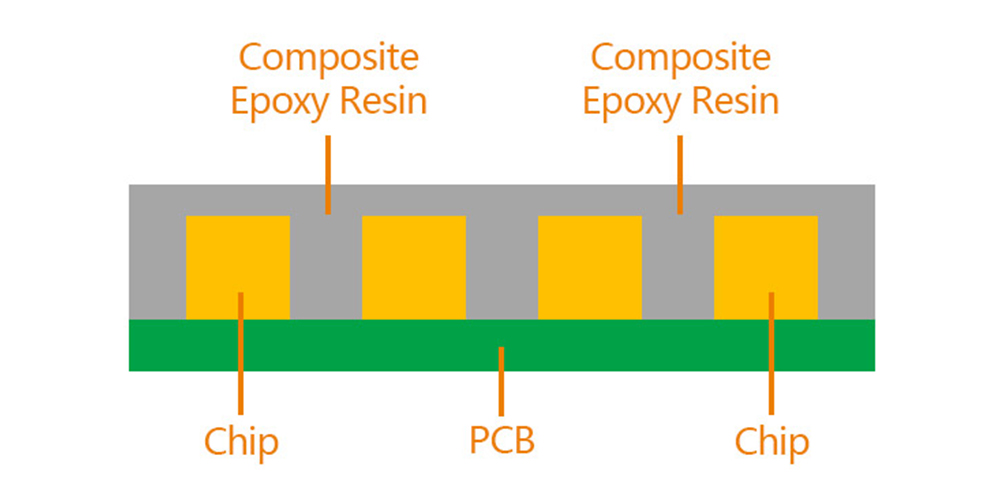
COB: chips bonded directly to the board
In a COB module, the LED chips sit directly on the printed circuit board beneath an encapsulating layer. The continuous face helps protect the chips from everyday contact and supports compact pixel layouts. COB is especially relevant when viewers stand close enough to notice individual pixels or when the screen carries fine text, diagrams, and detailed video.
GOB: coated SMD LEDs
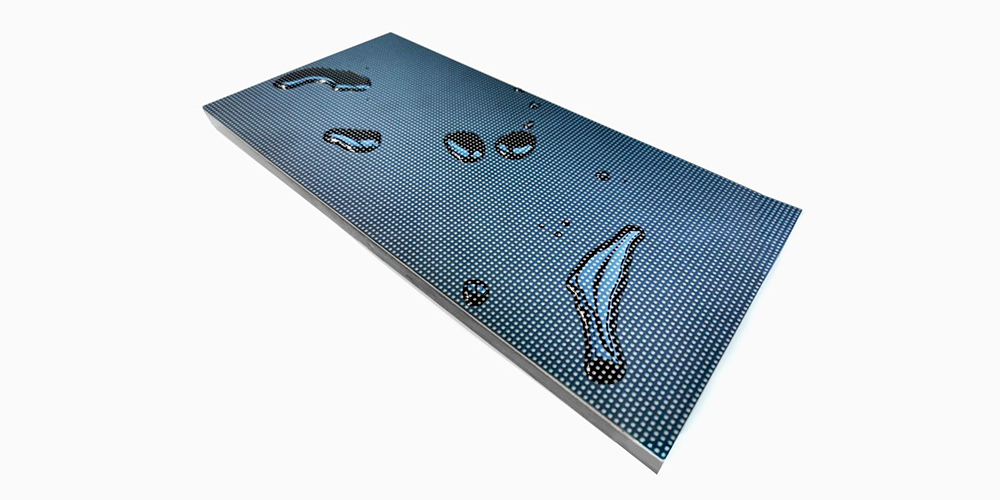
A GOB module begins with individually packaged SMD LEDs attached to the board. A transparent resin or similar coating covers the module face. That layer can reduce damage from handling and make the front easier to wipe down. Its hardness, optical finish, thickness, and repair process vary by manufacturer, so request a sample and written specifications.
Which looks better: COB or GOB?
For close viewing at fine pixel pitch, COB is often the stronger shortlist candidate because its continuous face can look smoother and less granular. That does not mean every COB screen beats every GOB screen. Color accuracy, contrast, reflection, calibration, LED quality, and processing also shape the final picture.
Ask each supplier to show the same content at the same viewing distance and brightness. Look at fine text, skin tones, dark scenes, and off-axis viewing. If a screen will be photographed or filmed, test it with the actual camera setup too. A coated GOB surface may produce reflections under some lighting; a different finish or installation angle can change the result.
Does COB or GOB provide better protection?
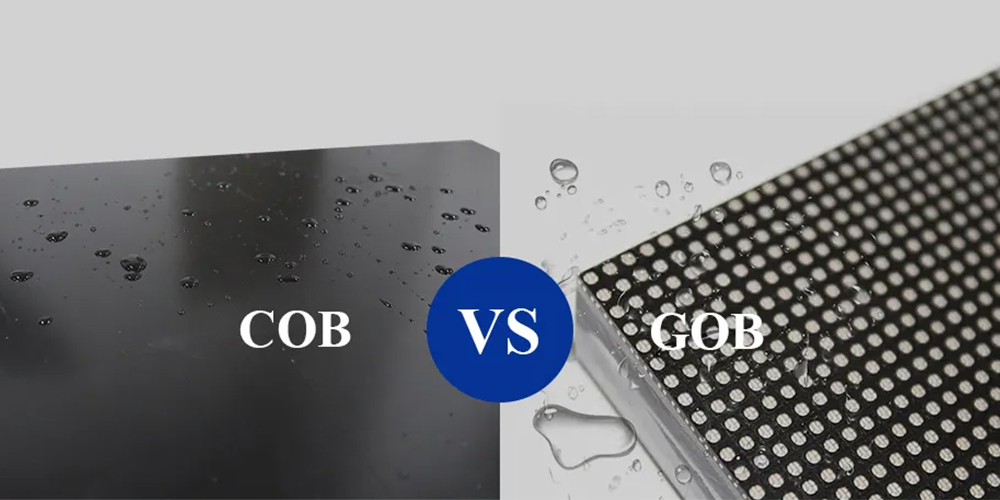
Both designs protect the LED face, but they solve different engineering problems. COB encapsulates the bare chips within the module. GOB adds a protective coating over SMD packages. Either may be suitable for a touch-prone indoor setting depending on the product’s tested construction.
Outdoor suitability is a whole-screen specification. A coated or encapsulated front does not prove that the cabinet, rear access, connectors, seams, ventilation, and power components resist rain or dust. Ask for the exact model’s front and rear ingress-protection (IP) ratings, operating temperature, and installation requirements. Our LED display IP-rating guide explains what those ratings cover.
For a frequently transported display, examine cabinet corners, module mounting, transport cases, and spare modules as well as the face coating. For a permanent outdoor screen, start with the complete enclosure rating and service access, then choose the LED package.
Can a GOB module reduce maintenance costs?
It can reduce damage-related work when handling or contact is the main failure risk. The coating helps shield SMD LEDs from knocks and contamination. The saving is project-specific: a damaged coated module may still need replacement, and its coating may complicate component-level repair. COB also commonly relies on module replacement in the field.
For a useful total-cost comparison, ask both suppliers for the price and lead time of a spare module, expected on-site replacement time, warranty coverage for physical damage, and the method for matching a replacement module’s color and brightness. Include shipping, access equipment, and downtime in the calculation. A cheaper upfront module can cost more to own if replacements are slow or difficult to calibrate.
How to choose COB or GOB for your project
- Close-viewed command center or meeting room: shortlist COB when fine detail, a smooth surface, and permanent installation drive the decision. Validate the actual pitch and image sample.
- Retail display within reach: compare both. Test surface reflections, cleaning, and touch resistance under store lighting.
- Rental or event screen: consider a GOB-coated option when modules face repeated handling. Compare cabinet strength, transport protection, and spare-module turnaround. Our stage rental LED display guide covers the wider setup.
- Outdoor advertising: require an appropriate complete-screen IP rating and a service plan first. Do not infer weather resistance from COB or GOB alone.
Request a like-for-like quote
Send suppliers the intended viewing distance, screen size, indoor or outdoor location, target brightness, content type, operating hours, mounting method, and service-access constraints. Ask for two configurations at a comparable pixel pitch and cabinet specification. Then compare sample images, power consumption at stated brightness, warranty, spare-module cost, and delivery time. The commercial LED display buyer’s checklist helps organize the rest of the purchase.
Frequently asked questions
What is the main difference between COB and GOB LED displays?
COB bonds bare LED chips directly to the board before encapsulation. GOB applies a protective coating over a finished module, usually one built with SMD LEDs.
Is COB always brighter or more energy efficient than GOB?
No. Brightness and power use depend on the complete LED, driver, optical, and calibration design. Request measured specifications at the same brightness setting and display area.
Is a GOB LED display waterproof?
The coating can protect the module face, but it does not make the complete screen waterproof. Check the exact cabinet’s tested front and rear IP ratings and installation details.
Which is easier to repair?
Both are commonly serviced by replacing a module. GOB’s coating can hinder individual LED repair, while COB chip-level repair usually needs specialized equipment. Confirm the supplier’s field-service and factory-repair policy before ordering.
Which should I buy for a fine-pitch indoor display?
Begin with COB if close-viewed image detail is the main goal, but compare a GOB sample at the same pitch and brightness. The better choice is the one that meets your image, protection, and service requirements at a supportable total cost.
Next step
Share your application, viewing distance, screen dimensions, and installation conditions with EagerLED. We can compare suitable COB and GOB configurations and provide the model specifications, sample options, and service terms you need to make a decision.