Shortlist indoor rental LED suppliers by asking each one to demonstrate the same exhibition brief on the exact proposed configuration. Use your booth artwork, intended operating brightness, viewing positions and service-space drawing. A cabinet specification alone cannot show whether small product labels remain readable, brand colors look acceptable or a technician can reach a failed component behind the finished booth.
For AV rental companies buying from China for exhibitions in the USA or Canada, compare four things before the final price: actual artwork performance, repeatable setup, access within the booth footprint and a documented handover. Approve the supplier’s capability first, then approve the proposed equipment and order-specific demonstration separately.
This guide provides a suggested buyer test procedure. It is not a certification standard or a report of a completed customer acceptance test.
In this guide
1. Give every supplier the same booth brief
An exhibition wall may show a looping brand film in the morning, a detailed product comparison during a sales conversation and a live presentation later. A supplier demonstration consisting only of vivid full-screen footage leaves the most demanding use untested.
Send the visible screen dimensions, booth plan, closest and typical visitor positions, expected hall lighting, content sources and any camera use. Include the operating schedule, installation window, destination, first event date and existing processors or cabinets you intend to reuse. Mark any dimensions that are still provisional.
Ask the supplier to return a cabinet layout, native pixel dimensions, proposed signal path and the exact indoor model or revision. Identify where scaling, cropping or letterboxing will occur. For a detailed pitch comparison, use our P2.6 versus P3.91 buying guide; this demonstration should confirm the result with your own artwork rather than assume a universal viewing-distance rule.
2. Build a practical artwork demo pack
The following five-file pack is a suggested starting point. Replace the content with your real assets and agree acceptance criteria before the demonstration. Do not ask a supplier to pass an undefined “high picture quality” test.
| Demo file | What to inspect | Evidence to keep |
|---|---|---|
| 01 — Brand still Your logo, brand colors and a neutral reference patch. |
Look from the planned visitor positions. Check visible seams and whether the brand owner accepts the appearance at the intended brightness. | Original file, model, brightness setting, camera settings and reviewer comments. |
| 02 — Product-detail slide Actual labels, prices if applicable, diagrams and the smallest essential text. |
Confirm that a visitor can read the essential information. Check thin lines and characters after the complete signal path, not only on the designer’s monitor. | Native canvas, scaling mode, visitor positions and an agreed list of text that must be readable. |
| 03 — Light and dark slides A pale background, a dark product scene and neutral gradients. |
Check uniformity and visible steps at the planned operating level. Repeat at a lower setting if the booth will dim for presentations. | Files, room-light conditions, settings and any defects requiring correction. |
| 04 — Normal motion loop Your usual brand film, captions and transitions. |
Watch the complete loop for stutter, missing frames and text treatment. If filming is part of the brief, test the actual camera modes separately. | Player, source frame rate, output settings and an observation record. |
| 05 — Live-source slide A normal presentation file from the intended laptop. |
Switch from the loop to the presentation and back. Check aspect ratio, input detection and recovery after the agreed normal restart procedure. | Connection diagram, switching steps, recovery steps and operator notes. |
On a narrow screen, swipe the table horizontally to see all columns.
Example acceptance wording: “The product name and three marked feature labels in file 02 must be readable by the buyer’s nominated reviewer from the agreed visitor position, using the recorded source and output settings.” This defines a reviewable decision without inventing a minimum text size that fits every pitch and booth.
A remote phone recording is useful for confirming the sequence, cabinet layout and obvious defects. Automatic exposure, compression and screen-camera interaction limit what it can prove about color, fine detail or banding. For a critical decision, request an appropriate sample review or witnessed demonstration and document the remaining uncertainty.
3. Turn a product specification into demo questions
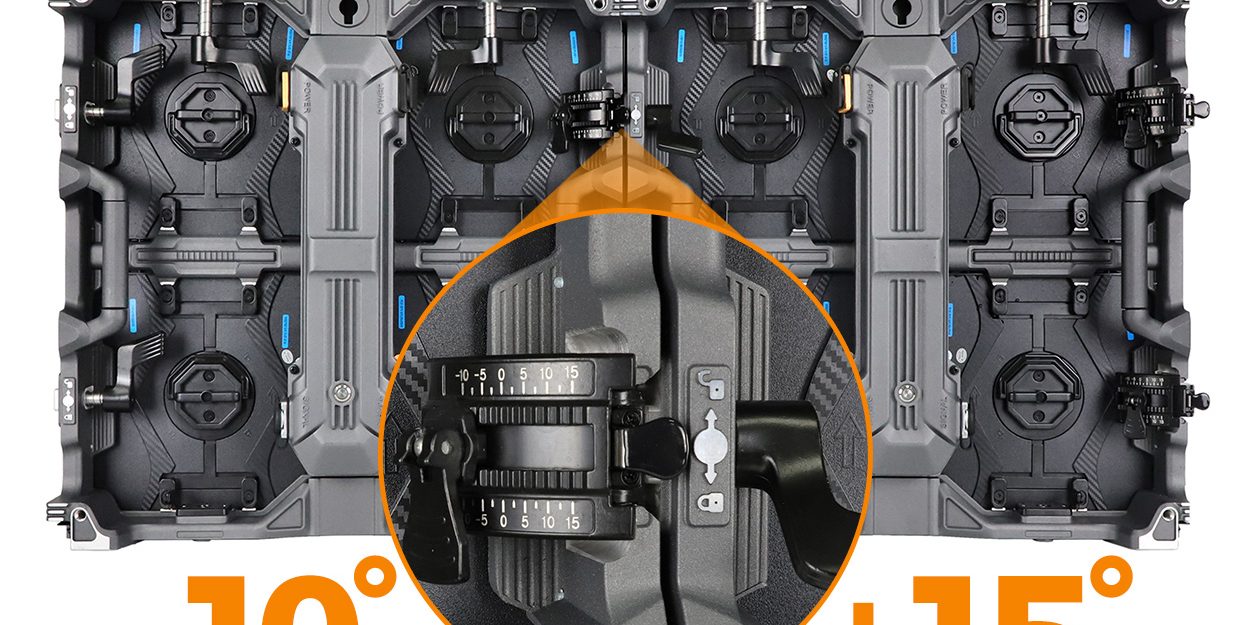
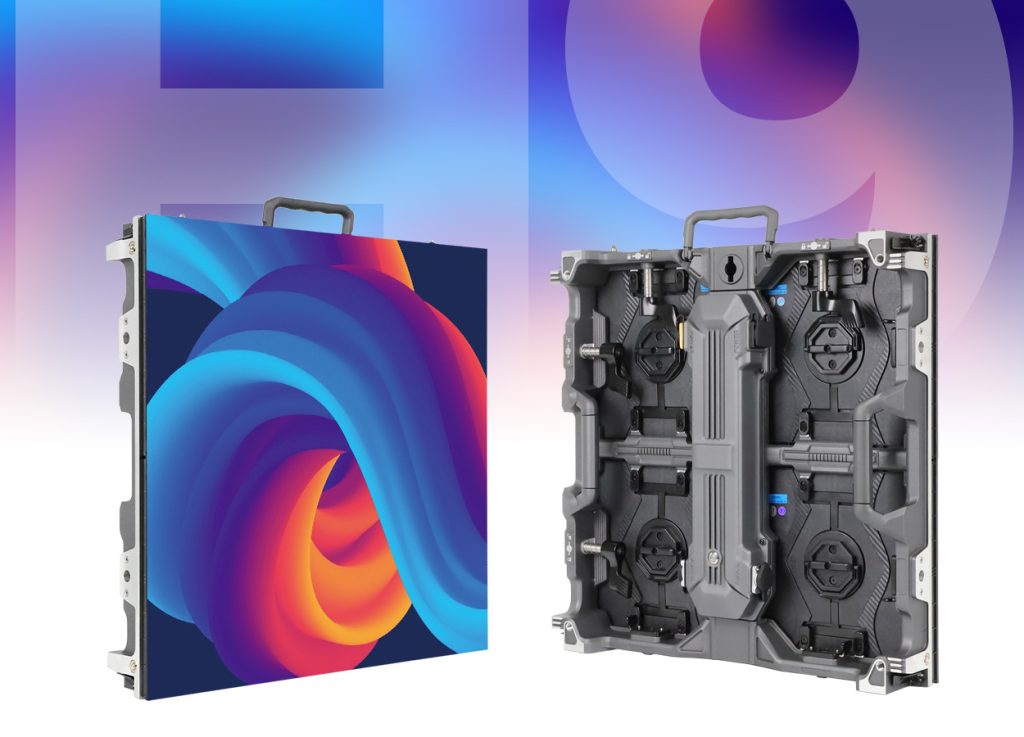
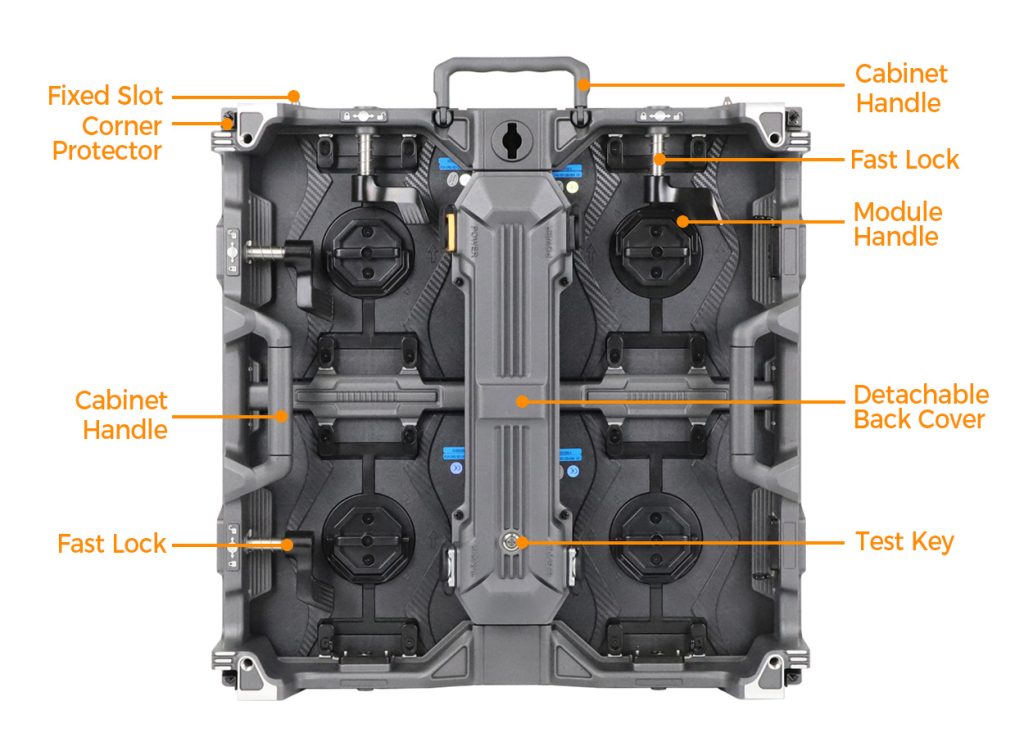
As a real product example, EagerLED’s EA500H9 rental LED board page lists a 500 × 500 mm cabinet using four 250 × 250 mm modules. Its indoor options cover P1.56 to P3.91 with published brightness of 700–1,000 cd/m² and an IP31 rating. These are product-family specifications; obtain the exact proposed variant and current data sheet before comparing a quotation.
For an indoor exhibition, that information leads to useful questions: Which pitch and native canvas will carry our product labels? What brightness setting suits the hall? Which components can be serviced from the front? What space is still needed behind the wall? An indoor rating does not make a cabinet suitable for outdoor rain exposure.
Watch the hardware, then request your own test sequence
Viewing points: watch how the H9 cabinet family is presented and how adjoining cabinets form a wall. Use those details to ask about the ordered cabinet size, connection hardware and service procedure. This video from the official @EagerLED channel introduces the product family; it does not prove your artwork performance, booth clearances or a shipment’s acceptance.
A published refresh-rate figure also does not guarantee a clean result with every camera and shutter setting. If visitors will film the booth or you will stream presentations, include representative equipment and settings in the demo brief and review the recorded result.
4. Check service access inside the finished booth
“Front service” needs a component-by-component explanation. A removable front module does not automatically mean every power, receiving or connection component can be reached from the audience side. Ask the supplier to mark the service direction for each relevant component on the booth drawing.
For the EA500H9 example, the product page describes magnetic modules and front/rear maintenance features. Have the supplier demonstrate the actual proposed service route with the surrounding booth finishes represented. Confirm tool access, cable reach, connector clearance and where the removed component will be handled. Do not equate the cabinet depth with the full installation depth.
Ask a trained technician to perform an agreed replacement procedure using the supplied spare, following the manufacturer’s isolation and handling instructions. Record the steps and confirm the restored picture against the original demo files. A spare that fits mechanically still needs the correct configuration and an acceptable visual match.
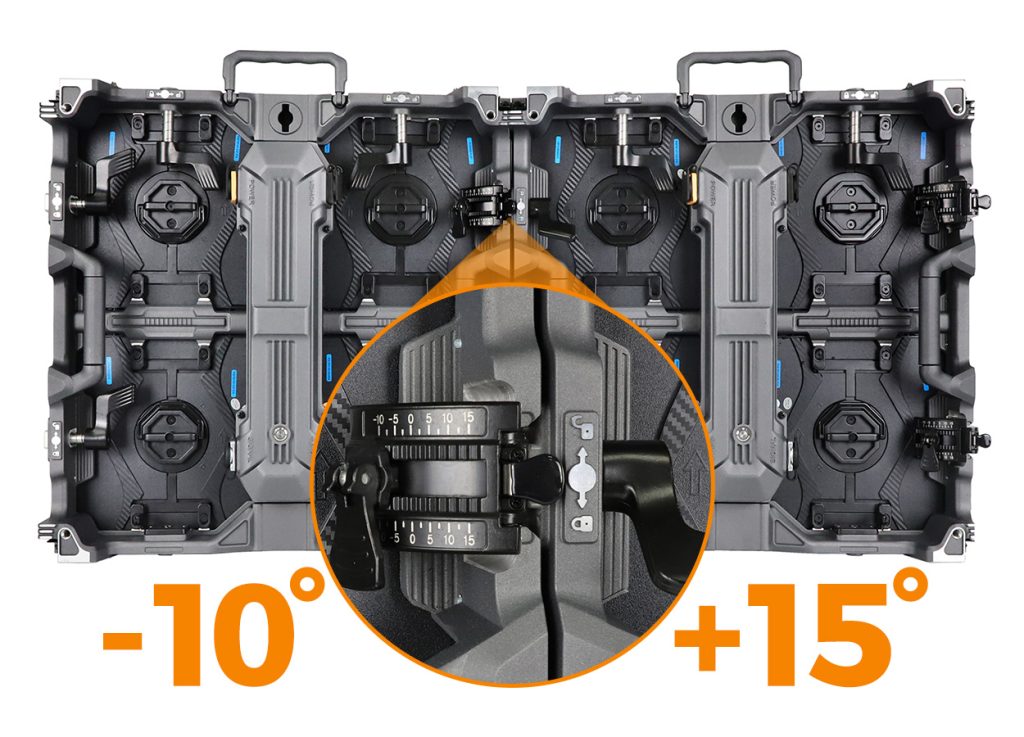
If your booth uses a curve, request the assembled geometry and content mapping as part of the proposal. A flat demo wall cannot establish how a curved installation will meet the booth finishes or how text will appear across the curve. Confirm the supporting structure and venue requirements with the responsible installation team.
For screens within visitors’ reach, review surface-protection needs separately with our GOB guide for high-contact exhibition screens. Coating selection and cleaning procedures are a different decision from supplier demonstration quality.
5. Compare evidence and commercial scope
Use a simple decision record for each supplier: accepted, correction required, not demonstrated or not applicable. Keep the reason, evidence date and responsible reviewer beside every result. Do not convert missing evidence into a pass or let an attractive total price conceal an untested requirement.
Before ordering, connect each accepted demo result to an identified configuration: cabinet and module version, processor and receiving hardware, relevant software settings and agreed accessories. Ask how substitutions will be notified and reviewed. For repeat rentals, clarify what information is needed when ordering a compatible spare later.
Compare the supply scope line by line: active cabinets, agreed spares, control equipment, cables, mounting accessories, cases, training or documentation, freight responsibilities and exclusions. Verify the written warranty coverage and service process for your destination. If a document or certification is required, check the named model, issuing details and applicable scope; a logo in a brochure is insufficient evidence.
Supplier identity, factory processes and quality records remain part of due diligence. Our LED manufacturer audit checklist covers that broader review. The exhibition demo adds the missing application check: whether the proposed system supports the work your booth actually needs to do.
6. Request an exhibition proposal
Include the booth plan, screen dimensions, visitor positions, original artwork, expected hall lighting, source equipment, destination and first event date. State whether you need a flat or curved wall and what access is available behind it.
Ask for a proposed indoor configuration, itemized supply scope and confirmation of which artwork and service demonstrations can be arranged. Identify unresolved requirements before making the final supplier decision.
Discuss your exhibition LED requirements
Available models, demonstration arrangements, support scope and delivery terms require project-specific confirmation.
7. Frequently asked questions
What should I verify when shortlisting Chinese indoor rental LED suppliers?
Verify supplier identity and capability, then compare the exact proposed system using the same booth brief. Check real artwork, operating brightness, visitor positions, service access, compatible spares and written supply terms. Keep evidence tied to the demonstrated configuration.
Is the smallest pixel pitch always the best exhibition choice?
No. Choose a pitch that supports the essential content at the intended viewing positions and fits the complete system budget. Demonstrate your smallest required labels through the proposed signal path instead of selecting solely by pitch.
Does front service eliminate the need for rear clearance?
Not necessarily. Modules, power components, cables and connectors may have different access requirements. Ask for a component-level service drawing and a demonstration within the planned booth finishes.
Can a supplier’s phone video prove color accuracy?
It can document the setup and obvious behavior, but camera exposure, compression and recording conditions limit color judgments. Use a suitable sample review or witnessed demonstration when brand-color acceptance is critical.
Can the standard product video replace an acceptance demonstration?
No. A product video introduces a model family. An acceptance demonstration should use your agreed files, settings and criteria on the identified configuration, with unresolved points recorded before approval.
Product example and media checked against EagerLED’s EA500H9 product page and official @EagerLED video on 19 October 2026. The demonstration procedure is editorial buying guidance, not an independent laboratory test or a guarantee for every configuration.