

This guide explains how the NovaStar MG Series distributed processors are applied in an AV over IP system for LED displays. It focuses on system structure, deployment logic, and signal distribution rather than product specifications. The content is organized around practical deployment scenarios and daily operation. The aim is to help users clearly understand the system and use it effectively in real LED display projects.
catalogue
1.NovaStar MG Series Distributed Processors Overview
2.How the NovaStar MG Distributed Processors Builds an AV over IP System
3.Core Devices in the MG Series and Their Roles in the System
4.Typical LED Display System Structures Using MG Distributed Processors
5.Basic Deployment Workflow of a NovaStar MG Series System
6.Signal Routing and Daily Operation in an MG Series AV over IP System
1.NovaStar MG Series Distributed Processors Overview
NovaStar MG Series distributed processors give you two ready-to-deploy options—2K and 4K—designed for different project scales and performance needs. Both leverage a true AV over IP system architecture, transmitting high-quality video and control signals over standard Cat6 Ethernet or fiber optic networks using H.264/H.265 compression. While they share the same software ecosystem and management interface, their resolution support, color fidelity, and hardware capabilities differ significantly in practice.
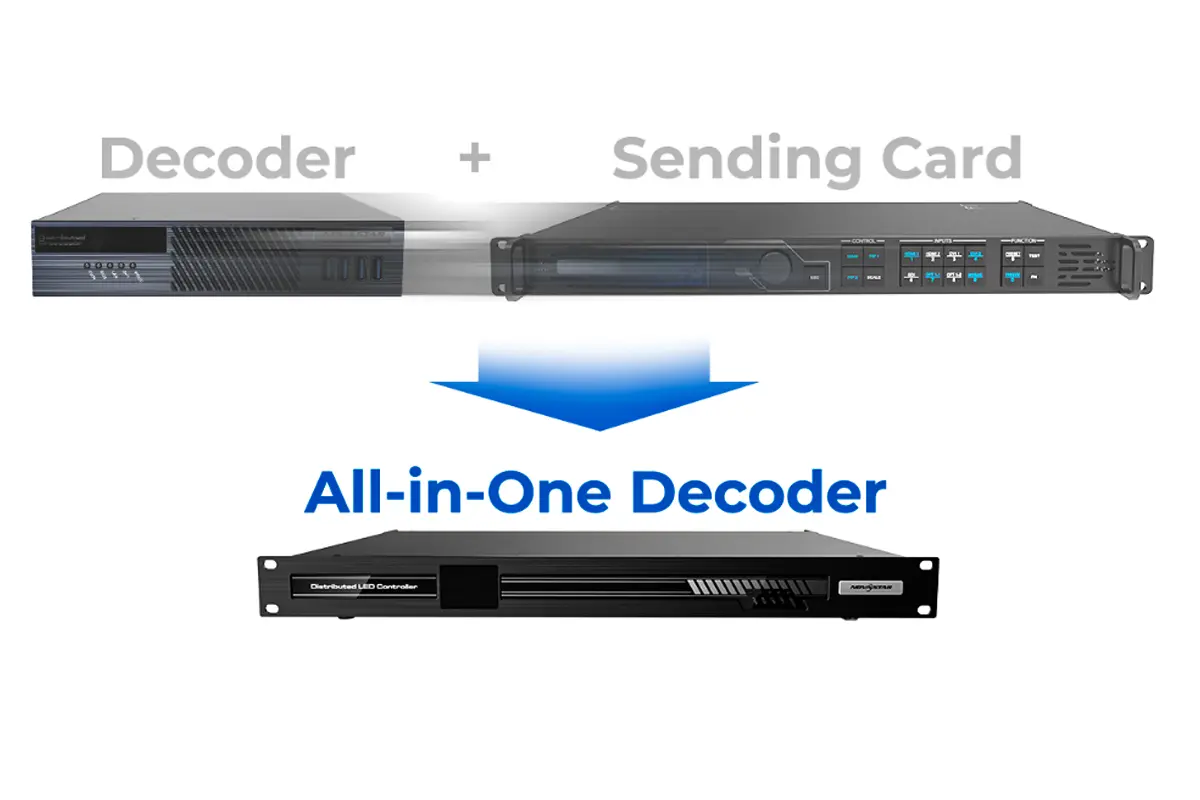
NovaStar 2K MG Series Distributed Processors
Features
- Supports input and output up to 1920×1080@60Hz (Full HD) via HDMI 1.3
- Uses H.264 and H.265 encoding with 10-bit 4:2:2 color sampling for high visual quality at low bandwidth
- Achieves ultra-low end-to-end latency of ≤60ms
- Built-in KVM over IP with cross-platform support (Windows, Linux, macOS) and mouse roaming
- Web-based configuration and remote monitoring via standard browser
Applications:
Ideal for small to mid-sized installations such as corporate meeting rooms, retail digital signage, campus security centers, and broadcast preview walls—where cost efficiency, reliability, and simple maintenance are priorities.
Hardware
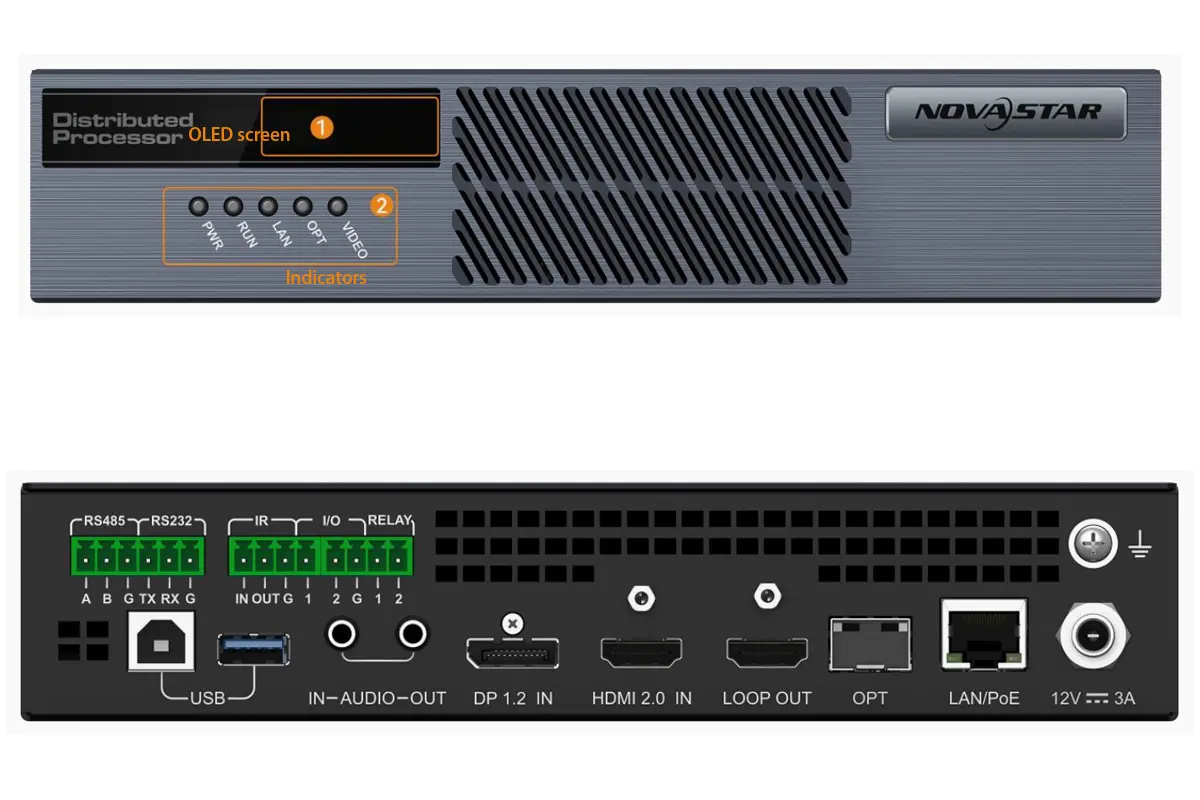
MG200: Encoder-only unit for capturing and streaming AV sources
MG201: Decoder-only unit for displaying decoded streams on displays or LED processors
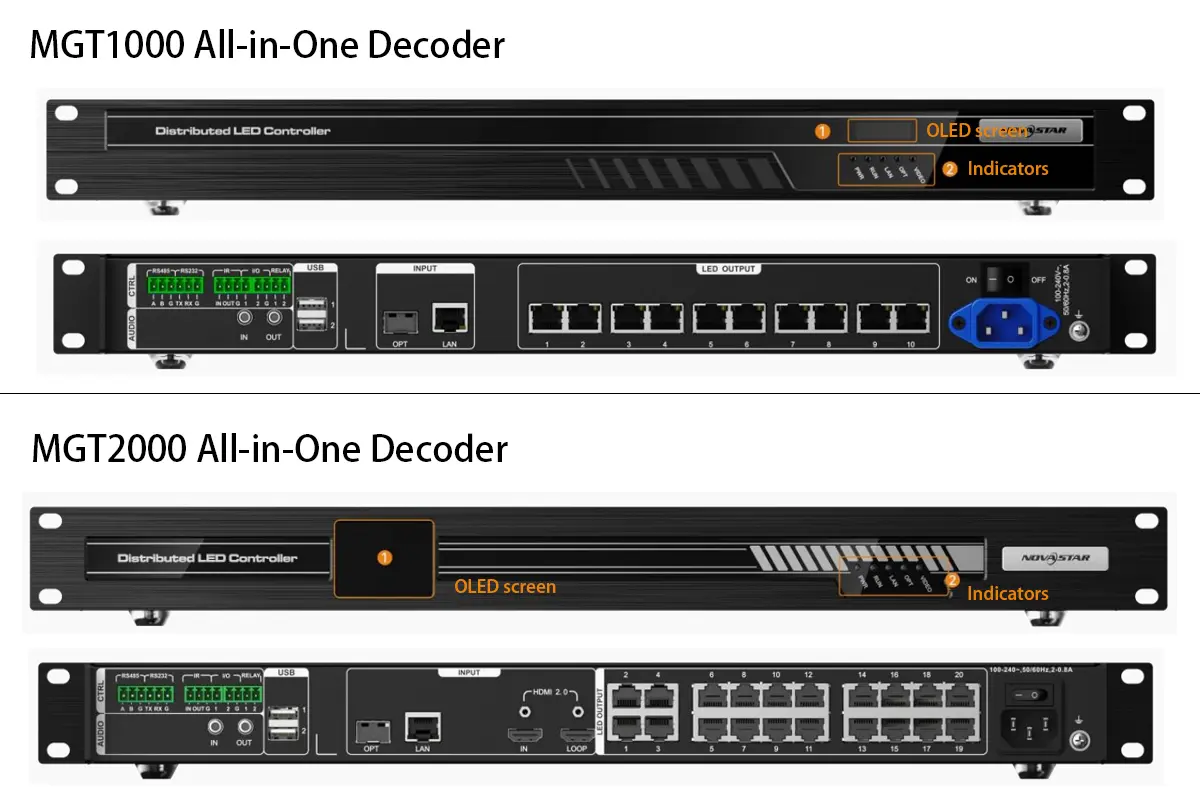
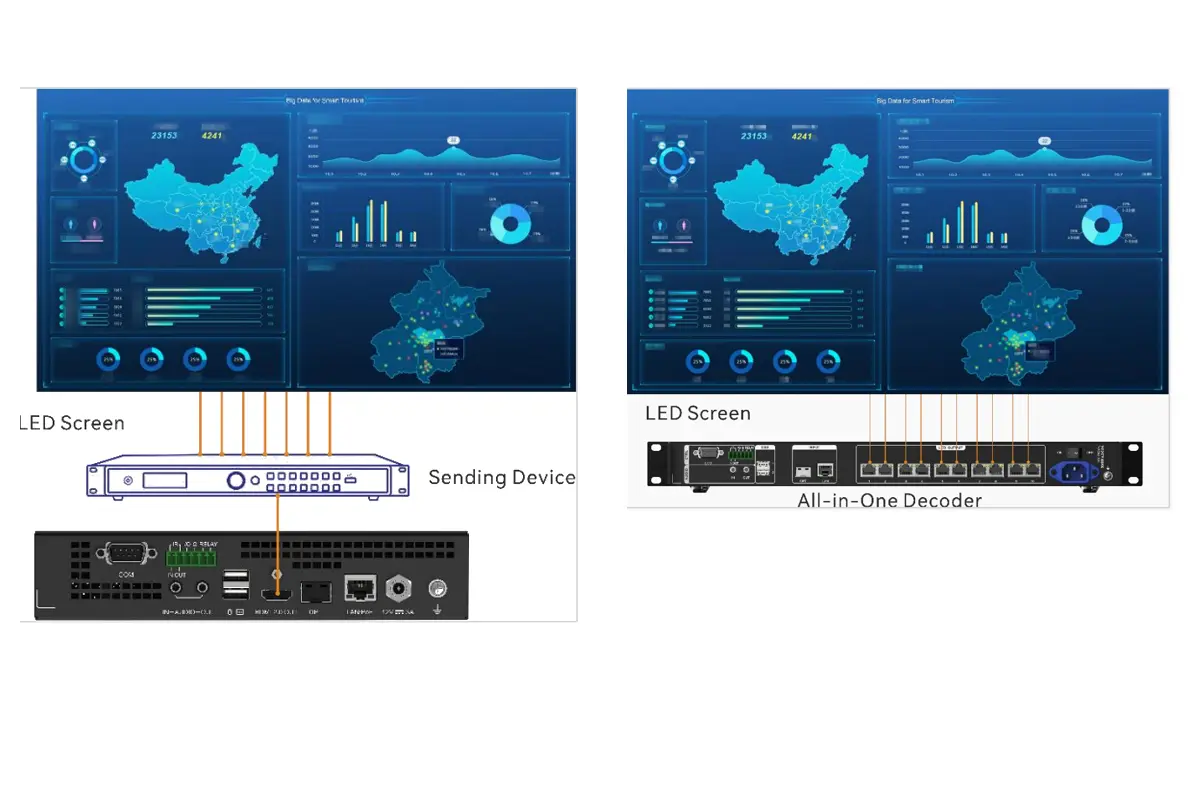
MGT600: All-in-One decoder with integrated LED sender card—can directly drive an LED screen without an external video processor.
When to Choose
Choose the 2K Series when your project requires Full HD resolution, real-time responsiveness, and seamless integration into existing IT infrastructure—without the complexity or cost of 4K processing.
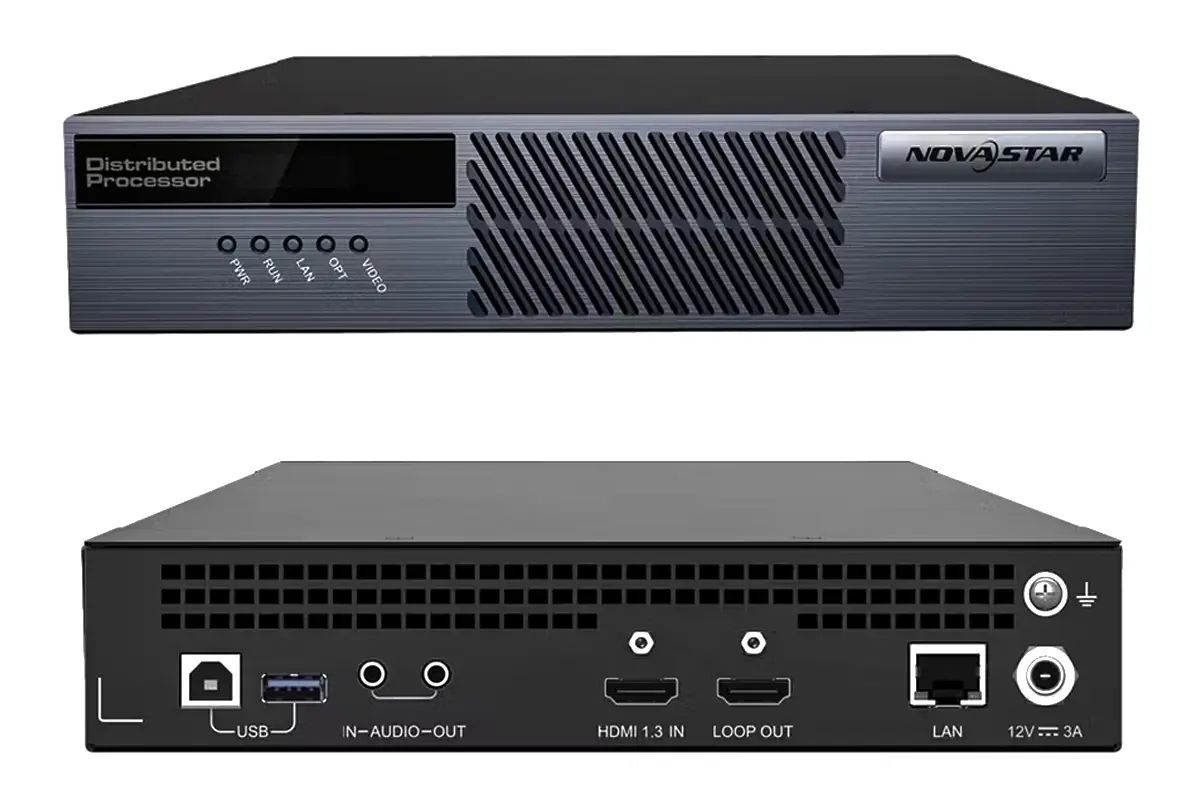
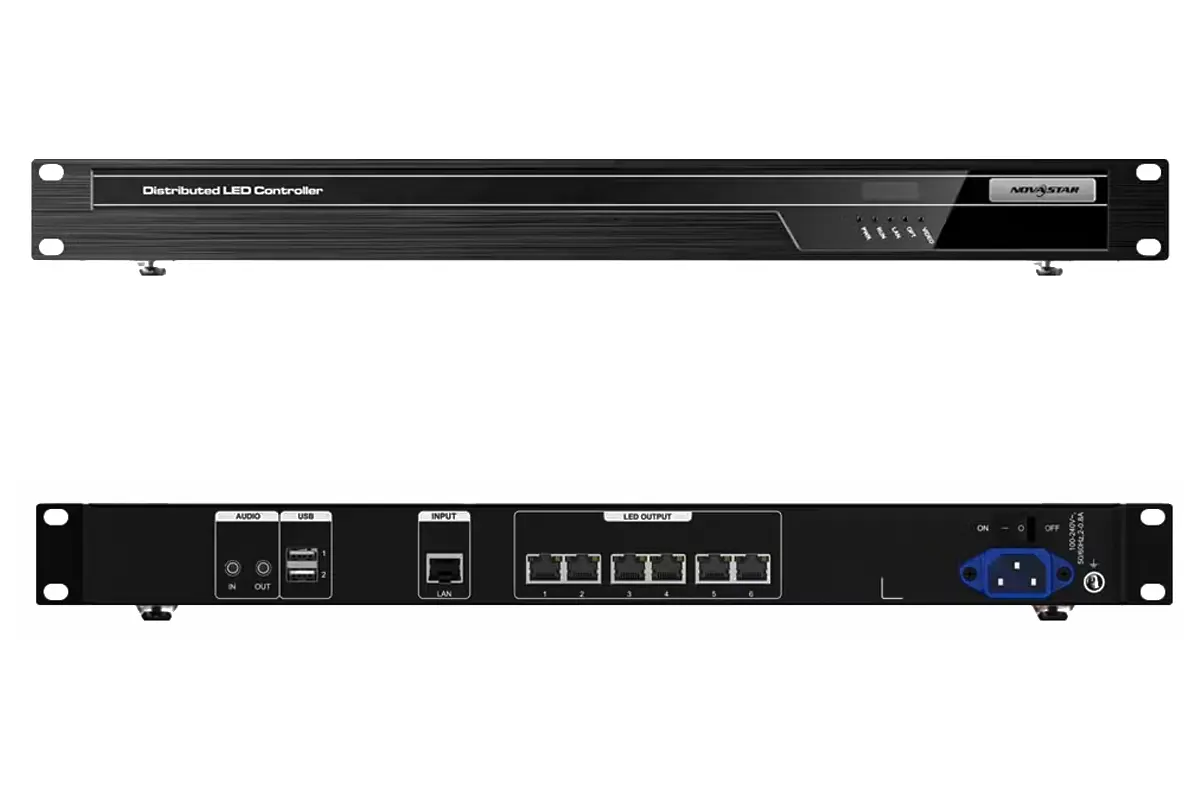
NovaStar 4K MG Series Distributed Processors
Features
- Handles 4K×2K@60Hz input and output with 10-bit 4:4:4 full-color sampling for broadcast-grade image quality
- Implements frame-level synchronization across all decoders to eliminate tearing and ensure perfect alignment in multi-screen mosaic walls
- Supports multi-layer windowing, picture-in-picture (PiP), OSD text, and custom screen layouts
- Includes advanced management features like role-based access, remote diagnostics, and firmware updates
- Fully compatible with NovaLCT for integrated LED screen control
Applications:
Designed for mission-critical environments such as national command centers, emergency operations hubs, air traffic control rooms, large data visualization walls, and live broadcast studios—where pixel-perfect accuracy, scalability, and system redundancy are essential.
Hardware
MG420: High-performance 4K encoder
MG421: 4K decoder with dual HDMI outputs
MGT1000 / MGT2000: All-in-one units that combine 4K decoding + built-in LED sending card, eliminating the need for separate controllers
When to Choose
Opt for the 4K Series when you need true 4K resolution, multi-layer compositing, or direct LED wall driving—all within a scalable, future-proof distributed AV over IP system.
2.How the NovaStar MG Distributed Processors Builds an AV over IP System
NovaStar MG Series distributed processors serve as the intelligent core of a professional AV over IP system, enabling flexible, scalable, and low-latency distribution of audiovisual content across standard IP networks. Unlike traditional matrix switchers, this decentralized architecture eliminates distance limitations and single points of failure
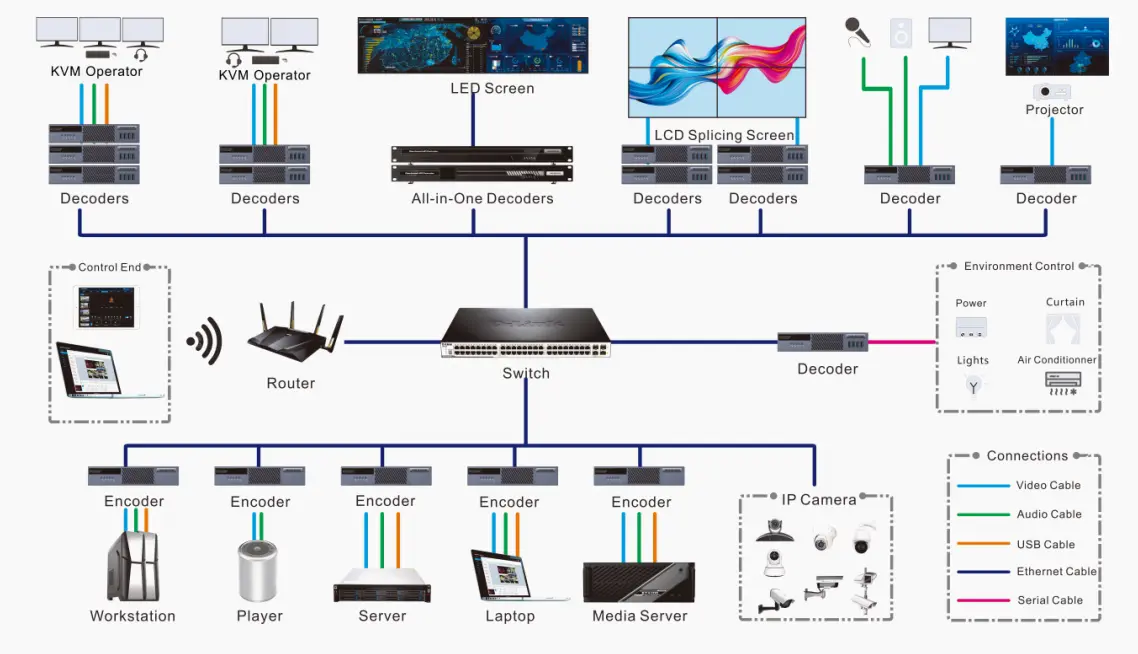
The NovaStar MG Series forms the backbone of an AV over IP system by integrating several key functions:
- Signal Encoding and Transmission: Encoders collect audio/video signals from various sources (e.g., HDMI, DP, IP cameras) and convert them into IP streams.
- Signal Decoding and Display: Decoders receive the IP streams and output them to LED or LCD screens.
- KVM Control: Operators can remotely control connected PCs or servers using keyboard, mouse, and USB peripherals.
- Screen Management: The system supports real-time preview, signal switching, and multi-layer layouts for precise screen management.
By leveraging NovaStar processors, the system ensures low latency, high stability, and exceptional image quality, making it ideal for professional-grade LED display applications.
3.Core Devices in the MG Series and Their Roles in the System
| Device Type | Model | Functionality |
| Encoders | MG200, MG420 | Capture and encode audio/video signals into IP streams for network transmission. |
| Decoders | MG201, MG421 | Decode IP streams and output them to LED/LCD screens or KVM operator stations. |
| All-in-One Decoders | MGT600, MGT1000 | Combine decoding, screen loading, and KVM control in a single device for simplified deployments. |
Each device type plays a critical role in ensuring seamless signal distribution and display across the network.
4.Typical LED Display System Structures Using MG Distributed Processors
When using MG distributed processors, LED display systems are usually built around an AV over IP system that allows users to manage multiple screens and signal sources from a single control point. Instead of focusing on hardware connections, this structure is designed to make daily operation simpler and more flexible.
One control room, multiple LED displays
All signal sources are managed centrally, and content can be sent to any LED display as needed. Users can switch sources or change screen assignments without reconnecting cables, which is especially useful for control rooms and monitoring centers.
Multiple LED screens working independently
Each screen or display area can show different content at the same time. With MG distributed processors, users can adjust layouts or reassign content quickly, making this structure suitable for large LED video wall setups.
Centralized operation with video and control combined
In systems using NovaStar processors from the MG Series, both video display and basic control functions can be handled through the same network. This simplifies daily operation and reduces the effort required to manage complex LED display systems.
5.Basic Deployment Workflow of a NovaStar MG Series System
A NovaStar processors MG Series system is typically deployed as an AV over IP system, where signal sources and LED displays are connected through distributed processors. The steps below describe a practical workflow that users can follow when setting up the system for the first time.
Step 1: Plan the Network Topology
- Use a dedicated VLAN or isolated network segment for AV traffic.
- For 2K systems: Gigabit Ethernet (Cat6) is sufficient.
- For 4K systems: Deploy 10GbE switches with IGMP snooping enabled and set MTU ≥ 9000 (Jumbo Frame).
- Assign static IPs to all MG devices in advance (DHCP is not recommended for production).
Step 2: Connect Hardware
- Encoders (MG200/MG420): Connect HDMI source → encoder → network switch.
- Decoders (MG201/MG421): Connect decoder → network switch → HDMI display or LED controller.
- Power on all units. Wait ~30 seconds for boot-up.
Step 3: Access the Web Interface
- Open a browser (Chrome/Firefox) and enter the IP address of any MG device.
- Log in with default credentials: Username: admin / Password: admin (change after first login).
Step 4: Configure Encoding/Decoding Settings
On the Encoder:
Go to Encoding Settings → Set resolution, bitrate (e.g., 30 Mbps for 1080p, 80 Mbps for 4K), GOP.
Enable KVM if remote PC control is needed.
On the Decoder:
Go to Decoding Settings → Select the target encoder’s Stream ID (auto-detected on same network).
Enable Frame Sync (for multi-decoder video walls).
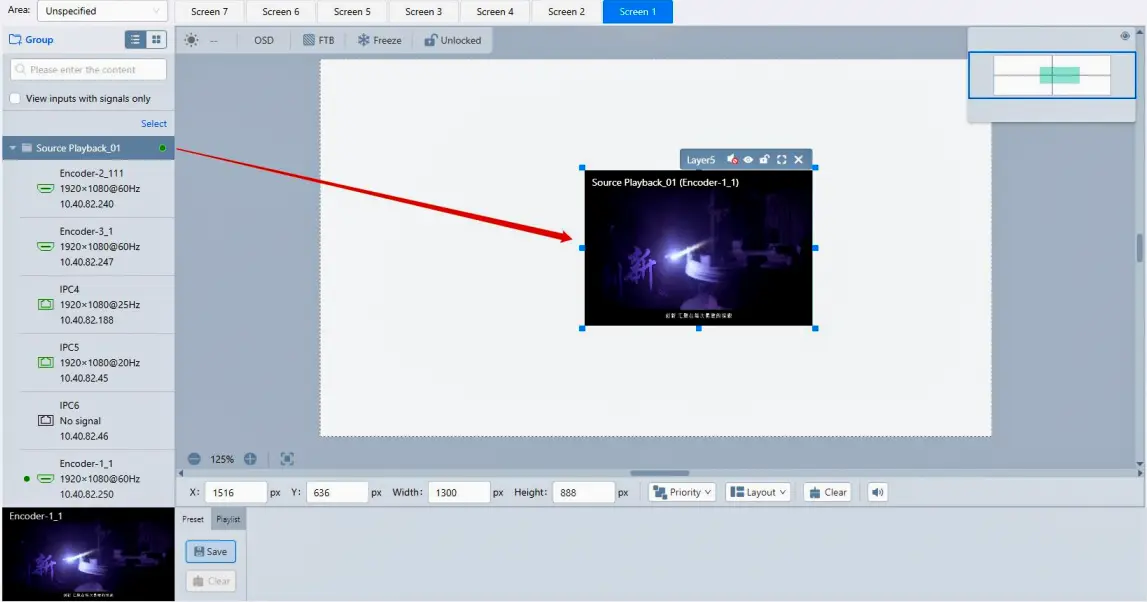
Step 5: Route Signals & Create Layouts
- Navigate to Video Wall > Window Management.
- Click “+” on a decoder output zone → select a live encoder stream.
- Resize, move, or layer multiple windows as needed.
- Save the layout as a Scene for quick recall.
6.Daily Operation in an Novastar processor MG Series AV over IP System
In an MG Series AV over IP system, daily operation mainly involves switching signals, managing multiple LED displays, and checking system status. The following points describe the most common tasks users perform when operating NovaStar processors and distributed processors in real LED display projects.
Switching Video Sources (Most Frequent Operation)
- Open the MG system control interface and locate the list of available signal sources.
- Select the required source from the connected encoder devices.
- Choose the target LED display or displays that will receive the signal.
- Confirm the assignment and check the LED screen to ensure the image appears correctly.
- If a wrong source is selected, reassign the correct source without changing any physical connections.
Displaying One Source on Multiple Screens or Separate Content on Each Screen
- For the same content on multiple LED displays, select one source and assign it to several screens at the same time.
- For different content on each screen, assign individual sources to each LED display separately.
- Confirm that each screen shows the intended content before saving the configuration.
- This operation highlights the flexibility of distributed processors within an AV over IP system.
Daily Layout Management
- Set up commonly used screen layouts during normal operation.
- Save these layouts as presets once the content and screen assignments are correct.
- Use saved presets to switch between different layouts without repeating manual routing.
- Update presets only after confirming that all LED displays show the correct image.
Basic Checks During Daily Operation
- Verify that all NovaStar processors appear online in the system interface.
- Check that each LED display receives a valid signal and displays stable images.
- If a screen shows no image, confirm its signal assignment before adjusting hardware.
- Use a saved preset to quickly restore a known working layout if an unexpected issue occurs.
7.FAQs
Does the NovaStar MG Series require a proprietary network switch?
No. The NovaStar processorsr MG Series works over standard managed Gigabit (for 2K) or 10GbE (for 4K) Ethernet switches that support IGMP snooping and multicast. Avoid unmanaged switches. For stable 4K transmission, enable Jumbo Frame (MTU ≥ 9000) and use enterprise-grade switches (e.g., Cisco, H3C).
Can the NovaStar MG decoder output directly to an LED display without a separate controller?
No. Both NovaStar MG201 (2K) and MG421 (4K) are HDMI decoders only—they output standard HDMI video signals, not LED panel data. To drive an LED wall, you must connect the MG decoder’s HDMI output to a compatible NovaStar LED controller (such as VX4S or MCTRL660).
How many video windows can a NovaStar MG decoder show at once?
It depends on the model:
NovaStar MG201 (2K): Up to 4 simultaneous windows.
NovaStar MG421 (4K): Up to 16 windows, with independent scaling, positioning, and layering.
All sources can be pulled from any online MG encoder on the same network.
What is the real-world latency of the NovaStar MG Series? Is it suitable for live operations?
Yes. The NovaStar MG Series Novastar processors delivers ≤60ms end-to-end latency (from HDMI input to HDMI output) under proper network conditions—making it fully suitable for live broadcast monitoring, command centers, and real-time control rooms. Latency may increase if network congestion occurs or if ultra-high bitrates are used without sufficient bandwidth.