Video wall screens turn a large surface into one coordinated display for live information, branded content, presentations, and events. An LED video wall uses modular light-emitting panels; an LCD video wall joins flat panels with visible bezel lines. The right choice depends on viewing distance, ambient light, content detail, operating hours, access for service, and the full installed cost.
At a glance: Choose the display technology for the job, test pixel pitch with the closest viewer, calculate the native pixel canvas, and compare the complete installed system rather than cabinet price alone. This guide covers LED versus LCD, indoor and outdoor uses, a worked resolution example, cost drivers, and a supplier checklist. The figures are planning examples; confirm final specifications with the proposed cabinets and a site survey.
1. What are video wall screens?
Video wall screens are multiple display units controlled as one visual canvas. Direct-view LED video wall screens connect cabinets containing LED modules, power supplies, receiving cards, and data cabling. A video processor maps source pixels across the cabinets so content appears continuous. LCD video wall screens instead tile complete liquid-crystal monitors; even narrow-bezel models retain some visible seams. Projection blends images from several projectors and depends more heavily on controlled lighting and alignment.
In an LED video wall, pixel pitch is the centre-to-centre spacing between adjacent pixels in millimetres. A smaller pitch creates more native pixels across the same physical area, supporting closer viewing and finer text. Pitch alone does not establish image quality: contrast, brightness control, calibration, refresh behaviour, surface protection, and content resolution also matter. See EagerLED’s pixel pitch guide for a deeper distance discussion.
| Technology | Best fit | Key advantage | Main trade-off |
|---|---|---|---|
| Direct-view LED | Large indoor or outdoor canvases; flexible shapes | Nearly continuous image with scalable size | Pitch, power, structure, and servicing require careful design |
| Tiled LCD | Controlled indoor rooms with detailed dashboards | High pixel density at familiar panel sizes | Bezels interrupt the image; panel replacement can affect matching |
| Blended projection | Very large temporary or theatrical surfaces | Can cover unconventional surfaces | Ambient light, shadows, and alignment affect results |
Use LED video wall screens when a continuous image, large format, or outdoor visibility is central to the brief. Use LCD when close-viewed detail and a controlled indoor environment matter more than bezel-free presentation. Ask for a demonstration using your own content at the intended viewing distance before choosing.
2. Where do video wall screens create value?
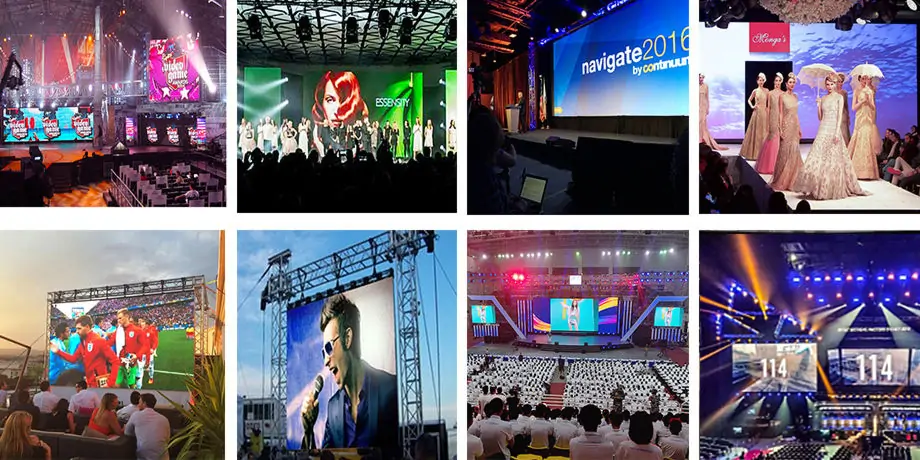
01. Retail and corporate communication
Retail video wall screens can show product launches, seasonal creative, wayfinding, or live inventory messages. Place the main call to action at the audience’s eye line and leave enough dwell time for reading; a wall that is visually impressive but unreadable does not serve the campaign. In a lobby or meeting room, an LED video wall can combine welcome messages, presentations, and remote feeds, but text-heavy slides demand a pitch and native resolution suited to the nearest viewer. For close indoor applications, compare the choices in EagerLED’s indoor LED screen guide.
02. Events, stages, and houses of worship
Rental video wall screens are designed for repeated assembly and transport. They need quick-lock cabinets, protective handling, signal redundancy, and a tested rigging plan. Content teams should deliver files in the wall’s actual pixel canvas, not assume a standard 16:9 output. Camera use adds refresh, scan behaviour, and moiré testing to the specification. EagerLED’s concert screen guide discusses viewing distance and stage setup in more detail.
03. Control rooms and public information
Control-room video wall screens show multiple sources at once: maps, camera feeds, alarms, dashboards, and communications. The requirement is information hierarchy and reliability rather than maximum visual impact. Define source count, latency tolerance, processor layouts, readable font size, failover, and operator access. Public-information walls at airports or transport hubs also need legible schedules, accessible contrast, and content workflows that prevent obsolete notices.
| Application | Viewer and content | Priority to verify |
|---|---|---|
| Boardroom or control room | Close viewing; small text and multiple windows | Fine pitch, low-brightness quality, source handling, quiet operation |
| Retail or lobby | Near to medium distance; branded video | Contrast, sightlines, service access, content scheduling |
| Stage or exhibition | Mixed distances; live camera and motion | Rigging, fast assembly, camera test, backup signal path |
| Outdoor advertising | Longer distance; short, high-contrast messages | Daylight visibility, weather rating, permits, power and wind load |
These are use-case prompts, not a substitute for a site survey. A single LED video wall may serve several purposes, but the most demanding one should set the specification.
3. How to choose pixel pitch, size, and resolution
01. Start with the nearest viewer
Mark the closest position from which people must read the display. Then test candidate video wall screens at that position with real text, faces, and graphics. A smaller pitch generally supports a closer viewer, but there is no universal pitch-to-distance rule: acceptable detail depends on eyesight, content, brightness, and purpose. Compare viewing-distance methods in EagerLED’s pixel pitch guide, then verify the choice with a physical sample; a finer pitch is not always useful.
02. Calculate the native canvas
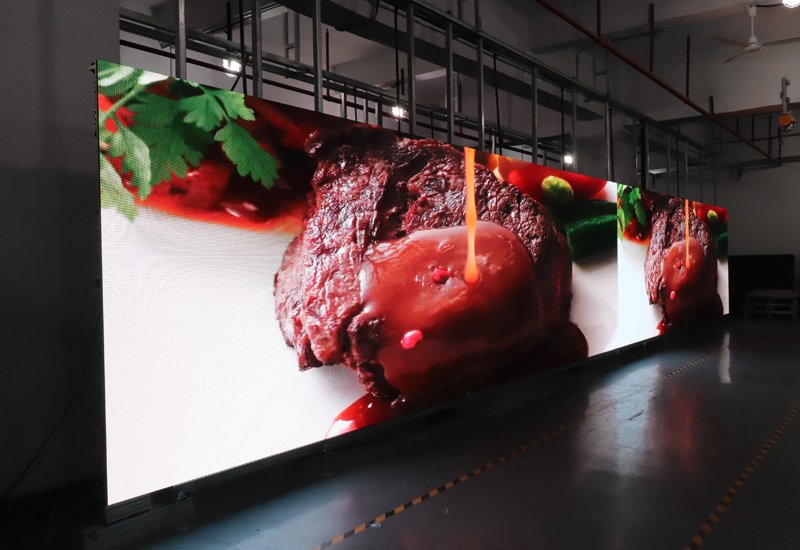
For an LED video wall, divide active width and height in millimetres by pixel pitch in millimetres to estimate native pixels. Example: a 4.8 m by 2.7 m wall at 2.5 mm pitch is approximately 1,920 by 1,080 pixels. The same size at 1.25 mm is approximately 3,840 by 2,160 pixels. Cabinet dimensions may force a slightly different finished size, so ask the vendor for the exact cabinet matrix and native pixel map. Feeding 4K video to a 1080p wall does not create 4K native detail.
03. Fit the aspect ratio to the content
Choose width and height based on audience sightlines, ceiling height, safe mounting, and the content format. A 16:9 LED video wall simplifies conventional video playback, while portrait, ultra-wide, or curved video wall screens need purpose-made creative. Confirm whether the processor can scale or crop live sources cleanly and whether every source reaches the display at its intended resolution. EagerLED’s aspect-ratio guide gives cabinet planning examples.
Ask for a pixel map before content production. That one document aligns the video editor, AV integrator, processor configuration, and LED supplier, avoiding stretched logos and illegible text on opening day.
4. Specify brightness and indoor or outdoor protection
01. Balance brightness with the light on site
Brightness is measured in nits (cd/m²). Indoor video wall screens should remain comfortable at the dimmest operating setting and preserve grayscale and colour detail; the highest advertised nit figure is rarely the daily setting. Outdoor LED video wall screens need enough output for direct sun, but the required level varies with orientation, shading, time of day, and local rules. Request measured operating brightness and an automatic dimming plan rather than relying on a peak figure alone. A daylight mock-up is more useful than a showroom video.
02. Treat weather resistance as a system requirement
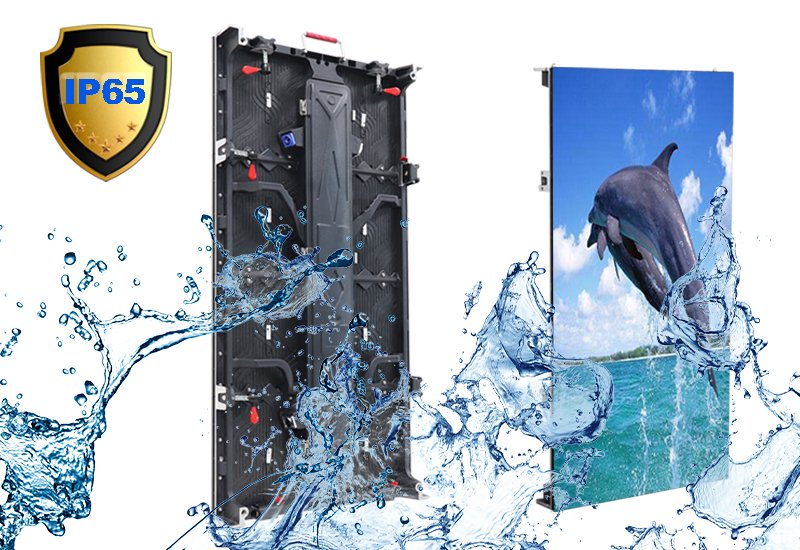
An outdoor LED video wall needs more than a weather-rated front face. Confirm the ingress protection rating for front and rear, sealed connectors, drainage, corrosion protection, temperature range, ventilation, and a safe rear or front service path. The supporting steelwork must be engineered for local wind and seismic loads where applicable. Confirm permits, electrical isolation, surge protection, earthing, and access for cleaning with qualified local professionals. An indoor cabinet placed under a canopy is not automatically suitable outdoors.
Outdoor video wall screens should also account for sunlight striking the display at a low angle and for nearby residents or drivers affected by excessive brightness. Test day, dusk, and night settings. Set a content policy for motion, flashing, and emergency messages that follows local rules. These decisions are part of usable performance, not optional accessories.
5. Design the complete LED video wall system
01. Cabinets, structure, and service clearance
Video wall screens must have a flat, stable support surface and a cabinet layout that keeps module joints aligned. A permanent LED video wall may use wall mounting, a free-standing frame, or a suspended structure; rental systems use staging and rigging hardware. Request signed structural drawings where required. Establish whether modules, power supplies, and receiving cards are serviced from the front or rear. A wall tight against a building surface may be impossible to repair if it requires rear access.
02. Processing, control, and redundancy
The processor takes HDMI, SDI, IP, or other sources and maps them to the LED video wall. Specify input formats, source count, scaling, latency, HDR handling if needed, and how operators switch layouts. A content management system schedules files and can feed several sites, but it does not replace a properly sized video processor. Ask the integrator to document what happens when one source, sending card, power supply, or network path fails. For mission-critical video wall screens, consider spare modules and a tested backup path instead of relying on a vague “redundant” claim.
03. Power, heat, and safety
Request both typical and maximum power figures for the proposed cabinet configuration, plus circuit schedules and heat-load estimates. Bright full-white content can draw more power than a typical programme, so electrical sizing should use the supplier’s maximum figure and local code. Provide ventilation or cooling suitable for the enclosure. Separate signal and mains routing, label cables, and document safe isolation. These details affect operating cost and service time more than a small difference in brochure brightness.
6. Build content that works on video wall screens
01. Make the message readable first
Successful video wall screens use a clear visual hierarchy: one primary message, supporting detail, and a call to action that fits the viewer’s dwell time. Avoid placing fine text across cabinet joins or at the far edges. For a lobby, test the longest sentence from the farthest intended viewing point. For a control room, test the smallest dashboard label from the nearest workstation. If a viewer must squint, changing the creative may be cheaper and more effective than buying a finer LED video wall.
02. Prepare the correct file and frame rate
Deliver creative at the native canvas or an agreed scaled canvas. Use consistent colour space and frame rate across sources, and avoid highly compressed footage that reveals block artefacts on large video wall screens. Camera-facing LED video walls need an on-site camera test for moiré, shutter interaction, scan lines, and colour matching. This should happen with the actual cameras, lenses, shutter settings, and lighting, not only a manufacturer sample clip.
03. Schedule and measure responsibly
Map each content item to its audience and outcome. A retailer might measure store entries or QR scans; an event producer might track sponsor exposure and audience visibility; a control room might measure incident response workflow. Video wall screens do not directly prove sales lift on their own. Compare against a baseline, keep campaign dates, and record outages so performance claims have context. Establish who approves content, who can publish emergency notices, and how old assets are retired.
7. Install, commission, and maintain the wall
Before installation, approve drawings showing finished dimensions, viewing positions, mounting loads, cable routes, ventilation, service access, and the cabinet matrix. During commissioning, inspect mechanical alignment, module uniformity, dead pixels, colour calibration, grayscale at normal brightness, source switching, and shutdown/restart behaviour. Test representative content at the closest and farthest viewers, then record the accepted settings and photographs. For an outdoor LED video wall, include water-management and night-dimming checks in the handover.
Keep a labelled spare-parts kit and configuration backup. Clean only as the manufacturer specifies, inspect connectors and structure on a documented schedule, and monitor temperature and error logs where the controller supports it. A spare module from the same production batch can reduce visible colour differences after a repair. EagerLED’s parts and tutorial library shows common components, while its service information describes support channels. Confirm the exact warranty terms on the quotation for your project.
8. Compare quotes and total cost of ownership
The lowest cabinet price rarely means the lowest installed cost. A complete quote for video wall screens should separate display area, processor, control software, mounting, power distribution, cabling, shipping, labour, calibration, training, spares, and service. Ask whether stated power is typical or maximum and whether the warranty covers labour, parts, travel, and shipping. For rental LED video wall screens, add transport cases, handling labour, rigging, and repeated assembly time. For a fixed wall, add electricity, planned maintenance, and access equipment over its intended operating life.
| Item | What to request | Why it matters |
|---|---|---|
| Display geometry | Active dimensions, cabinet count, exact native pixels | Confirms content canvas and finished fit |
| Image performance | Pitch, brightness range, calibration method, camera test | Shows real performance at operating settings |
| Environment | Ingress ratings, temperature, wind/structure documentation | Matches the actual site and compliance needs |
| System | Processor model, inputs, control licences, backup paths | Prevents missing components and source limits |
| Power and service | Typical/max watts, access method, spares, warranty scope | Reveals running cost and downtime exposure |
| Handover | Commissioning tests, training, drawings, configuration backup | Makes the LED video wall maintainable after launch |
Use the same brief for every bidder and compare like for like. If one LED video wall offer excludes structure or commissioning, add those costs before ranking it. Request a sample or visit a comparable installation when image quality is a deciding factor.
9. Frequently asked questions about video wall screens
01. What is the difference between an LED video wall and an LCD video wall?
An LED video wall uses modular direct-view LED cabinets to create a nearly continuous image. LCD video wall screens join complete LCD monitors, leaving bezel lines between units. LED usually suits larger or unusual formats; LCD can be useful for detailed indoor dashboards. Compare at the actual viewing distance.
02. What pixel pitch should indoor video wall screens use?
There is no single best pitch. Start with the nearest viewer and the smallest detail they must read, then test candidate video wall screens with actual content. Finer pitch increases pixel count on the same wall but may add cost without visible benefit for a distant audience.
03. How bright should outdoor video wall screens be?
Specify outdoor brightness from a site survey that includes orientation, sun exposure, shade, and night-time restrictions. Ask for adjustable operation, not just a peak nit figure. Outdoor video wall screens also need appropriate weather protection, structure, and service access.
04. Can an LED video wall display 4K content?
Yes, but 4K input does not guarantee 4K native display resolution. Calculate wall pixels from active dimensions and pitch, and verify processor capacity. A roughly 4.8 m × 2.7 m LED video wall at 1.25 mm pitch is about 3,840 × 2,160 pixels; cabinet geometry determines the exact result.
05. How do I maintain video wall screens?
Follow the manufacturer’s cleaning instructions, monitor temperature and faults, keep configuration backups, and store labelled spare modules, power supplies, and receiving cards. Choose front or rear service before construction; access is much harder to add later.
06. What affects the cost of an LED video wall screen?
Pixel pitch, active display area, cabinet type, processor capacity, mounting, electrical work, weather protection, installation, calibration, spares, and service all affect the installed price. Ask suppliers to itemise the same scope and state both typical and maximum power use so quotations can be compared fairly.
10. Conclusion: choose video wall screens for the job
Effective video wall screens begin with a measurable job: what people need to see, from where, under what lighting, and for how long. Set the viewing distance and native canvas first, then specify brightness, environmental protection, control, structure, power, and service. An LED video wall should be judged as a complete installed system, not a cabinet price or a single brochure number. Use the tables above as a brief for vendors, test your own content on a sample, and document acceptance criteria before ordering.
For more technical examples, read EagerLED’s LED video wall guide. To compare a real project, send EagerLED your active dimensions, nearest viewing distance, installation location, and content format and request a cabinet layout, pixel map, power budget, service plan, and itemised quotation. The final specification needs a site survey and project-specific review.