Choosing a church LED screen starts with the people who need to read it, the room where it will operate, and the team responsible for running it. A display that looks impressive in a supplier’s demonstration may still be unsuitable for a sanctuary with close seating, strong daylight, restricted maintenance access, or demanding livestream production.
For distributors, AV integrators, and project contractors, the challenge is translating those conditions into a complete specification. Pixel pitch matters, but so do cabinet dimensions, processing capacity, installation engineering, spare parts, and the clarity of the handover documentation.
A well-specified church LED screen should make lyrics readable, support sermon content, integrate with existing equipment, and remain practical to service. Achieving that requires decisions about the whole system before comparing panel prices.
This guide presents ten practical checks for evaluating a church LED screen project, preparing comparable quotations, and agreeing on acceptance criteria. It also explains what information to prepare when discussing a project with EagerLED.
Use this checklist at the quotation and acceptance stage. For the broader purchase decision, read the church LED video wall buying guide; for the room survey, use the screen size and seating layout guide. Record the supplier’s proposed configuration and acceptance evidence against each check below.
On smaller screens, swipe horizontally within a table to read every column.
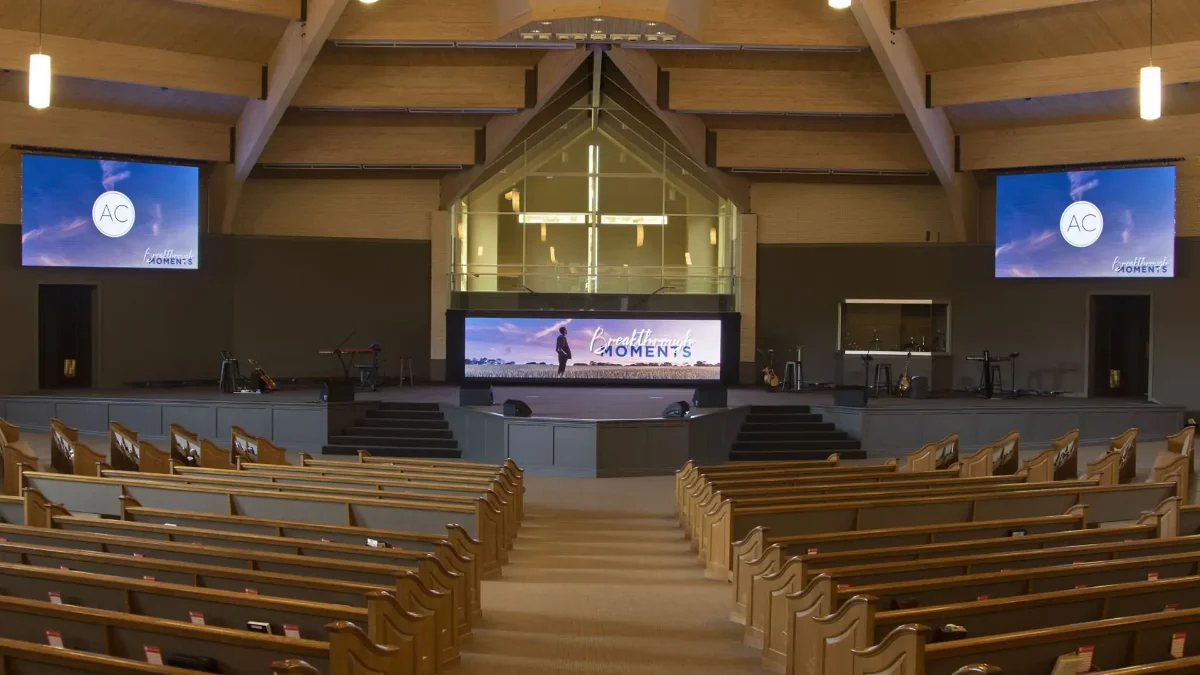
1. Define Your Church’s Worship and Display Needs
Before selecting a church LED screen, establish what it must show and who must see it. A central display for lyrics has different priorities from a scenic background behind musicians. A lobby information screen creates another set of requirements.
Write a short project brief that separates essential functions from optional features. Include photographs, room dimensions, seating plans, sample content, and the expected operating schedule.
| Application | Main viewing requirement | What to verify |
|---|---|---|
| Lyrics and scripture | Comfortable reading across the seating area | Text size, line count, contrast, and sightlines |
| Sermon presentations | Clear diagrams and supporting information | Smallest essential detail at the farthest seat |
| Live camera images | Natural movement and usable facial detail | Complete camera-to-screen delay |
| Stage backgrounds | Appropriate visual balance | Brightness relative to performers and lighting |
| Lobby announcements | Readability during short viewing periods | Placement, content timing, and update workflow |
| Portable worship services | Repeatable setup and transport | Handling, rigging, storage, and connection protection |
Avoid using seat count as the only basis for sizing. Two rooms with the same capacity can have very different viewing distances and obstructions. Record the nearest, farthest, and most oblique viewing positions.
For a church LED screen used by multiple ministries, identify who controls content and approves changes. Contractors should also establish whether the project includes cameras, presentation computers, audio integration, and operator training.
Finish this check with measurable acceptance tasks: read the approved lyric slide from the rear seating area, display the sermon template without cropping, and demonstrate the agreed startup procedure.
2. Church LED Wall vs. Projector: Pros and Cons
A church LED screen is a modular direct-view display: its pixels produce the visible image. A projector forms an image on a separate surface. That distinction affects placement, ambient-light performance, installation, and maintenance.
Neither technology automatically wins every sanctuary project. Compare complete systems under the room’s actual operating conditions.
| Decision factor | Direct-view LED wall | Projector and screen |
|---|---|---|
| Ambient light | Can provide strong visibility when appropriately specified | Image contrast depends heavily on light reaching the projection surface |
| Installation geometry | Requires a supported display structure and service provisions | Requires suitable projector placement, lens selection, and an unobstructed light path |
| Image format | Cabinet layout allows different shapes and proportions | Format depends on projector imaging, optics, and screen geometry |
| Close viewing | Pixel structure may become noticeable | Pixel visibility depends on resolution, image size, and viewing distance |
| Maintenance | Modules, power supplies, and electronics require access | Projector service access is needed; requirements vary by model |
| Visual presence | Usually remains physically visible when switched off | Some installations can use a retractable projection screen |
An LED wall deserves consideration when projection placement is difficult or the room needs a large image under substantial ambient light. Projection remains worth evaluating when the church wants a retractable surface or already has a suitable projection installation.
For smaller spaces, include commercial flat-panel displays in the comparison. A church LED screen should solve a demonstrated viewing or installation requirement.
Request demonstrations using the same content and lighting conditions. Comparing bright promotional footage on one system with ordinary presentation slides on another will not produce a useful purchasing decision.
3. Match Screen Size and Pixel Pitch to Your Seating
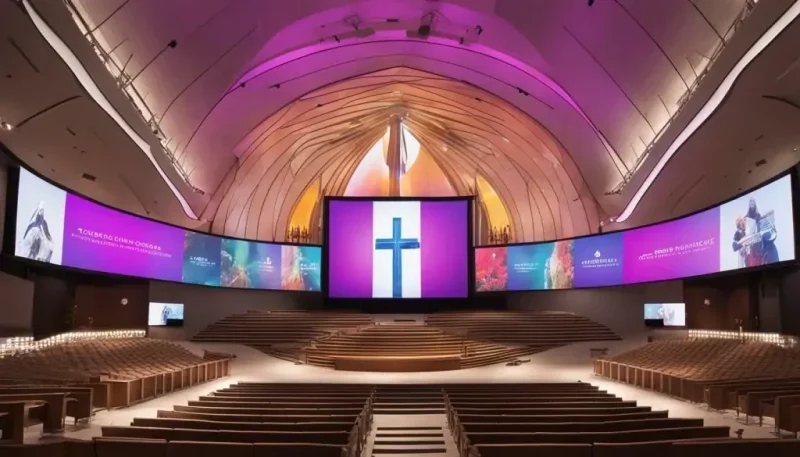
Screen size and pixel pitch are related, but they answer different questions. Size determines how large content appears in the room. Pixel pitch determines how densely the display samples that content.
01. Check 3: Establish the physical image size
Start with the farthest viewers. Test whether they can comfortably read the intended lyric and sermon layouts. Font choice, line length, and the number of lines all affect the required image height.
Then check the nearest and side seats. A large church LED screen may still perform poorly if speakers block part of it or viewers must look upward at an uncomfortable angle.
Choose an aspect ratio based on the content plan. A wide scenic backdrop may need a dedicated lyric region; simply stretching a standard presentation across it can distort text and people.
Ask for a cabinet layout showing active image dimensions, overall installed dimensions, and mounting height. EagerLED’s LED display size guide provides additional planning context.
02. Check 4: Select the pixel pitch
Pixel pitch is the center-to-center distance between adjacent pixels, expressed in millimeters. A smaller pitch places more pixels within the same physical area. Viewing comfort also depends on eyesight, content, and expectations, so distance formulas should guide shortlisting rather than replace a demonstration. Planar’s viewing-distance guide explains these distinctions.
The following examples illustrate the mathematics. They are not product configurations or universal viewing recommendations.
| Illustrative image size | Pixel pitch | Calculated native resolution | Approximate pixel count |
|---|---|---|---|
| 4.8 × 2.7 meters | 2.5 mm | 1,920 × 1,080 | 2.07 million |
| 4.8 × 2.7 meters | 3.0 mm | 1,600 × 900 | 1.44 million |
| 4.8 × 2.7 meters | 4.0 mm | 1,200 × 675 | 0.81 million |
Calculation: horizontal pixels = screen width in millimeters ÷ pixel pitch. Use the same calculation for height.
Actual dimensions must match available modules and cabinets. Nominal pitch labels may be rounded, so obtain the exact pixel matrix from the supplier.
A church LED screen that accepts a 4K input does not necessarily have a native 4K display surface. Input compatibility, processor capacity, and physical pixel count are separate specifications.
Before approving the pitch, view representative text on the proposed panel from the nearest planned seating position. For more detail, consult the LED display pixel pitch guide.
Two P2.5 Indoor LED Screens in the USA | Customer Installation.
Watch this EagerLED video on YouTube
4. Choose Brightness and Contrast for Your Sanctuary
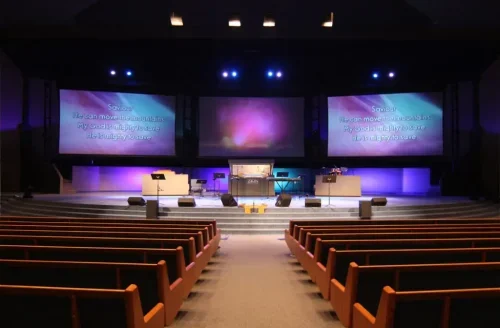
A church LED screen needs enough brightness for the room, together with usable control at lower settings. Maximum output alone says little about how the display will look during a quiet service with subdued lighting.
LED screen luminance is commonly specified in nits, equivalent to candelas per square meter. Projector output is commonly specified in lumens. These measurements describe different quantities and cannot be compared directly as if they were interchangeable ratings.
For procurement, request a demonstration under at least two representative conditions: the brightest expected service environment and the normal dimmed lighting state.
Evaluate white text, dark backgrounds, grayscale gradients, and ordinary video. Look for uneven cabinet brightness, visible color differences, and loss of detail in darker images. Set the church LED screen to the intended operating brightness during these checks.
Contrast also depends on reflected room light. Windows or stage fixtures shining onto the display surface can affect perceived black levels.
Ask the supplier to document the selected operating settings and explain which performance figures apply at those settings. Avoid assuming that every headline specification is available simultaneously in every operating mode.
Include brightness presets in the handover. Operators should be able to select an approved service setting without changing calibration or other engineering parameters.
5. Test LED Screen Performance on Livestream Cameras
If the church LED screen appears behind a pastor, choir, or worship band, camera testing belongs in the purchasing process.
Two issues require separate attention. Temporal artifacts, such as banding, involve the relationship between camera exposure and display timing. Moiré involves interaction between repeating spatial patterns, including the screen’s pixel structure and the camera’s sampling.
A high advertised refresh rate does not guarantee clean footage across every camera configuration. Brompton’s technical explanation shows why synchronization, phase, and shutter timing can affect the recorded image. Such controls are specific to compatible equipment and should not be assumed available on every system. Brompton’s synchronization guide
Arrange a church LED screen test using the intended cameras, lenses, frame rates, and shutter settings. Include wide shots, close shots, movement, and the actual distance between presenters and the display.
Record the feed and inspect it on a suitable monitor. A brief look at a camera’s small viewfinder is insufficient for judging subtle artifacts.
For live image magnification, also evaluate total camera-to-screen latency. The camera, switcher, converters, processor, and display can all contribute delay. A processor’s quoted latency represents only part of that chain.
Write the accepted camera configurations into the project record. If the church later changes cameras or production formats, the display settings may need to be reviewed.
6. Verify AV Compatibility and Ease of Operation
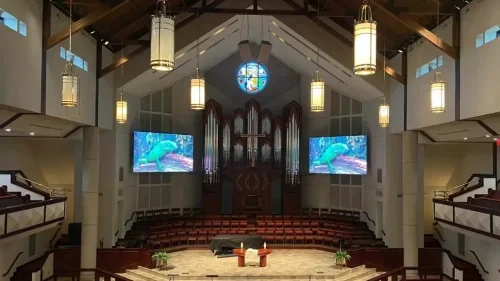
Map the signal path before ordering a church LED screen. Identify the presentation computer, cameras, switcher, conversion equipment, processor, and display connections.
Each stage must support the required format. A connector that physically fits does not establish compatible resolution, frame rate, color handling, or control behavior.
Keep three dimensions distinct: the content canvas, the video signal sent to the processor, and the wall’s native pixel matrix. Renewed Vision’s documentation describes screen and output configuration options that help manage these relationships. The final arrangement still depends on the installed software and hardware. ProPresenter screen configuration
| Interface or workflow | Question for the integrator |
|---|---|
| Presentation computer | Can it reliably drive every required output simultaneously? |
| Video processor | Does it support the actual pixel load and layout at the selected operating mode? |
| Signal transport | Are cable types and distances suitable for the chosen format? |
| Content mapping | Will text and graphics appear without unintended stretching or cropping? |
| Startup and shutdown | Can an operator follow a documented sequence? |
| Recovery | Can the system return to a known working configuration? |
The church LED screen should also be manageable by the people who run services. Provide clearly named presets, accessible input selection, and a practical method for blanking the display.
Separate ordinary operation from engineering access where the system permits it. Volunteers should not need to edit cabinet mapping to show a presentation.
Finally, test recovery after a planned restart and source disconnection. A system that works only while the commissioning technician is present is not ready for handover.
7. Assess Mounting, Power, and Installation Requirements
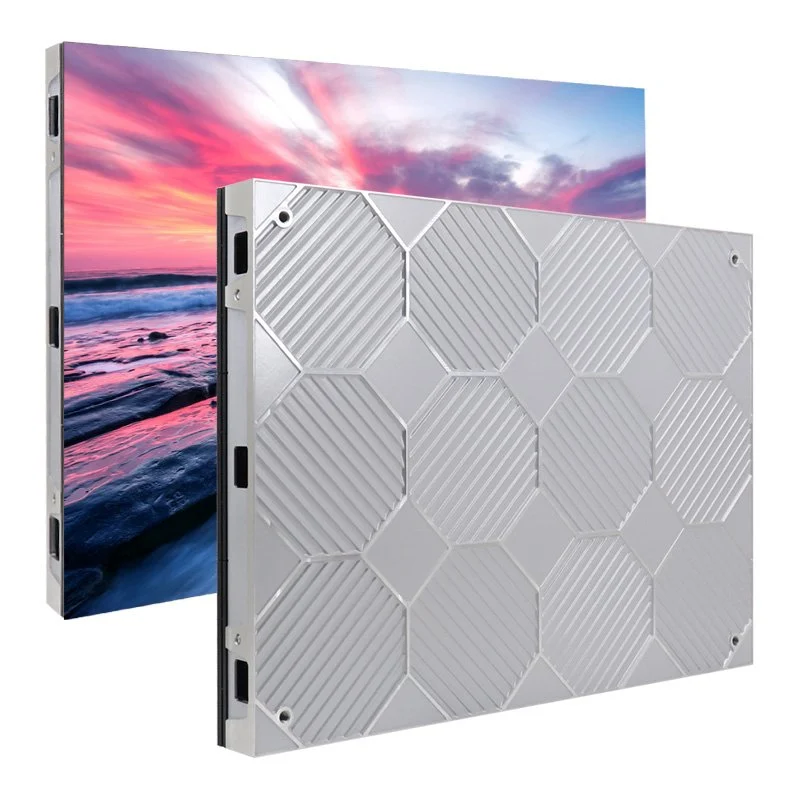
The church LED screen installation plan must account for more than cabinet weight. The supporting structure, mounting hardware, cables, access provisions, and installation method all belong in the design.
Have the relevant professionals confirm the suitability of the building attachment and electrical supply for the actual project. Product descriptions do not replace site-specific engineering.
Front-service cabinets can make maintenance more practical where rear access is restricted. However, “front service” should be checked component by component. Confirm how technicians reach modules, power supplies, receiving cards, connectors, and mounting fasteners.
The church LED screen also needs enough space for the manufacturer’s ventilation requirements and safe handling of removed parts.
| Installation area | Required project information | Evidence to request |
|---|---|---|
| Structural support | Total installed load and attachment arrangement | Approved project drawings |
| Electrical supply | Maximum demand, startup behavior, and circuit arrangement | Model data and electrical design |
| Service access | Component removal paths and working space | Maintenance drawing or demonstration |
| Thermal conditions | Ventilation and allowable operating environment | Manufacturer’s installation requirements |
| Cable routing | Power and signal paths, identification, and protection | Cable schedule and route drawings |
| Portable use | Repeated assembly, transport, and storage | Suitable hardware and handling procedures |
Do not size circuits from a promotional average-power figure. Electrical design must use the applicable equipment data and local requirements.
For portable churches, assess setup labor as carefully as cabinet weight. Road cases, module protection, connectors, assembly order, and storage conditions influence whether weekly deployment is practical.
Inspect the completed installation from occupied seating positions. Cable visibility, exposed structure, and maintenance equipment can affect the finished result even when the display itself performs well.
For a front-service product example, review the EA640F2 indoor LED display and request drawings for the proposed configuration.
44 PCS EA640F2 P2.5 Indoor LED Video Wall for USA | Customer Feedback.
Watch this EagerLED video on YouTube
8. Budget for the Total Cost of a Church LED Screen
The cost of a church LED screen cannot be evaluated reliably from a panel price alone. Two quotations may cover different equipment, logistics, installation work, or support obligations.
Issue the same scope to every bidder and require exclusions to be listed explicitly.
| Budget category | Items to include | Common comparison problem |
|---|---|---|
| Display hardware | Cabinets, modules, supplies, and receiving electronics | Different internal configurations under similar pitch labels |
| Processing | Controller, scaling, interfaces, and required licenses | Comparing systems with different capabilities |
| Installation | Structure, labor, access equipment, and electrical work | Installation excluded from one proposal |
| Logistics | Packaging, freight, insurance, and applicable import costs | Different delivery responsibilities |
| Commissioning | Mapping, adjustment, testing, and training | Acceptance work treated as an extra |
| Maintenance | Spare components, tools, labor, and shipping | Parts coverage mistaken for complete service |
| Operation | Electricity and relevant cooling or support costs | Estimates based on incompatible assumptions |
For a church LED screen energy estimate, use documented power at representative operating conditions:
Estimated energy in kWh = average operating power in kW × operating hours.
This calculation is a planning method, not a substitute for measurement. Brightness, displayed content, screen area, and equipment configuration can affect actual consumption. Include processors and associated equipment in the system boundary.
For distributors and contractors, document quotation validity, delivery terms, payment milestones, and responsibility for unloading and site storage. These details affect project cash flow and risk even when the hardware specification is identical.
When reducing cost, compare the consequences of changing image size, pitch, or optional features. Preserve the items required to achieve the agreed acceptance criteria.
A cheaper church LED screen proposal offers little value if it omits the structure, service access, or processing needed to make the installation usable.
9. Compare Suppliers, Warranties, and Ongoing Support
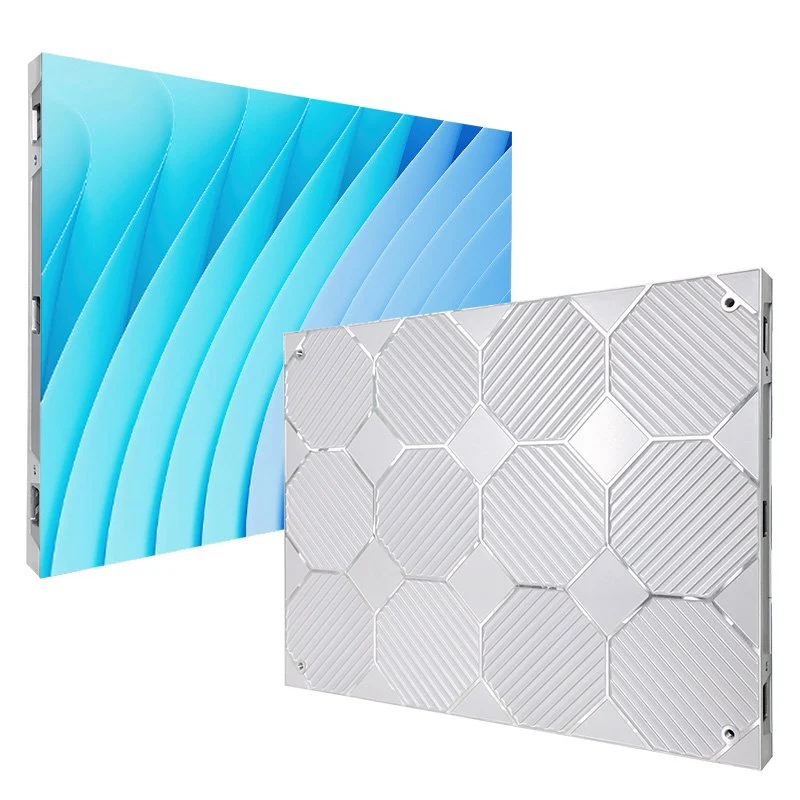
A dependable supplier should explain what is included, how the system will be tested, and what happens when a component needs replacement.
For a church LED screen quotation from EagerLED, provide the venue drawings, target image dimensions, viewing distances, content samples, installation method, destination market, and camera requirements. EagerLED’s church display solutions page provides a starting point for discussing configurations; request a current project-specific specification before selecting a model.
Require an itemized bill of materials and written substitution controls. Changes to receiving cards, power supplies, modules, or processing equipment should be reviewed for compatibility and performance.
Warranty evaluation should cover more than duration. Clarify the start date, covered components, exclusions, labor responsibilities, shipping arrangements, and the procedure for reporting faults. Distinguish a promised response time from a repair or replacement commitment.
Ask for relevant conformity documentation for the exact supplied equipment and destination. Avoid treating a general logo in a brochure as sufficient project evidence.
Before shipment, agree on a factory acceptance record that covers image uniformity, pixel inspection, cabinet identification, configuration, and the supplied spare parts. Repeat the relevant checks after installation. The LED screen supplier factory checklist can support this supplier review.
The church LED screen handover should include drawings, settings, software versions, operating instructions, and recoverable configuration files. NovaStar’s documentation describes configuration backup and restoration functions for supported systems. NovaLCT configuration manual
Name the party responsible for maintaining that documentation after future repairs or upgrades.
10. FAQ
01. Can a church LED screen be expanded after installation?
Sometimes, but expansion should be planned during the original design. Available mounting space, structural capacity, power, processor capacity, and compatible cabinets all matter. Later production batches may differ in appearance or electronics. Ask the supplier to document a feasible expansion layout and explain how future components would be matched before relying on this option.
02. Can we add new panels to an older LED wall?
Do not assume that matching dimensions and nominal pitch establish compatibility. Module electronics, receiving systems, calibration, mechanical connections, and aging can differ. Have the supplier evaluate the exact existing equipment and test a sample combination. In some cases, keeping new panels in a separate display area may produce a more consistent result.
03. Is SMD, COB, or GOB best for a church LED screen?
These terms do not describe equivalent categories. SMD and COB refer to different LED packaging approaches; GOB generally describes a protective encapsulation treatment. Evaluate the actual product’s image quality, surface characteristics, handling resistance, repair procedure, and cost. A packaging label alone cannot establish which church LED screen will suit the project.
04. Can an indoor church LED screen be used outdoors occasionally?
Only if the manufacturer approves the equipment and complete installation for those conditions. Brief exposure can still involve rain, condensation, dust, temperature changes, or wind. A covered stage does not automatically provide an indoor environment. Review the complete system, including connectors, power distribution, structure, and environmental protection, before planning outdoor use.
05. Will an LED wall interfere with microphones or other AV equipment?
Possible interference should be investigated at system level rather than assumed present or absent. Power supplies, cabling, grounding arrangements, and equipment placement can affect the installation. Request applicable electromagnetic compatibility documentation, then test the completed system with wireless microphones and other sensitive equipment operating normally. Record any required changes before acceptance.
06. Can the church keep loudspeakers behind the LED screen?
Do not assume a conventional solid LED cabinet behaves like an acoustically transparent projection screen. Its physical placement can obstruct sound paths. Have the AV designer coordinate loudspeaker locations and display geometry. If a supplier proposes an acoustically specialized display, request product-specific evidence and assess it within the actual sound-system design.
07. How many spare modules should we buy?
There is no universal quantity suitable for every church LED screen. Consider wall size, module type, access difficulty, shipping lead time, local service capability, and the consequences of visible downtime. Ask the supplier to justify a spare-parts package and specify storage requirements. Include other replaceable components where appropriate, rather than purchasing modules alone.
08. What happens if the internet connection fails during worship?
Internet failure does not necessarily stop a church LED screen from showing locally generated content. Operation depends on the system design and whether media, licensing, or control functions require connectivity. Test the intended offline workflow using local presentation files. Distinguish loss of internet access from failure of any local network used within the AV system.
09. Should we rent before purchasing?
A rental can help evaluate screen placement, content layouts, brightness, and operator workload. It is particularly useful when stakeholders have not experienced a comparable display in the room. However, the rental’s pitch, processor, surface, and camera behavior may differ from the proposed permanent equipment. Use the trial to refine requirements, then validate the actual purchase configuration.
11. Conclusion
Choosing a church LED screen requires ten connected checks: purpose, technology choice, image size, pixel pitch, brightness, camera performance, integration, installation, cost, and support. Each should lead to a documented requirement or a practical acceptance test.
For professional buyers, the strongest comparison is between complete, clearly defined systems. Review cabinet layouts, native resolution, component specifications, installation responsibilities, operating procedures, and service arrangements alongside the quotation.
When preparing an EagerLED inquiry, include the information that determines the design: room drawings, viewing distances, content samples, lighting conditions, camera setup, and maintenance constraints. Contact EagerLED to request a church LED screen proposal with an itemized scope and project-specific documentation.
The right church LED screen is one that the congregation can read comfortably, the production team can operate confidently, and the service team can maintain throughout its working life.