A mobile LED screen for events is a direct-view display built for temporary use at concerts, sports, festivals, exhibitions, and business gatherings. It may arrive pre-mounted on a trailer or truck, or as modular cabinets assembled at the venue. The right screen helps people see live video and timely information across a wide area. The wrong one can create unreadable text, poor sightlines, power problems, or unsafe installation.
This guide helps event planners, venues, and AV buyers choose between trailer screens, modular rental LED walls, and portable LED posters. It covers viewing distance, pixel pitch, daylight visibility, power, safe setup, and the questions that make rental and purchase quotes comparable. EagerLED manufactures modular rental-grade displays for buyers who need equipment for repeated events; local event-day rental is a separate service decision. Test the proposed equipment with your real content at the venue; specifications and prices vary by supplier and project.
1. What Is a Mobile LED Screen for Events?
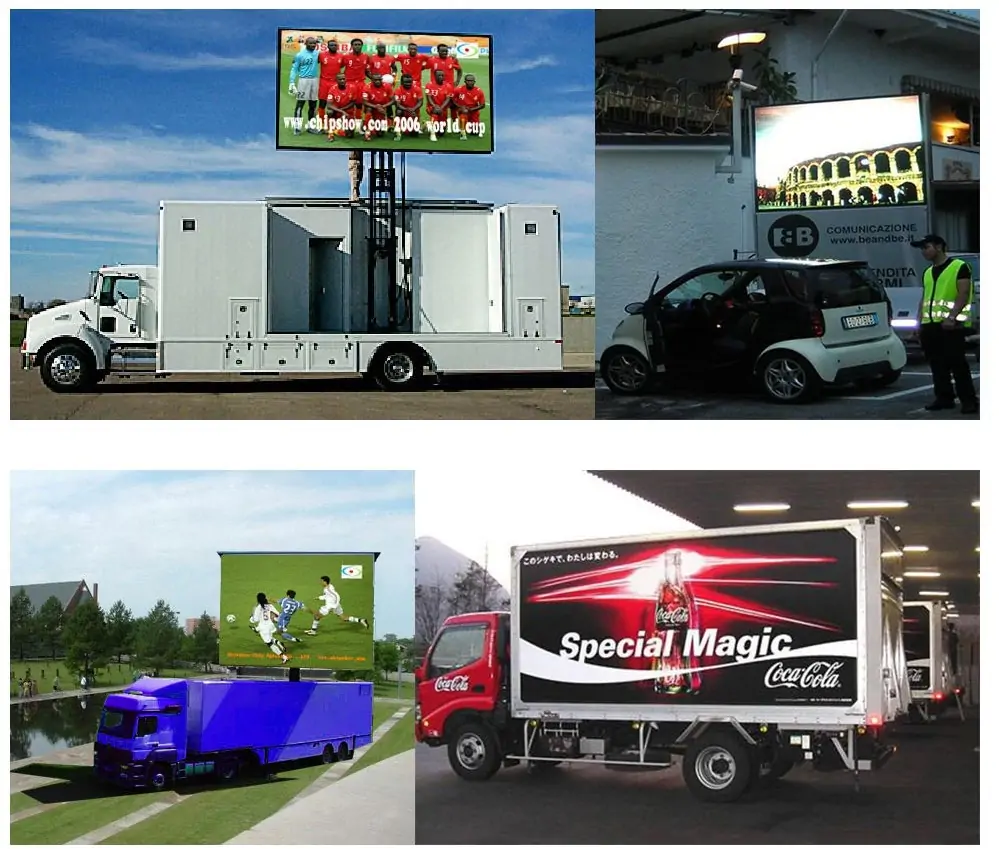
A mobile LED screen for events is a temporary display system that uses light-emitting diode pixels to show video and graphics without projection. “Mobile” describes how it is transported and deployed; it does not mean every display has wheels. A trailer screen is attached to a towable chassis, often with a lifting mast. A truck-mounted unit is carried by a vehicle. A modular rental LED wall travels in cases and is built from cabinets on site. A freestanding LED poster is much smaller and serves close-range messaging.
The display receives a video source through a processor, which maps content to the screen’s native pixel canvas. The complete system also needs power distribution, data cabling, suitable support, and a fallback plan. A portable LED screen can show a camera feed, score, schedule, sponsor loop, or safety message. Audio is a separate system; a bright image cannot replace intelligible sound. For a live event, assign an operator to manage the video source and processor.
01. Think in Terms of the Audience
Begin with the task the audience must complete. Can visitors recognize a performer from the back of the field? Can they read a timetable while walking? Can a sponsor logo be identified at a glance? A temporary LED display may be excellent for live close-ups but too small for dense slides at the same distance. Audience distance, screen height, ambient light, and the smallest essential text all affect the outcome. Define the communication need first, then select hardware.
2. When Does a Mobile LED Screen Help?
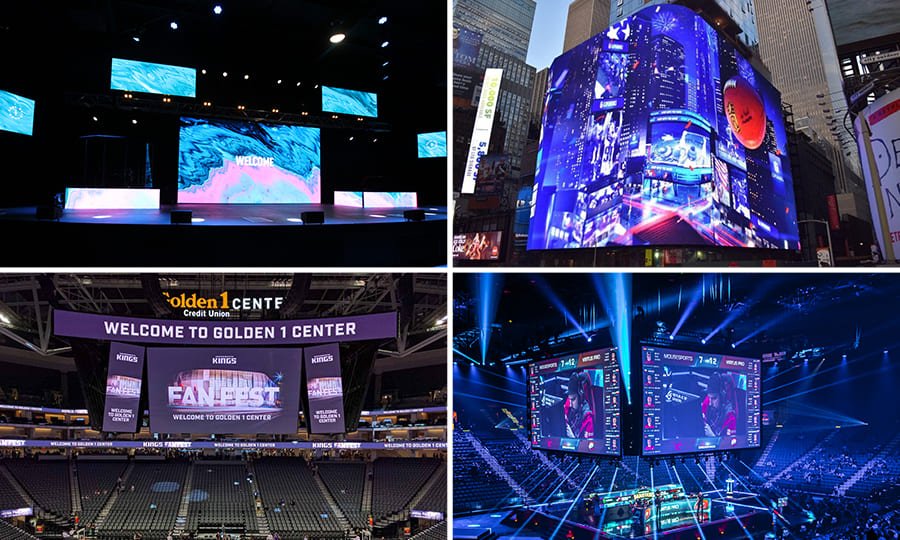
A screen is valuable when many people need to see changing information across a wide area or when a venue cannot support projection. Outdoor concerts use live camera feeds so distant visitors can follow performers. Sports organizers show scores and, when rights allow, replays. Conferences use a screen for presentation slides and remote speakers. Festivals use screens for timetables, maps, sponsor messages, and safety updates. A portable LED screen can also support a brand activation or temporary outdoor advertising where local rules permit it.
The benefit depends on placement. A screen facing direct sun needs appropriate operating brightness and a favorable angle. A screen set too low disappears behind a standing crowd. Close viewers will notice coarse pixel pitch; distant viewers may see little benefit from the finest pitch. A temporary LED display is especially useful when the program changes during the day and the visual message must change with it. It can update content without changing physical banners, but the crew still needs a reliable workflow for approvals and playback.
01. Benefits and Practical Limits
Rapid deployment is a common advantage of a trailer-mounted screen because the display arrives assembled. That may reduce cabinet build time, but it does not remove the need to check access, ground bearing, stabilizers, weather limits, power, and local permissions. Modular systems take more build labor but can fit unusual shapes and locations that a vehicle cannot reach. Neither format is automatically cheaper. Transport distance, crew, duration, equipment, and site conditions drive the final cost.
3. Trailer, Modular Wall, or Portable Poster?
These formats solve different problems. A portable LED screen mounted on a trailer suits open sites with vehicle access and a conventional rectangular image. A modular rental LED wall suits stages, indoor halls, narrow entrances, and custom dimensions. A portable LED poster suits registration desks, exhibition booths, menus, and wayfinding at short distances. An LED poster is a different size class from a crowd-facing trailer or modular wall, so compare its viewing area and distance separately.
| Format | Best fit | Main constraint | Typical content |
|---|---|---|---|
| Trailer-mounted screen | Outdoor audience areas and quick venue changes | Vehicle route, level footprint, stabilizers, and wind plan | Live feed, score, sponsor loop |
| Modular rental wall | Stages, exhibitions, custom sizes, indoor or outdoor builds | Crew time, rigging or ground support, and cable management | Stage graphics, presentations, live feed |
| Portable LED poster | Entrances, booths, and close-range signs | Small image area and short viewing distance | Schedule, promotion, directional message |
Ask whether a quoted temporary LED display is a complete operating package. A screen price may exclude the processor, playback computer, vision switcher, generator, cable ramps, on-site technician, or sound. Compare offers on the same scope. For stage-specific decisions, see EagerLED’s stage rental LED display guide. For a booth setting, see its exhibition LED screen guide.
4. Choose Size, Pixel Pitch, and Resolution
01. Start With Viewing Distance and Content
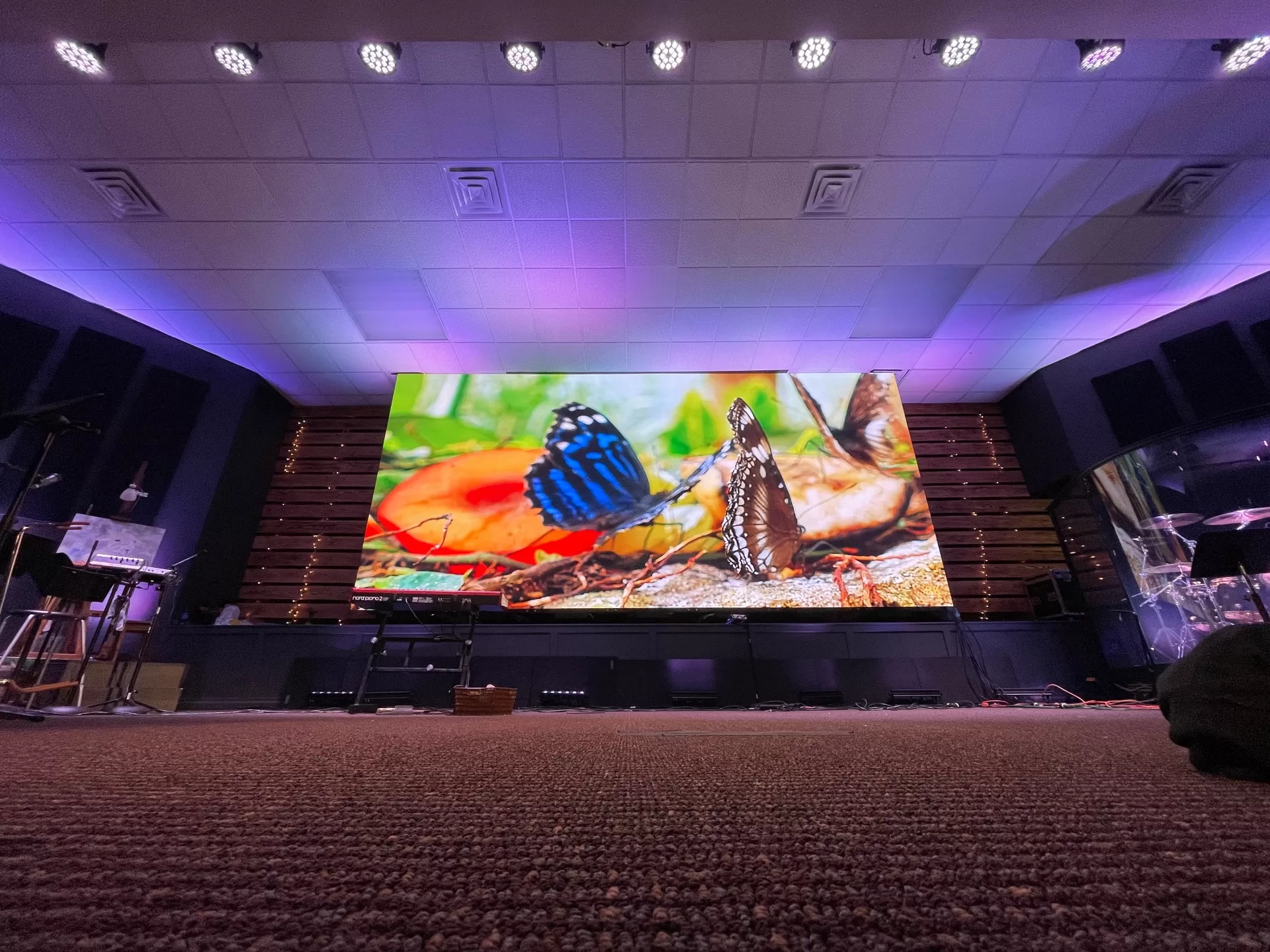
The size of a screen should follow the farthest useful viewing position and the visual task. A live face remains recognizable farther away than small text. Walk the venue and mark the nearest and farthest audience zones, obstructions, viewing angles, and planned screen elevation. Test a representative slide at those points. If important content cannot be read, enlarge the type, simplify the layout, increase the physical screen, or move it. Do not rely on a diagonal-size label without checking the active image width and height.
Pixel pitch is the center-to-center spacing of neighboring pixels, measured in millimeters. A smaller number places more pixels in the same area and improves close viewing, but generally increases cost and processing load. An early discussion might compare P2.6 or P3.9 for nearer viewers with P4.8 or P6.2 for more distant viewing. These are examples, not universal distance rules. Cabinet design, contrast, content, and eyesight all matter. When selecting a portable LED screen, request a test with your smallest essential text.
02. Calculate the Native Canvas
Native pixel width is screen width in millimeters divided by pixel pitch in millimeters. A nominal 6,000 mm wide P3.9 screen has about 1,538 pixels across; the exact cabinet grid determines the final value. For example, a nominal 6,000 × 4,000 mm wall at P3.9 works out to about 1,538 × 1,026 pixels before rounding to whole cabinets. Confirm the finished width and height in pixels with the supplier before designing graphics. A 16:9 video shown on a differently shaped temporary LED display may be cropped, letterboxed, or stretched. Choose the treatment deliberately, keep logos away from edges, and check the processor mapping with actual playback files.
| Planning item | What to request | Why it matters |
|---|---|---|
| Physical viewing area | Width × height in meters, plus mounting height | Determines sightlines and image scale |
| Pixel pitch | Exact millimeter pitch and cabinet grid | Determines native pixel count and close-view detail |
| Native resolution | Final width × height in pixels | Determines content export and processor mapping |
| Content test | Slides and video at actual viewing points | Confirms readability before show day |
5. Plan Brightness and Outdoor Durability
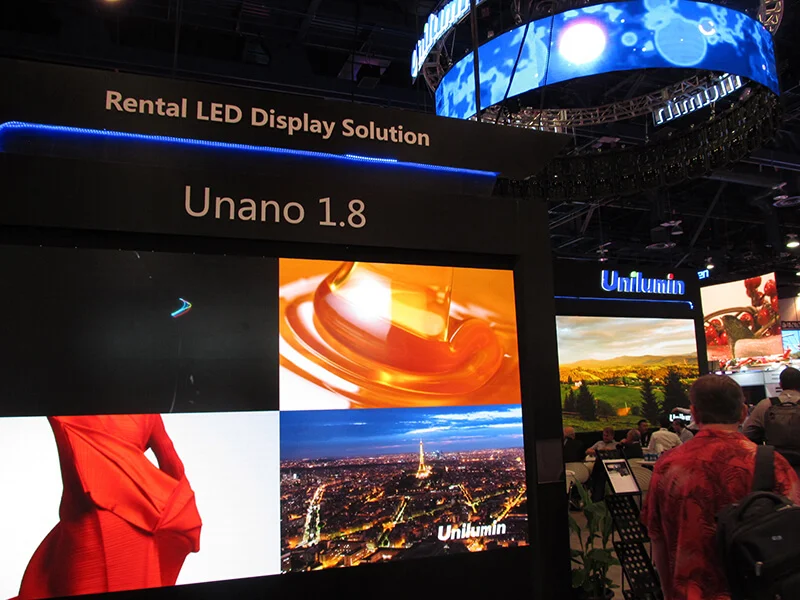
Brightness is usually specified in nits (cd/m²), but a headline number alone cannot guarantee legibility. Ask for the operating brightness of the exact configuration, its adjustment range from day to night, and how the screen handles sun facing the display. Outdoor sites often need substantially more brightness than controlled indoor halls. Excessive brightness after sunset can tire viewers and may conflict with venue rules. A screen needs a practical dimming plan and enough contrast for its actual content.
01. Weather Ratings Are System Specific
A weather-resistant LED cabinet is only one part of an outdoor portable LED screen. Connectors, processors, power distribution, cable joins, and the control position need suitable protection too. Request the applicable ingress-protection ratings for front and rear, operating temperature range, and the supplier’s rain and wind instructions. IP ratings describe enclosure protection under defined tests; they do not authorize operation in every storm. The site lead should know the wind threshold, who monitors conditions, and who can order the screen lowered or shut down.
Orient the display to reduce glare and preserve useful viewing angles. If a trailer can rotate, confirm the clearance at its deployed height before arrival. Ask the operator to check the picture in the daytime and again under planned evening light. A temporary LED display cannot substitute for a venue-specific weather and safety plan.
6. Power, Signal, Sound, and Content
01. Build a Reliable Signal Path
A screen commonly receives video from a laptop, media server, camera chain, or vision switcher. Its processor scales and maps the source to the cabinets. Confirm the available inputs, frame rate, color settings, cable distance, and backup source. For a live concert, rehearse switching and lip-sync with the audio crew. For public sports viewing, verify distribution rights and source availability. A consumer streaming app may not provide a reliable or licensed event feed.
Camera work adds another technical check: refresh behavior. Test the proposed portable LED screen using the actual cameras, shutter settings, and production frame rate. An advertised high refresh rate is helpful only if the full camera and processing workflow avoids banding, scan lines, and moiré. Inspect recorded rehearsal footage, not only a still image on the wall. Agree who operates the processor and who has authority to change sources during the show.
02. Design for the Viewer, Not a Laptop Monitor
Use large type, short phrases, strong contrast, and a safe area around each message. Export media at the native aspect ratio and check legibility from the back of the audience. Avoid tiny sponsor logos and paragraphs that cannot be read before the next slide appears. Prepare separate day and night playlists if brightness needs change. On a temporary LED display, keep essential messages on screen long enough to read, and offer another accessible channel for detailed schedules or instructions.
Audio, captions, and safety messaging should be planned together. A screen can show captions or directional text, but the organizer must confirm that the words are readable from the intended zones. Keep a known fallback slide ready for signal loss. Test the entire chain: source, switcher, processor, cabinets, audio, and backup power where required.
7. Venue Access, Setup, and Safety
Before ordering a portable LED screen, send the vendor a site plan. Include entrance width and height, turning radius, surface condition, slope, underground services, overhead lines, audience barriers, emergency routes, and available power. A trailer may fit through the gate but lack space to deploy stabilizers or rotate safely. A modular wall may fit the room but need approved rigging points, ground support, and more load-in time. Discuss access with the venue as well as the screen supplier.
01. Deployment Sequence
The usual sequence is site inspection, arrival and positioning, exclusion zone, leveling and stabilization, power connection, screen deployment, signal mapping, content check, and sign-off. Only trained crew should operate lift mechanisms or rigging. Keep visitors away from moving equipment and cable routes. Confirm the supplier’s wind action plan and relevant local requirements. A temporary LED display should be shut down or lowered whenever the manufacturer’s limits or event safety plan require it.
02. Rehearsal and Exit Plan
Reserve time for a full rehearsal with real content, audio, and cameras. Make sure the event director can contact the screen operator directly. Agree who may change playlists and who approves sponsor or emergency messages. After the event, allow time for safe lowering or dismantling, cable removal, and vehicle departure. A screen is operational equipment; orderly setup and strike matter as much as image quality.
| Site question | Evidence to collect | Owner |
|---|---|---|
| Can the unit reach and stand at the display position? | Route survey, dimensions, ground and slope notes | Venue and screen supplier |
| Is the support plan approved? | Rigging or stabilizer plan, load data, exclusion zone | Qualified technical lead |
| Is power adequate and protected? | Distribution schedule, connector type, cable route | Electrician and supplier |
| What happens in wind, rain, or signal loss? | Thresholds, shutdown procedure, fallback content | Event safety lead and operator |
8. Rental Versus Purchase and Cost Drivers
Renting a portable LED screen often suits one-off festivals, changing venues, or organizations that need local crew and transport in the package. Buying may suit rental companies or venues with frequent, repeatable use and staff who can store, maintain, and operate the equipment. Compare total cost over the expected number of deployments, not only the first invoice. A temporary LED display also requires transport, maintenance, spares, insurance, training, and eventual replacement.
A comparable quote lists the active LED area, pitch, processor, video sources, delivery distance, crew hours, operating hours, generator or mains connection, audio, weather provisions, spare equipment, and overtime. A low daily rate can become expensive if it excludes a technician or power equipment. Prices differ by region and season, so request current written quotes instead of accepting a universal price claim. For a broader treatment of rental specifications, see EagerLED’s rental LED display guide.
Manufacturer versus event-day rental: EagerLED manufactures modular rental-grade LED displays for event companies, venues, and integrators to purchase. A local event rental quote is a separate service proposal covering delivery, crew, power, and operation. If you are buying equipment for repeated use, ask EagerLED for a configuration and product quote; for a one-off event, confirm on-site service scope with the rental provider.
01. Questions for Every Supplier
Ask which model will arrive, whether the screen can operate in the expected daylight, who supplies playback and processing, how long the technician stays, and what replacement equipment is available. Request wind and rain limits in writing. Check that the quoted image area means active LEDs rather than trailer dimensions. Clarify delivery, parking, permits, damage terms, and cancellation terms. These answers reveal gaps before show day and make bids easier to compare.
9. Event Planning Checklist
Use this checklist when briefing a supplier for a portable LED screen. It turns a vague “big screen” request into measurable requirements and improves quote accuracy.
- Audience: State expected attendance, nearest and farthest viewing distances, and key sightline obstacles.
- Content: Identify live video, slides, scores, schedules, sponsors, captions, and smallest essential text.
- Venue: Send a site plan, access route, display location, surface details, and power location.
- Timing: Provide load-in, rehearsal, show, and strike windows, including any noise restrictions.
- Environment: Note sun direction, day and night use, rain exposure, and the site wind procedure.
- Production: Specify source formats, cameras, audio integration, communications, and backup feed.
- Scope: Request an itemized quote for screen, transport, crew, operation, power, and spares.
After reviewing the offer, test the temporary LED display with actual graphics. A sample video loop can hide unreadable slides or a poor aspect-ratio fit. Keep a written sign-off sheet for image mapping, brightness, audio synchronization, and fallback content. For an indoor venue, check door dimensions and floor loading before assuming a trailer or truck can enter. Include a clear owner for every unresolved item.
10. Frequently Asked Questions
01. What is the difference between a mobile LED screen and a rental LED wall?
A screen is a broad term for a relocatable display. A trailer or truck screen arrives largely assembled; a modular rental wall arrives as cabinets and is built at the venue. Choose according to access, screen shape, build time, and support requirements.
02. How do I choose pixel pitch for an event?
Start with the nearest meaningful viewer and the smallest essential content. Smaller pitch provides more pixels for close viewing but adds cost and processing demand. Test the proposed portable LED screen with your own slides and video at the real distance.
03. Can a mobile LED screen operate in direct sunlight?
Many outdoor systems can, but results depend on operating brightness, contrast, orientation, and sun angle. Ask the supplier for a daylight demonstration or comparable evidence. The temporary LED display should also dim for evening viewing.
04. Does a mobile LED screen include sound?
Usually not by default. Confirm the audio system, source routing, synchronization, and operator responsibilities in the quote. A screen is the picture component of a wider production system.
05. How quickly can a trailer screen be set up?
It usually deploys faster than a wall assembled from many cabinets, but time depends on access, leveling, stabilizers, power, signal, and safety checks. Ask for a site-specific schedule rather than a universal promise for a portable LED screen.
06. What should I ask about bad weather?
Request written rain, temperature, and wind limits for the complete system, along with action thresholds and a responsible decision-maker. Do not rely on a cabinet IP rating alone. The operating plan for a temporary LED display must cover the whole installation.
07. Is renting or buying more economical?
Renting often fits occasional or changing events; buying can fit frequent repeat use. Compare transport, staff, storage, maintenance, insurance, spares, and technology refresh. For a screen, the answer depends on utilization and operational capability.
11. Conclusion
A well-chosen portable LED screen helps audiences follow the program and gives organizers a flexible communication surface. Choose the format around the venue, size it for real sightlines, confirm pitch and native resolution with actual content, and document power, signal, weather, and crew responsibilities. A temporary LED display succeeds when the entire system is planned and rehearsed. Share your site plan, audience distances, content samples, and schedule with the supplier to receive a defensible recommendation and an itemized quote. To source modular equipment, compare EagerLED rental LED display models and contact EagerLED with your requirements.